🛒 Best Price Today on Amazon
Prime members get fast, free shipping on everything above, plus member-only deals. New members get a 30-day free trial — cancel anytime.
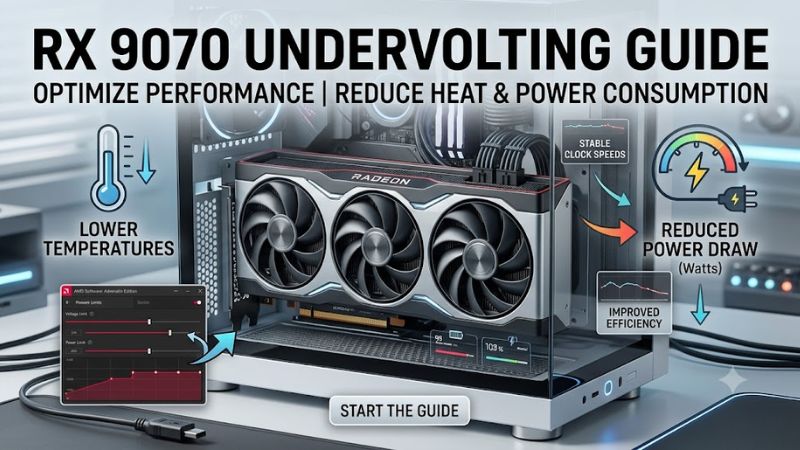
Undervolting can help the AMD Radeon RX 9070 reduce power consumption and heat while maintaining useful gaming performance, but results depend on the individual GPU and workload. This rx 9070 undervolting guide explains how to adjust voltage in AMD Software: Adrenalin Edition, verify stability, and restore default settings if problems occur.
What RX 9070 Undervolting Really Comes Down To
The goal is to find the lowest voltage your individual card can handle reliably at its normal gaming clocks, not to chase the smallest possible number. AMD provides tuning controls in Adrenalin, while independent testing by TechSpot shows that RX 9070 cards can respond well to voltage adjustments. Results vary by card model, workload, and silicon characteristics.
1. Understand voltage, power, and stability
GPU voltage affects how much power the graphics processor needs to sustain a particular operating frequency. Reducing voltage can lower power consumption and heat, potentially giving the card more thermal headroom. However, an aggressive reduction can cause driver timeouts, game crashes, visual artifacts, or unexpected restarts.
A successful undervolt does not automatically mean higher FPS. If your RX 9070 already maintains its target clocks without thermal or power constraints, the main benefit may be lower consumption or fan noise. Judge the result by measuring power, temperatures, clock behavior, and performance together.
2. Know what voltage offset to try first
For a sensible starting point, TechSpot reported that the RX 9070 and RX 9070 XT samples in its August 2026 article handled a voltage offset of -80 mV, while most of its samples remained stable at -100 mV. A few managed -120 mV. These are results from that publication’s tested cards, not universal limits for every retail model.
Start conservatively rather than copying the lowest figure. A modest reduction is preferable to an unstable setting that interrupts a gaming session. The objective of this rx 9070 undervolting guide is repeatable stability, so treat published values as reference points and increase the reduction only after checking your own hardware.
3. Separate undervolting from overclocking
Undervolting reduces the voltage applied to the GPU’s operating curve or range. Overclocking raises clock targets, while memory tuning changes VRAM behavior. Combining all three adjustments makes it harder to identify the cause of a crash or performance regression.
For your first tuning session, leave the GPU clock target, VRAM frequency, power limit, and fan curve at their defaults. Change only the voltage offset. Once you have a stable baseline, you can investigate other controls individually if they serve a specific goal.
What Doesn’t Help
Do not assume that a lower voltage is always better, or that lower temperatures alone prove stability. A game may run for several minutes and still crash in another workload. Likewise, copying another card’s entire tuning profile can introduce unnecessary variables, especially when the manufacturer, cooler, factory clock targets, or BIOS differs.
You also do not need to modify the graphics card BIOS to undervolt it. Use the standard software controls first. Avoid unofficial BIOS flashing as a shortcut: it introduces separate compatibility and recovery risks without being necessary for the basic procedure described here.
How to Undervolt the RX 9070: Step by Step
This procedure uses AMD Software: Adrenalin Edition on a Windows desktop. AMD documents GPU tuning under Performance Tuning and explains that the available controls vary by GPU and software configuration. Keep your first adjustment simple, record the original settings, and verify each change before proceeding.
Step 1. Establish a stock baseline
Before changing anything, launch a demanding game you regularly play and record its resolution, graphics preset, average FPS, GPU temperature, hotspot temperature if available, GPU clock, board power, and fan speed. Use the same scene or built-in benchmark for subsequent comparisons.
Run the game long enough to reach a representative load, and note any existing crashes or stuttering. If the card already has problems at default settings, diagnose those first rather than assuming undervolting will solve them. Save screenshots of your original tuning page so you can restore the baseline.
Step 2. Open the Adrenalin tuning controls
Open AMD Software: Adrenalin Edition, search for Tuning, and select Performance Tuning. Depending on the software version, you may need to select the GPU and switch from Default to Custom before the manual controls appear. Accept the displayed tuning terms if prompted.
Enable GPU Tuning and look for the voltage control. The RX 9070 interface and available options may differ from screenshots for older Radeon cards. If your software offers an automatic Undervolt GPU preset, that is a reasonable low-effort alternative; apply it and validate stability before trying manual adjustments.
Step 3. Apply a conservative voltage reduction
For manual tuning, begin with a small reduction from the stock voltage setting. A starting offset of -50 mV is a cautious example, not a guaranteed stable value or a requirement. If your interface expresses voltage as an absolute millivolt target rather than an offset, follow the displayed control’s meaning instead of entering the same number blindly.
Apply the setting and check whether Adrenalin accepts it. Do not simultaneously raise the maximum frequency, alter VRAM timing, or increase the power limit. This rx 9070 undervolting guide deliberately isolates voltage so any instability has a clearer cause and rollback is straightforward.
Step 4. Test, compare, and refine
Run the same game or benchmark used for your baseline, then test several demanding games with different workloads. Watch for driver timeouts, black screens, visual corruption, application crashes, and sudden performance drops. If any appear after the change, return to the last stable setting or restore defaults.
If the card remains stable, try a slightly larger voltage reduction and repeat the checks. Stop when instability appears, then step back to the last stable setting. For greater confidence, include longer gaming sessions and workloads that stress the GPU differently from your initial benchmark.
The following table summarizes the workflow and its trade-offs.
| Setting or Step | Where | Effect | Risk |
| Record baseline | Game benchmark and Adrenalin metrics | Creates a comparison point | Minimal |
| Automatic undervolt | Performance > Tuning, if available | Applies AMD’s preset | Stability still needs verification |
| Manual voltage offset | Performance > Tuning > GPU Tuning | Reduces voltage for the operating curve | Excessive reduction can cause crashes |
| Stability testing | Your games and a repeatable benchmark | Checks performance and reliability | Instability may close the game or reset the driver |
Measure the results, not just the temperature
Compare stock and undervolted runs using the same game version, resolution, graphics settings, and test scene. Record average FPS when available, GPU power, temperature, clock speed, and fan behavior. Repeat runs when results vary, because background activity and game workloads can influence measurements.
Do not treat a single FPS increase as proof of a general performance gain. Independent RX 9070 results are specific to the tested card, software, and workload. Your most useful outcome may be similar performance with less power draw, rather than a measurable increase in frame rate.
FAQ
Is -100 mV a safe undervolt for every RX 9070?
No, -100 mV is not guaranteed to be stable on every RX 9070. TechSpot reported that most of its tested samples handled that offset, but individual cards can differ. Start with a smaller reduction and test your actual games before relying on the setting.
How much performance can undervolting add?
Undervolting does not guarantee higher FPS; it may mainly reduce power consumption and heat. If a card benefits from additional thermal headroom, its sustained clock behavior may improve, but the outcome depends on the workload, cooling, and original operating conditions.
Can undervolting damage my RX 9070?
A software voltage reduction is generally a reversible tuning change, but an unstable setting can cause crashes, lost work, or driver resets. Restore the default profile if problems appear, and avoid combining voltage changes with unverified BIOS modifications or aggressive overclocking.
What should I do if games crash after undervolting?
Restore the last stable voltage or reset tuning to Default in Adrenalin. Re-run the same workload and confirm that the crash no longer occurs. If crashes continue at stock settings, investigate driver, temperature, memory, and system stability issues rather than continuing to lower voltage.
Final Thoughts
A careful rx 9070 undervolting guide should help you find a balance between power use, temperatures, noise, and dependable gaming performance. Start with stock measurements, change voltage alone, and test across multiple games. Keep the last stable profile and revert to defaults whenever unexplained crashes or visual artifacts appear.