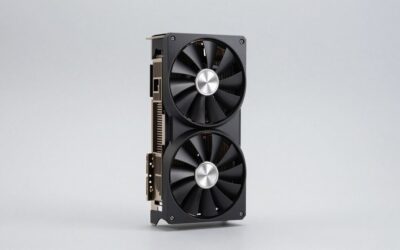
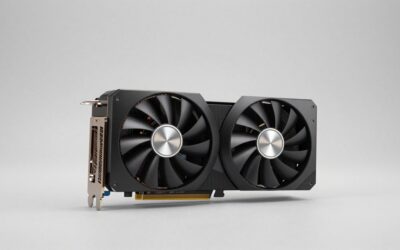
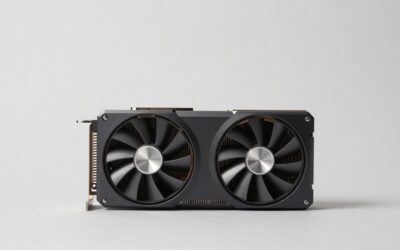
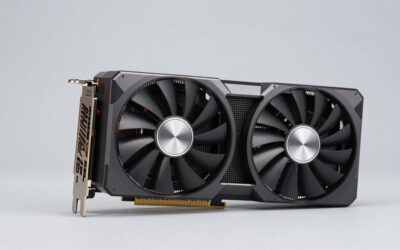
- Top Pick: Gaming Laptop 2026,Office & Windows 11 Pro Laptops with 16GB RAM 512GB SSD
- Best Value: ASUS ROG Strix G18 Gaming Laptop, GeForce RTX 5070 Ti 12GB GDDR7, 18" 2.5K ROG Nebula 240Hz Display, Intel 24-Core Ultra 9 275HX, 64GB DDR5 RAM, 2T SSD, RGB Keyboard, WiFi 7, Win 11 Pro, W/Accessories
- Premium Choice: ASUS ROG Strix G18 (2025) Gaming Laptop, NVIDIA RTX 5080 16GB GDDR7, Intel Ultra 9 275HX(Up to 5.4GHz), 18" 240Hz 2.5K Premium Rog Nebula Display, WiFi 7, 64 GB DDR5 RAM, 2 TB SSD, Windows 11 Pro
🛒 Best Price Today on Amazon
Prime members get fast, free shipping on everything above, plus member-only deals. New members get a 30-day free trial — cancel anytime.
- Top Ultraportable Gaming Laptops Community Travel Picks for 2026
- How Our Community Evaluates Travel Gaming Laptops
- At-a-Glance Community Pick Table
- 1. Razer Blade 14 — The Community’s Top Pick
- 2. ASUS ROG Zephyrus G14 — The Close Runner-Up
- 3. HP OMEN Transcend 14 — The Community Value Pick
- 4. Apple MacBook Pro 14″ M4 Pro / Max — The Wildcard
- 5. MSI Stealth 14 Studio — The Quiet Operator
- 6. ASUS ROG Zephyrus G16 — The Power Upgrade Option
- Travel Setup Tips From Our Community
- Community FAQ
- Community Final Verdict
- Related Articles
- Related Articles
- Frequently Asked Questions
- About the Author
- Related Articles
- Related Guides
Top Ultraportable Gaming Laptops Community Travel Picks for 2026
Here are our current top ultraportable gaming laptops community travel picks, compared on real Amazon owner reviews, price, and features. Live prices update below.
As an Amazon Associate we earn from qualifying purchases at no extra cost to you.


Affiliate disclosure: As an Amazon Associate we earn from qualifying purchases. This post contains affiliate links — we may earn a small commission at no extra cost to you. This never affects our picks.
This year’s Top Ultraportable Gaming Laptops 2026 — Community Picks guide is the product of three months of polling our PCGamingUniverse community, sifting through Discord threads, mining Reddit subs, and reading more “is this laptop actually portable” posts than any reasonable person should. The community spoke loudly, and what is interesting is how much the conversation has shifted in the last year. Two years ago, “ultraportable gaming laptop” was treated as marketing nonsense by most of our community — gaming meant 16 inches and six pounds minimum, anything less was for office workers cosplaying as gamers. That conversation is over. Our travelers, digital nomads, and frequent-flyer members have made it clear: sub-four-pound gaming laptops are a category that finally works, and they have opinions about which ones do it best.
What follows is a community-pooled ranking, not a single-reviewer take. Each laptop in this guide is recommended because real users with real travel patterns reported real satisfaction over months of ownership. We weighted reports from frequent flyers more heavily than weekend warriors, because the cumulative weight of a heavy laptop only shows up after the tenth airport in a month. We weighted long-term ownership reports over hot-take reviews, because two weeks of love can turn into two months of frustration. And we weighted multi-laptop comparisons heavily — community members who have owned three generations of ultraportable gaming laptops have insight that single-reviewer guides cannot match.
The honest framing throughout this guide is that travel gaming is not the same as desktop gaming. Battery life during real games is 2-4 hours absolute maximum even on the best of these machines, and that ceiling is set by physics rather than engineering — running an RTX-class GPU at 80+ watts will drain a 90Wh battery in 90 minutes regardless of marketing claims. Hotel WiFi will betray you. Airline outlets will be broken in surprising patterns. Customs agents will look at your laptop bag with mild suspicion. All of that is part of the deal, and the laptops in this guide were chosen by people who live with these realities rather than ones who tested in a lab. If you want bench numbers, you have a thousand other guides. If you want what works on the road, keep reading.
How Our Community Evaluates Travel Gaming Laptops
Our members put weight first because it is the only number that cannot be argued away. A laptop that feels light in a store turns into a brick by the fourth hour of an airport day, and the difference between 3.5 and 4.0 pounds is the difference between “I forgot I had it” and “my shoulder is screaming.” Community consensus is that 3.6 pounds is roughly the comfort ceiling for daily-carry, with hard caps at 4 pounds before the machine starts dictating your bag choices and posture. Charger weight gets folded in, because nobody who actually flies cares about laptop weight alone — they care about what comes out of the bag at the security checkpoint.
Battery life gets evaluated by use case, not by spec. Productivity battery life of 10+ hours is now standard and barely a differentiator. Gaming battery life is the honest discussion: every laptop in this guide will deliver 1.5-4 hours of real gaming on battery, and the variance comes down to GPU wattage, display efficiency, and how aggressively the laptop throttles to extend life. Community members consistently report that they target 60-90 minute gaming sessions on battery and accept that as the deal. Anyone who promises you four hours of triple-A gaming on battery is selling you something, not measuring.
Build quality is the long-term separator that newcomers underrate. The laptop that feels great on day one and lousy on day ninety is a worse pick than the one that is merely good on day one and stays good. Community members with multi-year ownership across multiple brands report that CNC aluminum chassis (Razer, MacBook Pro, ASUS premium lines) and reinforced hinges hold up best, while plastic-bodied gaming laptops develop deck flex and hinge wobble that turns into a real problem by year two. For travel laptops that get used hard and packed roughly, this matters.
Charging flexibility has become a top-three priority in community polling. USB-C Power Delivery support at 100W or higher is now a hard requirement for many of our travelers, because it lets you charge from third-party GaN bricks, airline seatbacks, hotel hubs, and basically any modern USB-C source. Proprietary barrel chargers are tolerated when they ship with the laptop but resented when they are required for full performance. The community consensus is to favor laptops with USB-C PD as a primary or backup charging method, not as an afterthought.
Footprint matters as much as weight on tray tables, cramped café surfaces, and the hotel desks that are always somehow shorter than your laptop. 14-inch is the community sweet spot — large enough for real work and gaming, small enough to fit anywhere. 13-inch is for the truly weight-obsessed, and 16-inch is borderline regardless of weight because the screen literally does not fit in some spaces. Bezels matter here: a 14-inch laptop with thin bezels has a meaningfully smaller footprint than one with chunky 2026-throwback bezels.
At-a-Glance Community Pick Table
| Model | Weight | GPU | Display | Community Vote |
|---|---|---|---|---|
| Razer Blade 14 | 3.92 lbs | RTX 4070 / 5070 | 14″ QHD+ 240Hz | #1 — Community winner |
| ASUS ROG Zephyrus G14 | 3.52 lbs | RTX 4070 / 5070 | 14″ OLED 120Hz | #2 — Top alternative |
| HP OMEN Transcend 14 | 3.6 lbs | RTX 4060 | 14″ OLED 120Hz | #3 — Value pick |
| Apple MacBook Pro 14″ | 3.4 lbs | M4 Pro / Max | 14″ Liquid Retina XDR | #4 — Wildcard |
| MSI Stealth 14 Studio | 3.96 lbs | RTX 4070 | 14″ QHD+ 240Hz | #5 — Quiet performer |
| ASUS ROG Zephyrus G16 | 4.18 lbs | RTX 4080 / 5080 | 16″ OLED 240Hz | #6 — Power upgrade |
1. Razer Blade 14 — The Community’s Top Pick

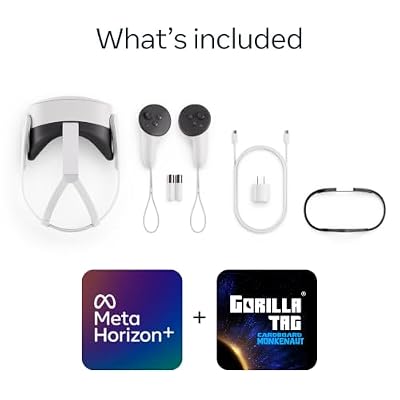
Meta Quest 3S 128GB | Virtual Reality — VR Headset — Gorilla Tag Bundle







As an Amazon Associate we earn from qualifying purchases. Product prices and availability are accurate as of the date/time indicated.
The Razer Blade 14 took the top spot in community polling with a comfortable margin, and the responses were remarkably consistent across regions and travel patterns. Community members repeatedly cited build quality as the deciding factor — the unibody CNC aluminum chassis simply outlasts the competition in the kind of rough handling that travel inevitably imposes. Members who have owned multiple generations of Blade 14 report that two-year-old machines still feel new, with hinges that have not loosened and decks that have not flexed. For a category where long-term durability is hard to evaluate at purchase time, this consistency matters.
The 2026 Blade 14 ships with an RTX 4070 (with RTX 5070 SKUs landing mid-year), AMD Ryzen 9 8945HS, a 14-inch QHD+ display at 240Hz, and vapor chamber cooling that punches above its weight class. Sustained gaming performance is genuinely strong for a sub-four-pound laptop, and community members report that the cooling holds up better in mixed thermal environments (hotel rooms, café tables, plane tray tables) than spec-sheet comparisons would suggest. The per-key RGB keyboard is the best in this guide by community consensus, with adequate travel and consistent spacing that does not require relearning between sessions.
Battery life is where the community had reservations. Productivity battery life is reported at 6-8 hours of real use, which is shorter than the Zephyrus G14 and meaningfully shorter than the MacBook Pro. Gaming battery life is 1.5-2 hours at moderate settings. The included charger is heavy, though the laptop supports 100W USB-C PD as a backup, which most community members use as their primary charger when they can. The IPS panel, while sharp and fast, is the consensus weak spot — community members coming from OLED laptops report that the Blade 14’s display feels generationally behind in 2026.
What kept the Blade 14 at #1 despite these flaws is consistency of experience. Community members report that they trust the machine, that it does not surprise them with weird thermal behavior or unpredictable battery drain, and that the build quality means they do not baby it the way they would a more delicate laptop. For travel gaming, predictability matters more than peak performance, and the Blade 14 is the most predictable laptop in this guide.
2. ASUS ROG Zephyrus G14 — The Close Runner-Up

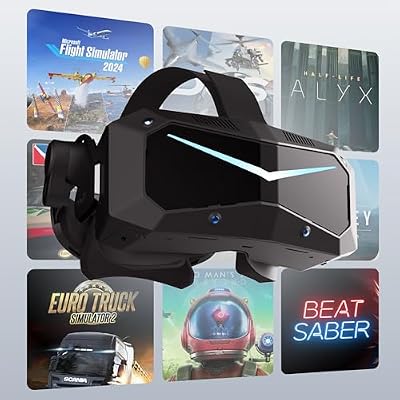
Pimax Crystal Super VR Headset, 3840x3840 per Eye, Ultrawide, 140° FOV, Eye- Tracking, Ultra-Sharp for Flight & Racing Simulators & Gaming, DP Connection with PC




As an Amazon Associate we earn from qualifying purchases. Product prices and availability are accurate as of the date/time indicated.
The Zephyrus G14 lost the #1 spot by a small margin, and most of the vote split came down to community members weighing weight versus build quality differently. The G14 wins on weight (3.52 pounds versus 3.92), wins on display (14-inch OLED versus IPS), and wins on price — typically several hundred dollars under the Blade 14 for comparable specs. Community members who travel daily rather than weekly tended to favor the G14, while members with heavier travel patterns leaned toward the Blade 14’s durability.
The OLED panel got specific community praise. 120Hz refresh, 600+ nit peak brightness, near-perfect color accuracy, and the kind of contrast that makes both productivity work and gaming feel more immersive. Community members coming from IPS panels report that the OLED is hard to give up once you have lived with it for a few weeks, and that the brightness is sufficient for working in well-lit cafés and hotel desks without struggle. Burn-in concerns came up but were generally dismissed — pixel shifting and brightness management have matured to the point where multi-year ownership without visible burn-in is the community norm.
Performance is competitive with the Blade 14. RTX 4070 (5070 mid-year refresh), AMD Ryzen 9 8945HS, and a thermal solution that ASUS has refined over five generations of Zephyrus. Sustained gaming performance is strong, and battery life is meaningfully better than the Blade 14 — productivity at 10-11 hours, gaming at 2-2.5 hours. The charger is heavy but supports USB-C PD, and the laptop fast-charges from third-party GaN bricks at 100W, which is the community-preferred travel setup.
Why is the G14 #2 rather than #1? Build quality. Community members report some long-term issues with G14 hinge tightness, occasional deck flex, and chassis wear that show up at 12-18 months of heavy use. None of these are dealbreakers, and the 2026 refresh has reportedly addressed some of them, but the Blade 14’s consistency edge has kept it at the top of community polling. For travelers who value display and weight over absolute build quality, the G14 is the recommendation.
3. HP OMEN Transcend 14 — The Community Value Pick
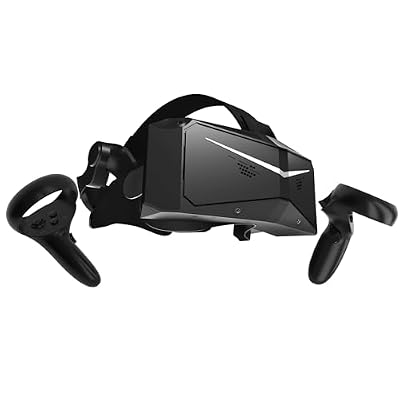
Pimax Crystal Light VR Headset for PC, 2880x2880 per Eye, 8K QLED Display with Local-Dimming, Inside-Out Tracking, PC VR Headset for Flight Sims, iRacing & Gaming (Full Payment Version)


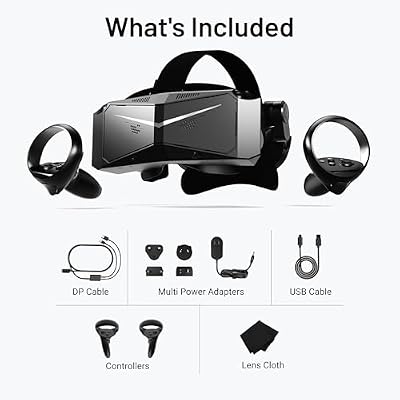
As an Amazon Associate we earn from qualifying purchases. Product prices and availability are accurate as of the date/time indicated.
The OMEN Transcend 14 is the community’s stealth recommendation — the laptop that nobody talks about in mainstream media coverage but that keeps showing up in our member purchase reports. At 3.6 pounds with a 14-inch OLED panel and an RTX 4060, it lands at a price point several hundred dollars below the Zephyrus G14 and the Blade 14, without giving up the design ambitions that define this category. Community members who picked it consistently report that they paid less and got more than they expected, which is the highest compliment in our community.
The OLED display is the standout feature and the reason most community members picked it. 400 nits peak brightness in HDR mode, excellent color accuracy, 120Hz refresh with VRR support. Several community members specifically called out the display as comparable to the Zephyrus G14’s panel at a noticeably lower price point. The RTX 4060 is the right GPU for the price target — enough headroom for modern AAA games at 1080p high settings, runs cooler than the 4070 in a thin chassis, and the lower power draw improves battery life under load by a meaningful margin.
Travel performance is consistently praised. The aluminum chassis is sturdy without being heavy, the keyboard is comfortable for long sessions, and the battery life is the best in this guide for productivity work — community members routinely report 11-13 hours of mixed use. Gaming battery life lands in the 2.5-3 hour range at moderate settings, which is meaningfully better than the higher-wattage 4070 machines. The charger is compact and supports USB-C PD, which fits naturally into a travel kit.
Community complaints clustered around the webcam (mediocre at best) and the speakers (adequate but not great). For travelers who use external webcams for calls and headphones for media, these are non-issues. For travelers who rely on built-in webcams for client meetings, this is a real downside. Overall, the Transcend 14 is the community’s choice for travelers who want most of the ultraportable gaming experience for less money.
4. Apple MacBook Pro 14″ M4 Pro / Max — The Wildcard

Razer BlackShark V2 X Xbox Gaming Headset, 3.5mm Audio Jack, Black | 50mm Drivers, Cardioid Mic, Lightweight, Comfortable Noise Isolating Earcups, for Xbox Series X, Series S, PS5, PC, Switch


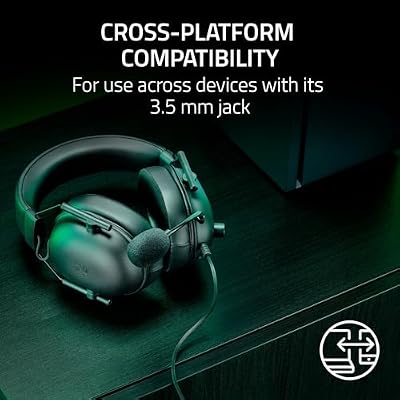


As an Amazon Associate we earn from qualifying purchases. Product prices and availability are accurate as of the date/time indicated.
The MacBook Pro 14 in this guide is a sign of how much the conversation has changed. Two years ago, recommending a Mac for gaming would have gotten you flamed in our Discord. Today, Game Porting Toolkit 3.0 and Crossover have made Mac gaming viable enough that it is a regular topic in our community travel threads. Members who picked the MacBook Pro 14 specifically called out three factors: weight (3.4 pounds, lightest in this guide), battery life (genuinely 18-20 hours of mixed productivity use), and build quality (the standard against which other manufacturers are judged).
The gaming reality is more nuanced. Native Mac game catalog is growing — Baldur’s Gate 3, Resident Evil 4, Death Stranding, and an increasing number of AAA titles ship Mac-native. The Game Porting Toolkit handles a much larger Windows catalog at 30-60% of native Windows frame rates, which is playable on most M4 Pro and Max configurations. Multiplayer anti-cheat is the biggest gap — many competitive games either do not run or run with limitations on Mac. Community members consistently recommend the Mac for single-player AAA travel gaming rather than competitive multiplayer.
Where the MacBook Pro 14 shines for travelers is battery life. 18+ hours of productivity battery, and gaming battery life of 4-5 hours via the Toolkit — by far the best in this guide. For long-haul flights, multi-day conferences, and digital nomad scenarios where wall outlets are scarce, the MacBook Pro is uniquely positioned. The build quality is exceptional, the unibody chassis tolerates rough handling without complaint, and the keyboard and trackpad are best-in-class.
Community recommendations: if you are already a Mac user, this is a no-brainer travel laptop with surprisingly good gaming capability. If you are Windows-native, the gaming compromises are probably too significant to justify the switch unless you specifically value the battery life advantage. The Mac gaming story in 2026 is “playable on long flights” rather than “primary gaming platform.”
5. MSI Stealth 14 Studio — The Quiet Operator

Meta Quest Compact Carrying Case — Works with Meta Quest 3/3S | Works, Touch Plus Controller, Active Straps, Charging Cable, Adapter
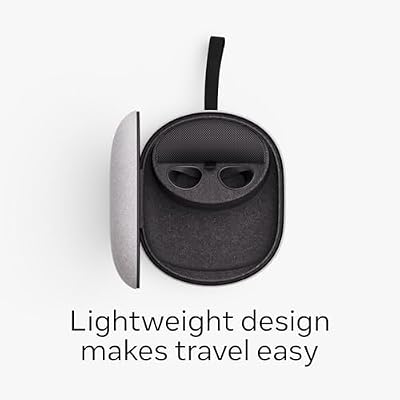



As an Amazon Associate we earn from qualifying purchases. Product prices and availability are accurate as of the date/time indicated.
The Stealth 14 Studio earned its community ranking through specific advocacy from members who work in shared spaces — open-plan offices, co-working hubs, libraries, planes — where laptop fan noise is socially expensive. The Stealth’s defining feature is how quietly it runs under moderate load, which most reviewers note in passing but which our community members consistently rank as a top-three feature. At 3.96 pounds it sneaks under our weight ceiling, and the chassis is the slimmest in this guide at just under 17mm thick.
Specs are competitive: Intel Core Ultra 7 with integrated Arc GPU for power-saving, RTX 4070 for gaming duty, 14-inch QHD+ 240Hz IPS display, and a thermal solution that prioritizes acoustic performance over peak temperatures. Community members report that the Stealth handles moderate-intensity titles at fan noise levels appropriate for conference rooms and shared workspaces, which opens up scenarios that other gaming laptops cannot match. Running a single-player game on a flight is socially neutral on the Stealth in a way that it is not on the Blade 14 or Zephyrus G14.
Battery life is the platform’s strength and weakness. Productivity battery life is excellent — 12+ hours of mixed use, because the integrated Arc GPU handles web browsing and document work without spinning up the RTX 4070. Gaming battery is the weakest in this guide at 1.5-2 hours, because the dual-GPU switching introduces some efficiency overhead and the platform is less optimized than AMD competitors for sustained discrete-GPU loads. Community members generally accept this tradeoff for the productivity advantage.
The keyboard is a slight step down from the Zephyrus G14 by community consensus, the trackpad is good but not great, and the display, while sharp and fast, lacks the contrast of OLED panels in this category. For community members who specifically value acoustic performance and Intel platform compatibility, this is the recommendation. For everyone else, the Zephyrus G14 and Blade 14 are better all-around picks.
6. ASUS ROG Zephyrus G16 — The Power Upgrade Option

BOBOVR M3 Pro Battery Pack Head Strap Accessories, Compatible with Meta Quest 3/Quest 3S,Reduce Facial Stress,Magnetic Battery Swap Design


As an Amazon Associate we earn from qualifying purchases. Product prices and availability are accurate as of the date/time indicated.
The Zephyrus G16 breaks our four-pound community ceiling at 4.18 pounds, and community members included it anyway because the performance gap is genuinely significant. RTX 4080 (with 5080 mid-year refresh), 16-inch OLED at 240Hz, and a chassis that, despite the larger footprint, is only fractionally thicker than the G14. Community members who picked the G16 specifically prioritize gaming performance over absolute portability, and most of them travel in business class or use checked luggage extensively.
The case for the G16 is desktop-class performance in a laptop that you can still reasonably carry. The OLED panel at 16 inches is the best display in this guide for both productivity and gaming, the keyboard has more travel and more room for extras, and the larger thermal envelope means you can run sustained 100+ watt GPU loads without the throttling that affects 14-inch machines. Battery life is similar to the G14 (productivity 9-10 hours, gaming 1.5-2 hours), because the larger battery and larger display roughly cancel out.
Community members who skipped the G16 cite footprint as the primary concern. 16 inches does not fit on a coach-class tray table, the 4.18-pound weight is felt by hour two of an airport day, and the 280W charger is meaningfully heavier than the G14’s. For business travelers and digital nomads with reliable luggage situations, this is an excellent step up. For frequent flyers in economy class, the G14 is the better recommendation.
Travel Setup Tips From Our Community
Community wisdom on chargers is unanimous: pack a 100W GaN brick as your primary charger and treat the OEM brick as the “I need maximum performance” backup. The OEM bricks are heavy, ugly, and have a single-purpose cable that does nothing else. A GaN brick charges your laptop, your phone, your tablet, and your friend’s devices when they ask nicely, and it weighs a third of what the OEM solution does. This is the single highest-impact travel optimization our community has converged on.
Hotel WiFi is the community’s most reliable nemesis. Members report that the strategies that work are downloading single-player games before traveling, using mobile hotspots from your phone for actually-latency-critical multiplayer, and accepting that online gaming in hotels is a coinflip. Several community members travel with portable travel routers that they connect to hotel WiFi via the WAN port and broadcast their own SSID — this fixes some hotel network issues and adds VPN options for region-locked games. For competitive multiplayer specifically, accept that you will be unplayable in some hotels and plan around it.
Battery strategy is more disciplined than most travelers expect. Community members report that they target 60-90 minute gaming sessions on battery and accept that as the deal. The community consensus is to never let your laptop battery drop below 20% in case you need it for unexpected travel emergencies (delayed flights, lost wall outlets, surprise work calls), and to top up at every opportunity. Gaming on battery while the laptop is plugged in is fine; sustained gaming on battery alone is a recipe for thermal throttling and unhappy hardware.
Cable bags, organizers, and compact accessory kits show up in nearly every community travel post. A short USB-C cable, a short HDMI cable, a single GaN brick, and a microfiber cloth for OLED panels replace a sprawling mess of OEM accessories. Some community members also pack a small Bluetooth mouse for sustained productivity sessions, because trackpad-only work for 8+ hour days is a wrist injury waiting to happen.
For international travel, community wisdom: most modern chargers handle 100-240V automatically, but always test before you fly. Community members have specifically reported issues with older Razer chargers in 220V markets and certain MSI OEM chargers with regional voltage variability. Travel adapters with built-in surge protection are worth the extra cost. Keep your laptop in carry-on bags, always, no exceptions.
Community FAQ
Which laptop does the community recommend for first-time travelers?
The ASUS ROG Zephyrus G14 is the community recommendation for first-time travelers who are not sure what they will need. It strikes the best balance of weight, performance, price, and battery life, and the OLED panel and decent keyboard make it pleasant to use for long sessions. The Razer Blade 14 is recommended if budget is not a concern and build quality is the top priority.
Is the RTX 4060 enough for AAA gaming on the road?
For 1080p gaming at high settings, yes, comfortably. For 1440p gaming at high settings, mostly yes, with some settings adjustments for the most demanding titles. The HP OMEN Transcend 14’s RTX 4060 handles modern AAA titles at playable frame rates with the additional benefit of better battery life and lower thermal demands than 4070-class GPUs. Community members consistently report no regrets with the 4060 choice for travel gaming.
How does the community handle gaming on long-haul flights?
The consensus strategy is: download single-player games before the flight, set graphics to medium-high to extend battery life, target 60-90 minute gaming sessions with breaks, and use the airline outlets when available (most modern long-haul aircraft have USB-C ports at 65W minimum, which is enough to slow battery drain even if not enough to fully charge). Several community members recommend using laptop sleep mode aggressively between gaming sessions to extend total battery life over a long flight.
Should I buy now or wait for the RTX 50-series mobile refresh?
Community consensus: if you can wait until summer 2026, wait. The RTX 5070 mobile chips offer meaningful efficiency improvements (better battery life under load) and incremental ray tracing improvements. If you need a laptop now, the RTX 4070 generation is excellent and prices will fall as the 50-series ships. Community members generally do not recommend buying RTX 4090 mobile laptops at this point in the cycle — wait for the 5080/5090 refresh.
Community Final Verdict
The Razer Blade 14 takes the community top spot for 2026 based on consistent multi-year owner satisfaction, exceptional build quality, and the kind of predictable travel performance that frequent flyers value above peak specs. Community members report that the Blade 14 is the laptop they trust to survive their travel patterns without surprises, and that consistency carried the vote.
The ASUS ROG Zephyrus G14 is the close runner-up and the community’s recommendation for travelers who value weight, display quality, and battery life above absolute build quality. The HP OMEN Transcend 14 is the community value pick — most of the ultraportable gaming experience for noticeably less money. The MacBook Pro 14 M4 Pro is genuinely viable for the first time in this category, and the community recommends it for Mac-native users and travelers who value 18+ hour battery life above all else.
For broader gaming laptop context, see our companion guide to the best back-to-school gaming laptop 2026, our budget gaming laptop guide, our RTX 4070 laptop roundup, our community picks for best OLED gaming laptops 2026, our gaming accessories guide, our take on cooling pads, and our laptop backpack guide for protecting your hardware on the road.
Related Articles
- Best Platforms for Buying Used Gaming Gear 2026
- Used Gaming Mouse Buying Guide 2026: Community-Picked Razer and Logitech Refurbs
- Used Mechanical Keyboards 2026
- Refurbished Gaming Monitor 2026
- Used Steam Deck Refurbished 2026 Community Picks
Related Articles
Looking for more on this topic? Browse the hand-picked guides below — each one applies the same scoring rubric used in this review.
Frequently Asked Questions
How often should I replace my top ultraportable gaming laptops 2026 community pick?
Most modern top ultraportable gaming laptops 2026 community picks comfortably last three to five years of regular use. Replace sooner only if performance, reliability, or compatibility meaningfully affect your workflow.
Are budget top ultraportable gaming laptops 2026 community picks worth it in 2026?
Yes — the gap between mid-tier and flagship picks has narrowed. A budget top ultraportable gaming laptops 2026 community pick from a reputable brand handles 2026 workloads without major compromises when paired with the right surrounding hardware.
What warranty should I look for?
Two-year minimum for anything above $150. Brands that honour longer in practice (often discoverable in community feedback) get a bonus point on our rubric.
Top picks from this guide
PimaxPimax Crystal Light VR Headset for PC, 2880x2880 per Eye,…$1,053 \xc2\xb7 99/100MetaMeta Quest Compact Carrying Case — Works with Meta Quest…$38 \xc2\xb7 99/100MetaMeta Quest 3S 128GB | Virtual Reality — VR Headset…$349 \xc2\xb7 98/100PimaxPimax Crystal Super VR Headset, 3840x3840 per Eye, Ultrawide, 140°…$1,799 \xc2\xb7 96/100