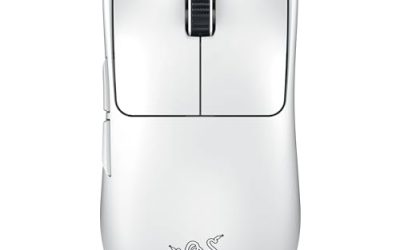
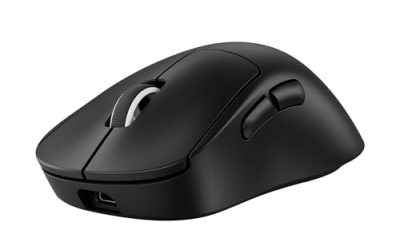
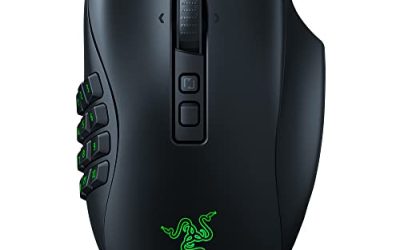
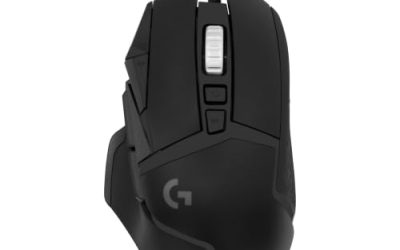
Small hands change the whole mouse decision. A shell that is too long pushes the fingers forward and leaves the palm unsupported, while a wide body forces a stretched hold that tires the hand during long sessions. The shape matters more than any sensor number: a compact symmetrical mouse lets the hand rest in a natural curve, keeps the main buttons within easy reach, and works for either hand without a sculpted right-hand slope getting in the way.
This guide is for gamers with small hands who want a compact mouse that fits, for left-handed players who need a symmetrical shell, and for anyone who carries a mouse in a small bag. Every pick below is 120 mm or shorter, has a symmetrical shell, and comes from the Amazon listing for that exact model. Specs, battery figures and sizes in this guide come from those listings, so you can compare the five mice on the same terms.
Quick Picks
As an Amazon Associate we earn from qualifying purchases
| Product | Best for | Key spec from title |
|---|---|---|
| Logitech G203 LIGHTSYNC | wired play with no battery to manage | 8,000 DPI optical sensor |
| HyperX Pulsefire Haste 2 Mini Wireless | fast claw grip play | 59 g, 26,000 DPI sensor |
| Razer Orochi V2 Quartz Pink | travel and long battery life | 108 mm, up to 950 hr Bluetooth |
| Logitech G305 LIGHTSPEED | months of play on one AA battery | 250 hr battery, 12,000 DPI |
| Glorious Model O 2 Mini Wireless | the lightest shell in this group | 57 g, 26,000 DPI sensor |
How to Choose
Length and Width First
Measure your hand from the wrist crease to the tip of the middle finger, then compare that number with the mouse length on the listing. A mouse near 108 to 117 mm suits most small hands, while anything above 120 mm tends to push the fingers forward. Width matters too: a shell around 60 to 63 mm lets the thumb and ring finger sit close to the body without stretching. Check the height as well, because a tall hump can lift the palm and change the grip. If you can, trace your hand on paper and lay the listed dimensions over it before you buy.
Symmetrical Shape and Honest Buttons
A symmetrical shell looks the same from either side, which is what makes these mice usable with the left hand or the right hand. Buttons are a different story: several symmetrical mice place their side buttons on the left side only, so a left-handed player gets no thumb buttons at all. The Glorious Model O 2 Mini is one example — the shell is symmetrical, yet its side buttons sit on the left. Read the listing for button placement, not just the shape, and count the buttons you will actually use in games before you settle on a model.
Sensor and DPI Range
DPI range tells you how far the pointer moves for a small hand movement, and every mouse here covers far more range than most players use. The Logitech G203 tops out at 8,000 DPI, while the HyperX and Glorious models reach 26,000 DPI, yet both ends of that range play the same games well. What matters more is a steady sensor with adjustable steps, so you can drop to a low DPI for careful aim and raise it for fast turns. Look for on-the-fly DPI buttons and a sensor that tracks cleanly at high movement speed, then set the DPI to suit your grip rather than chasing the largest number.
Wired or Wireless, and Battery Life
Four of the five mice here run wireless, and only the Logitech G203 needs a cable, so the choice is really about how you play. Wireless removes cable drag and suits a tidy desk, while a wired mouse never needs charging and weighs the same in every session. Battery life varies a lot: the Logitech G305 runs up to 250 hours on one AA battery, the Razer Orochi V2 reaches up to 950 hours on Bluetooth, and the Glorious Model O 2 Mini runs up to 210 hours on Bluetooth. If you travel, a mouse that takes a standard AA battery can be a safer pick than one with a built-in cell.
The 5 Best Options
Logitech G203 LIGHTSYNC Gaming Mouse, Black
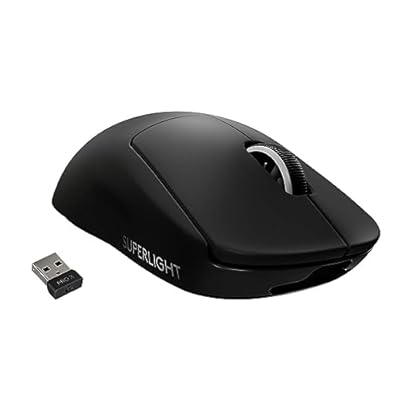
The Logitech G203 is the wired pick of this group, and it suits a player who wants a small symmetrical mouse without thinking about batteries. At 116.6 mm long and 85 g, it fits small hands in a claw or fingertip hold, and the 8,000 DPI sensor covers the range most players use. Six programmable buttons sit within easy reach, LIGHTSYNC RGB lights the shell, and on-board memory keeps your settings on the mouse. The wired USB link means no charging and no wireless lag to manage, which suits a fixed desk setup.
Specs
- 8,000 DPI gaming-grade optical sensor, 200–8,000 DPI
- 6 programmable buttons
- LIGHTSYNC RGB lighting
- G HUB software support and on-board memory
- 116.6 x 62.15 x 38.2 mm, 85 g
- Wired USB connection
Best for: players who want a small wired mouse with no battery to manage.
Watch out for: the cable needs room to move, so check your desk layout and cable routing first.
HyperX Pulsefire Haste 2 Mini Wireless Gaming Mouse, Black

The HyperX Pulsefire Haste 2 Mini is the lightest-feeling wireless pick here at 59 g, and it suits small hands that want speed without bulk. Its 26K sensor reaches up to 26,000 DPI with 650 IPS tracking, so fast flicks stay clean, and dual wireless over 2.4 GHz and Bluetooth 5.1 keeps the link steady. Six buttons, a symmetrical shell and up to 100 hours of battery cover long sessions, while the 116.6 mm length keeps the fingers close to the buttons. It is a strong match for claw grip players who move the mouse a lot.
Specs
- HyperX 26K sensor, up to 26,000 DPI, 650 IPS, 50 G
- 59 g
- Dual wireless: 2.4 GHz and Bluetooth 5.1
- Up to 100 hr battery life
- 6 buttons
- 116.6 x 61.9 x 36.5 mm, symmetrical shell
Best for: claw grip players who want a light wireless mouse for fast games.
Watch out for: check the 116.6 mm length against your hand before buying, since small is a matter of fit.
Razer Orochi V2 Mobile Wireless Gaming Mouse, Quartz Pink

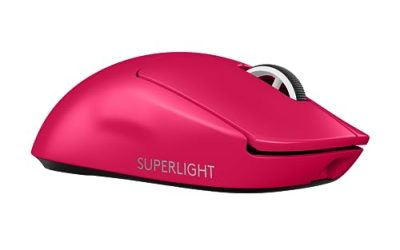
The Razer Orochi V2 in Quartz Pink is the travel pick of this group, and it suits a player who wants a tiny wireless mouse with very long battery life. At 108 mm long and under 60 g without a battery, it is the shortest mouse here, and it runs up to 950 hours on Bluetooth or 425 hours on HyperSpeed wireless from one AA battery. The 18K optical sensor, six programmable buttons and 2nd-gen mechanical switches cover daily play and competitive games alike, while the symmetrical shell works for either hand.
Specs
- Razer 5G Advanced 18K DPI optical sensor, 450 IPS, 40 G
- Under 60 g without battery, 108 mm long
- HyperSpeed 2.4 GHz and Bluetooth wireless
- Up to 950 hr battery on Bluetooth, up to 425 hr on HyperSpeed, AA battery
- 2nd-gen Razer mechanical switches, 60M clicks
- 6 programmable buttons
Best for: travel and long sessions away from a charger.
Watch out for: the mouse runs on one AA battery, so keep a spare if you play away from home.
Logitech G305 LIGHTSPEED Wireless Gaming Mouse, Black

The Logitech G305 is the long-battery wireless pick here, and it suits a player who wants a small symmetrical mouse that keeps working for months on one AA battery. The HERO 12K sensor covers 200 to 12,000 DPI with 400 IPS tracking, LIGHTSPEED wireless reports at 1 ms, and six programmable buttons handle the usual in-game actions. At 99 g and 116.6 mm long, it sits comfortably in small hands, and on-board memory stores your settings on the mouse. The ambidextrous shell works for left-handed and right-handed players alike.
Specs
- HERO 12K sensor, 200–12,000 DPI, 400 IPS
- LIGHTSPEED wireless, 1 ms report rate
- 6 programmable buttons
- Up to 250 hr battery on one AA battery
- On-board memory
- 99 g, 116.6 mm, symmetrical / ambidextrous
Best for: players who want months of battery life from one AA battery.
Watch out for: at 99 g it is heavier than the ultralight picks here, so weigh it against the Haste 2 Mini if grams matter.
GLORIOUS Model O 2 Mini Wireless Gaming Mouse, Black

The Glorious Model O 2 Mini Wireless is the lightest mouse in this group at 57 g, and it suits small hands that want a featherweight shell without giving up battery life. The BAMF 2.0 sensor reaches up to 26,000 DPI with 650 IPS tracking, dual wireless covers 2.4 GHz and Bluetooth 5.2 LE, and the battery runs up to 210 hours on Bluetooth or 110 hours on 2.4 GHz. Six programmable buttons and 80M-click switches round out a compact 120 mm shell. Note that the side buttons sit on the left side only, so left-handed players should weigh that before buying.
Specs
- BAMF 2.0 optical sensor, up to 26,000 DPI, 650 IPS, 50 G
- 57 g
- Dual wireless: 2.4 GHz and Bluetooth 5.2 LE
- Up to 210 hr battery on Bluetooth, up to 110 hr on 2.4 GHz
- 6 programmable buttons, 80M-click switches
- 120 x 62 x 36 mm, symmetrical shell, model GLO-MS-OMWV2-MB
Best for: players who want the lightest shell in this group.
Watch out for: the side buttons sit on the left side only, so left-handed players get no thumb buttons.
Which One Fits Your Situation
Small Hands, Fingertip Grip
Pick the Razer Orochi V2 if your hand is very small: at 108 mm it is the shortest mouse here, and the under-60 g body keeps fingertip control easy. The Glorious Model O 2 Mini is the next choice at 120 mm and 57 g, with a symmetrical shell that suits a fingertip hold. Both keep the main buttons close to the fingers, so you do not have to stretch to click.
Left-Handed Players
Choose the Logitech G203 or the Logitech G305 if you play left-handed: both have symmetrical shells and their main buttons work the same from either side. The Razer Orochi V2 is symmetrical too, and its shape suits a left-hand hold. Skip the Glorious Model O 2 Mini if thumb buttons matter to you, because its side buttons sit on the left side only and a left-handed player cannot reach them.
Travel and Small Desks
Take the Razer Orochi V2 for travel: it is 108 mm long, weighs under 60 g without a battery, and runs up to 950 hours on Bluetooth from one AA battery. The HyperX Pulsefire Haste 2 Mini is the other travel pick at 59 g with dual wireless, though its rechargeable battery needs a cable on the road. Both fit a small bag and a cramped desk without crowding the keyboard.
Long Sessions Without Charging
Pick the Logitech G305 for the longest stretch between battery changes: it runs up to 250 hours on one AA battery over LIGHTSPEED wireless. The Razer Orochi V2 goes further on Bluetooth at up to 950 hours, though that figure drops to 425 hours on HyperSpeed. The Glorious Model O 2 Mini sits in the middle with up to 210 hours on Bluetooth, while the wired Logitech G203 never needs charging at all.
Common Mistakes
- Judging a mouse by its DPI number alone, when length and width decide comfort for small hands.
- Assuming every symmetrical mouse has side buttons on both sides — several place them on the left only.
- Buying a wireless mouse without checking whether it uses a built-in cell or a standard AA battery.
- Ignoring the listed length and picking a 120 mm mouse for a hand that needs something near 108 mm.
- Forgetting that a wired mouse needs cable room, so a cramped desk can turn a good pick into a daily annoyance.
Frequently Asked Questions
What size counts as a small gaming mouse?
Most small-hand guides treat 120 mm or shorter as small, with a width near 60 to 63 mm. The mice in this guide run from 108 mm to 120 mm long. Measure your hand from the wrist crease to the tip of the middle finger and compare it with the listed length before you buy.
Are ambidextrous mice good for left-handed gamers?
A symmetrical shell works for either hand, which is why all five mice here suit left-handed players for basic use. The catch is the side buttons: several symmetrical mice place them on the left side only, so a left-handed player gets no thumb buttons. Check the button layout on the listing before you buy.
Do I need a high DPI sensor for a small mouse?
No. A sensor that reaches 8,000 DPI already covers the range most players use, and the Logitech G203 proves the point. Higher DPI numbers help only if you play at very high sensitivity. Steady tracking, adjustable DPI steps and a shape that fits your hand matter far more than the largest number on the box.
Wired or wireless for small hands?
Wireless suits most small-hand players because it removes cable drag and keeps a small desk tidy. The HyperX Haste 2 Mini and the Glorious Model O 2 Mini are light wireless picks, while the Razer Orochi V2 adds very long battery life. Wired still wins if you never want to think about charging — the Logitech G203 is the wired pick here.