A gaming mouse is one of the most personal parts of a PC setup. It is the device your hand touches for every aim adjustment, every inventory click, and every long session in a strategy game. Shape, weight, sensor, and connection all change how that contact feels, and a mouse that suits one player can feel awkward for another. That is why a short list based only on published specifications is more useful than a long list of general claims. The four mice in this guide cover the main shapes and priorities in current wireless gaming mice: ultralight competitive models, a right-handed ergonomic model, a button-rich model, and a feature-rich model with a tilt wheel.
Our top pick: Logitech G PRO X Superlight 2 DEX Wireless Gaming Mouse. Runner-up: Razer DeathAdder V3 Pro Wireless Gaming Mouse.
This guide compares published specifications only: sensor, polling rate, weight, connection, battery, warranty.
Before you choose, think about how you actually play. A competitive shooter player who uses a low sensitivity setting and makes large arm movements will value a light shell and a high polling rate. A player who spends long evenings in role-playing games or strategy games may value extra programmable buttons and a longer battery life more than a few grams of weight. A player with a large hand will often prefer a taller, right-handed ergonomic shell, while a player with a smaller hand may prefer a compact symmetrical shell.
At a Glance
| Product | Best for | Key specification |
|---|---|---|
| Logitech G PRO X Superlight 2 DEX Wireless Gaming Mouse | Competitive play with a right-handed ergonomic shape | HERO 2 sensor up to 44,000 DPI, up to 8 kHz polling, 60 g, up to 95 hours of battery life |
| Razer DeathAdder V3 Pro Wireless Gaming Mouse | Palm and claw grips with a light ergonomic shell | Focus Pro 30K sensor up to 30,000 DPI, 1,000 Hz polling, 63 g, up to 90 hours of battery life |
| Logitech G502 X Plus Wireless Gaming Mouse | Button-rich play and everyday use | HERO 25K sensor up to 25,600 DPI, LIGHTSPEED wireless, 13 programmable buttons, up to 130 hours of battery life |
| Razer Basilisk V3 Pro 35K Wireless Gaming Mouse | Custom controls and a tilt scroll wheel | Focus Pro 35K Optical Sensor Gen-2 up to 35,000 DPI, 112 g, up to 140 hours of battery life on HyperSpeed wireless |
How to Choose
1. Start with shape and grip
Shape matters more than any single number on a specification sheet. A right-handed ergonomic mouse supports the palm and places the thumb in a defined resting position, while a symmetrical mouse can suit palm, claw, and fingertip grips. Check the listed length, width, and height, and compare them with a mouse you already find comfortable. A shell that is too long can force your fingers to stretch, while a shell that is too short can leave your palm unsupported during long sessions. If you use a palm grip, look for a taller shell with a gentle curve. If you use a claw grip, look for a shell with a clear hump toward the rear.
2. Compare the sensor and its maximum sensitivity
The sensor determines how accurately the mouse tracks movement across a surface. Published listings usually state the sensor name, the maximum sensitivity in DPI, the maximum tracking speed in IPS, and the maximum acceleration in G. A higher maximum DPI does not automatically mean better aim, because most players use a far lower setting in games, but a modern flagship sensor is a useful sign of current tracking hardware. Look for a sensor that lists a high IPS figure and a high G figure, and check whether the listing states that it tracks on glass or on a wide range of surfaces.
3. Check the polling rate and what it changes
Polling rate is the number of times per second the mouse reports its position to the computer. A rate of 1,000 Hz means the mouse reports 1,000 times per second, while a rate of 8,000 Hz means it reports 8,000 times per second. A higher polling rate can make cursor movement feel smoother and can reduce the delay between a physical movement and the on-screen response, especially on a high refresh rate monitor. It can also shorten battery life, because the mouse works harder to report more often. Some mice reach 8,000 Hz directly over wireless, while others need a separate HyperPolling dongle or a dock that is sold separately, so check what is included in the box.
4. Weigh the mouse, literally
Weight changes how a mouse feels during fast flicks and long sessions. The ultralight mice in this guide weigh 60 g and 63 g, while the button-rich models weigh 106 g and 112 g. A lighter mouse can feel easier to move quickly and can reduce fatigue during long competitive sessions, but a heavier mouse can feel more planted and more stable for some players. There is no weight that is right for every player, so treat the published weight as a guide and think about your current mouse. If your current mouse feels heavy after an hour of play, a model under 70 g may be a useful change. If it feels too light and easy to overshoot with, a model above 100 g may suit you better.
5. Look at connection options
Most wireless gaming mice in this guide connect through a 2.4 GHz wireless receiver, Bluetooth, or a wired USB cable. A 2.4 GHz connection is the usual choice for gaming because it is designed for low latency and a stable link. Bluetooth can be useful for a laptop or for switching between devices, but it usually runs at a lower polling rate and is not the usual choice for competitive play. A wired connection can be useful for charging while you play and for use on a computer where wireless is not practical. Check which connections are listed, whether the receiver has onboard storage inside the mouse, and whether the cable in the box is a charging cable, a data cable, or both.
6. Compare battery life at the polling rate you will use
Battery life figures on a listing are usually stated for a specific polling rate and a specific lighting setting. A mouse that lists up to 140 hours at 1,000 Hz may list a much shorter figure at 8,000 Hz, and a mouse with RGB lighting may list a shorter figure when the lighting is turned on. Check the battery figure that matches how you will use the mouse, and check whether the mouse charges over USB-C, supports wireless charging through a separate charging pad, or both. If you play for long sessions, a longer battery figure at your usual polling rate matters more than a headline figure measured at a lower polling rate.
7. Check warranty, returns, and what is in the box
During a busy shopping period, it is easy to focus on the mouse and forget the terms that apply after you buy it. Before you choose, read the warranty section on the listing and note the length of cover, what it covers, and how a claim is handled. Also read the return policy, including the return window, whether return shipping is covered, and whether the mouse must be returned in its original packaging. Check the list of items in the box, including the receiver, the cable, the adapter, grip tape, and any charging dock. A mouse that needs a separate dongle for its highest polling rate, or a separate charging pad for wireless charging, may need an extra purchase to reach the specification that first attracted you.
Our Picks
Logitech G PRO X Superlight 2 DEX Wireless Gaming Mouse — ASIN B0DB5JJTC9

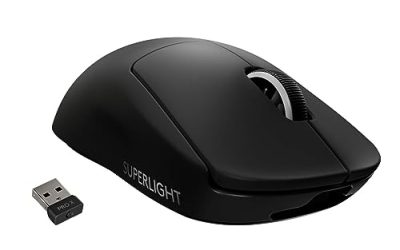
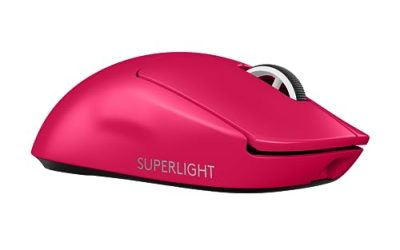
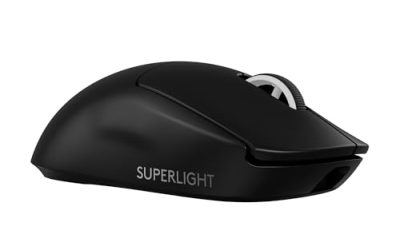
The Logitech G PRO X Superlight 2 DEX Wireless Gaming Mouse is a 60 g right-handed ergonomic mouse with a HERO 2 sensor that tracks up to 44,000 DPI, up to 888 IPS, and up to 88 G acceleration. It uses LIGHTSPEED wireless with polling up to 8 kHz, LIGHTFORCE hybrid switches, five programmable buttons, and USB-C charging. The listing states up to 95 hours of battery life on a single charge, and the mouse supports POWERPLAY wireless charging with a separate charging system.
Best for: Competitive players who want a light, right-handed ergonomic mouse with a current flagship sensor and a high polling rate.
Consideration: The right-handed asymmetrical shape will not suit left-handed players, and players who prefer a symmetrical shell should compare the standard Superlight 2 shape first.
Razer DeathAdder V3 Pro Wireless Gaming Mouse — ASIN B0B6XZLNHQ

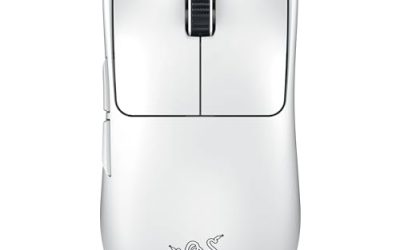
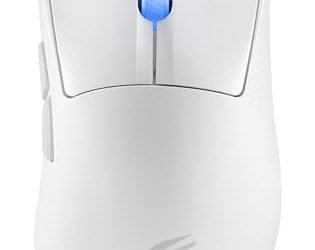
The Razer DeathAdder V3 Pro Wireless Gaming Mouse is a 63 g right-handed ergonomic mouse with a Focus Pro 30K optical sensor that tracks up to 30,000 DPI, up to 750 IPS, and up to 70 G acceleration. It uses HyperSpeed wireless at 1,000 Hz, with polling up to 8,000 Hz available through a HyperPolling Wireless Dongle that is sold separately. The listing states five programmable buttons, Gen-3 optical switches with a 90-million click lifecycle, and up to 90 hours of battery life at 1,000 Hz, with USB-C charging.
Best for: Palm and claw grip players with medium to large hands who want a light ergonomic mouse with a long battery life.
Consideration: The highest polling rate needs a separate dongle, and the battery figure falls at higher polling rates, so check the figure that matches your planned setting.
Logitech G502 X Plus Wireless Gaming Mouse — ASIN B092CB69Q4

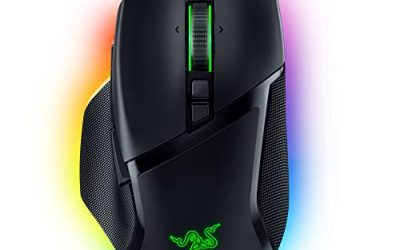
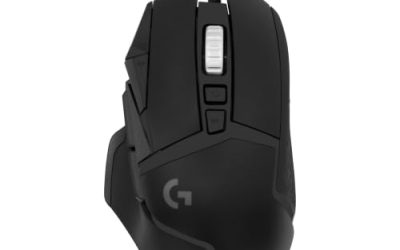
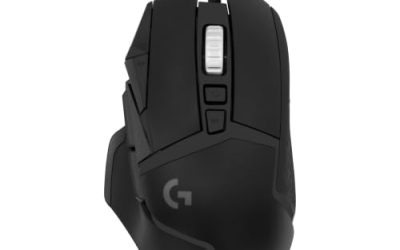
The Logitech G502 X Plus Wireless Gaming Mouse is a 106 g wireless mouse with a HERO 25K sensor that tracks up to 25,600 DPI and uses LIGHTSPEED wireless with LIGHTFORCE hybrid switches. It lists 13 programmable buttons, a dual-mode scroll wheel that switches between free spin and ratcheted scrolling, LIGHTSYNC RGB lighting, and USB-C charging. The listing states up to 130 hours of battery life, and the mouse is compatible with POWERPLAY wireless charging through a separate charging system.
Best for: Players who want many programmable buttons, a dual-mode scroll wheel, and RGB lighting in a single wireless mouse for gaming and everyday use.
Consideration: At 106 g it is heavier than the ultralight mice in this guide, so players who prioritise the lightest possible shell should compare the 60 g and 63 g models first.
Razer Basilisk V3 Pro 35K Wireless Gaming Mouse — ASIN B0DG837JYP

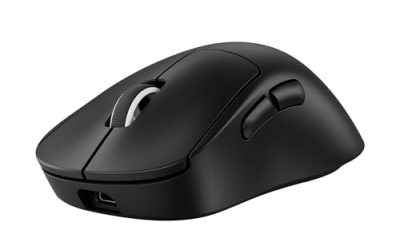
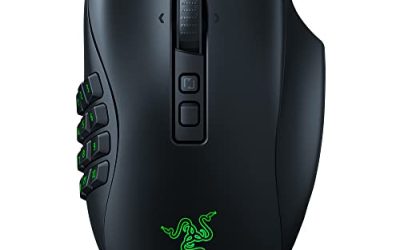
The Razer Basilisk V3 Pro 35K Wireless Gaming Mouse is a 112 g right-handed ergonomic mouse with a Focus Pro 35K Optical Sensor Gen-2 that tracks up to 35,000 DPI, up to 750 IPS, and up to 70 G acceleration. It uses HyperSpeed wireless, Bluetooth, and a wired connection, with polling up to 8,000 Hz available through a HyperPolling Wireless Dongle or a Mouse Dock Pro that are sold separately. The listing states 11 programmable buttons, a configurable HyperScroll Tilt Wheel, Chroma RGB lighting, Gen-3 optical switches, and up to 140 hours of battery life on HyperSpeed wireless at 1,000 Hz, or up to 210 hours on Bluetooth.
Best for: Players who want a large ergonomic mouse with a tilt scroll wheel, many programmable controls, and a long battery life.
Consideration: At 112 g it is the heaviest mouse in this guide, and the highest polling rate needs a separate accessory, so check the weight and the included items before you choose.
Which One Is Right for You?
If you play competitive shooters and want the lightest right-handed ergonomic mouse with the highest maximum sensitivity in this guide, the Logitech G PRO X Superlight 2 DEX is the natural starting point. If you prefer the classic DeathAdder shape and want a light ergonomic mouse with a long battery life at 1,000 Hz, the Razer DeathAdder V3 Pro is the closest match. If you play a mix of games and want many buttons, a dual-mode scroll wheel, and RGB lighting in one mouse, the Logitech G502 X Plus covers the widest range of uses. If you want a large ergonomic mouse with a tilt wheel, many controls, and the longest listed battery life in this guide, the Razer Basilisk V3 Pro 35K is the model to compare first.
Frequently Asked Questions
What sensor should I look for in a gaming mouse?
Look for a current optical sensor with a high maximum sensitivity, a high IPS figure, and a high G figure on the listing. The mice in this guide use the Logitech HERO 2, HERO 25K, Razer Focus Pro 30K, and Razer Focus Pro 35K Optical Sensor Gen-2, with maximum sensitivity figures from 25,600 DPI to 44,000 DPI. Most players use a far lower DPI setting in games, so choose a sensor that is consistent at your usual setting rather than chasing the highest number alone.
Is a higher polling rate always better?
A higher polling rate means the mouse reports its position more often, which can make movement feel smoother on a high refresh rate monitor. A rate of 1,000 Hz is the usual standard for gaming, while a rate of 8,000 Hz reports eight times as often. A higher rate can shorten battery life, and some mice need a separate dongle or dock to reach 8,000 Hz, so check the listing to see what is included in the box.
How much does mouse weight matter?
Weight matters because it changes how much effort each movement needs and how tired your hand feels during a long session. A mouse under 70 g can feel easier to move quickly, while a mouse above 100 g can feel more planted and more stable. The mice in this guide range from 60 g to 112 g, so the difference between the lightest and the heaviest model is large enough to notice in normal play. Think about your current mouse and whether it feels heavy after an hour, too light to control, or about right.
Do I need Bluetooth on a gaming mouse?
Bluetooth is useful if you want to use the same mouse with a laptop, a tablet, or a second computer without moving the wireless receiver. It is not the usual choice for competitive gaming, because it usually runs at a lower polling rate than a 2.4 GHz wireless connection. The Razer Basilisk V3 Pro 35K lists Bluetooth alongside HyperSpeed wireless and a wired connection, while the other mice in this guide focus on a 2.4 GHz wireless connection and a wired connection. If you only play on one desktop computer, Bluetooth may not matter.
What should I check on the listing before I buy?
Check the sensor name and maximum sensitivity, the polling rate and whether the highest rate needs a separate accessory, the weight and dimensions, the connection modes, and the battery life at the polling rate you will use. Also check the number of programmable buttons, the switch type, the charging method, and the list of items in the box. Read the warranty terms and the return policy, including the return window and whether the mouse must be returned in its original packaging.
Can I use a wireless gaming mouse while it charges?
Yes, the mice in this guide charge over USB-C, and a wired connection lets you keep playing while the battery charges. The Logitech models also support POWERPLAY wireless charging with a separate charging system, while the Razer Basilisk V3 Pro 35K supports wireless charging through a separate Mouse Dock Pro. Check the listing for the cable type and for whether a charging dock is included or sold separately. A mouse with a long battery life and a common USB-C cable is easier to keep charged during a busy week, because you can top it up between sessions without a special charger.
Bottom Line
The best choice in this guide is the mouse whose shape fits your hand, whose sensor and polling rate match your games, and whose battery life fits your sessions. The Logitech G PRO X Superlight 2 DEX leads on weight and maximum sensitivity for competitive play, the Razer DeathAdder V3 Pro is the light ergonomic alternative, the Logitech G502 X Plus covers button-rich play and everyday use, and the Razer Basilisk V3 Pro 35K covers a large ergonomic shape with a tilt wheel and a long battery life. Compare the published specifications in the table above, read the warranty and return terms on the listing you choose, and pick the mouse that fits how you play rather than the mouse with the longest list of features.
Disclosure: As an Amazon Associate, this site earns from qualifying purchases.