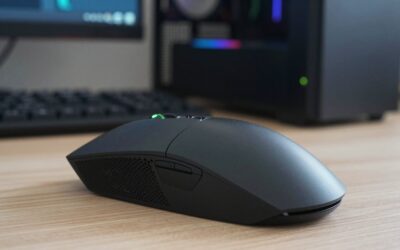
Finding the best gaming mouse for big hands means looking beyond DPI and flashy specifications. A mouse needs enough length, width, and palm support to accommodate your grip without making buttons difficult to reach. This guide compares four options for FPS players, MMO fans, and gamers who prefer heavier ergonomic designs.
How to Choose a Gaming Mouse for Big Hands
The right mouse depends on more than hand length. Shell width, hump position, weight, and button placement all affect comfort during extended gaming sessions. Before choosing a model, measure your hand and identify your natural grip. These details help narrow the options and avoid paying for features that do not improve your experience.
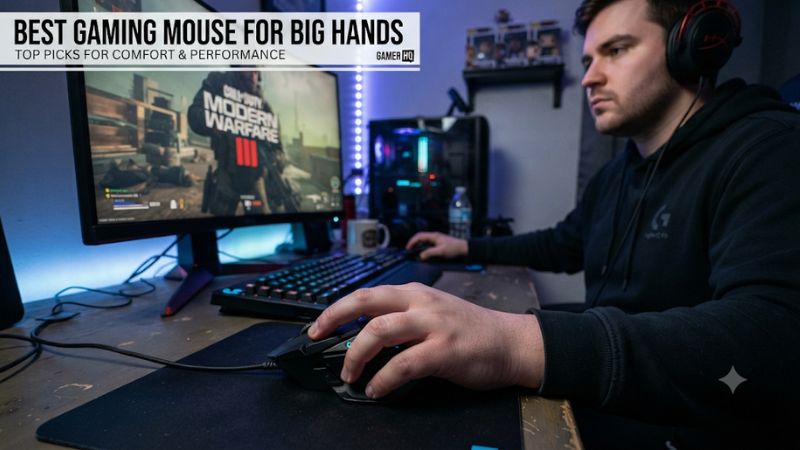
1. Check Mouse Length and Width
Start by measuring from your wrist crease to the tip of your middle finger. Also measure across your knuckles to understand whether you need a wider shell. A mouse can look large in product photos but still feel narrow when your ring and little fingers rest against its sides.
As a starting point, consider mice around 128–133 mm long if you have large hands and prefer palm grip. However, dimensions alone cannot predict comfort because shell curves and hump positions differ. Compare the shape rather than treating one measurement as a universal minimum.
2. Match the Shape to Your Grip
Palm grip generally benefits from an ergonomic mouse with a raised rear hump and enough length to support the hand. Right-handed gamers can consider the DeathAdder or Basilisk families, which use asymmetrical shapes. These designs offer different levels of thumb support and palm contact.
Claw and fingertip users have different requirements. A large mouse can still work for claw grip if its sides and rear shape support finger positioning without restricting movement. Fingertip players may prefer a lighter shell, even when their hands are large, because their palm does not rest fully on the mouse.
3. Choose a Comfortable Weight
Weight matters particularly in competitive FPS games, where frequent direction changes and repeated lifting are common. Lightweight models can make these movements easier, while heavier mice may feel more substantial and provide additional controls. Neither approach is automatically better for every player.
Consider your sensitivity settings and typical gaming sessions before deciding. A large ergonomic mouse weighing around 110 g can be appropriate for someone prioritizing comfort and programmable controls. Players who make fast, frequent movements may prefer a lighter alternative with fewer additional features.
4. Consider Buttons, Connectivity, and Software
Extra buttons are useful for MMOs, MOBAs, and games with complicated control schemes. However, additional controls can increase weight and make a mouse harder to maneuver. Prioritize buttons that you can reach naturally without changing your grip or stretching your thumb.
Connectivity also deserves attention. Wired mice avoid battery management, while wireless models provide a cleaner desk and more freedom of movement. Check whether the mouse supports 2.4 GHz wireless, Bluetooth, or both, and confirm that its configuration software supports your operating system.
Top Gaming Mice for Big Hands: Four Picks Worth Considering
These four mice cover different priorities rather than assuming every large-handed gamer wants the same shape. The selection includes a lightweight FPS option, a dedicated large-size esports mouse, and two feature-rich ergonomic designs. Specifications below come from manufacturer information, not claims of personal testing.
| Product | Best For | Key Spec | Compatibility | Watch Out For |
| Razer DeathAdder V4 Pro | Best Overall | 56 g, 45K DPI sensor | PC, wired or wireless | Relatively narrow body |
| ZOWIE EC1-DW | Best for Large Palm Grip | Large size, 63 g, 4K polling | PC, 2.4 GHz wireless | Limited programmable controls |
| Logitech G502 X Plus | Best for Extra Controls | 13 programmable controls, 106 g | PC, LIGHTSPEED wireless | Heavier than FPS-focused mice |
| Razer Basilisk V3 Pro 35K | Best for Customization | 35K DPI, 11 programmable buttons | PC, wired | Cable limits movement |
1. Razer DeathAdder V4 Pro – Best Overall
Best for: Large-handed FPS players who prefer lightweight ergonomic mice
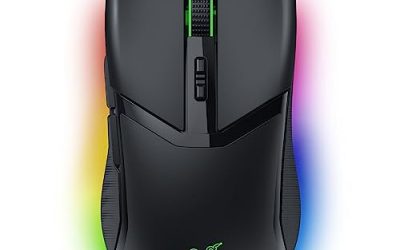
The Razer DeathAdder V4 Pro is a strong starting point for gamers who want palm support without carrying a heavy mouse. Its 128 × 68 × 44 mm shell provides a recognizable right-handed ergonomic shape, while its 56 g weight makes it particularly appealing for players who frequently reposition their mouse.
Razer specifies a Focus Pro 45K Optical Sensor Gen-2, six programmable buttons, and wireless connectivity through HyperSpeed Wireless Gen-2. It also supports wired operation and up to 8,000 Hz polling. The stated battery life reaches 150 hours at 1,000 Hz, compared with up to 22 hours at 8,000 Hz.
Razer United Kingdom+1
The main limitation is its relatively narrow 68 mm overall width. Someone with especially wide hands may prefer the Basilisk or G502 X Plus. It also has fewer programmable controls than productivity-focused alternatives, making it less attractive for MMO players who rely on numerous shortcuts.
2. ZOWIE EC1-DW – Best for Large Palm Grip
Best for: Competitive FPS players who prioritize a dedicated large ergonomic shape
The ZOWIE EC1-DW deserves attention because its manufacturer explicitly identifies it as the large-size model in the EC series. Its asymmetrical ergonomic shell features a fuller upper profile, a concave left side, and a rounded right-side contour designed to support the palm and fingers.
It weighs 63 g, uses 2.4 GHz wireless connectivity, and includes seven buttons. ZOWIE also specifies adjustable report rates up to 4,000 Hz and battery life of up to 80 hours at 1,000 Hz. Its receiver doubles as a charging dock, and the mouse supports plug-and-play operation without requiring a dedicated driver.
ZOWIE US+1
Its biggest compromise is customization. Seven buttons are sufficient for conventional FPS controls, but players who need extensive macros or MMO shortcuts should consider the Logitech G502 X Plus. Its traditional esports-oriented feature set also makes it less suitable for gamers seeking extensive RGB customization.
3. Logitech G502 X Plus – Best for Extra Controls
Best for: Large-handed gamers who enjoy MMO, RPG, MOBA, and multi-purpose gaming
The Logitech G502 X Plus is a practical choice when you want an ergonomic mouse with plenty of controls. Its sculpted body includes a thumb rest, while its button layout provides 13 programmable controls. This makes it useful for assigning abilities, macros, and frequently used commands without relying entirely on keyboard shortcuts.
Logitech equips this model with LIGHTFORCE hybrid switches, LIGHTSPEED wireless connectivity, and a HERO sensor. Its listed weight is approximately 106 g, making it substantially heavier than the DeathAdder V4 Pro and ZOWIE EC1-DW. The LIGHTSYNC RGB system also provides customizable lighting through Logitech G HUB.
Logitech G+1
That weight is the main trade-off for competitive FPS players who prefer quick, frequent mouse movements. Its broader feature set also means there are more controls to configure. Consider the G502 X wired version if you want a similar design and functionality without paying for wireless and RGB features.
4. Razer Basilisk V3 Pro 35K – Best for Customization
Best for: Wide hands, programmable controls, and mixed gaming workloads
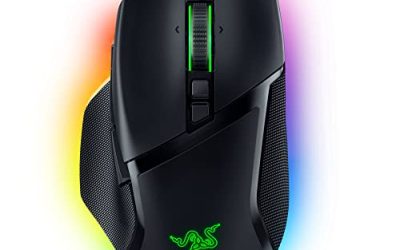
The Razer Basilisk V3 Pro 35K is particularly interesting for gamers who need more horizontal space and a pronounced thumb-rest design. Measuring 130 × 75.4 × 42.5 mm, it offers a wider footprint than the DeathAdder V4 Pro. Its ergonomic right-handed construction makes it worth considering if narrower gaming mice leave your fingers feeling cramped.
Razer lists a Focus Pro 35K Optical Sensor Gen-2, 11 programmable buttons, and third-generation optical switches rated for 90 million clicks. It supports HyperSpeed wireless, Bluetooth, and wired connectivity. The four-way HyperScroll tilt wheel and onboard storage for five profiles add flexibility for different games and applications.
mysupport.razer.com+1
The 112 g weight is its biggest disadvantage for players who prefer lightweight FPS equipment. Its wired-free operation is useful, but the mouse also requires more consideration of battery management and software configuration than a basic wired alternative. Choose the DeathAdder or EC1-DW if fast movement is more important than additional controls.
FAQ
1. What Size Gaming Mouse Is Best for Big Hands?
A gaming mouse around 128–133 mm long is a useful starting point for many large-handed palm-grip players. However, width and hump position matter just as much. A 130 mm mouse with a narrow body may still feel uncomfortable if your fingers extend beyond its sides.
Measure your hand before buying and compare the manufacturer’s dimensions. If possible, choose a retailer with a reasonable return policy because shape preference is difficult to predict from specifications alone.
2. Is a Lightweight Gaming Mouse Good for Big Hands?
Yes, lightweight gaming mice can work very well for big hands, provided their shell dimensions and shape offer sufficient support. The DeathAdder V4 Pro and EC1-DW demonstrate that a relatively light mouse does not have to sacrifice an ergonomic design.
However, weight should not be your only consideration. If your fingers feel cramped or your palm lacks support, choosing a larger, heavier model may be more comfortable.
3. Is the Logitech G502 X Plus Good for Large Hands?
Yes, the Logitech G502 X Plus is worth considering if you have large hands and prefer an ergonomic mouse with a thumb rest and numerous programmable controls. Its 13 programmable controls make it particularly useful for games with multiple abilities and shortcuts.
Its approximately 106 g weight is less appealing for players who prioritize lightweight FPS equipment. The DeathAdder V4 Pro is a better alternative if minimizing mouse weight matters more than having extra buttons.
4. Should Big-Handed Gamers Use Palm Grip or Claw Grip?
Palm grip is a natural option for many big-handed gamers because it allows the hand to rest across the mouse’s upper shell. An appropriately sized ergonomic mouse can provide support without requiring the fingers to curl excessively.
Claw grip is equally viable when the mouse has suitable rear support and comfortable side contours. Rather than changing your natural grip to accommodate a product, look for a shape that supports the way you already hold your mouse.
Final Thoughts
Choosing the best gaming mouse for big hands comes down to shell geometry, grip preference, and weight rather than maximum DPI. The DeathAdder V4 Pro suits lightweight FPS gaming, while the EC1-DW prioritizes large-hand ergonomics. Consider the G502 X Plus or Basilisk for additional controls, and compare dimensions before buying.