Horror games are lit differently from almost everything else you play. Most of a Resident Evil, Silent Hill or Alan Wake session happens in near-black scenes: a flashlight beam in a corridor, a candle in a window, a shape that may or may not be standing at the end of a hall. A monitor that renders those shadows as flat gray haze, or crushes them into one block of black, quietly removes the tension the developers built in.
This roundup picks five monitors that handle darkness properly. Four are OLED panels with per-pixel lighting, so black pixels switch off completely and shadow detail survives. The fifth is a Mini-LED VA panel for players whose room is not fully dark.
As an Amazon Associate, we earn from qualifying purchases.
Quick Answer
For horror games, the best monitor renders near-black scenes without gray haze or crushed shadow detail, so per-pixel OLED panels lead this roundup. The Samsung Odyssey OLED G8 G80SD is the top 4K pick, the LG 34GS95QE-B adds ultrawide immersion, and the Samsung Odyssey Neo G7 is the Mini-LED alternative for brighter rooms.
Table of Contents
- Samsung Odyssey OLED G8 G80SD
- LG UltraGear 34GS95QE-B
- LG UltraGear 27GS95QE-B
- Samsung Odyssey Neo G7
- ASUS ROG Swift OLED PG27AQDM
- How to Choose
- Who Should Skip
- FAQ
- Final Verdict
Samsung Odyssey OLED G8 G80SD

The G80SD is the premium pick for 4K horror on a desk-sized screen. Its 32-inch QD-OLED panel runs at 3840 x 2160 with a 240Hz refresh rate and 0.03ms gray-to-gray response, and because each pixel produces its own light, a black corridor is genuinely black rather than backlit gray. In HDR scenes, a single lantern or muzzle flash stands out against darkness without the panel lifting the blacks around it.
Samsung pairs the panel with a glare-free coating, which softens reflections in rooms that are dim rather than pitch black. Two HDMI 2.1 ports accept 4K at 120Hz from a PlayStation 5 or Xbox Series X. The standing OLED caution applies: static HUD elements held on screen for hours are the classic burn-in scenario, so use the panel care features and vary content.
Specs
- Screen size: 32 inches, flat
- Resolution: 3840 x 2160 (4K UHD)
- Panel type: QD-OLED
- Refresh rate: 240Hz
- Response time: 0.03ms GtG
- HDR: DisplayHDR True Black 400
- Color gamut: 99 percent DCI-P3
- Adaptive sync: G-SYNC Compatible, FreeSync Premium Pro
- Ports: 2x HDMI 2.1, 1x DisplayPort 1.4, USB hub
- Extras: Glare-free coating, OLED Safeguard+
LG UltraGear 34GS95QE-B

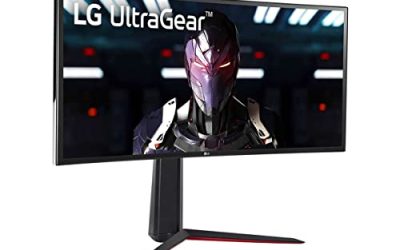
The 34GS95QE-B is the immersion pick. Its 34-inch WOLED panel curves steeply at 800R and stretches to 21:9 at 3440 x 1440, so a dark environment wraps into your peripheral vision, exactly where horror games like to place movement you only half see. The panel refreshes at 240Hz with 0.03ms response, and per-pixel lighting keeps ultrawide night scenes free of backlight glow.
LG rates the panel for DisplayHDR True Black 400 with 98.5 percent DCI-P3 coverage, and the MLA+ panel structure raises brightness over earlier WOLED generations, which helps torchlit scenes hold their punch. Two HDMI 2.1 ports cover consoles, although consoles output 16:9, so the ultrawide width is a PC benefit. Check each game’s ultrawide support first: many horror games support 21:9 natively, but some lock the rendered view to 16:9.
Specs
- Screen size: 34 inches, 800R curved
- Resolution: 3440 x 1440 (UWQHD, 21:9)
- Panel type: WOLED with MLA+
- Refresh rate: 240Hz
- Response time: 0.03ms GtG
- HDR: DisplayHDR True Black 400
- Color gamut: 98.5 percent DCI-P3
- Adaptive sync: FreeSync Premium Pro, G-SYNC Compatible
- Ports: 2x HDMI 2.1, 1x DisplayPort 1.4, USB hub
- Extras: Ergonomic stand
LG UltraGear 27GS95QE-B

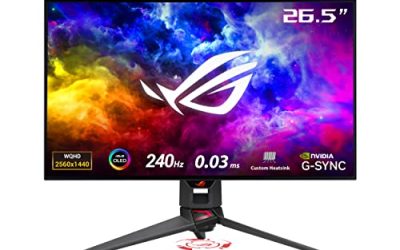
The 27GS95QE-B brings the same OLED black levels to the 27-inch size most desks and GPUs handle best. Its 26.5-inch WOLED panel runs at 2560 x 1440 and 240Hz with 0.03ms response, so dark scenes stay clean while fast camera turns in first-person horror stay sharp. At 1440p it is also far easier to drive at high frame rates than the 4K picks, suiting players on a mid-range graphics card.
For horror specifically, per-pixel control means the gradient from a lit doorway into a black corner resolves step by step instead of banding into gray rings. Typical brightness is 275 nits, tuned for dim rooms rather than sunlit ones; in its intended setting that is a strength, because the screen will not light up the room and flatten the mood. Both HDMI 2.1 ports support console 120Hz modes.
Specs
- Screen size: 26.5 inches, flat
- Resolution: 2560 x 1440 (QHD)
- Panel type: WOLED with MLA
- Refresh rate: 240Hz
- Response time: 0.03ms GtG
- HDR: DisplayHDR True Black 400
- Color gamut: 98.5 percent DCI-P3
- Adaptive sync: FreeSync Premium Pro, G-SYNC Compatible
- Ports: 2x HDMI 2.1, 1x DisplayPort 1.4, USB hub
- Extras: 275 nits typical brightness, full ergonomic stand
Samsung Odyssey Neo G7

The Neo G7 is the pick for players who do not play in a dark room. Its 32-inch VA panel uses a Quantum Mini-LED backlight with 1,196 local dimming zones behind a 1000R curve, running at 3840 x 2160 and 165Hz. VA panels start with deeper native contrast than IPS, and the dense dimming grid lets the backlight drop close to black in dark regions while keeping a flashlight beam bright: the closest an LCD gets to OLED behavior in horror scenes.
The trade-off is blooming: a small bright object on a black background can carry a faint halo where a dimming zone lights up. Samsung rates the panel for Quantum HDR 2000, giving highlights real force in brighter rooms. Two HDMI 2.1 ports handle console 4K at 120Hz, and there is no OLED burn-in concern, which suits players who leave static menus or one game’s HUD on screen all day. If your room goes properly dark at night, the OLED picks above still render cleaner blacks; if it does not, this is the stronger screen.
Specs
- Screen size: 32 inches, 1000R curved
- Resolution: 3840 x 2160 (4K UHD)
- Panel type: VA with Quantum Mini-LED backlight
- Local dimming: 1,196 zones
- Refresh rate: 165Hz
- Response time: 1ms GtG
- HDR: Quantum HDR 2000
- Adaptive sync: FreeSync Premium Pro, G-SYNC Compatible
- Ports: 2x HDMI 2.1, 1x DisplayPort 1.4, USB hub
- Extras: CoreSync ambient lighting
ASUS ROG Swift OLED PG27AQDM

The PG27AQDM is the alternative 27-inch OLED, built around the same class of 26.5-inch WOLED panel as the LG pick but tuned by ASUS for sustained dark-room play. It runs at 2560 x 1440 and 240Hz with 0.03ms response, covers 99 percent of DCI-P3 with true 10-bit color, and carries DisplayHDR True Black 400 certification. A custom heatsink lets it hold brightness more consistently during long sessions and supports its uniform brightness mode, which keeps luminance steady when large bright areas appear.
That steadiness matters in horror games that cut between black corridors and bright rooms, because aggressive brightness limiting can visibly pump the image. Connectivity is the compromise: the HDMI ports are 2.0 rather than 2.1, so console players are capped at 1440p at 120Hz, while PC players get the full 240Hz over DisplayPort 1.4. Choose it over the LG for PC play; choose the LG for console-first setups.
Specs
- Screen size: 26.5 inches, flat
- Resolution: 2560 x 1440 (QHD)
- Panel type: WOLED
- Refresh rate: 240Hz
- Response time: 0.03ms GtG
- HDR: DisplayHDR True Black 400, up to 1,000 nits HDR peak
- Color gamut: 99 percent DCI-P3, true 10-bit
- Adaptive sync: G-SYNC Compatible
- Ports: 2x HDMI 2.0, 1x DisplayPort 1.4, USB hub
- Extras: Custom heatsink, uniform brightness mode
How to Choose
Start with black level, because it decides most of what you see in a horror game. OLED panels switch pixels off individually, so black is absolute and fine shadow detail survives next to bright highlights. Mini-LED VA panels such as the Neo G7 approach that with local dimming, but a bright object on black can bloom, and standard IPS panels render night scenes as dark gray. If darkness is the priority, buy OLED first.
Next, match the HDR format to the panel. DisplayHDR True Black 400 is the certification written for OLED; generic HDR400 ratings on LCD panels say little about black performance. Use each title’s own HDR calibration screens, because a raised in-game black floor undoes the panel’s advantage.
Then weigh size and resolution. The 32-inch 4K picks reward a powerful GPU. The 27-inch 1440p picks are easier to drive and still deliver the same black levels. The 34-inch ultrawide adds peripheral immersion on PC, but confirm your favorite horror titles support 21:9. Finally, plan for OLED care: hide static desktop elements and use the pixel refresh features.
Who Should Skip
Skip this roundup if you play in a bright, sunlit room most of the time. OLED panels run lower full-screen brightness than strong LCDs, and their advantage shrinks as ambient light rises; only the Neo G7 here is really built for that setting.
Skip the OLED picks if your screen shows the same static content for most of the day, such as a work desktop or one game’s fixed HUD, and you do not want to manage panel care habits. Skip the ultrawide if you play mainly on console, since consoles output 16:9 and leave the extra width unused. And skip every pick if your bottleneck is frame rate on an older GPU: at 4K, these panels expose a weak graphics card before showing their contrast advantage.
FAQ
Do horror games look better on OLED than on LCD?
Yes, in dark scenes the difference is structural. Horror games spend most of their time near black, and an OLED pixel that is off emits no light at all, so shadows stay black and detail inside them stays visible. An LCD backlight leaks some light through dark pixels, which reads as gray haze, and local dimming reduces that only zone by zone. In bright scenes the gap narrows.
Will an OLED burn in from horror game HUDs?
Burn-in is cumulative and driven by static elements shown at high brightness for long periods. Horror HUDs are usually minimal and often fade out, which lowers the risk, but health bars and ammo counters are still static while on screen. Use the monitor’s pixel refresh and screen shift features and vary your content. The Mini-LED Neo G7 in this roundup has no burn-in risk at all.
Is HDR worth turning on for horror games?
Yes, when the game implements it well. HDR lets a panel show a near-black room and a bright flashlight beam in the same frame without compressing one into the other, the core lighting situation in modern horror titles. Calibrate with each game’s built-in HDR setup screen; if a title’s HDR mode looks washed out, its SDR mode on an OLED still keeps the black-level advantage.
Does ultrawide work with horror games?
Often, but not always. Many PC horror releases support 21:9 natively, and the wider view adds peripheral immersion. Others lock gameplay or cutscenes to 16:9 and pillarbox the sides. Consoles always output 16:9. Check support for your games before choosing the 34-inch pick.
Final Verdict
For most horror players, the Samsung Odyssey OLED G8 G80SD is the buy: true OLED blacks, 4K detail and console-ready HDMI 2.1 in one 32-inch screen. The LG 34GS95QE-B suits PC players who want the scene to wrap around them, and the LG 27GS95QE-B and ASUS PG27AQDM deliver the same black levels at 1440p for smaller desks and GPUs. If your room stays bright or burn-in worries you, the Samsung Odyssey Neo G7 is the Mini-LED answer.
Product and ASIN Reference
| Product | ASIN |
|---|---|
| Samsung Odyssey OLED G8 G80SD | B0DHJ8B7TP |
| LG UltraGear 34GS95QE-B | B0CV27X9K7 |
| LG UltraGear 27GS95QE-B | B0CSGWXVBN |
| Samsung Odyssey Neo G7 | B09ZH1Q6TT |
| ASUS ROG Swift OLED PG27AQDM | B0BZRBYLP1 |