Puzzle games ask something different from a monitor than shooters do. Titles like The Witness, Return of the Obra Dinn, Cocoon and Baba Is You are built around staring at a scene until a hidden pattern clicks, so the panel qualities that matter are sharpness, color accuracy, contrast in dark scenes and comfort across long sessions. A 500Hz refresh rate does nothing for a game that renders a mostly still frame, and most puzzle titles are capped at 60 frames per second anyway.
Every pick below is a 60Hz or 75Hz panel that puts its budget into resolution, panel quality and eye-care hardware instead of speed: 4K IPS and IPS Black screens for spotting fine detail, a QHD eye-care specialist with a color weakness mode, and one large curved VA screen for atmospheric games that live in shadow. If your library leans thoughtful rather than twitchy, this is where the money actually shows up on screen.
As an Amazon Associate, we earn from qualifying purchases.
Quick Answer
For puzzle games, buy panel quality instead of refresh rate: a sharp 4K IPS screen, accurate color for color-coded clues, strong contrast for dark scenes, and flicker-free low-blue-light hardware for long sessions. The Dell UltraSharp U2723QE is the best all-round pick here, the BenQ GW2790QT leads on eye comfort, and the Dell S3221QS suits big, moody, atmospheric puzzlers.
Table of Contents
- Quick Answer
- Dell UltraSharp U2723QE
- ASUS ProArt Display PA279CRV
- BenQ GW2790QT
- LG UltraFine 27UP850N-W
- Dell S3221QS
- How to Choose
- Who Should Skip
- FAQ
- Final Verdict
- Product and ASIN Reference
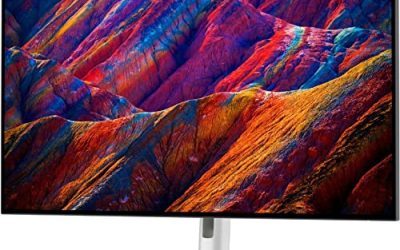
Dell UltraSharp U2723QE

The U2723QE is the strongest all-round screen in this roundup because it solves the two things puzzle games lean on most: fine detail and dark-scene contrast. Its IPS Black panel doubles the contrast of a conventional IPS screen to 2000:1, so the shadowy holds of Return of the Obra Dinn or the dim machinery of Cocoon keep their separation instead of washing into gray. Its 4K resolution also renders tiny environmental clues, small text and intricate line art with crisp edges.
Comfort is covered by ComfortView Plus, an always-on low-blue-light solution built into the panel rather than a color-shifting software filter. The built-in hub is the most complete here too: USB-C with 90W power delivery, a KVM switch, Ethernet and a daisy-chain DisplayPort output.
Specs
- Screen size: 27 inches
- Panel: IPS Black
- Resolution: 3840 x 2160 (4K UHD)
- Refresh rate: 60Hz
- Response time: 5ms GtG
- Contrast ratio: 2000:1
- Brightness: 400 nits
- Color gamut: 100 percent sRGB, 98 percent DCI-P3
- Eye care: ComfortView Plus low blue light
- Ports: HDMI 2.0, DisplayPort 1.4 in and out, USB-C with 90W power delivery, USB hub, RJ45 Ethernet
- Stand: height, tilt, swivel and pivot adjustment
ASUS ProArt Display PA279CRV

Color-coded puzzles live or die on whether two similar shades actually look different, and the PA279CRV is the color specialist of this group. It is factory calibrated to a Delta E of under 2 and Calman Verified, covering 99 percent of both the DCI-P3 and Adobe RGB gamuts. In games like Hue or ChromaGun, that accuracy keeps deliberate color distinctions readable instead of muddy.
The 27-inch 4K IPS panel pairs that color work with DisplayHDR 400 and ASUS Eye Care technology, combining flicker-free backlighting with low-blue-light modes. Connectivity is creator-grade: USB-C with 96W power delivery, DisplayPort daisy-chaining and a USB hub, on a fully ergonomic stand. It is a work monitor by design, which is exactly why it suits a genre that rewards looking carefully.
Specs
- Screen size: 27 inches
- Panel: IPS
- Resolution: 3840 x 2160 (4K UHD)
- Refresh rate: 60Hz
- Response time: 5ms GtG
- Contrast ratio: 1000:1
- Brightness: 350 nits
- HDR: VESA DisplayHDR 400
- Color gamut: 99 percent DCI-P3, 99 percent Adobe RGB
- Color accuracy: Delta E under 2, Calman Verified
- Ports: USB-C with 96W power delivery, DisplayPort, 2 x HDMI, USB hub
- Stand: height, tilt, swivel and pivot adjustment
BenQ GW2790QT

The GW2790QT is the eye-comfort pick, built by the brand that has made eye care its signature. Brightness Intelligence Gen2 reads your room lighting and adjusts brightness and color temperature automatically, Low Blue Light Plus filters the harsher part of the spectrum without tinting the image yellow, and the backlight is flicker-free at every brightness level. For a genre played in long, focused sittings, those features matter more than any gaming spec.
One feature is uniquely relevant here: BenQ’s Color Weakness mode, which shifts red and green rendering to help players with color vision deficiency separate hues. Color-matching puzzles are a staple of the genre, and this is the only monitor here that addresses them. The QHD panel runs at 75Hz, speakers and a noise-cancelling microphone are built in, and USB-C carries video, data and 65W of charging over one cable.
Specs
- Screen size: 27 inches
- Panel: IPS
- Resolution: 2560 x 1440 (QHD)
- Refresh rate: 75Hz
- Response time: 5ms GtG
- Contrast ratio: 1000:1
- Brightness: 300 nits
- Color gamut: 99 percent sRGB
- Eye care: Brightness Intelligence Gen2, Low Blue Light Plus, Flicker-Free, Color Weakness mode, ePaper mode
- Ports: USB-C with 65W power delivery, DisplayPort in and out, HDMI, USB hub
- Audio: built-in speakers and noise-cancelling microphone
- Stand: height adjustment with tilt, swivel and pivot
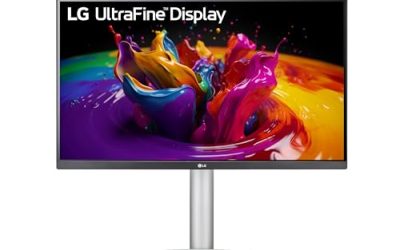
LG UltraFine 27UP850N-W

The 27UP850N-W is the straightforward 4K option for players who want sharp detail and strong built-in sound without paying for a professional calibration pipeline. Its 4K IPS panel covers 95 percent of the DCI-P3 gamut and carries VESA DisplayHDR 400 certification, so saturated storybook palettes and hand-painted point-and-click scenes look rich rather than flat.
Puzzle and adventure games lean heavily on music and ambient sound, and the twin 5W speakers with MaxxAudio are a genuine step above the token speakers most monitors ship with. USB-C delivers 96W of power for a laptop or handheld dock, AMD FreeSync covers the variable frame rates of less optimized indie titles, and the stand adjusts for height, tilt and pivot.
Specs
- Screen size: 27 inches
- Panel: IPS
- Resolution: 3840 x 2160 (4K UHD)
- Refresh rate: 60Hz
- Response time: 5ms GtG
- Brightness: 400 nits
- HDR: VESA DisplayHDR 400
- Color gamut: 95 percent DCI-P3
- Sync: AMD FreeSync
- Ports: USB-C with 96W power delivery, 2 x HDMI, DisplayPort, USB hub
- Audio: 2 x 5W built-in speakers
- Stand: height, tilt and pivot adjustment
Dell S3221QS
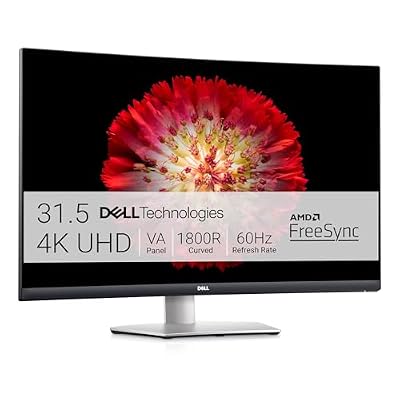
Some puzzle games are mood pieces first: Limbo-style silhouettes, the fog of a hidden-object scene, the candlelit corners of a gothic adventure. The S3221QS is built for those. Its 31.5-inch VA panel delivers a 3000:1 contrast ratio, triple that of the IPS picks here, and the gentle 1800R curve wraps the scene around your peripheral vision. Blacks stay genuinely dark, which is where VA technology earns its place in this roundup.
The trade-offs are honest ones: the stand adjusts for tilt only, viewing angles are narrower than IPS, and the 4ms response time is tuned for calm content rather than fast motion. For slow, atmospheric puzzlers, none of that undermines it. Built-in speakers, ComfortView low-blue-light mode and a VESA mount round out a pick that favors immersion over esports credentials.
Specs
- Screen size: 31.5 inches
- Panel: VA, curved 1800R
- Resolution: 3840 x 2160 (4K UHD)
- Refresh rate: 60Hz
- Response time: 4ms GtG in Extreme mode
- Contrast ratio: 3000:1
- Brightness: 300 nits
- Color gamut: 99 percent sRGB, 90 percent DCI-P3
- Sync: AMD FreeSync
- Eye care: ComfortView low blue light
- Ports: 2 x HDMI, DisplayPort, USB hub
- Audio: built-in speakers
- Stand: tilt adjustment, VESA 100 mounting
How to Choose
Start with resolution. Puzzle games are dense with small text, fine line work and background details that are often the clue itself, so pixel density does real work. A 27-inch 4K panel is the sweet spot for a desk: everything stays sharp at normal seating distance. QHD at 27 inches, like the GW2790QT, is the sensible step down if your graphics card is modest.
Next, match the panel to the games you play. IPS panels hold color at wide angles and render saturated art styles faithfully, which suits most of the genre. IPS Black, in the U2723QE, doubles IPS contrast for darker titles. A VA panel like the S3221QS goes further on contrast and size for atmospheric games, at the cost of viewing angles and stand flexibility. Color accuracy deserves a specific mention: if you play color-coded puzzle games, a factory-calibrated wide-gamut screen such as the PA279CRV, or the GW2790QT’s Color Weakness mode if you have color vision deficiency, solves problems no settings menu can.
Finally, weight comfort features as heavily as image specs: flicker-free backlighting, a hardware low-blue-light mode that does not wreck color, and a height-adjustable stand. Refresh rate is the one spec you can safely deprioritize: nearly every puzzle game runs at 60 frames per second or below, and the 60Hz and 75Hz panels here cover that fully.
Who Should Skip
Skip this entire category if your library is mostly competitive shooters, fighting games or fast action titles. Every monitor here tops out at 60Hz or 75Hz, and no amount of color accuracy compensates for that in a game built around reaction time; a high-refresh gaming monitor is the correct tool there. Also skip the 4K picks if your PC relies on older integrated graphics and you play demanding 3D titles at native resolution, since QHD will hold frame rates more comfortably. And if you play exclusively on a handheld or a TV from the couch, a desk monitor solves a problem you do not have.
FAQ
Do puzzle games need a high refresh rate monitor?
No. The overwhelming majority of puzzle games are capped at 60 frames per second, and many are effectively static images between inputs. A 60Hz or 75Hz panel displays everything those games produce. Refresh budgets are better spent on resolution, contrast and eye-care features.
Is 4K worth it for puzzle and adventure games?
For detail-driven games, yes. Hidden-object scenes, small interface text and intricate hand-drawn art all resolve more clearly at 4K on a 27-inch screen, and most puzzle titles are undemanding enough that even mid-range graphics cards run them at native 4K. QHD remains a good middle ground if your hardware is older.
Which panel type is best for dark puzzle games?
VA panels offer the deepest native contrast among these picks, with IPS Black close behind and well ahead of standard IPS. For silhouette-driven or horror-tinged puzzlers where shadow detail carries the scene, the S3221QS and U2723QE are the strongest options here. Standard IPS still wins on viewing angles.
Can these monitors work with a console or handheld?
Yes. Every pick has HDMI inputs for a PlayStation, Xbox or Switch dock, and the USB-C models take video from a Steam Deck or laptop over a single cable. Console puzzle games output at 60 frames per second or below, well inside what these panels display.
Final Verdict
Puzzle games reward patience and observation, and the right monitor makes both easier. The Dell UltraSharp U2723QE is the best overall choice, pairing 4K sharpness with IPS Black contrast and the strongest hub in the group. The ASUS ProArt PA279CRV is the pick when color accuracy decides puzzles, the BenQ GW2790QT when eye comfort and color weakness support matter most, the LG 27UP850N-W for balanced 4K with real speakers, and the Dell S3221QS when a big, dark, immersive screen is the whole point. None of them will make you faster. All of them will help you see the answer that was on screen the whole time.
Product and ASIN Reference
| Product | ASIN |
|---|---|
| Dell UltraSharp U2723QE | B09TQZP9CL |
| ASUS ProArt Display PA279CRV | B0BQPSX5CR |
| BenQ GW2790QT | B0BVXYJXK7 |
| LG UltraFine 27UP850N-W | B0B195FXTD |
| Dell S3221QS | B08G8WMRRP |