🛒 Best Price Today on Amazon
Prime members get fast, free shipping on everything above, plus member-only deals. New members get a 30-day free trial — cancel anytime.
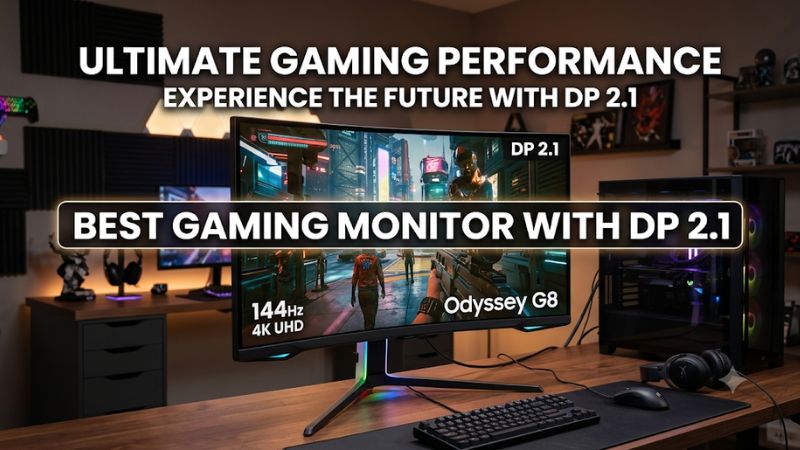
Choosing the best gaming monitor with dp 2.1 means looking beyond resolution and refresh rate. DisplayPort 2.1 offers more bandwidth for demanding gaming setups, particularly with high-end GPUs. This guide compares leading monitors, explains UHBR bandwidth tiers, and identifies the right option for competitive gaming, 4K visuals, and long-term upgrades.
How to Choose a Gaming Monitor With DisplayPort 2.1
A DisplayPort 2.1 connection is most useful when the monitor’s resolution and refresh rate demand more bandwidth than older interfaces comfortably provide. However, not every DP 2.1 monitor offers the same capabilities. Check its UHBR tier, panel specifications, GPU compatibility, and intended gaming resolution before paying a premium.
1. Check the DisplayPort 2.1 Bandwidth Tier
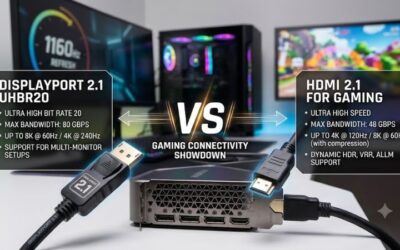
DisplayPort 2.1 supports different transmission rates, including UHBR10, UHBR13.5, and UHBR20. UHBR20 provides up to 80Gbps of raw bandwidth, making it particularly relevant to demanding 4K high-refresh-rate displays. The port’s version number alone does not tell you its maximum bandwidth.
A monitor advertised with DP 2.1 may use a lower UHBR tier. For buyers targeting uncompressed 4K at 240Hz, UHBR20 is the more relevant specification. UHBR10 and UHBR13.5 can still be useful for other resolutions and refresh-rate combinations, depending on color depth and display requirements.
2. Match Resolution and Refresh Rate to Your GPU
A 4K 240Hz monitor requires considerably more graphics performance than a 1440p display running at 240Hz. DisplayPort bandwidth determines how the signal reaches the screen; it does not make a graphics card render additional frames. Your GPU must still produce the frame rate your monitor can display.
For competitive shooters, a 1440p 480Hz or 500Hz monitor may make more sense than a 4K 240Hz model. For visually demanding single-player games, 4K OLED provides a different balance of detail, contrast, and motion. Choose the resolution and refresh rate according to the games you actually play.
3. Decide Between OLED and Other Panel Technologies
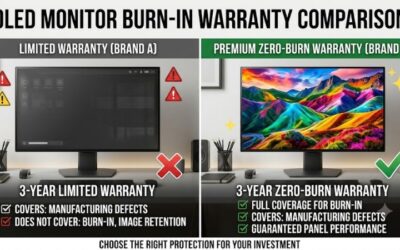
QD-OLED and WOLED monitors offer per-pixel lighting, deep blacks, and very fast pixel response. These characteristics are attractive for gaming, particularly in darker environments. However, OLED ownership involves potential image-retention and burn-in concerns, especially when static desktop elements remain visible for extended periods.
IPS and Mini-LED displays are worth considering if you regularly use productivity applications or prefer to avoid OLED-specific maintenance. Mini-LED can deliver strong HDR highlights through local dimming, although blooming may appear around bright objects. Panel technology should matter as much as the DisplayPort specification.
4. Verify GPU, Cable, and Monitor Compatibility
Your graphics card must support the required DisplayPort transmission rate to use the monitor’s full capabilities. A monitor with UHBR20 does not automatically provide UHBR20 bandwidth when connected to an older GPU. Check the graphics card manufacturer’s specifications rather than assuming that every recent GPU supports every DP 2.1 mode.
Cable certification also matters. A VESA-certified DP80 cable is appropriate when targeting the full UHBR20 transmission rate. Check the monitor manual for supported resolution and refresh-rate combinations, HDR restrictions, and any settings required to activate maximum performance. DSC may remain useful when the source or display cannot operate at the desired mode without compression.
Top Picks: Best Gaming Monitors With DP 2.1
The strongest options fall into two categories: 4K OLED displays designed for detailed gaming at 240Hz and 1440p OLED displays targeting extremely high refresh rates. The following four models offer identifiable DisplayPort 2.1 implementations, but their panel sizes, bandwidth features, and connectivity differ enough to make the buying decision important.
1. MSI MPG 322URX QD-OLED – Best Overall
The MSI MPG 322URX QD-OLED is a strong overall choice for gamers who want 4K resolution, a large screen, and full UHBR20 bandwidth. Its 31.5-inch QD-OLED panel runs at 240Hz, while its DisplayPort 2.1a connection supports UHBR20. The combination suits high-end gaming PCs targeting demanding display modes.
MSI Global+1
Connectivity is another advantage. MSI includes two HDMI 2.1 ports, USB-C with up to 98W Power Delivery, a USB hub, and KVM functionality. The panel also supports 10-bit color and DisplayHDR True Black 400. However, its premium OLED construction comes with potential burn-in concerns, and the 4K 240Hz combination requires a powerful GPU. Consider a 1440p alternative if competitive frame rates matter more than resolution.
MSI Global+1
2. ASUS ROG Swift OLED PG27UCDM – Best 27-Inch 4K Option
The ASUS ROG Swift OLED PG27UCDM combines a compact 27-inch screen with 3840 × 2160 resolution and a 240Hz refresh rate. Its fourth-generation QD-OLED panel and DisplayPort 2.1a UHBR20 connection make it particularly interesting for gamers who want high pixel density without moving to a larger 32-inch display.
Republic of Gamers|ROG Việt Nam+1
ASUS specifies up to 80Gbps of DisplayPort bandwidth, supporting uncompressed 4K at 240Hz with a compatible graphics card. Additional features include two HDMI 2.1 ports, USB-C with up to 90W Power Delivery, and OLED Care Pro with a proximity sensor. Its main trade-off is the smaller viewing area compared with 32-inch alternatives. Buyers who prioritize immersive screen size may prefer the MSI MPG 322URX.
Republic of Gamers|ROG Việt Nam+1
3. GIGABYTE AORUS FO32U2P – Best for Connectivity and Multitasking
The GIGABYTE AORUS FO32U2P is a 31.5-inch 4K OLED monitor with a 240Hz refresh rate and DisplayPort 2.1 UHBR20. It also includes a Mini DisplayPort 2.1 UHBR20 input, making its connectivity configuration distinctive among gaming-focused OLED displays. Its 10-bit panel, 99% DCI-P3 color coverage, and VESA DisplayHDR True Black 400 certification add to its appeal.
GIGABYTE Vietnam+1
Its USB-C connection supplies up to 65W of Power Delivery, while the integrated KVM and USB hub support a multi-device workstation. RTINGS reports excellent contrast, vivid colors, and responsive motion, but also identifies VRR flicker when frame rates fluctuate in darker scenes. Permanent burn-in remains an OLED consideration. Choose this model for its connectivity rather than assuming its older release makes it the best-priced option.
RTINGS.com+2
4. GIGABYTE AORUS FO27Q5P – Best for Competitive Gaming
The GIGABYTE AORUS FO27Q5P takes a different approach by prioritizing refresh rate over 4K resolution. Its 27-inch QD-OLED panel delivers 2560 × 1440 resolution at up to 500Hz, with a manufacturer-rated 0.03ms GtG response time. DisplayPort 2.1 UHBR20 makes it an attractive option for competitive players who want substantial bandwidth headroom.
GIGABYTE Vietnam+1
The monitor also includes two HDMI 2.1 ports, a Mini DisplayPort 2.1 UHBR20 input, USB-C with up to 18W Power Delivery, and a DisplayPort output for daisy-chaining compatible displays. Its major limitation is resolution: 1440p does not provide the same detail as a 4K panel. You also need a GPU capable of producing very high frame rates to benefit from 500Hz. Choose a 4K model if visual detail is your priority.
GIGABYTE U.S.A.+1
DisplayPort 2.1 Monitor Comparison
| Product | Best For | Key Spec | Compatibility | Watch Out For |
| MSI MPG 322URX | Best overall | 31.5-inch 4K QD-OLED, 240Hz, UHBR20 | Compatible UHBR20 GPU; HDMI 2.1 | OLED burn-in considerations |
| ASUS PG27UCDM | 27-inch 4K | 27-inch 4K QD-OLED, 240Hz, UHBR20 | Compatible UHBR20 GPU; USB-C 90W | Smaller screen |
| GIGABYTE FO32U2P | Connectivity | 31.5-inch 4K OLED, 240Hz, UHBR20 | Compatible UHBR20 GPU; USB-C 65W | VRR flicker and burn-in risk |
| GIGABYTE FO27Q5P | Competitive gaming | 27-inch QHD QD-OLED, 500Hz, UHBR20 | Compatible UHBR20 GPU; HDMI 2.1 | Lower resolution |
Which one should you choose?
- Choose the MSI MPG 322URX for a combination of 4K 240Hz gaming and high-powered USB-C connectivity.
- Choose the ASUS PG27UCDM if you prefer a smaller 4K OLED display.
- Choose the GIGABYTE FO32U2P if KVM and multi-device connectivity are important.
- Choose the GIGABYTE FO27Q5P if competitive gaming and 500Hz are more important than 4K resolution.
FAQ
DisplayPort 2.1 specifications can be confusing because monitors carrying the same interface label may support different bandwidth tiers. These answers address the most important compatibility and performance questions, including whether upgrading your graphics card or cable is necessary to use a high-refresh-rate display.
1. Do I Need a DisplayPort 2.1 Graphics Card to Use a DP 2.1 Monitor?
No, you can connect a DP 2.1 monitor to an older DisplayPort graphics card if the connection is compatible. However, the display will operate according to the capabilities of the source device and may not reach its maximum resolution and refresh rate.
For example, a GPU with DisplayPort 1.4 can still drive a 4K monitor using DSC when supported by both devices. You should check the graphics card’s output specifications and the monitor’s supported signal modes before purchasing.
2. Is DisplayPort 2.1 Better Than DisplayPort 1.4 for Gaming?
DisplayPort 2.1 offers higher available bandwidth, particularly with UHBR20, which supports up to 80Gbps of raw transmission bandwidth. This makes it useful for demanding combinations such as 4K at 240Hz without relying on DSC.
However, DisplayPort 1.4 with DSC remains suitable for many gaming configurations. DSC is designed to provide visually lossless compression, so the newer interface does not automatically produce better image quality. The practical advantage depends on your resolution, refresh rate, GPU, and preferred signal configuration.
3. Do I Need a Special Cable for DisplayPort 2.1?
You should use a VESA-certified DP80 cable when targeting the full UHBR20 bandwidth. A cable’s appearance or advertised compatibility alone does not establish that it supports the required transmission rate.
Check the cable certification and the monitor manufacturer’s recommendations before purchasing. Also verify the cable length and supported operating mode. If your monitor operates below UHBR20, a lower-bandwidth certified cable may be sufficient for that particular configuration.
4. Is DisplayPort 2.1 Worth It for 1440p Gaming?
DisplayPort 2.1 is not essential for most 1440p gaming setups, especially when using refresh rates that DisplayPort 1.4 can already support with DSC. However, it becomes more interesting when purchasing a 480Hz or 500Hz OLED monitor and planning future GPU upgrades.
For example, the GIGABYTE AORUS FO27Q5P combines 1440p resolution, a 500Hz refresh rate, and UHBR20 connectivity. If your graphics card cannot generate sufficiently high frame rates, however, the additional bandwidth alone will not improve your competitive performance.
Final Thoughts
The best gaming monitor with dp 2.1 depends on whether you prioritize 4K image quality, competitive refresh rates, or workstation connectivity. The MSI MPG 322URX is a compelling overall choice, while the ASUS PG27UCDM suits smaller setups. Check your GPU’s bandwidth support before making the upgrade.