🛒 Best Price Today on Amazon
Prime members get fast, free shipping on everything above, plus member-only deals. New members get a 30-day free trial — cancel anytime.
A best monitor arm for a gaming desk should match the monitor’s VESA pattern, weight, screen size, and the desk’s mounting area. Current options range from compact budget arms to heavy-duty models for large ultrawides. The right choice depends on fit first, then adjustment range, mounting method, and how often you reposition the display.
How to Choose a Monitor Arm
The right arm starts with compatibility, not price. Check the monitor’s weight without its original stand, confirm VESA 75×75 or 100×100 support, and measure the desk where the clamp or grommet will sit. Then compare the arm’s rated screen range, lift, reach, and mounting method so the hardware matches the actual setup.
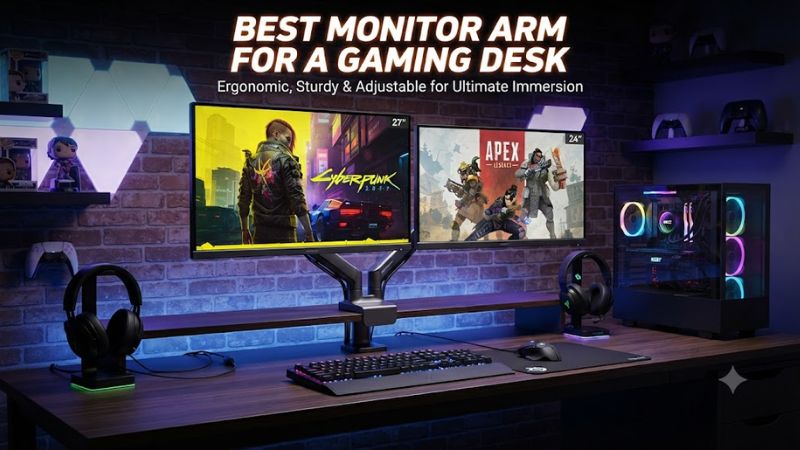
Match the monitor’s weight
Weight is the first filter because an arm must support the panel inside its stated range. Ergotron LX Pro supports 4–22 lb, while HUANUO SS6 reaches 19.8 lb and VIVO STAND-V001 reaches 22 lb. Use the monitor maker’s stand-free weight rather than shipping weight when checking compatibility.
The best monitor arm for a gaming desk should leave sensible capacity for the actual monitor instead of relying only on its maximum rating. A 20 lb display is within a 22 lb limit, but has less margin than a 10 lb panel. Large OLED and ultrawide displays therefore need closer attention to load specifications.
Check VESA and screen size
VESA compatibility is simple to verify but should never be assumed. The four picks here use 75×75 mm and 100×100 mm patterns, while their screen-size ranges differ. Ergotron LX Pro supports displays up to 34 inches, VIVO STAND-V001 reaches 38-inch ultrawides, and MSI MAG MT201 is rated up to 49 inches.
Screen size does not replace the weight limit. A 34-inch monitor can fit the stated diagonal range while exceeding an arm’s load rating, while a lighter 38-inch ultrawide may fit another model. Check both measurements together, plus any adapter needed when the monitor lacks exposed VESA mounting holes.
Measure the gaming desk
Desk thickness can determine whether an arm mounts correctly. VIVO STAND-V001 supports desks up to 3.25 inches, HUANUO SS6 specifies 0.59–3.54 inches for its C-clamp, and MSI MAG MT201 supports 10–80 mm with its clamp or 10–35 mm through its grommet. These limits apply to the mounting hardware.
A compatible arm also needs clearance around the desk edge and rear cable area. A clamp can conflict with a rear frame, shelf, or cable tray, while a grommet needs a suitable hole. Measure the underside as well as the desktop surface before choosing the mounting method for a gaming setup.
Choose movement and reach
Adjustment range matters most when the monitor changes position during play, streaming, or sitting and standing. Ergotron LX Pro provides 13 inches of lift and up to 25.8 inches of extension, while MSI MAG MT201 provides up to 20 inches of vertical and 21 inches of horizontal extension.
For a fixed gaming setup, extreme reach may add little value, but it becomes useful when the screen needs to move aside or rotate. A dual-purpose desk can also benefit from an arm that positions the display without pushing the base into the keyboard or mouse area. Cable routing should be checked across the full movement range.
Top Picks
The table compares four current single-monitor arms using manufacturer specifications. The categories describe intended use rather than a universal ranking: Ergotron targets premium mainstream setups, VIVO emphasizes basic compatibility, MSI targets large gaming displays, and HUANUO Titan targets heavier 27–49-inch monitors.
| Product | Best For | Key Spec | Compatibility | Watch Out For |
| Ergotron LX Pro | Best Overall | 4–22 lb; 13″ lift | ≤34″; VESA 75/100 | Higher price |
| VIVO STAND-V001 | Best Value | 22 lb; 16″ extension | 13–32″; ultrawide to 38″; VESA 75/100 | Basic adjustment hardware |
| MSI MAG MT201 | Best For Large Ultrawide | 44.09 lb; 49″ | 17–49″; VESA 75/100; 10–80 mm clamp | Large arm footprint |
| HUANUO Titan | Best For Heavy Monitor | Up to 44 lb; 27–49″ | 27–49″; heavy-duty class | Not aimed at small panels |
Ergotron LX Pro — Best Overall
Ergotron LX Pro is the best monitor arm for a gaming desk when one display falls within 4–22 lb and up to 34 inches. Its specification lists 13 inches of lift, 360-degree monitor rotation, VESA 75×75 and 100×100 support, and a 10-year warranty. It suits users who frequently adjust their display position.
Its main weakness is cost, since Ergotron positions the LX Pro above many budget arms. It should also not be used for a panel above 22 lb or a display outside its rated range. Those users need a heavier-duty model instead of exceeding the published capacity.
VIVO STAND-V001 — Best Value
VIVO STAND-V001 is a best monitor arm for a gaming desk when the priority is low-cost single-monitor mounting with broad basic compatibility. VIVO rates it for up to 22 lb, supports 75×75 and 100×100 VESA, and lists most 13–32-inch monitors plus ultrawides up to 38 inches. It carries a 3-year warranty.
Its weakness is a more basic design than premium arms with more sophisticated adjustment systems. It should not be the first choice for a very heavy panel or a setup demanding extensive daily repositioning. For conventional 24–32-inch gaming monitors, its stated capacity and 16-inch extension cover many desk configurations.
MSI MAG MT201 — Best For Large Ultrawide
MSI MAG MT201 is the best monitor arm for a gaming desk when a large or heavy gaming display is the main requirement. MSI rates it for 17–49-inch screens and up to 20 kg or 44.09 lb, with VESA 75×75 and 100×100 support. Its clamp accepts 10–80 mm desks, while the grommet range is 10–35 mm.
The trade-off is physical scale, so small desks may have less room for its reach. It is also unnecessary for a light 24-inch monitor that fits a simpler arm. Buyers should confirm stand-free monitor weight and rear desk clearance before installing it, especially when the display is a wide curved ultrawide.
HUANUO Titan — Best For Heavy Monitor
HUANUO Titan targets large displays, with the company listing support for 27–49-inch monitors and up to 44 lb. That makes it suitable for heavy ultrawides where a standard arm may approach its load limit. HUANUO also lists up to 19.6 inches of height and 24.8 inches of forward extension for Titan.
The weakness is fit at the small end because this is a heavy-duty arm rather than a compact-monitor design. It should not be chosen simply because its maximum capacity is high. If the panel is small and light, a simpler arm can be more appropriate; if it exceeds the rating, choose a heavier model.
FAQ
The right monitor arm depends on monitor weight and VESA pattern, desk mounting space, and required movement. The four picks cover mainstream 24–34-inch displays, budget installations, large ultrawides, and heavier 27–49-inch panels without assuming that one mounting system fits every gaming desk.
What VESA size do gaming monitors use?
Most arms in this roundup support VESA 75×75 mm and 100×100 mm, including Ergotron LX Pro, MSI MAG MT201, and VIVO STAND-V001. Check the monitor manual or rear mounting points before buying, especially when the display uses a recessed mounting area.
A best monitor arm for a gaming desk still needs a compatible physical interface even when its weight rating is sufficient. Some displays require an adapter for recessed or nonstandard mounting points, and that adapter can change available clearance. Screen size alone does not confirm VESA compatibility.
Can a monitor arm hold a 49-inch ultrawide?
Yes, some current arms support 49-inch displays, including MSI MAG MT201 and HUANUO Titan, but the monitor must also remain within the stated weight limit. MSI lists up to 44.09 lb, while HUANUO lists up to 44 lb for Titan, making actual monitor weight a key specification.
A large ultrawide also needs sufficient desk depth and rear clearance for the arm to move. A clamp can fit the desktop while the rear structure still blocks movement. Measure the intended viewing position and the arm’s extension before installation, particularly on shallow gaming desks.
Is a gas-spring monitor arm better for gaming?
A gas-spring or spring-assisted arm can make frequent repositioning easier, but it is not automatically better for every gaming desk. MSI MAG MT201 uses a built-in spring tension mechanism, HUANUO SS6 uses a gas spring, and Ergotron LX Pro uses Constant Force technology for display adjustment.
The useful question is whether movement and load range match your routine. A screen that stays fixed does not need extreme adjustment range, while a streaming or sit-stand setup can benefit from easier repositioning. Weight capacity and movement specifications matter more than the spring terminology alone.
Is a monitor arm worth it for a gaming desk?
A monitor arm can be worthwhile when you want to clear the stock stand, adjust screen height, or change viewing position more easily. The benefit depends on whether the desk, monitor, and mounting hardware are compatible, so measurements should come before comparing brands or features.
For a single display, the right arm is the model whose published limits fit the complete setup. Check monitor weight, VESA pattern, screen size, desk thickness, clamp clearance, and required reach together. If those conditions do not match, another mounting method may be more suitable.
Final Thoughts
Choosing the best monitor arm for a gaming desk comes down to matching the arm to the monitor and desk before comparing features. Ergotron LX Pro suits premium mainstream setups, VIVO STAND-V001 covers budget builds, while MSI MAG MT201 and HUANUO Titan target larger or heavier displays.