
🛒 Best Price Today on Amazon
Prime members get fast, free shipping on everything above, plus member-only deals. New members get a 30-day free trial — cancel anytime.
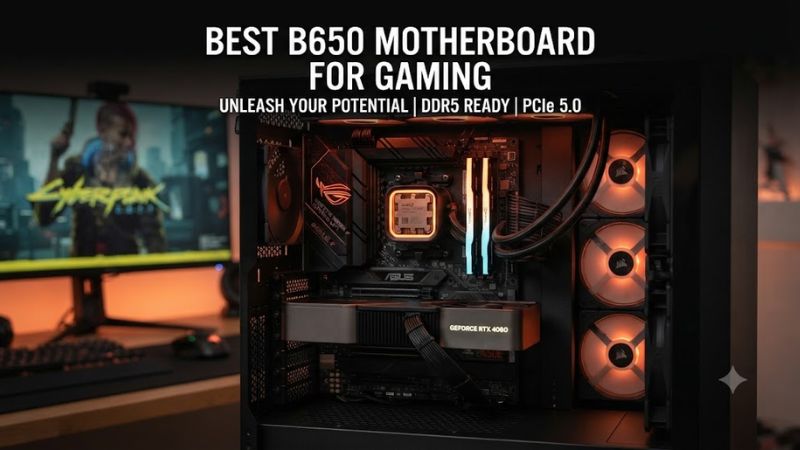
Choosing the best b650 motherboard for gaming means matching AM5 CPU support, DDR5 memory, expansion, storage, networking and case size rather than chasing a higher chipset tier. B650 remains a practical AM5 option in 2026, especially when a board is discounted and supports Ryzen 9000 with a suitable BIOS.
How to Choose a B650 Motherboard for Gaming
The main choice comes down to four checks: CPU and BIOS support, memory layout, expansion and storage, and physical compatibility. The best b650 motherboard for gaming is not automatically the most expensive model; it should provide the I/O, M.2 capacity, networking and power delivery that your planned Ryzen build actually uses.
Check AM5 CPU and BIOS Support
Start with AM5 and BIOS support. Gigabyte, MSI, ASUS and ASRock list their B650 boards for Ryzen 7000, 8000 and 9000 processors, but CPU support can vary by BIOS revision and processor. Check the maker’s CPU support list before ordering, especially with a newer Ryzen 9000 chip.
Match DDR5 to the CPU
Memory is the second filter because every board here uses DDR5, not DDR4. The best b650 motherboard for gaming should match your exact memory kit and CPU. The selected models list four DIMM slots and capacities up to 256GB, while rated overclocked speeds vary by board and processor. Check the memory support list.
Compare PCIe and M.2 Layout
Expansion should match the rest of the system. The selected boards provide a CPU-connected graphics slot and multiple M.2 sockets, but PCIe generations differ: the ASRock B650M Pro RS WiFi has a PCIe 5.0 M.2 slot, while the MSI Tomahawk keeps its M.2 storage at PCIe 4.0.
Check Case and PSU Compatibility
Finally, check the chassis and power connectors before buying. The Gigabyte B650 AORUS ELITE AX V2 and ASUS TUF Gaming B650-Plus WiFi are ATX boards, while the ASRock B650M Pro RS WiFi is Micro ATX. All use a 24-pin motherboard connection plus CPU power connectors, so your case and PSU need matching space and leads.
Top B650 Motherboard Picks
These four boards cover different build priorities without mixing B650 with B650E or B850 models. The table focuses on documented specifications and practical limitations, while independent reviews are used only as supporting context rather than as a substitute for the manufacturer’s current compatibility lists.
| Product | Best For | Key Spec | Compatibility | Watch Out For |
| Gigabyte B650 AORUS ELITE AX V2 | Best Overall | 4 DIMMs, 3 M.2, 2.5GbE | AM5, DDR5, ATX | GPU slot is PCIe 4.0 |
| ASRock B650M Pro RS WiFi | Best Value | Gen5 M.2, 2.5GbE, Wi-Fi 6E | AM5, DDR5, Micro ATX | Basic ALC897 audio |
| MSI MAG B650 Tomahawk WiFi | Best For Storage and I/O | 3 Gen4 M.2, 20Gbps USB-C | AM5, DDR5, ATX | No PCIe 5.0 M.2 |
| ASUS TUF Gaming B650-Plus WiFi | Best For ATX Expansion | 3 M.2, 2.5GbE, BIOS FlashBack | AM5, DDR5, ATX | Wi-Fi 6, not 6E |
Gigabyte B650 AORUS ELITE AX V2 — Best Overall
The Gigabyte B650 AORUS ELITE AX V2 is a balanced ATX choice for the best b650 motherboard for gaming. It supports Ryzen 7000, 8000 and 9000, four DDR5 DIMMs up to 256GB, three M.2 sockets and 2.5GbE networking. It also includes Wi-Fi 6E, EXPO and XMP profiles.
Its main limitation is that the primary CPU-connected graphics slot is PCIe 4.0 on Ryzen 7000 and 9000, while PCIe 5.0 is available through an M.2 socket. That makes it less suitable for anyone specifically buying B650 for PCIe 5.0 graphics expansion. It is also an ATX board.
ASRock B650M Pro RS WiFi — Best Value
The ASRock B650M Pro RS WiFi suits compact gaming PCs seeking the best b650 motherboard for gaming in a Micro ATX format. It supports Ryzen 7000, 8000 and 9000, four DDR5 DIMMs up to 256GB, 2.5GbE and Wi-Fi 6E. Storage includes one PCIe 5.0 x4 M.2 and two additional M.2 sockets.
The trade-off is the smaller board and simpler audio implementation. ASRock specifies a Realtek ALC897 codec and an 8+2+1 power-phase design with 50A Dr.MOS, while the main GPU slot is PCIe 4.0 x16. Choose it for a compact case, not when you need a larger ATX expansion layout.
MSI MAG B650 Tomahawk WiFi — Best For Storage and I/O
The MSI MAG B650 Tomahawk WiFi is aimed at builders seeking the best b650 motherboard for gaming with strong storage and I/O. MSI lists Ryzen 7000, 8000 and 9000 support, four DDR5 DIMMs up to 256GB, three PCIe 4.0 x4 M.2 sockets, 2.5GbE, Wi-Fi 6E and a 20Gbps USB-C rear port.
Its clear weakness is the absence of PCIe 5.0 for the M.2 slots, so it makes less sense for a build centered on a Gen5 SSD. The board is also ATX and uses two 8-pin EPS connectors, so the case and PSU should provide the required space and power leads.
ASUS TUF Gaming B650-Plus WiFi — Best For ATX Expansion
The ASUS TUF Gaming B650-Plus WiFi fits buyers seeking the best b650 motherboard for gaming with ATX expansion and three M.2 sockets. ASUS lists Ryzen 7000, 8000 and 9000 compatibility, four DDR5 DIMMs up to 256GB, 2.5GbE, Wi-Fi 6 and one PCIe 5.0 M.2 slot, plus BIOS FlashBack.
Its main drawback is platform value rather than basic capability: the GPU slot is PCIe 4.0, and the wireless specification is Wi-Fi 6 rather than Wi-Fi 6E. PC Gamer’s review also notes that competing boards make the price important. Skip it if a similarly priced board offers the newer wireless or storage features you need.
B650 Gaming Motherboard FAQ
The practical answer is to buy around the CPU, case and storage plan rather than around a generic performance label. B650 boards can deliver essentially the same CPU and GPU gaming platform when their firmware, memory configuration and power delivery are appropriate; the meaningful differences are connectivity, expansion and convenience.
Can B650 Support Ryzen 9000?
Yes, the best b650 motherboard for gaming can support Ryzen 9000, but exact CPU support depends on BIOS and model. Gigabyte, MSI, ASUS and ASRock currently list Ryzen 9000 support for the selected boards, so check the CPU support list and BIOS notes for the specific revision before installing a newer processor.
You do not need a B850 board simply to run a Ryzen 9000 gaming CPU. B650 remains compatible with Ryzen 9000 on supported models, although B850 is the newer chipset family and can offer newer platform features. Choose B650 when its existing I/O and expansion match the build rather than assuming the chipset name determines gaming speed.
Does B650 Use DDR4 or DDR5 RAM?
No, B650 motherboards require DDR5 memory rather than DDR4. The four selected boards all use four DDR5 DIMM slots, and their current specifications list support for profiles such as AMD EXPO; exact achievable speed depends on the CPU, DIMM configuration and memory kit. DDR5 is therefore the required memory standard here.
For a gaming build, check the motherboard’s memory support list for the exact kit before enabling an overclocked profile. A board may advertise a high maximum DDR5 rate while a particular CPU and four-DIMM configuration runs at a lower validated speed, so the headline memory number should not be treated as a guaranteed operating point.
Is B650 Enough for a Modern Gaming GPU?
B650 is enough for a single modern gaming GPU because the selected boards provide a CPU-connected PCIe x16 graphics slot. Gigabyte and MSI specify PCIe 4.0 x16 operation with Ryzen 7000 and 9000 on their relevant B650 models. That is separate from whether an M.2 slot supports PCIe 5.0 for gaming today.
A PCIe 5.0 M.2 slot can be useful for a Gen5 SSD, but it does not make games automatically faster than a good Gen4 drive. If your priority is GPU gaming, focus first on CPU support, memory stability, cooling, storage capacity and the board’s I/O; choose Gen5 storage only when its workload justifies it.
Which B650 Board Should You Buy?
The right B650 board depends on your case, CPU, storage and connectivity needs. The Gigabyte B650 AORUS ELITE AX V2 is a broad ATX option, the ASRock B650M Pro RS WiFi targets compact builds, the MSI Tomahawk emphasizes storage and I/O, and the ASUS TUF Gaming B650-Plus WiFi combines ATX expansion with three M.2 slots.
Before buying, verify the exact motherboard revision, CPU support list, memory kit, case form factor and PSU connectors. Also check current retailer pricing because older B650 stock can move significantly as B850 becomes more common. That final price check can change which feature set makes sense for your particular build.
Final Thoughts
The best b650 motherboard for gaming depends on the parts around it: Gigabyte offers a balanced ATX layout, ASRock targets compact value, MSI emphasizes connectivity and storage, and ASUS provides a broad ATX feature set. Check CPU support, DDR5 compatibility, M.2 needs, case size and current price before choosing.









