
🛒 Best Price Today on Amazon
Prime members get fast, free shipping on everything above, plus member-only deals. New members get a 30-day free trial — cancel anytime.
Choosing the best mini itx motherboard for an sff build means balancing socket, DDR5 support, storage, rear I/O, and the limits of a 170 × 170 mm board. Current AM5 and LGA1851 options cover different priorities, so the right pick depends on the CPU, case, and connectivity you actually need.
How to Choose a Mini-ITX Motherboard
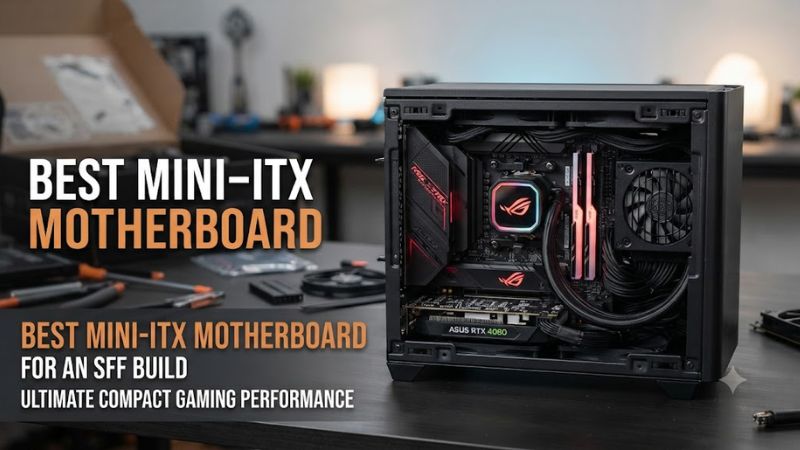
The best mini-ITX choice starts with four checks: CPU socket and chipset, DDR5 compatibility, storage and expansion, and physical SFF integration. Every board here uses the standard 170 × 170 mm Mini-ITX footprint, but CPU generation, PCIe behavior, M.2 layout, power connectors, and rear I/O still determine whether it suits a particular compact build.
Check CPU Socket and Platform
For an AMD system, the best mini itx motherboard for an sff build should match AM5 and the Ryzen generation you intend to use. ASUS X870-I and ASRock B850I both support Ryzen 9000, 8000, and 7000 processors, while the ASRock B860I and MSI Z890I target Intel Core Ultra Series 2 on LGA1851.
Socket compatibility is only the first check because chipset features differ. X870 and Z890 boards target higher-end connectivity, while B850 and B860 can provide a simpler platform for gaming-focused systems. Check the manufacturer’s CPU support list and BIOS notes for the exact processor before ordering, particularly when using a newly released CPU.
Match DDR5 and Memory Profiles
Modern Mini-ITX boards in this roundup use two DDR5 DIMM slots, making memory selection more important because there are fewer slots than on ATX boards. ASUS supports up to 128GB and AMD EXPO, while MSI’s B850I supports up to 128GB and lists DDR5 speeds up to 10,000 MT/s with overclocking.
Advertised memory speeds remain platform-dependent rather than guaranteed operating points. CPU memory controllers, DIMM configuration, BIOS revisions, and the memory kit itself can affect achievable speeds. For an SFF gaming build, use the motherboard’s memory compatibility list and choose a validated DDR5 kit rather than assuming the headline OC figure will apply to every configuration.
Check Storage and Expansion
Storage can separate one best mini itx motherboard for an sff build from another when the case has limited room for additional drives. ASUS provides two M.2 slots, MSI B850I provides two, and Gigabyte’s B850I also provides two M.2 connectors plus two SATA ports. The primary graphics slot is PCIe 5.0 on the current AM5 boards listed here.
The graphics card remains the main expansion device in most SFF gaming PCs, so the single PCIe x16 slot is normal rather than a drawback. More important is how the motherboard’s M.2 heatsinks, rear connectors, and auxiliary cards interact with the case. Verify the case’s motherboard support, GPU thickness, riser specification, and cable routing before buying.
Verify Power and Case Fit
A 170 × 170 mm board fits the Mini-ITX standard, but an SFF build still needs the right power cables and case access. ASUS and Gigabyte list a 24-pin ATX connector plus an 8-pin CPU connector, while MSI’s B850I also uses standard ATX and CPU power connections.
The best mini itx motherboard for an sff build is therefore also the board that fits your complete system, not simply the board with the longest feature list. Confirm that the case supports Mini-ITX, the PSU has the required connectors, the CPU cooler clears the socket area, and any included daughterboard or expansion card has room before purchasing.
Top Picks
The following four boards cover current AMD AM5 and Intel LGA1851 SFF builds without mixing older sockets into the comparison. Manufacturer specifications establish compatibility and feature differences, while independent reviews provide additional context where available; product availability and pricing can change, so the table avoids unsupported fixed prices.
| Product | Best For | Key Spec | Compatibility | Watch Out For |
| ASUS ROG Strix X870-I Gaming WiFi | Best Overall | PCIe 5.0 x16, 2 M.2, USB4 | AM5, DDR5, Ryzen 9000/8000/7000 | Chipset thermals |
| ASRock B850I Lightning WiFi | Best Value | PCIe 5.0 x16, 2 M.2 | AM5, DDR5, Ryzen 9000/8000/7000 | Wi-Fi 6E; USB4 limits |
| ASRock Phantom Gaming B860I Lightning WiFi | Best For Intel Value | PCIe 5.0 x16, Thunderbolt 4 | LGA1851, DDR5, Core Ultra Series 2 | No CPU overclocking |
| MSI MPG Z890I Edge Ti WiFi | Best For Connectivity | 4 M.2, Thunderbolt 4, 5GbE | LGA1851, DDR5, Core Ultra Series 2 | More complex expansion |
ASUS ROG Strix X870-I Gaming WiFi
The ASUS ROG Strix X870-I Gaming WiFi is the strongest all-round AM5 option for a premium compact gaming system. It supports Ryzen 9000, 8000, and 7000 CPUs, has two DDR5 slots, PCIe 5.0 x16 with supported Ryzen generations, two M.2 slots, dual USB4 ports, 2.5Gb Ethernet, and Wi-Fi 7.
Its main weakness is thermal behavior worth considering in a tightly packed case. PC Gamer recorded a 53°C VRM temperature and 73°C chipset temperature in its review setup, while noting that its gaming CPU temperature was relatively high. Those measurements come from that specific test system, so they should not be treated as universal SFF temperatures.
ASRock B850I Lightning WiFi
The ASRock B850I Lightning WiFi is a sensible value-oriented AM5 choice when USB4 and Wi-Fi 7 are not priorities. It supports Ryzen 9000, 8000, and 7000 processors, two DDR5 slots up to 128GB, PCIe 5.0 x16, two M.2 slots, 2.5GbE, and Wi-Fi 6E in a 170 × 170 mm layout.
The important limitation is connectivity rather than core gaming capability. Tom’s Hardware found good overall performance and capable power delivery, but noted that USB4 is unavailable with Ryzen 9000 and requires an 8000G processor, while Wi-Fi remains 6E. That makes the board less suitable when newer high-speed external connectivity is a central requirement.
ASRock Phantom Gaming B860I Lightning WiFi
The ASRock Phantom Gaming B860I Lightning WiFi suits builders who want an Intel LGA1851 platform without moving directly to a higher-end Z890 board. Independent reviews highlight its actively cooled VRMs, Thunderbolt 4, CPU cooler compatibility, and compact 170 × 170 mm layout, while its B860 chipset supports memory overclocking rather than CPU overclocking.
Its weakness is the feature trade-off. Wi-Fi 6E replaces Wi-Fi 7, and independent reviews have also pointed to average M.2 cooling and a less polished firmware interface. PC Gamer additionally notes that CPU overclocking is unavailable, so this board should not be selected when multiplier-based CPU tuning is a central part of the build.
MSI MPG Z890I Edge Ti WiFi
The MSI MPG Z890I Edge Ti WiFi is aimed at compact Intel systems where storage and high-speed external connectivity matter. It supports Core Ultra Series 2 on LGA1851, DDR5 up to 8600+ MT/s with overclocking, PCIe 5.0 x16, four M.2 positions, Thunderbolt 4, 5Gb Ethernet, and Wi-Fi 7.
The trade-off is a more elaborate expansion arrangement than a simple two-M.2 ITX board. MSI specifies that the fourth M.2 position and two SATA ports are provided through the 5-in-1 XPANDER, which adds another component and cabling consideration inside a small case. Builders with limited internal space should verify clearance before choosing it.
FAQ
What is the best mini itx motherboard for an sff build?
The ASUS ROG Strix X870-I Gaming WiFi is the most feature-rich AM5 choice in this roundup, while other boards suit different platform and connectivity needs. It combines Ryzen 9000/8000/7000 support, DDR5, PCIe 5.0 x16, two M.2 slots, USB4, 2.5GbE, and Wi-Fi 7 in the standard Mini-ITX footprint.
For a lower-cost AMD configuration, the ASRock B850I Lightning WiFi trades newer connectivity features for a simpler specification. Intel builders have separate LGA1851 options, so the CPU platform should be decided before comparing individual features or prices.
Is Mini-ITX compatible with an SFF case?
Yes, Mini-ITX is the motherboard form factor used by many SFF cases, with the boards in this roundup measuring 170 × 170 mm. Case compatibility still depends on the specific chassis because GPU thickness, CPU cooler height, radiator placement, riser orientation, PSU format, and cable clearance vary between designs.
The motherboard itself is therefore only one part of the physical fit check. Before buying, compare the case manufacturer’s motherboard support with the complete component layout, particularly around the CPU socket, M.2 heatsinks, rear I/O, and graphics-card riser.
Does a Mini-ITX gaming motherboard need PCIe 5.0?
No, PCIe 5.0 is not required for a gaming PC, although current boards increasingly provide it for the graphics slot and at least one M.2 connector. The benefit is mainly additional bandwidth for compatible future hardware rather than an automatic gaming performance increase with existing components.
The ASUS X870-I, ASRock B850I, and MSI Z890I all provide PCIe 5.0 graphics connectivity with the appropriate processors. The exact link configuration can change with CPU family, so the motherboard manual and CPU support documentation remain the authoritative compatibility references.
Should an SFF build use Wi-Fi 7?
Wi-Fi 7 is useful when the rest of the network supports its features, but it is not required for a wired or Wi-Fi 6E gaming setup. Current boards such as the ASUS X870-I, MSI B850I, and MSI Z890I include Wi-Fi 7, while ASRock’s B850I and B860I options use Wi-Fi 6E.
Windows support also matters: manufacturers specify Windows 11 24H2 for full Wi-Fi 7 functionality on these platforms. If your router or operating system does not support the relevant Wi-Fi 7 features, paying for the newer wireless standard may provide little practical benefit in the finished SFF system.
Final Thoughts
The best mini itx motherboard for an sff build depends on the platform, storage plan, connectivity needs, and case layout. ASUS offers a feature-rich AM5 option, ASRock covers value-focused AM5 and Intel builds, while MSI targets compact Intel systems needing extensive storage and high-speed connectivity.









