🛒 Best Price Today on Amazon
Prime members get fast, free shipping on everything above, plus member-only deals. New members get a 30-day free trial — cancel anytime.
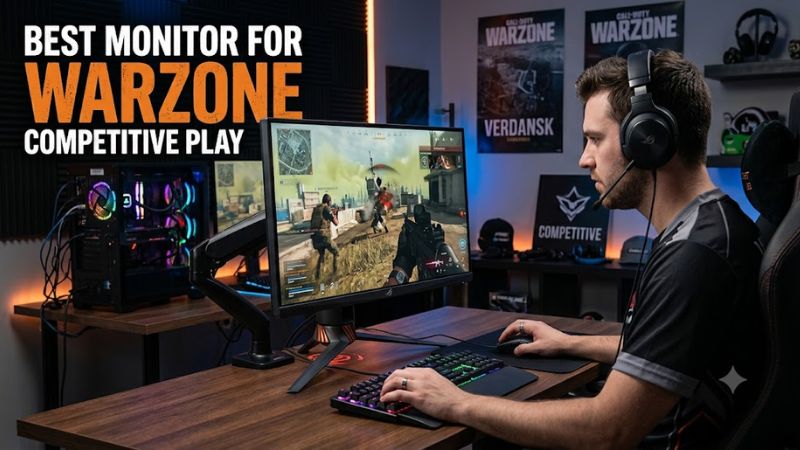
For competitive Warzone, prioritize a monitor that can show the frame rate your PC can sustain while keeping distant targets clear. A 27-inch 1440p panel at 240Hz suits many high-end setups, while 24-inch 1080p or 1440p esports models fit players who prioritize motion clarity and very high frame rates.
How to Choose a Competitive Warzone Monitor
Refresh rate matters because it sets the display’s update interval, but the monitor only helps when the PC supplies enough frames. At 240Hz, each refresh spans about 4.2ms; at 360Hz, about 2.8ms. Warzone also rewards resolution because long sightlines make small silhouettes harder to resolve at 1080p.
Resolution and Screen Size
For the best monitor for warzone competitive play, start with the resolution and size you can comfortably read at your normal distance. A 27-inch 1440p screen gives more pixel detail than 24-inch 1080p, while a compact 24-inch panel keeps the image closer to your central field of view during rapid scans.
Refresh Rate and Frame Rate
A 240Hz or faster display makes sense when your PC can sustain a similar frame rate in the settings you actually play. Do not treat maximum refresh as an FPS requirement; a 240Hz screen can run below 240fps, while a 600Hz model cannot create extra frames or raise the game’s rendered frame rate.
Adaptive Sync and Motion
Adaptive sync is useful when frame delivery varies. FreeSync and G-SYNC Compatible support can coordinate refresh timing with the GPU, reducing tearing across a variable frame rate range. Check the exact connector and refresh combination rather than assuming every port exposes every feature at the panel’s maximum mode.
PC and Port Compatibility
Compatibility is straightforward when the GPU, cable, connector and operating system support the intended mode. The XG27ACDNG uses DisplayPort 1.4 with DSC and HDMI 2.1; the XQ2566X reaches 1440p at 360Hz over HDMI 2.1 or DisplayPort 1.4. Both are PC-focused displays with current GPU connectivity and VRR support.
Top Picks for Competitive Warzone
The table below separates the four picks by the constraint that matters most: resolution, refresh rate, panel behavior, and platform fit. The figures are manufacturer specifications, while motion and latency comments come from independent monitor reviews. No Warzone FPS number is used because that would depend heavily on the test PC, game version, graphics preset and resolution.
| Product | Best For | Key Spec | Compatibility | Watch Out For |
| ASUS ROG Strix OLED XG27ACDNG | Best Overall | 1440p, 360Hz QD-OLED | DP 1.4 DSC, HDMI 2.1; FreeSync/G-SYNC | VRR flicker, OLED considerations |
| LG 27GR83Q-B | Best Value | 1440p, 240Hz IPS | HDMI 2.1; FreeSync/G-SYNC Compatible | Low contrast, modest HDR |
| BenQ ZOWIE XQ2566X | Best For compact BR | 1440p, 360Hz Fast TN | HDMI 2.1, DP 1.4; VRR | No HDR, narrow viewing angles |
| ZOWIE XL2586X+ | Best For extreme FPS | 1080p, 600Hz Fast TN | Windows 11; HDMI 2.1, DP 1.4 | Needs very high frame rates |
ASUS ROG Strix OLED XG27ACDNG
ASUS ROG Strix OLED XG27ACDNG is the Best Overall pick for players who want 1440p clarity, 360Hz motion and OLED contrast in one 26.5-inch-class display. ASUS lists a 2560×1440 QD-OLED panel, 360Hz refresh, 0.03ms GtG and both FreeSync Premium Pro and G-SYNC Compatible support, plus HDMI 2.1 connectivity.
Its weakness is not speed but OLED behavior: RTINGS reports noticeable VRR flicker with changing frame rates and raised black levels in bright rooms. The monitor is a premium purchase at ASUS’s listed $699 price. It is not the right fit for buyers who want low cost or prefer to avoid OLED burn-in considerations.
LG 27GR83Q-B
LG 27GR83Q-B is the Best Value choice for a 27-inch 1440p 240Hz IPS setup without moving into OLED pricing. LG specifies 2560×1440, 240Hz, 1ms GtG, DisplayHDR 400 and G-SYNC Compatible support; RTINGS also reports fast response time and low input lag across its gaming range, with HDMI 2.1 bandwidth.
The trade-off is image quality in dark scenes: RTINGS reports low native contrast, visible blur with fast-moving objects and weak HDR highlights. The model is also from LG’s 2023 UltraGear lineup, although its U.S. support page remains active in 2026. Skip it if deep blacks and HDR impact are priorities.
BenQ ZOWIE XQ2566X
BenQ ZOWIE XQ2566X is the Best For compact battle-royale setups that favor motion clarity without giving up QHD resolution. It combines a 24.1-inch 2560×1440 TN panel with 360Hz, DyAc 3, Black eQualizer and a battle-royale-oriented Color Filter. ZOWIE lists a $899.99 U.S. price, placing it firmly in the premium tier.
RTINGS found excellent response time and low input lag, especially at high refresh rates, but also noted image duplication with DyAc 3, no HDR, low contrast and narrow viewing angles. It is not suited to buyers wanting cinematic image quality, wide viewing angles or a lower-cost monitor, particularly for mixed-use gaming.
ZOWIE XL2586X+
ZOWIE XL2586X+ is the Best For maximum refresh-rate competition when your PC can actually feed an unusually high frame rate. Its 24.1-inch TN panel runs 1920×1080 at 600Hz, with DyAc 2, VRR, three HDMI 2.1 inputs and DisplayPort 1.4. ZOWIE lists a $999.99 U.S. price, making it a specialized premium purchase.
Platform requirements are unusually explicit: ZOWIE says 600Hz requires Windows 11 with current updates, and recommends NVIDIA RTX 40-series or AMD RX 7000-series graphics plus Intel 14th-generation or AMD Ryzen 7000-series CPUs or newer. PC Gamer measured 6.8ms input delay, but the display is too specialized for buyers who value resolution or HDR.
FAQ
For the best monitor for warzone competitive play, the practical choice depends on sustained frame rate, desired resolution and whether motion clarity or image quality matters more. The four models above cover 240Hz IPS, 360Hz QD-OLED, 360Hz QHD TN and 600Hz 1080p TN without assuming one specification suits every PC.
Is 240Hz Enough for Warzone?
Is 240Hz enough for Warzone competitive play? Yes, 240Hz is a sensible target when your PC can sustain high frame rates, and it avoids paying for refresh headroom you may not use. The display still works below 240fps, so frame rate is a capability target rather than a compatibility requirement.
A 240Hz monitor also gives more flexibility than a display built around an extreme refresh ceiling. The LG 27GR83Q-B is designed for 240Hz at 1440p, while its HDMI 2.1 connection and VRR support accommodate modern PC and console connections. RTINGS reports fast response and low input lag.
Does 1440p Help in Warzone?
Does 1440p help in Warzone? Yes, higher resolution can make distant geometry and small targets easier to resolve, provided the GPU can maintain the desired frame rate. A 27-inch 1440p monitor therefore suits players who split time between long-range Warzone encounters and other games, while 1080p remains easier to drive at extreme refresh rates.
The XQ2566X demonstrates that 1440p does not require a 27-inch panel. Its 24.1-inch TN screen runs 2560×1440 at 360Hz, combining higher pixel density with a compact esports layout. That makes its positioning different from the 1080p XL2586X+, whose priority is maximum refresh rather than extra image detail.
Do I Need NVIDIA or AMD?
Do I need an NVIDIA or AMD GPU for these monitors? No, the choice is not locked to one vendor when the model supports standard DisplayPort or HDMI modes and the relevant VRR implementation. The XG27ACDNG supports FreeSync Premium Pro and G-SYNC Compatible, while the LG supports G-SYNC Compatible and FreeSync VRR.
The important distinction is not brand but whether the graphics card can sustain the chosen resolution and refresh target. The XG27ACDNG reaches 1440p at 360Hz, while the XL2586X+ targets 1080p at 600Hz and has more demanding platform guidance from ZOWIE for its highest refresh mode.
Can My PC Use 600Hz?
Can a 600Hz monitor improve Warzone if my PC cannot reach 600fps? No, the panel cannot manufacture frames that the GPU and CPU do not render. ZOWIE gives Windows 11 and current high-end GPU and CPU guidance for 600Hz operation, so the XL2586X+ makes sense only when the system can feed its refresh range consistently.
ZOWIE specifies Windows 11 for 600Hz and recommends NVIDIA RTX 40-series or AMD RX 7000-series graphics with Intel 14th-generation or AMD Ryzen 7000-series CPUs or newer. PC Gamer’s 1080p/600Hz review measured 6.8ms input delay, but that result describes display latency rather than Warzone FPS performance.
Does OLED Make Sense for Competitive Warzone?
Does OLED make sense for competitive Warzone? It can, especially if you value motion response and dark-room contrast, but OLED has trade-offs that IPS and TN do not share. The XG27ACDNG has near-instantaneous response according to RTINGS, while its review identifies VRR flicker and bright-room black-level changes as limitations to weigh.
For players who prefer LCD characteristics, the LG provides 1440p at 240Hz with IPS, while the XQ2566X uses Fast TN at 1440p and 360Hz. Panel choice therefore affects more than response time: contrast, viewing angles, HDR behavior and brightness conditions can change how comfortable the display is during long sessions.
Final Thoughts
The best monitor for warzone competitive play depends on whether your priority is 1440p clarity, OLED contrast, LCD motion handling or extreme refresh. The ASUS XG27ACDNG, LG 27GR83Q-B, BenQ XQ2566X and ZOWIE XL2586X+ cover those distinct needs, with compatibility and PC frame-rate capacity deciding which specification is usable in practice.