🛒 Best Price Today on Amazon
Prime members get fast, free shipping on everything above, plus member-only deals. New members get a 30-day free trial — cancel anytime.
Which display suits Apex? best monitor for apex legends is usually 1440p at 240Hz or higher; need more speed? 480Hz OLED targets elite frame rates; want lower GPU load? 1080p 540Hz works; using VRR? Match FreeSync or G-SYNC to your GPU and use DisplayPort when the monitor requires it for the target refresh rate.
How to Choose an Apex Legends Monitor
The right display depends less on a single headline specification than on the frame rate your PC can actually produce. Apex Legends lists GTX 970 or Radeon R9 290 as recommended hardware for 60fps, so a high-refresh monitor requires substantially more graphics performance than the game’s official baseline.
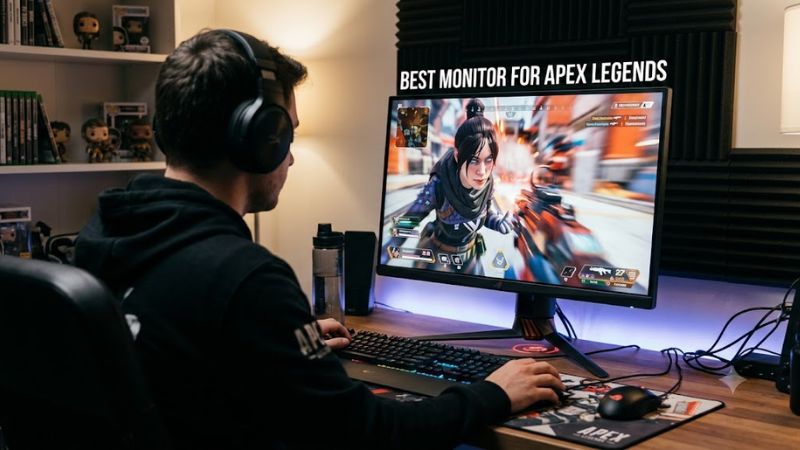
Refresh Rate and Frame Rate
For the best monitor for apex legends, refresh rate should follow the frame rate you can sustain rather than the other way around. A 240Hz panel refreshes every 4.17ms, while 480Hz cuts that interval to 2.08ms and 540Hz to about 1.85ms. The higher modes therefore make most sense for high-FPS competitive systems.
The Sony INZONE M10S runs at 480Hz, while the BenQ ZOWIE XL2586X reaches 540Hz. Independent monitor measurements also show fast response behavior at their maximum refresh rates, although lower-refresh behavior can differ substantially between models.
Resolution and Panel Type
A 1440p OLED monitor can provide a useful middle ground for Apex players who want sharper imagery without moving to 4K. The Sony INZONE M10S combines 2560×1440 with a 480Hz OLED panel, while MSI’s MAG 271QPX QD-OLED E2 uses the same resolution at 240Hz.
The panel choice also changes the trade-offs. OLED models provide very fast pixel transitions and deep blacks, while Fast TN displays such as the XL2586X prioritize high-refresh competitive motion performance. RTINGS notes the BenQ’s weaker contrast and absent HDR, making it less suited to users who also care about cinematic image quality.
Motion Clarity and VRR
The best monitor for apex legends should support adaptive sync if your frame rate varies meaningfully. Sony supports common VRR formats, while the MSI MAG 271QPX QD-OLED E2 provides AMD FreeSync Premium Pro and a 48–240Hz activated range. VRR can reduce tearing when rendered frames do not line up with the panel’s refresh cycle.
Backlight strobing is another consideration, especially for competitive players using a stable frame rate. BenQ’s DyAc 2 targets persistence blur, but independent analysis notes that strobing involves compromises such as giving up adaptive sync in the required operating configuration. That makes it a specialized choice rather than a universal setting.
Ports and PC Compatibility
Compatibility matters when chasing very high refresh rates. BenQ specifies Windows 11 for 540Hz operation and recommends an NVIDIA GeForce RTX 40-series or AMD Radeon RX 7000-series GPU or better for its 540/600Hz models. Its documentation also specifies DisplayPort 1.4 or HDMI 2.1 cabling for those modes.
The Sony INZONE M10S uses DisplayPort 2.1 and HDMI 2.1, while ASUS’s PG27AQWP-W provides DisplayPort 2.1 and HDMI 2.1. MSI’s 240Hz E2 model supports 2560×1440 at 240Hz over DisplayPort, HDMI 2.1 and USB-C DisplayPort Alt Mode.
Top Picks for Apex Legends
These picks cover different hardware and display priorities rather than assuming every Apex player needs the same panel. The Sony and ASUS models target extremely high-refresh 1440p gaming, BenQ focuses on 1080p esports motion performance, and MSI provides 1440p OLED at 240Hz with a lower refresh-rate requirement.
| Product | Best For | Key Spec | Compatibility | Watch Out For |
| Sony INZONE M10S | Best Overall | 1440p, 480Hz OLED | Windows 10+, NVIDIA G-SYNC Compatible; high-FPS GPU required | OLED burn-in risk, VRR flicker |
| MSI MAG 271QPX QD-OLED E2 | Best Value | 1440p, 240Hz QD-OLED | DisplayPort 1.4a, HDMI 2.1, USB-C; FreeSync Premium Pro | OLED burn-in risk |
| ASUS ROG Swift OLED PG27AQWP-W | Best For 540Hz 1440p | 1440p, 540Hz OLED | DP 2.1, HDMI 2.1; very high-FPS PC required | Expensive, 720Hz mode uses 720p |
| BenQ ZOWIE XL2586X | Best For Esports TN | 1080p, 540Hz Fast TN | Windows 11 for 540Hz; RTX 40/RX 7000-class recommendation | Low contrast, no HDR |
Sony INZONE M10S — Best Overall
The best monitor for apex legends for players combining image quality and competitive refresh is the Sony INZONE M10S. It uses a 26.5-inch 2560×1440 OLED panel at 480Hz, supports VRR, and includes a 24.5-inch display mode aimed at esports-style setups. Sony lists a 0.03ms GtG response specification.
Buy it if you want 1440p detail without dropping into the 240Hz class, and if your PC can generate very high frame rates. Independent measurements describe near-instant response and low input lag at most refresh rates. Do not buy it solely for casual 60–144fps gaming, where its premium hardware is difficult to justify.
MSI MAG 271QPX QD-OLED E2 — Best Value
The MSI MAG 271QPX QD-OLED E2 is the best monitor for apex legends when 240Hz is the practical target and OLED image quality matters. Its 26.5-inch QD-OLED panel runs at 2560×1440 and 240Hz, with 0.03ms GtG, FreeSync Premium Pro, HDMI 2.1 and USB-C DisplayPort input.
Its real weakness is not speed but OLED ownership considerations. MSI includes OLED Care 2.0 and a three-year warranty covering panel burn-in, yet a static game interface still makes OLED care relevant. Choose it if you want one display for competitive games and general PC use; skip it if you specifically want a TN panel with strobing.
ASUS ROG Swift OLED PG27AQWP-W — Best For 540Hz 1440p
The ASUS ROG Swift OLED PG27AQWP-W is aimed at systems capable of exploiting an unusually high refresh ceiling. Its native mode is 2560×1440 at 540Hz, while Frame Rate Boost can switch to 720p at 720Hz. ASUS specifies a 0.02ms GtG response time and G-SYNC Compatible and FreeSync Premium Pro support.
Its main weakness is cost and diminishing practical benefit at the upper end. Tom’s Hardware measured higher input lag than some competing displays despite the 540Hz refresh, while other independent measurements found extremely low display lag. Do not buy it if your Apex frame rate rarely approaches 500fps, because much of the specification will remain unused.
BenQ ZOWIE XL2586X — Best For Esports TN
The BenQ ZOWIE XL2586X targets players who prioritize competitive motion handling over resolution and HDR. It is a 24.1-inch 1920×1080 Fast TN monitor with a 540Hz refresh rate, DyAc 2 backlight strobing, FreeSync VRR and G-SYNC compatibility. RTINGS reports very fast response and low input lag at 540Hz.
Its biggest compromise is image quality. RTINGS reports low contrast, no HDR and more blur or inverse ghosting at lower refresh rates, while TechSpot notes that its strobing configuration requires compromises with adaptive sync. Choose it for a high-FPS competitive setup; avoid it if 1440p clarity, HDR or rich contrast matters as much as motion performance.
FAQ
Is 240Hz Enough for Apex Legends?
Yes, 240Hz is enough for many competitive Apex systems, provided the PC can deliver frame rates near that range. A 240Hz display updates every 4.17ms, so it already provides a much shorter refresh interval than 144Hz. The MSI MAG 271QPX QD-OLED E2 is a current example pairing 240Hz with 1440p OLED.
Moving to 360Hz, 480Hz or 540Hz mainly makes sense when your system consistently produces much higher frame rates and you specifically value lower refresh intervals. The difference between refresh classes is measurable, but it should be considered alongside GPU performance, CPU limits, panel behavior and price rather than as an isolated specification.
Is 1440p Better Than 1080p for Apex Legends?
For many PC players, 1440p offers a useful balance between image detail and high refresh rates. The Sony INZONE M10S and ASUS PG27AQWP-W demonstrate that 1440p can now coexist with 480Hz and 540Hz OLED operation, respectively. Those modes require considerably more rendering capacity than the game’s official 60fps recommendation.
1080p remains relevant for dedicated esports setups because rendering fewer pixels can make extremely high frame rates easier to reach. The BenQ XL2586X illustrates this approach with 1920×1080 at 540Hz. The trade-off is lower image density and weaker overall picture quality than modern 1440p OLED alternatives.
Do You Need G-SYNC or FreeSync for Apex Legends?
You do not need adaptive sync to run Apex Legends, but it can help when frame delivery varies below the monitor’s fixed refresh rate. The Sony INZONE M10S supports common VRR formats, while MSI specifies FreeSync Premium Pro for the MAG 271QPX QD-OLED E2. The correct choice depends on the GPU and monitor support.
For a very high-FPS competitive setup, some players may instead use a fixed refresh rate or a specialized strobing mode. BenQ documents VRR support on the XL2586X, but independent analysis notes that DyAc-style strobing has configuration restrictions. Check the monitor’s manual before combining VRR, strobing and frame-rate caps.
What GPU Do You Need for a 480Hz or 540Hz Monitor?
Apex Legends’ official recommended specification only targets smooth 60fps gameplay and lists the GTX 970 or Radeon R9 290, so it should not be treated as a requirement for exploiting a 480Hz or 540Hz display. A high-refresh monitor can work with a slower GPU, but the system will not consistently feed its maximum refresh rate.
For the BenQ XL2586X specifically, ZOWIE recommends an NVIDIA GeForce RTX 40-series GPU or better, or AMD Radeon RX 7000-series or better, for 540/600Hz models and specifies Windows 11 for 540Hz operation. That is a manufacturer recommendation for the display’s refresh mode, not an Apex Legends system requirement.
Final Thoughts
The best monitor for apex legends depends on the frame rate your PC can sustain and how much image quality you want alongside competitive speed. Sony’s 480Hz 1440p OLED, MSI’s 240Hz QD-OLED, ASUS’s 540Hz 1440p OLED and BenQ’s 540Hz TN each target a different balance of resolution, motion and hardware demand.