🛒 Best Price Today on Amazon
Prime members get fast, free shipping on everything above, plus member-only deals. New members get a 30-day free trial — cancel anytime.
A best graphics card for 1080p 240hz needs enough raster performance to keep frame rates high while avoiding unnecessary cost or power draw. Current-generation options range from the Radeon RX 9060 XT 16GB to faster cards such as the RX 9070 and RTX 5070, with the right choice depending on games, settings, and your CPU.
How to Choose a Graphics Card for 1080p 240Hz
For a 240Hz 1080p display, focus on sustained frame rate rather than the monitor specification alone. Competitive games can reach very high frame rates with midrange GPUs, while demanding AAA titles may remain below 240 FPS even with much faster hardware. CPU performance also matters at this resolution, so a GPU upgrade alone does not guarantee 240 FPS.
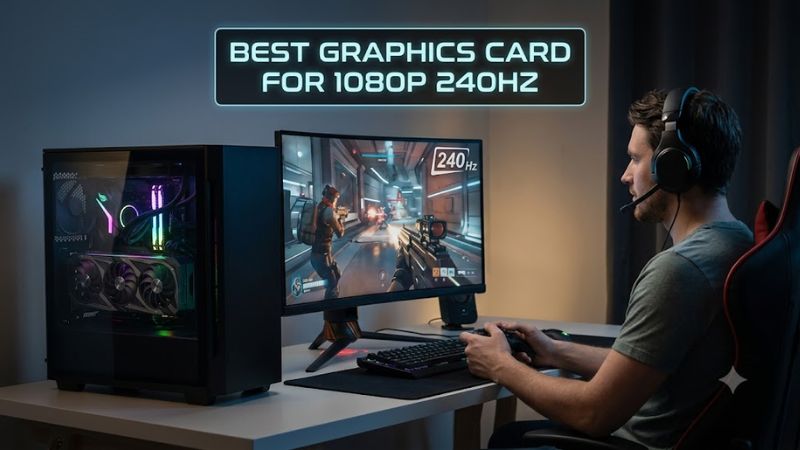
The first criterion is raster performance at 1920×1080. Tom’s Hardware’s June 2026 hierarchy reports 1080p Ultra results from a broad test suite, including 132.6 FPS for the RTX 5070, 140.9 FPS for the RX 9070, 105.2 FPS for the RTX 5060 Ti 16GB, and 98.3 FPS for the RX 9060 XT 16GB. These figures are suite averages, not guarantees for every game.
Match GPU Performance to Your Games
A competitive player running titles such as Counter-Strike 2, Valorant, or Overwatch 2 may have a different workload from someone targeting maximum settings in newer AAA games. For that reason, the best graphics card for 1080p 240hz depends partly on whether your target is a very high frame rate in esports titles or stronger image quality in demanding games.
Check VRAM Before Buying
VRAM matters when textures, high-resolution assets, and newer game engines increase memory usage. The RTX 5070 has 12GB of GDDR7, while the RX 9070 and RX 9060 XT 16GB provide 16GB. The extra capacity does not automatically produce higher FPS, but it gives more memory headroom for demanding settings and future game requirements.
Consider Upscaling and Frame Generation
NVIDIA’s RTX 50-series supports DLSS features including Super Resolution and Frame Generation, while AMD’s RX 9000 series supports FSR technologies and Fluid Motion Frames. These features can raise displayed frame rates in supported games, but generated frames should not be treated as equivalent to native rendered frames when comparing raw GPU performance.
Verify the Whole PC Platform
Compatibility includes more than whether the card fits a PCIe slot. The RTX 5070 reference specification calls for a 650W system power level and uses either two PCIe 8-pin cables with an adapter or a suitable PCIe Gen 5 cable. The RX 9070 specifies 650W minimum system power and two 8-pin connectors, while the RX 9060 XT 16GB specifies 450W and one 8-pin connector.
Top Picks for 1080p 240Hz Gaming
The table separates these current-generation cards by intended use rather than treating one GPU as suitable for every 240Hz system. Benchmark figures come from Tom’s Hardware’s 2026 rasterization hierarchy at 1080p Ultra, while specifications come from NVIDIA and AMD. Board-partner dimensions can differ, so case clearance must be checked for the exact model you buy.
| Product | Best For | Key Spec | Compatibility | Watch Out For |
| Radeon RX 9070 | Best Overall | 16GB GDDR6, 140.9 FPS at 1080p Ultra | PCIe 5.0 x16, 650W PSU | Higher power than midrange cards |
| Radeon RX 9060 XT 16GB | Best Value | 16GB GDDR6, 98.3 FPS at 1080p Ultra | PCIe 5.0 x16, 450W PSU | Lower ceiling for demanding AAA games |
| GeForce RTX 5070 | Best For DLSS | 12GB GDDR7, 132.6 FPS at 1080p Ultra | PCIe Gen 5, 650W PSU | 12GB VRAM |
| GeForce RTX 5060 Ti 16GB | Best For Efficient Builds | 16GB GDDR7, 105.2 FPS at 1080p Ultra | PCIe Gen 5, 600W PSU | Less raw performance than higher tiers |
Radeon RX 9070
The Radeon RX 9070 is aimed at buyers who want substantial graphics headroom for a 240Hz display while also leaving room for demanding settings. AMD lists 16GB of GDDR6, a 256-bit memory interface, 640GB/s memory bandwidth, and 220W typical board power. Its 1080p Ultra result in Tom’s Hardware’s June 2026 hierarchy is 140.9 FPS.
For the best graphics card for 1080p 240hz in a higher-performance build, the RX 9070 suits users who also expect to play at 1440p later. It should not be chosen simply because a monitor is 240Hz, however, because many games at 1080p become CPU-limited before a GPU of this class is fully occupied. AMD specifies a 650W minimum PSU and two 8-pin power connectors.
Radeon RX 9060 XT 16GB
The RX 9060 XT 16GB targets systems where value, memory capacity, and moderate power requirements matter. AMD lists 16GB of GDDR6, a 128-bit interface, 320GB/s bandwidth, 160W typical board power, and a 450W minimum PSU recommendation. Tom’s Hardware records 98.3 FPS at 1080p Ultra in its 2026 raster hierarchy.
For the best graphics card for 1080p 240hz at the more accessible end of the current stack, this card makes more sense for esports and optimized settings than for expecting 240 FPS in every AAA release. Its 16GB capacity is useful for texture-heavy workloads, but its lower raw performance means the 240Hz target remains strongly game-dependent.
GeForce RTX 5070
The RTX 5070 combines 12GB of GDDR7 with NVIDIA’s Blackwell architecture and DLSS features. NVIDIA lists 6,144 CUDA cores, a 250W total graphics power rating, and a 650W required system power level for the reference configuration. Tom’s Hardware reports 132.6 FPS at 1080p Ultra in its 2026 rasterization hierarchy.
For the best graphics card for 1080p 240hz when DLSS-supported games and NVIDIA features are important, the RTX 5070 provides a different feature mix from Radeon alternatives. Its main limitation for a long-lived high-resolution texture workload is the 12GB VRAM capacity, and board-partner cards can differ in dimensions and cooling requirements.
GeForce RTX 5060 Ti 16GB
The RTX 5060 Ti 16GB is a lower-power Blackwell option with 16GB of GDDR7 and a 180W total graphics power rating. NVIDIA specifies 4,608 CUDA cores and a 600W required system power level for its reference configuration. Tom’s Hardware’s 2026 hierarchy records 105.2 FPS at 1080p Ultra.
For buyers considering the best graphics card for 1080p 240hz without moving to a higher power class, the RTX 5060 Ti 16GB offers useful memory capacity and DLSS support. It is not a universal 240-FPS solution, though, particularly in demanding AAA games at Ultra settings, where the benchmark gap to faster cards becomes more relevant.
Frequently Asked Questions
Can a midrange GPU reach 240 FPS at 1080p?
Yes, a midrange GPU can reach 240 FPS in some games, particularly competitive titles with suitable settings. It is not a universal result across all games, because rendering demands vary significantly and CPU limitations become more important at 1080p. Tom’s Hardware’s 1080p Ultra averages illustrate why GPU performance differs by tier.
For the best graphics card for 1080p 240hz, consider the specific games and settings you use rather than treating 240Hz as a fixed FPS requirement. A display can operate at 240Hz even when a particular game renders below 240 FPS, while competitive settings may allow substantially higher frame rates than Ultra presets.
Is 16GB VRAM necessary for 1080p 240Hz?
No, 16GB VRAM is not inherently required for 1080p 240Hz gaming. Current options include 12GB RTX 5070, 16GB RX 9070, 16GB RX 9060 XT, and 16GB RTX 5060 Ti configurations, showing that manufacturers target the segment with different memory capacities.
VRAM capacity and GPU speed are separate considerations. More VRAM can provide additional headroom for textures and demanding games, but it does not by itself determine whether the GPU can render 240 frames per second. The underlying GPU performance, game engine, settings, and CPU all remain relevant.
Does a 240Hz monitor require a powerful GPU?
No, a 240Hz monitor does not require a particular GPU tier to function. The monitor can display lower frame rates, while a faster GPU gives the system more opportunity to approach its refresh-rate ceiling in games that are not CPU-limited. NVIDIA’s current GPUs support displays far beyond 1080p 240Hz.
For the best graphics card for 1080p 240hz, therefore, match the GPU to your actual games rather than buying solely around the monitor specification. Competitive titles may benefit from a different balance of CPU, GPU, and settings than visually demanding single-player games.
Should you prioritize GPU or CPU for 1080p 240Hz?
You should consider both, because 1080p high-refresh gaming can expose CPU limitations sooner than higher resolutions. When the CPU cannot prepare frames quickly enough, upgrading the GPU may produce less additional FPS than expected even when the graphics card has considerable unused capacity.
This is particularly relevant when comparing the best graphics card for 1080p 240hz across different systems. Check CPU utilization, GPU utilization, frame-time behavior, and game-specific benchmarks before assuming the GPU is the limiting component. A balanced platform matters more than a GPU specification alone.
Final Thoughts
Choosing the best graphics card for 1080p 240hz depends on whether you prioritize esports frame rates, demanding AAA settings, VRAM capacity, or features such as DLSS. Current benchmark data places the RX 9070, RTX 5070, RTX 5060 Ti 16GB, and RX 9060 XT 16GB in distinct performance tiers, making game-specific requirements important.