🛒 Best Price Today on Amazon
Prime members get fast, free shipping on everything above, plus member-only deals. New members get a 30-day free trial — cancel anytime.
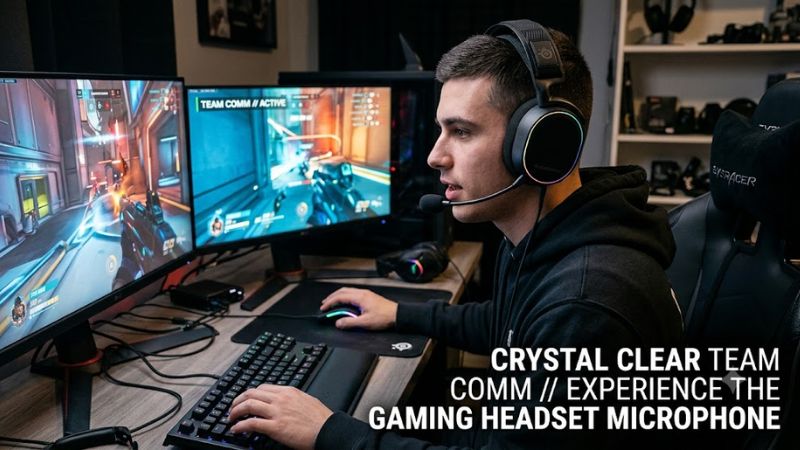
Selecting a reliable gaming headset microphone requires assessing capsule frequency response and wireless signal compression. Clear voice delivery keeps team communication crisp during fast multiplayer matches on Windows PCs. Comparing acoustic pickup patterns and connection interfaces helps players avoid muffled audio output in everyday gaming setups.
How to Choose a Gaming Headset Microphone
Analyzing voice hardware requires looking past marketing claims to examine core capsule specifications. Microphone clarity depends on sampling rate support, background rejection, and system interface options. Identifying these four essential criteria makes choosing an ideal gaming headset microphone straightforward for desktop setups.
High Sample Rate and Extended Frequency Response
Microphone capsules that process audio at higher sample rates preserve vocal nuances far better than standard voice units. Traditional wireless headsets compress voice signals down to sixteen kilohertz, creating flat communication. Modern capsules supporting thirty-two kilohertz sampling maintain vocal detail across high frequencies.
Selecting broad frequency capture ensures low male voices and higher pitch tones remain natural over TeamSpeak or Discord. Wideband transmission prevents artificial robotic distortion during intense gaming sessions. Using a gaming headset microphone with wideband support keeps vocal output distinct.
Hardware Connectivity and Platform Compatibility
Selecting hardware with versatile connectivity ensures smooth operation across different gaming systems. A headset using a multi-platform USB-C wireless transmitter allows rapid switching between a Windows PC and console platforms. Physical mode switches prevent signal handshake failures when changing devices.
Cross-platform support prevents buying extra audio gear when expanding a gaming hardware setup. Choosing a flexible gaming headset microphone with hardware toggle switches manages wireless protocols across consoles and desktop computers. The SteelSeries Arctis Nova 5X demonstrates this cross-platform versatility.
Transducer Design and Passive Acoustic Isolation
Driver design directly influences how well a headset balances game audio delivery with voice capture. Dynamic drivers with titanium-plated diaphragms deliver precise positional audio cues without bleeding sound into the boom mic capsule. Closed-back earcups physically isolate room noise from leaking into recordings.
Proper acoustic isolation prevents game sound effects from triggering voice-activated chat channels unexpectedly. High-density memory foam ear cushions block mechanical keyboard clicks and fan hum effectively. The Beyerdynamic MMX 300 PRO utilizes passive acoustic sealing to maintain clean vocal isolation.
Lightweight Ergonomics and Extended Battery Endurance
Longer gaming sessions demand lightweight chassis construction to prevent neck fatigue and pressure points. Headsets weighing under three hundred grams distribute weight evenly across the headband assembly. Integrated batteries providing over fifty hours of playback remove frequent charging interruptions.
Combining extended battery endurance with dual wireless connectivity allows uninterrupted voice chat during long matches. Lightweight materials maintain physical comfort without sacrificing structural durability. The budget-friendly Razer Barracuda X 2022 provides a portable gaming headset microphone for daily gaming.
Top Picks for Gaming Headsets
Selecting the right vocal hardware involves matching specific hardware capabilities to individual gaming needs. The following recommendations highlight popular options across key budget levels and platform requirements. Each headset provides strong microphone performance paired with reliable desktop system compatibility.
| Product | Best For | Key Spec | Compatibility | Watch Out For |
| Razer BlackShark V2 Pro (2023) | Best Overall Voice Quality | 9.9mm Super Wideband Mic (32kHz) | Windows PC, PS5, Switch | No Xbox support, no 3.5mm jack |
| Razer Barracuda X (2022) | Best Value Budget Model | 50-Hour Battery, 40mm Drivers | PC, PS5, Switch, Mobile, Xbox (Wired) | Loose earcup swivel mechanism |
| SteelSeries Arctis Nova 5X | Best Cross-Platform Model | 60-Hour Battery, Mobile App EQ | Xbox, PC, PS5, Switch, Mobile | Sensitive onboard volume wheel |
| Beyerdynamic MMX 300 PRO | Best Wired Studio Audio | STELLAR.45 Drivers, Condenser Mic | Universal 3.5mm Audio Jack | Premium price, no wireless mode |
Razer BlackShark V2 Pro 2023
Gamers seeking exceptional voice clarity on PC should consider the Razer BlackShark V2 Pro 2023. This wireless gaming headset microphone features a detachable nine-point-nine millimeter HyperClear Super Wideband capsule that records at thirty-two kilohertz. Fifty-millimeter drivers deliver crisp directional game audio.
However, this model lacks a three-point-five millimeter analog jack and offers no native Xbox console compatibility. The Razer Synapse software suite requires Windows and is unavailable on macOS or mobile devices. Gamers needing an Xbox-compatible headset or analog connectivity should consider alternative options.
Razer Barracuda X 2022
Budget-conscious gamers requiring versatile connectivity will find great value in the Razer Barracuda X 2022. It includes a detachable HyperClear Cardioid boom microphone for clear chat alongside fifty hours of battery life. The lightweight two-hundred-fifty-gram frame ensures comfort during long gaming sessions.
Users should note that the earcup swivel mechanism feels slightly loose over extended daily use. Additionally, audio playback over the USB-C connection outputs slightly lower volume compared to analog three-point-five millimeter mode. Players needing desktop EQ software integration may want to look elsewhere.
SteelSeries Arctis Nova 5X Wireless
Multi-platform gamers who rotate between console and desktop systems will benefit from the SteelSeries Arctis Nova 5X Wireless. Its ClearCast Gen 2X microphone uses a high-bandwidth chipset for clean voice capture across systems. The USB-C dongle features a physical hardware switch to toggle between Xbox and PC mode.
The main drawback is an overly sensitive onboard volume wheel that shifts easily during head movements. Furthermore, while the companion mobile app offers over one hundred audio presets, several default profiles sound flat. Users solely focused on single-platform PC gaming can find simpler wired alternatives.
Beyerdynamic MMX 300 PRO
Audio enthusiasts wanting studio-grade voice clarity should look at the Beyerdynamic MMX 300 PRO wired headset. It pairs a professional condenser boom microphone with STELLAR.45 studio drivers for outstanding acoustic precision. The detachable cable construction ensures long-term serviceability for home setups.
This high-end unit comes with a premium three-hundred-dollar price tag and completely lacks wireless functionality. Its forty-eight-ohm driver impedance requires a solid onboard motherboard codec or external headphone amplifier for full volume. Gamers wanting wireless convenience should choose a 2.4GHz model.
Frequently Asked Questions
Addressing common audio questions helps optimize hardware performance across different desktop software configurations. Proper setup prevents gain distortion and ensures clear communication during online multiplayer matches. Below are answers to technical questions regarding microphone configuration and device management.
Why Does a Headset Microphone Sound Muffled on PC?
Muffled audio on a gaming headset microphone usually stems from incorrect sample rate settings in Windows system properties. Operating systems often default USB audio devices to low-quality single-channel tape recorder formats. Accessing the Sound Control Panel allows users to set input formats to thirty-two kilohertz.
Outdated audio drivers or aggressive noise suppression filters inside chat apps can also degrade voice clarity. Disabling default software noise gates in Discord allows the hardware capsule to transmit full vocal frequencies. Updating motherboard audio software ensures full bandwidth signal transmission to team channels.
Does a USB Headset Sound Better Than 3.5mm Analog?
A USB connection generally delivers more consistent vocal performance by bypassing weak integrated motherboard audio codecs. USB headsets contain built-in digital-to-analog converters tuned specifically for the microphone capsule. This integrated processing reduces electromagnetic hum caused by internal PC power supplies.
Conversely, three-point-five millimeter analog headsets rely entirely on the quality of your motherboard audio chip or external sound card. Premium motherboards with shielded audio circuits drive analog mics cleanly, but budget boards introduce background noise. USB connections provide standardized clarity across PCs.
How Do Sidetone and Mic Monitoring Work?
Sidetone feeds a real-time copy of your voice directly back into the earpieces with zero latency. This hardware feature prevents gamers from shouting during intense matches by providing immediate auditory feedback. Adjusting sidetone levels inside companion software balance personal vocal volume against game audio.
Enabling microphone monitoring through Windows control panels can introduce subtle audio delay if processed by software instead of hardware. Dedicated headset firmware handles sidetone internally without adding system latency. Users should configure sidetone level settings through manufacturer utility apps when available.
Will Wireless Signal Interfere With Voice Quality?
Modern 2.4GHz wireless units use dynamic frequency hopping to avoid interference from local Wi-Fi routers. However, placing a wireless USB dongle directly beside active USB 3.0 ports can cause dropouts on a gaming headset microphone. Using a USB extension cable isolates the receiver from port noise.
Maintaining a clear line of sight between the headset boom and USB dongle ensures maximum signal stability. Keep wireless receivers away from high-power Wi-Fi routers operating on overlapping channels. Maintaining clean wireless transmission ensures your voice remains crisp throughout online team sessions.
Final Thoughts
Selecting an ideal gaming headset microphone comes down to prioritizing capsule bandwidth and system compatibility over marketing features. Matching high sampling rates with comfortable physical design delivers crisp voice output during extended multiplayer sessions. Checking system connections ensures your audio gear performs smoothly.