🛒 Best Price Today on Amazon
Prime members get fast, free shipping on everything above, plus member-only deals. New members get a 30-day free trial — cancel anytime.
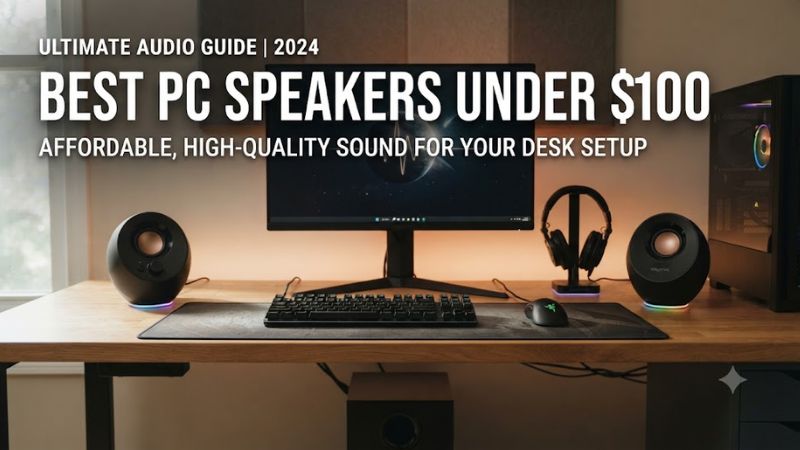
Best pc speakers under 100 are easiest to compare by deciding how you connect them, how much space you have, and whether bass or simplicity matters more. The current shortlist covers compact USB-C, traditional-powered cabinets, and Bluetooth desktop products, so your choice depends on your desk-PC setup.
How to Choose PC Speakers
Connection type comes first because it determines setup and power availability. Creative Pebble Pro and Pebble X can carry audio through USB-C, while Bluetooth and 3.5mm AUX provide alternatives. Edifier R980T uses analog inputs, and Logitech Z207 combines Bluetooth with 3.5mm audio for a simpler desktop connection.
Connection Type
Pebble Pro is the compact connectivity pick because USB-C audio and power can run from the computer, while Bluetooth and 3.5mm AUX provide alternatives. Its headset and microphone ports also help a desk that frequently switches between speakers, headphones, and voice-calls without adding another audio hub.
Pebble X follows the identical concept but uses larger 2.75-inch drivers and USB-C audio. It supports Bluetooth 5.3 and 3.5mm AUX, while the Creative App adds PC controls. For a USB-C desktop, best pc speakers under 100 shortlist can be narrowed by power, size, and available ports.
Desk Footprint
Pebble Pro is about 4.8 by 4.8 by 4.6 inches per speaker, making it easy to place beside a monitor. Pebble X is roughly 5.5 by 5.2 by 5.4 inches, so its 45-degree driver-angle and larger enclosure need more room around the display. Measure desk depth first. Measure the desktop. for space-limited desks.
For best pc speakers under 100, Edifier R980T uses 140 by 226 by 197 mm measurements per speaker, so it occupies more vertical space than the Creative pairs. Logitech Z207 is another compact 2.0 option, with a simpler layout for desks where a small footprint matters more than extra input choices.
Power and Bass
RMS and peak ratings describe different things, so wattage should not be read as a direct loudness score. Pebble Pro provides up to 10W RMS from basic USB power and up to 30W RMS with 30W USB-PD, while Pebble X reaches up to 15W RMS from PC USB-C. Use RMS figures comparatively. Use RMS values. across the pair.
If low-end impact matters, cabinet size and driver design matter alongside wattage. R980T uses a 4-inch bass driver and 13mm tweeter in each speaker, while Creative pairs use smaller full-range drivers. None of these four includes a subwoofer, so deep bass needs a different product category. This matters for ports.
Compatibility
The Creative models have extensive cross-platform coverage: Pebble Pro supports Windows, Mac, PS5, PS4, Nintendo Switch, and mobile Bluetooth, while Pebble X supports Windows, Mac, PlayStation, Switch, and Bluetooth devices. Their USB modes still have specific operating-system and port requirements.
R980T targets devices with analog outputs, using dual RCA input with an RCA-to-AUX cable, while Z207 offers Bluetooth and a 3.5mm input. Both can work with many desktop PCs without USB audio, but the PC must provide compatible analog jack or Bluetooth connection. This suits standard analog PC audio.
Top Picks
The best pc speakers under 100 picks cover distinct desk priorities rather than one identical speaker profile. Current retail pricing is $64.99 for Pebble Pro, $89.99 for Pebble X, $69.99 for Z207, and $99.99 for R980T from current manufacturer/retailer listings checked today for this current roundup.
| Product | Best For | Key Spec | Compatibility | Watch Out For |
| Creative Pebble Pro | Best Overall | Up to 30W RMS with 30W PD; Bluetooth 5.3 | Windows, Mac, PS5, PS4, Switch | No subwoofer |
| Logitech Z207 | Best Value | 5W RMS; Bluetooth + 3.5mm | PCs and Bluetooth devices | Lower power output |
| Creative Pebble X | Best For USB-C Desks | Up to 30W RMS with 30W PD; 2.75-inch drivers | Windows, Mac, PS5, Switch, Bluetooth | No subwoofer |
| Edifier R980T | Best For Traditional Stereo | 24W RMS; 4-inch bass drivers | Analog RCA/AUX devices | No Bluetooth or USB |
Creative Pebble Pro
Pebble Pro is the strongest all-purpose fit for a space-limited gaming desk because it combines USB-C audio, Bluetooth 5.3, 3.5mm AUX, headset/microphone ports. Its 2.25-inch full-range drivers cover 80–20,000 Hz, and Creative rates the system for up to 10W RMS from basic USB power. It remains 2.0.
The main weakness is the lack of a subwoofer, so bass-heavy games and music cannot use dedicated low-frequency hardware. It suits Windows 10/11 and macOS systems with required USB connection, but buyers wanting larger cabinets or stronger sub-bass should consider another speaker class. It remains a 2.0 system.
Logitech Z207
Z207 is the straightforward-value option for a PC with a 3.5mm output or Bluetooth. Logitech lists 5W RMS and 10W peak power, with one active full-range driver and a passive radiator in each speaker. Bluetooth can pair with up to two devices, while the analog input handles a wired source. Controls stay on the right speaker.
Its limitation is modest power and a simpler input set than Creative models. It fits gaming/media use when budget-friendly and straightforward controls matter, but it does not suit buyers seeking high output, USB playback, or a subwoofer for larger-room playback. Larger rooms may expose its limits.
Creative Pebble X
Pebble X targets buyers who want a more substantial compact Creative pair instead of large bookshelf speakers. It uses dual 2.75-inch full-range drivers and a 45-degree elevated design, with USB-C audio, Bluetooth 5.3, 3.5mm AUX, headset and microphone ports, plus RGB lighting.
The trade-off is power dependency: its highest published output requires a 30W-or-higher USB-PD adapter, which is not included. PC USB-C alone supports up to 15W RMS, so the model fits desks that can accommodate the adapter and users who value larger drivers, RGB, and multi-connection support. Include the adapter in the budget.
Edifier R980T
R980T is the traditional-stereo choice, using MDF cabinets, a 4-inch bass driver, and a 13mm silk-dome tweeter in each speaker. Edifier rates the pair at 24W RMS and lists a 70Hz–20kHz frequency response, with dual RCA input and an included RCA-to-AUX cable for desktop sources.
For best pc speakers under 100, the weakness is connectivity compared with Creative models: there is no built-in Bluetooth or USB audio path in listed specs. It also needs more room than the compact pairs. Choose it when your PC has compatible analog output and you prefer powered speakers. This is a hardware limitation.
FAQ
The main buying questions are about bass, USB-C, Bluetooth, and whether these speakers need special PC hardware. All four models are active speaker systems, so they do not require a separate power amplifier, but their connection and power arrangements differ enough to affect which desk setup makes sense.
Are these speakers good for gaming?
Yes, all four can handle gaming, but their strengths differ by setup. Pebble Pro and Pebble X offer USB audio plus 3.5mm and Bluetooth options, while Z207 and R980T use simpler connection paths. Placement still matters for imaging, especially when the monitor sits between the left and right units.
The best pc speakers under 100 for gaming do not need gaming software to produce stereo game audio. Pebble X and Pebble Pro add Creative software features, while Z207 keeps controls simple and R980T focuses on conventional powered-speaker hardware. Your PC’s available ports should guide the choice.
Do any of these speakers include a subwoofer?
No, none of the four picks here includes a dedicated subwoofer. Pebble Pro and Pebble X use full-range drivers with passive-radiator or enclosure-based low-frequency support, while Z207 uses passive radiators and R980T uses larger 4-inch bass drivers in its main cabinets. The answer also applies to music. Music and video follow the same answer.
That makes the best pc speakers under 100 a 2.0-focused category in this shortlist, with bass performance coming from the main enclosures rather than a separate subwoofer box. If a subwoofer is a priority, a 2.1 system is an option, but it may require trade-offs in size, connectivity, or price. Bass comes from the main enclosures.
Do I need USB-C for these PC speakers?
No, USB-C is not required for the group. Pebble Pro and Pebble X support USB-C audio, but both also offer 3.5mm AUX and Bluetooth, while Z207 provides Bluetooth and 3.5mm input. R980T uses analog RCA input and includes a cable for an AUX-style PC connection. Port choice matters more than CPU generation.
USB-C helps when you want digital over the same connection used for speaker power, but Creative models have different power ceilings depending on the source. A PC with only a standard 3.5mm jack can still use Z207 or R980T, and can also feed the Creative speakers through AUX. This matters for low-clutter desks.
Which PC hardware is required?
No gaming-hardware is required, and these speakers do not depend on CPU, GPU, DDR4, or DDR5 platform. Pebble Pro lists Windows 10/11 and Mac requirements plus an available USB-C or USB-A port, while Pebble X lists Windows 10/11, macOS 10.15 or later, and USB-C for USB audio. No PCIe or PSU specification is required.
For best pc speakers under 100, the actual requirement is the connection your computer can provide. For analog models, use a compatible 3.5mm/RCA path; for Bluetooth models, the PC needs compatible Bluetooth audio support. Creative’s USB modes also have specific OS/port requirements that should be checked before purchase.
Final Thoughts
The best pc speakers under 100 range is broad enough to cover compact USB-C desks, simple Bluetooth setups, and traditional powered stereo cabinets. Pebble Pro, Pebble X, Z207, and R980T each emphasize different connections, size, and driver designs, so compare the feature set your PC actually needs.