🛒 Best Price Today on Amazon
Prime members get fast, free shipping on everything above, plus member-only deals. New members get a 30-day free trial — cancel anytime.
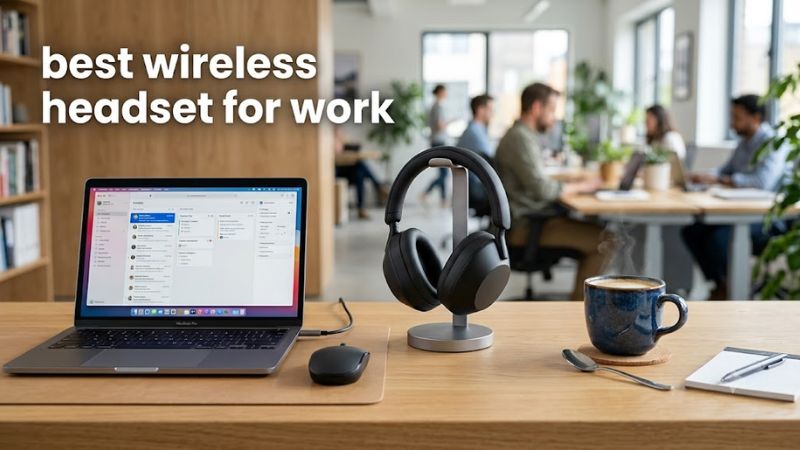
Choosing the best wireless headset for work means balancing microphone clarity, comfort, battery life, and background-noise control. The right option depends on whether you spend your day in video meetings, work in a busy office, or switch between a computer and phone. This guide compares four practical choices for different needs and budgets.
How to Choose a Wireless Headset for Work
The right work headset should make conversations easier without becoming uncomfortable during a long shift. Before comparing models, decide how often you take calls, how noisy your workspace is, and whether you need a dedicated computer adapter. These factors matter more than flashy features you may rarely use.
1. Prioritize microphone quality
If you spend hours on Zoom, Microsoft Teams, or Google Meet, microphone quality should come first. A boom microphone sits closer to your mouth and can help capture speech while reducing some surrounding noise. However, results vary by microphone design, software processing, and the sounds in your room.
A headset with built-in microphones can look more discreet, especially if you also use it for music or commuting. Premium models can process speech effectively without a visible boom, but they may cost more. Choose a dedicated boom-mic model if reliable voice pickup matters more than appearance.
2. Match noise cancellation to your workspace
Active noise cancellation (ANC) helps reduce sounds reaching your ears, especially steady background noise such as air conditioning or traffic. It does not automatically prevent coworkers from hearing noise through your microphone. These are separate functions, so check both listening-side noise control and microphone noise suppression.
For a quiet home office, a comfortable headset with a good microphone may be sufficient without ANC. In a shared office, stronger noise cancellation can make concentration easier. If you need to hear colleagues or announcements, look for an adjustable transparency or hear-through mode rather than relying on ANC alone.
3. Check connectivity and meeting compatibility
Bluetooth is convenient for connecting to laptops and phones, but a USB wireless adapter can simplify computer connections and may offer a more consistent experience. Some business headsets also provide multipoint connectivity, allowing them to remain connected to two devices. Check the exact model and connection mode before assuming both features are included.
Certification and software support also matter in managed workplaces. A Microsoft Teams-certified version may offer dedicated call controls that differ from a standard or UC version. Confirm whether your preferred headset supports your operating system, meeting software, mute controls, and any employer-required security or device-management policies.
4. Consider comfort, battery life, and replacement parts
Over-ear headsets can feel more comfortable during long sessions, while lighter on-ear designs may be easier to carry. Padding, clamping force, glasses, headband pressure, and earcup temperature all affect comfort. If possible, check the return policy so you can assess fit during ordinary work rather than relying on appearance alone.
Battery claims also depend on settings, connection type, microphone use, and ANC. Compare talk time with talk time rather than assuming a playback rating applies to meetings. Replaceable ear pads and batteries can extend useful life, while USB charging or wired operation may help if the battery runs low during a busy day.
Top Wireless Headsets for Work in 2026
These four headsets serve different work styles, from frequent business calls to hybrid work and quieter home offices. The recommendations emphasize published specifications, connection options, microphone design, and practical trade-offs rather than claiming first-hand experience. Prices are not listed because retailer pricing and bundles can change.
1. Jabra Evolve3 85 — Best Overall for Business Calls
The Jabra Evolve3 85 is a strong premium choice for professionals who spend much of the day on calls. Its over-ear design, adaptive active noise cancellation, integrated digital microphones, and included USB Bluetooth adapter make it suitable for a dedicated work setup. It also supports Bluetooth multipoint for switching between connected devices.
Jabra specifies up to 25 hours of talk time with ANC and the busy light off, or up to 21 hours with both enabled. Music playback is rated for up to 55 hours with ANC on and 120 hours with ANC off. The battery is user-replaceable, and wireless charging is supported. Its main drawback is the premium price, while the integrated microphone may not suit people who prefer an adjustable boom.
Best for: Professionals who prioritize call quality, a discreet appearance, and extensive battery life.
Consider an alternative if: You want a dedicated boom microphone or need to minimize spending.
2. Logitech Zone Wireless 2 — Best for Hybrid Work
The Logitech Zone Wireless 2 is designed for office communication, with hybrid ANC, five MEMS microphones, AI-assisted call processing, and a fold-to-mute microphone boom. It supports Bluetooth 5.2 and, in receiver-equipped versions, USB-C and USB-A connectivity. Multipoint lets you maintain two active device connections, which is useful when alternating between a work computer and phone.
Logitech rates talk time at up to 15 hours with ANC enabled and 18 hours with ANC disabled. Listening time reaches up to 22 hours with ANC on or 40 hours with ANC off. A five-minute quick charge provides up to one hour of talk time under the manufacturer’s stated conditions. It is heavier than some compact headsets at approximately 230 grams, so fit remains important for long shifts.
Best for: Remote and hybrid workers who need a professional headset for calls, music, and multiple devices.
Consider an alternative if: You prefer a lighter design or need more talk time between charges with ANC enabled.
3. HP Poly Voyager Focus 2 — Best for Busy Offices
The HP Poly Voyager Focus 2 suits professionals who want a conventional business headset with a physical boom microphone. Its hybrid ANC has adjustable off, low, and high settings, while Acoustic Fence microphone technology is designed to reduce surrounding noise during calls. The rotating boom also provides a convenient way to mute the microphone.
HP lists up to 25 hours of talk time with ANC and the online indicator off, or up to 16 hours with both enabled under its default configuration. Music playback is rated for up to 40 hours with ANC off and 24 hours with ANC on. The headset weighs approximately 175 grams and supports Windows, macOS, Android, and iOS. Its on-ear design may provide less ear coverage than over-ear alternatives.
Best for: People who take frequent calls in shared offices and want physical mute controls.
Consider an alternative if: You prefer full over-ear coverage or a more compact headset for travel.
4. Jabra Evolve2 65 Flex — Best for Portability
The Jabra Evolve2 65 Flex is a practical choice for commuters, hybrid workers, and people who move between desks and meeting rooms. Its foldable construction and hide-away boom microphone make it easier to pack than many conventional office headsets. It also includes hybrid ANC, a busy light, and wireless charging support.
Jabra rates talk time at up to 20 hours with ANC and the busy light off, or up to 15 hours with both enabled. Music playback is rated for up to 32 hours with ANC off and 21 hours with ANC on. It connects over Bluetooth and supports USB-A and USB-C connectivity, with Microsoft Teams certification depending on the version. Its on-ear fit may become less comfortable for people who prefer large, cushioned earcups.
Best for: Mobile professionals who need a foldable headset for calls throughout the workday.
Consider an alternative if: You prefer over-ear comfort or need a headset primarily for a noisy, fixed office.
Comparison table: Which headset fits your workday?
| Product | Best For | Key Spec | Compatibility | Watch Out For |
| Jabra Evolve3 85 | Premium business calls | Up to 25 hours talk time with ANC off and busy light off | Bluetooth, USB-C, USB-A; adapter included | Premium pricing |
| Logitech Zone Wireless 2 | Hybrid work | Up to 15 hours talk time with ANC on | Bluetooth 5.2; USB receivers on applicable versions | About 230 g |
| HP Poly Voyager Focus 2 | Busy offices | Up to 16 hours talk time with ANC and online indicator on | Windows, macOS, Android, iOS; BT700 adapter or USB | On-ear fit |
| Jabra Evolve2 65 Flex | Portable work setups | Up to 20 hours talk time with ANC and busy light off | Bluetooth, USB-A, USB-C | On-ear fit; certification varies |
Battery figures are manufacturer ratings under specified conditions, not guarantees of real-world runtime. Confirm the exact regional model, included adapter, and software certification before buying.
FAQ
What is the best wireless headset for work calls?
The Jabra Evolve3 85 is a strong premium option for call-focused professionals, while the Logitech Zone Wireless 2 and HP Poly Voyager Focus 2 are worth considering for conventional business communication. The right choice depends on microphone preferences, office noise, comfort, and budget.
Is Bluetooth or a USB wireless adapter better for work?
A USB wireless adapter can simplify computer connections and may offer a more consistent experience in a busy wireless environment. Bluetooth is convenient for phones and laptops without an available USB port. Check your headset’s supported connection modes because capabilities differ by model.
Do I need active noise cancellation for working from home?
No, active noise cancellation is optional if your workspace is already quiet. It can help reduce steady environmental noise, but it does not automatically remove background sounds from the microphone feed. For calls, prioritize microphone noise handling and a suitable fit alongside listening-side ANC.
How much battery life should a work headset have?
Aim for enough rated talk time to cover your working day with ANC and other frequently used features enabled. Manufacturer estimates often fall when additional features are active, so compare the relevant talk-time figures rather than music playback alone. USB charging and quick-charge support can also help prevent interruptions.
Final Thoughts
The best wireless headset for work depends on how you spend your working hours: choose the Jabra Evolve3 85 for premium calls, the Logitech Zone Wireless 2 for hybrid work, the Poly Voyager Focus 2 for busy offices, or the Jabra Evolve2 65 Flex for portability. Before purchasing, confirm the exact model, connectivity, fit, and meeting-platform requirements.