🛒 Best Price Today on Amazon
Prime members get fast, free shipping on everything above, plus member-only deals. New members get a 30-day free trial — cancel anytime.
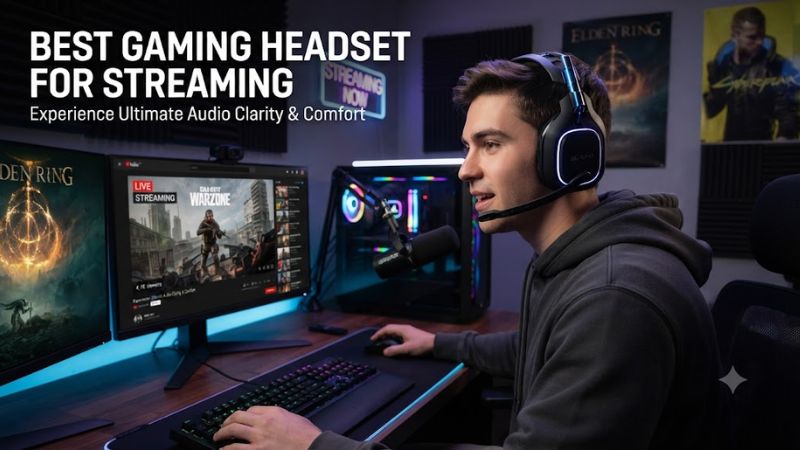
Streaming demands more than strong game audio: your headset also carries your voice to viewers. The best gaming headset for streaming should combine a clear boom mic, low-latency game sound, comfortable fit, and useful software controls without forcing a separate microphone for basic broadcasts.
How to Choose a Gaming Headset for Streaming
Microphone quality should come first because viewers hear speech continuously, while game audio changes from scene to scene. A good boom should keep speech intelligible and reject room noise without aggressive processing. Independent measurements and manufacturer data both make this easier to compare.
Microphone clarity
For a streamer, microphone pickup is the first specification worth checking because a headset can sound excellent while producing thin or noisy voice recordings. A detachable or flip-to-mute boom also gives you a predictable position and an easy physical mute control during live sessions and quick mute moments.
Razer’s BlackShark V3 Pro uses a detachable 12 mm HyperClear full-band microphone, while Audeze Maxwell 2 uses a detachable hypercardioid boom plus physical and AI noise reduction. Independent RTINGS measurements describe both as strong boom-mic performers, with Maxwell 2 showing particularly strong noise handling for a busy room.
Low-latency connection
Choose a headset that keeps game audio synchronized with your capture and monitoring chain. For PC, a dedicated 2.4GHz dongle is usually more appropriate than relying on Bluetooth alone. USB wired operation is another useful option when you want a fixed desk setup, simple routing, and fewer wireless variables.
The Razer BlackShark V3 Pro offers 2.4GHz wireless, Bluetooth, and USB, while Maxwell 2 adds USB-C and 3.5mm connections. These options let a streamer change how the headset is connected without buying another device, although exact console compatibility depends on the model variant and its included transmitter.
Long-session comfort
Comfort should be judged by construction as well as weight. Memory-foam pads, headband pressure, glasses clearance, and stability can matter more than a small weight difference. A headset that shifts when you turn your head can also change the seal and therefore the sound you hear during a long stream.
RTINGS notes that Maxwell 2 is heavy at 560g and can become fatiguing, while Razer’s BlackShark V3 Pro can change its bass response with glasses, long hair, or head size. These are meaningful fit limitations to consider before choosing the best gaming headset for streaming for extended broadcasts.
Streaming controls
Software controls become useful when a headset has to serve both the game and the broadcast. Look for EQ, sidetone, microphone processing, game-chat mixing, and separate audio endpoints where supported. These features can reduce the need to juggle multiple controls while streaming, especially during live chat.
Logitech’s ASTRO A50 Gen 5 supports G HUB controls for EQ, parametric EQ, microphone resolution, noise reduction, stream output audio mixing, and sidetone. Audeze Maxwell 2 also provides separate game and chat endpoints on PC and macOS, which can simplify voice and game balancing during a live broadcast.
Top Picks for Streaming
These four picks cover different priorities when choosing the best gaming headset for streaming. Audeze targets microphone quality and battery life, Razer adds ANC and flexible connections, Turtle Beach emphasizes cross-platform use, and Logitech focuses on broadcast controls and system switching. All support PC use.
| Product | Best For | Key Spec | Compatibility | Watch Out For |
| Audeze Maxwell 2 | Best Overall | 90 mm planar drivers; detachable hypercardioid boom; 80+ hour rated battery | PC, Windows/macOS; PlayStation or Xbox variant | 560g and weak passive isolation |
| Razer BlackShark V3 Pro | Best For Noisy Rooms | 12 mm mic; 2.4GHz/Bluetooth/USB; Hybrid ANC | PC, PlayStation or Xbox variant; Windows 11 for full THX | Fit can change bass response |
| Turtle Beach Stealth 700 Gen 3 | Best Value | 16-bit/32kHz mic; 60 mm dual drivers; up to 80 hours | Windows 10+ PC; PlayStation/Xbox versions | More features than PC-only users may need |
| Logitech ASTRO A50 Gen 5 | Best For Multi-Platform | 48kHz mic; 24-bit LIGHTSPEED; PLAYSYNC | PC, Xbox, PS5, Switch; Windows 10/11+ | $259.99 list price and base station |
Audeze Maxwell 2 — Best Overall
Audeze Maxwell 2 fits streamers seeking the best gaming headset for streaming when microphone noise handling and balanced game audio matter. It uses 90 mm planar magnetic drivers, a detachable hypercardioid boom, USB-C low-latency wireless, Bluetooth 5.3, USB-C audio, and 3.5 mm analog. Its rated battery exceeds 80 hours.
The main weakness is its 560g weight, and RTINGS reports that the headset can become fatiguing and may shift for some users. It also has weak passive noise isolation without the ANC version. Do not buy Maxwell 2 if low weight is your priority or if your streaming space is consistently loud and you need stronger isolation.
Razer BlackShark V3 Pro — Best For Noisy Rooms
Razer BlackShark V3 Pro suits streamers who want strong microphone noise handling plus ANC and several connection modes. It has a detachable 12 mm HyperClear full-band mic, 2.4GHz wireless, Bluetooth, and USB, while Razer’s current model also adds Hybrid ANC and THX Spatial Audio through Synapse on supported Windows systems.
The trade-off is fit consistency: RTINGS reports that sound can change with glasses, long hair, or head size. Its battery measured about 69.7 hours in RTINGS’ lab, rather than the longer figures found on some rivals. Skip it if your priority is maximum battery life or a very stable fit during frequent head movement.
Turtle Beach Stealth 700 Gen 3 — Best Value
Turtle Beach Stealth 700 Gen 3 is aimed at streamers who switch between PC and consoles and want a high-bandwidth headset mic. The PC model supports Windows 10 or later through USB 2.0 or higher, while its 16-bit, 32kHz microphone, AI noise reduction, simultaneous Bluetooth, and up-to-80-hour battery target long broadcasts.
Its biggest limitation is that the feature set is more useful to multiplatform users than to a PC-only streamer who already owns separate audio gear. The 60mm dual-driver design also emphasizes a fuller gaming presentation rather than a studio-monitor approach. Avoid it if you want the lightest possible headset or prefer a simpler wired setup.
Logitech ASTRO A50 Gen 5 — Best For Multi-Platform
Logitech ASTRO A50 Gen 5 is a strong fit for creators who want broadcast-oriented controls and frequent platform switching. Logitech specifies a 48kHz microphone, 24-bit LIGHTSPEED wireless, PRO-G GRAPHENE drivers, and PLAYSYNC Audio for switching among three systems. On PC, G HUB adds EQ, microphone processing, stream mixing, and sidetone.
The downside is cost and complexity compared with simpler PC headsets. Logitech lists the A50 Gen 5 at $259.99 on its current US store page, and the base station adds desk space and setup requirements. Do not choose it if you only need a straightforward PC headset with a boom mic and no multi-system workflow.
FAQ
A headset can handle a basic stream without a separate microphone, but the right choice depends on room noise, platform, and how much control you need over game and voice audio. These questions cover the practical buying issues that matter most before choosing a streaming headset for a PC setup, including connections and microphone needs.
Can a gaming headset microphone work for streaming?
Yes, a gaming headset microphone can work for streaming when its pickup pattern, noise handling, and positioning are suitable for your room. The best gaming headset for streaming can provide clear voice chat and basic broadcast audio from one device, which keeps a starter setup simple without adding another desktop microphone.
A headset mic still has limits compared with a dedicated USB or XLR microphone, especially for tonal detail and placement flexibility. For that use, Audeze Maxwell 2 and Razer BlackShark V3 Pro both have strong independent microphone results, but the final stream also depends on OBS filters, room noise, mic distance, and your chosen audio levels.
Is 2.4GHz better than Bluetooth for streaming?
Yes, 2.4GHz wireless is generally the better connection for PC streaming because dedicated gaming dongles are designed for low latency. Bluetooth can remain useful for calls, music, or a second device, but it is not the first connection to choose when tight game-audio synchronization matters during a live broadcast.
Maxwell 2, BlackShark V3 Pro, Stealth 700 Gen 3, and A50 Gen 5 all provide a dedicated wireless path for PC use, although their implementations differ. For a fixed desk stream using the best gaming headset for streaming, USB wired audio is also a practical alternative because it removes battery management and keeps the connection physically simple.
Do I need a separate microphone with a gaming headset?
No, you do not need a separate microphone for a basic stream if the headset mic already gives you the voice quality and noise control you need. A separate microphone becomes more useful when you want more control over tone, placement, processing, or isolation from keyboard and room noise during longer broadcasts.
Headset microphones also have a practical advantage because the capsule stays close to your mouth when you move. Logitech’s A50 Gen 5 adds stream output mixing and microphone controls in G HUB, while Audeze Maxwell 2 uses separate game and chat endpoints on PC and macOS for more direct source balancing.
Which compatibility details should PC streamers check?
PC streamers should check the operating system, USB requirement, software support, and whether the chosen headset is a PC-specific or console-specific version. The best gaming headset for streaming is still a poor fit if its wireless transmitter or required control software does not match your computer or preferred streaming software.
Stealth 700 Gen 3 lists Windows 10 or later with USB 2.0 or higher, while Razer requires Windows 11 version 23H2 or later for full THX Spatial Audio 7.1.4 in Synapse. A50 Gen 5 supports PC and uses G HUB, while Maxwell 2 provides Windows and macOS software support for configuration and firmware updates.
Final Thoughts
The right headset depends on what your stream actually demands. If voice clarity and noise handling lead, Maxwell 2 and BlackShark V3 Pro deserve attention; if platform switching matters, Stealth 700 Gen 3 and A50 Gen 5 add useful flexibility. The best gaming headset for streaming is the one whose mic, connection, comfort, and controls fit.