🛒 Best Price Today on Amazon
Prime members get fast, free shipping on everything above, plus member-only deals. New members get a 30-day free trial — cancel anytime.
Finding clear audio gear on a strict budget can feel challenging when looking through dozens of entry options. Choosing a gaming headset under 50 requires balancing driver tuning, mic clarity, and headband cushioning for long sessions. Modern wired models deliver solid stereo positioning and clear voice chat for desktop PC setups.
How to Choose a Gaming Headset Under 50
Selecting budget audio hardware requires focusing on core acoustic features rather than extra software gimmicks or bright lighting. Buyers must check speaker driver dimensions, physical ear cushion material, and cable connections before committing to a purchase. Taking time to inspect these specs prevents buying uncomfortable gear.
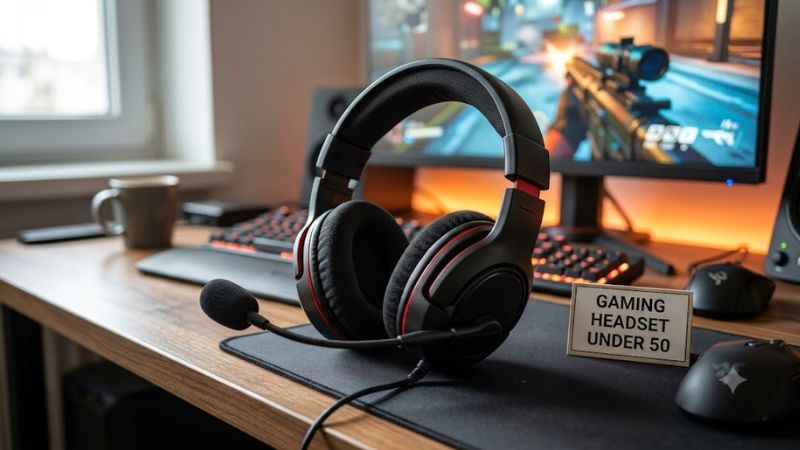
Speaker Driver Size and Tuning
Audio driver size directly affects low-frequency resonance and overall soundstage width during competitive gaming. Most entry models feature forty millimeter or fifty millimeter dynamic drivers with neodymium magnets. Larger drivers generally push more air to generate deeper bass notes during explosions and cinematic action sequences.
Separating frequencies across distinct channels creates a far cleaner acoustic environment for identifying in-game footsteps. The Razer BlackShark V2 X utilizes custom fifty millimeter drivers divided into three distinct tuning ports for treble, midrange, and bass. This physical separation prevents heavy bass from overpowering vocal cues.
Microphone Clarity and Control
Clear voice transmission remains vital for tactical multiplayer communication with squadmates during online matches. Entry headsets rely on unidirectional or cardioid microphone capsules designed to reject ambient room noise. Integrated mute toggles on the ear cup or boom arm provide fast control without opening audio software settings.
Convenient muting mechanisms reduce distractions when participating in voice chat programs on Windows PC platforms. The HyperX Cloud Stinger 2 features a swivel-to-mute boom mic that cuts microphone input instantly when flipped upward. This mechanical approach offers immediate visual confirmation compared to tiny inline slider buttons.
Long-Session Ergonomic Comfort
Physical comfort determines how long a player can wear a frame without experiencing clamp force fatigue. Total headband weight, ear cushion foam density, and fabric breathability dictate long-term usability. Lightweight plastic frames weighing under two hundred fifty grams distribute mass evenly without putting excess pressure on the skull.
Adjustable suspension bands and breathable fabric pads accommodate users who wear glasses during extended gaming sessions. The SteelSeries Arctis Nova 1 utilizes an elastic overhead strap combined with memory foam cushions wrapped in mesh fabric. This design maintains airflow and prevents heat buildup around the ears during summer play.
Multiplatform Cable Compatibility
Universal connectivity ensures your peripheral functions across computer motherboards, controllers, and mobile audio devices. A standard three point five millimeter analog connector provides immediate plug and play operation without needing dedicated drivers. Checking included adapter cables prevents setup delays on dual jack desktop audio cards.
Matching physical cable configurations with your main platform removes the need to buy extra audio splitter cables separately. The Corsair HS35 v2 includes a universal three point five millimeter jack alongside a dual jack splitter for PC audio inputs. This complete connection bundle works on Windows, consoles, and handheld systems.
Top Picks for a Gaming Headset Under 50
Evaluating entry level peripherals side by side highlights distinct trade-offs between physical comfort, cable design, and acoustic reproduction. Finding a gaming headset under 50 means matching specific feature sets to your daily setup needs. The table below outlines key specs, primary strengths, and platform support for top options.
| Product | Best For | Key Spec | Compatibility | Watch Out For |
| Razer BlackShark V2 X | Best Overall | 50mm TriForce drivers, 240g | 3.5mm, PC, Consoles, Mobile | Non-detachable cable |
| HyperX Cloud Stinger 2 | Best Value | 50mm drivers, Swivel-to-mute | 3.5mm, PC, Consoles | Plastic frame feels light |
| SteelSeries Arctis Nova 1 | Best Comfort | AirWeave pads, 236g | 3.5mm, PC, Consoles, Mobile | Mids lack slight punch |
| Corsair HS35 v2 | Best Multiplatform | 50mm drivers, Y-splitter | 3.5mm, PC, Consoles, Mobile | Boom mic is non-detachable |
Razer BlackShark V2 X
Competitive players who prioritize precise audio positioning and strong passive noise isolation will favor this model. The Razer BlackShark V2 X packs custom fifty millimeter drivers into a closed cup enclosure weighing only two hundred forty grams. Its thick leatherette memory foam ear cushions seal out background household noises effectively.
While overall sound quality stands out in this price bracket, the attached three point five millimeter cable cannot be detached if damaged. Users on Windows 10 or 11 can register the bundled software code to enable virtual seven point one surround sound. Gamers wanting a modular detachable cord should consider alternative models instead.
HyperX Cloud Stinger 2
Budget conscious buyers seeking simple volume controls and reliable voice chat performance will appreciate this entry model. The HyperX Cloud Stinger 2 builds on classic entry ergonomics with rotating ear cups that lay flat around the neck. A prominent volume dial on the earcup allows fast adjustments during frantic shooter matches.
Selecting this gaming headset under 50 gives users fifty millimeter drivers that deliver impactful bass reproduction for tactical sound effects. However, the all plastic construction feels lightweight and lacks metal structural reinforcement. Buyers who frequently travel or toss gear into backpacks should handle the frame with care.
SteelSeries Arctis Nova 1
Gamers who wear prescription glasses or experience severe head pressure during long gaming sessions should choose this design. The SteelSeries Arctis Nova 1 features an ultra light two hundred thirty-six gram frame equipped with AirWeave fabric cushions. Its ski goggle headband distributes weight evenly across four adjustment points.
In addition to top tier comfort, the fully retractable noise cancelling microphone stows inside the ear cup when not in use. Sound output focuses on crisp highs and clear mid frequencies, though low bass lacks the boom found in leatherette designs. Users who prefer overwhelming bass impact may find the neutral sound profile too flat.
Corsair HS35 v2
Multi-system gamers needing hassle-free connectivity across desktop rigs, laptops, and game consoles will benefit from this model. The Corsair HS35 v2 incorporates custom tuned fifty millimeter neodymium drivers that produce balanced audio across games and media. Floating headband construction keeps clamp force low for extended play.
Investing in a gaming headset under 50 like this model grants immediate setup flexibility thanks to its bundled dual 3.5mm Y-splitter cable. The flexible omnidirectional mic captures clear vocal tones but remains permanently fixed to the left earcup. Players seeking a subtle lifestyle headphone for street use may dislike the fixed boom.
Frequently Asked Questions About Budget Gaming Headsets
Understanding technical specifications helps buyers select appropriate audio gear while avoiding common hardware compatibility errors. Choosing a gaming headset under 50 involves verifying connection types, driver downloads, and microphone settings before playing. Below are clear answers to frequent questions regarding budget gaming audio products.
Do Budget Headsets Work With PC and Consoles?
Yes, analog three point five millimeter headsets connect natively to PC motherboards, handheld consoles, and modern wireless game controllers. This universal plug and play standard transfers stereo audio playback and microphone signals through a single four pole jack. Console players can plug directly into PlayStation and Xbox pads.
Desktop computer motherboards often split audio output and microphone input into two separate green and pink back panel jacks. A gaming headset under 50 typically includes a Y-splitter extension cable inside the packaging to bridge these connections. Laptops with combination audio jacks require no extra adapters for full functionality.
Is 7.1 Virtual Surround Audio Worth Using?
Virtual seven point one surround sound can expand spatial perception in competitive first person shooters on Windows operating systems. Software solutions like Windows Sonic or Razer 7.1 Surround Sound process stereo signals into spatial cues. This spatial processing helps players estimate enemy distances across vast virtual battlefields.
However, stereo mode usually offers higher overall audio fidelity and clearer midrange frequencies for general media consumption. Enabling software spatialization on budget dynamic drivers can sometimes introduce artificial reverb or hollow vocal tones. Testing spatial audio toggles in specific games helps determine if positional clarity improves.
How Do Analog 3.5mm Headsets Connect to PC?
Connecting an analog headset requires inserting the three point five millimeter jack into the matching audio port on your system. Front panel case jacks handle quick connections, while rear motherboard ports deliver cleaner signal paths with less electrical interference. Using the included dual jack splitter ensures microphone input registers.
When purchasing a gaming headset under 50, checking your motherboard sound card specs ensures sufficient power drive for thirty-two ohm drivers. Most modern onboard audio chips handle budget headset impedance levels without needing external headphone amplifiers. Always verify default playback devices inside Windows sound control panel settings.
Why Does Microphone Voice Quality Sound Quiet?
Microphone volume issues usually stem from low input gain settings inside Windows audio controls or chat applications like Discord. Adjusting input levels to eighty percent in device properties increases voice signal strength without introducing background static. Positioning the microphone capsule two finger widths from your mouth improves pickup.
A gaming headset under 50 relies on analog signal amplification from your computer onboard audio codec chip. Upgrading motherboard audio drivers or enabling microphone boost in realtek audio console resolves low volume complaints on older hardware. Inspecting physical mute toggles on the cable or earcup prevents accidental silence.
Final Thoughts
Selecting a reliable gaming headset under 50 comes down to identifying which features matter most for your daily setup. Prioritizing driver tuning, headband weight, and clear microphone hardware ensures impressive acoustic performance without overspending. Evaluate your platform needs and choose a model that delivers comfortable gaming audio today.