🛒 Best Price Today on Amazon
Prime members get fast, free shipping on everything above, plus member-only deals. New members get a 30-day free trial — cancel anytime.
Choosing the best headset for streaming and gaming means balancing microphone quality, game audio, comfort, connectivity, and software rather than chasing one specification. Current options range from simple wireless models to multi-system hubs, so platform support and mic behavior matter as much as sound.
How to Choose a Streaming and Gaming Headset
A useful shortlist starts with four criteria: microphone clarity, gaming audio, comfort for long sessions, and compatibility with the PC or consoles in your setup. Independent measurements from RTINGS and SoundGuys show that microphones can differ substantially in noise handling, while manufacturer specifications clarify connections, operating-system support, and battery claims.
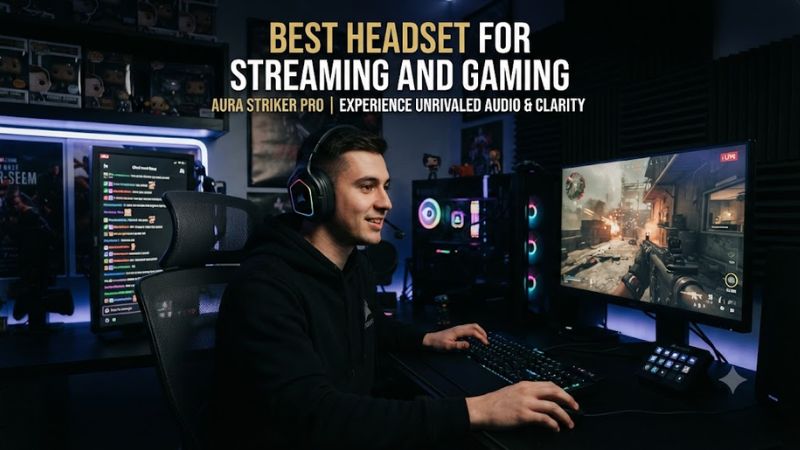
Microphone Quality
For the best headset for streaming and gaming, microphone behavior should be judged separately from headphone sound. Razer’s BlackShark V3 Pro uses a removable 12mm full-band microphone, while RTINGS found very good boom-mic performance and strong noise handling. That makes it particularly relevant for streamers who cannot keep a quiet room.
SteelSeries takes a different approach with the Nova Pro Omni’s retractable ClearCast microphone and adjustable noise processing. RTINGS found the mic natural and effective against busy background noise, while the software allows users to adjust the noise gate, compressor, EQ, and reduction levels.
Game Audio and Controls
The best headset for streaming and gaming also needs game audio that remains useful while monitoring chat or a stream. The BlackShark V3 Pro combines 2.4GHz wireless, Bluetooth, USB, and 3.5mm connections, while its PC software provides THX spatial audio and customizable EQ profiles.
The Nova Pro Omni adds a dedicated GameHub that can handle up to four audio sources through two USB connections, Bluetooth, and line-in. Its PC software also supports extensive EQ and mixing controls, which can be useful when a stream involves Discord, game audio, music, or another connected source.
Comfort for Long Sessions
Streaming can mean wearing a headset for several hours, so weight, pad material, fit, and heat matter. The Cloud III S Wireless uses memory-foam cushions and a metal frame, weighs 340g according to HyperX, and supports up to 120 hours over 2.4GHz. SoundGuys also found its boom microphone preferable to the internal microphones for gaming.
The lighter feature set of the Cloud III S can also be useful when a streamer does not need a desktop audio hub. It supports PC, Mac, PS5, mobile devices, and Switch, with both 2.4GHz and Bluetooth connections. NGENUITY requires Windows 10 or later, while the headset itself does not depend on a particular CPU, GPU, RAM capacity, or PCIe generation.
PC and Platform Compatibility
Compatibility is a major separator among the best headset for streaming and gaming options. Logitech’s Astro A50 X supports PC, PS5, Xbox, and Switch, while its base station uses HDMI 2.1 for the full console setup and a USB connection for PC. Windows 10/11 or later is supported on PC, with G HUB handling customization.
The Razer BlackShark V3 Pro is available in platform-specific versions, while the PC model supports Windows and offers four connection types. Full 7.1.4 THX processing requires Windows 11 version 23H2 or later, so that feature should not be treated as a requirement for basic headset operation.
Top Picks
These four current models cover different streaming setups rather than assuming every streamer needs the same hardware. The selections emphasize microphone performance, wireless flexibility, comfort, and platform support, using current manufacturer specifications plus independent audio and microphone assessments.
| Product | Best For | Key Spec | Compatibility | Watch Out For |
| Razer BlackShark V3 Pro | Best Overall | 12mm mic, 70-hour PC battery | PC, Mac, PS5, Xbox versions | Fit can affect sound |
| HyperX Cloud III S Wireless | Best Value | 53mm drivers, up to 120-hour battery | PC, Mac, PS5, Mobile, Switch | Mic quality drops with internal mics |
| SteelSeries Nova Pro Omni | Best For Noisy Rooms | AI mic processing, dual batteries | PC, consoles, Bluetooth | Higher price |
| Logitech Astro A50 X | Best For Multi-System Streaming | 24-hour battery, 48kHz mic | PC, PS5, Xbox, Switch | Needs HDMI setup for full console features |
Razer BlackShark V3 Pro
The BlackShark V3 Pro is the best overall fit when streaming and competitive gaming are equally important. It combines a 12mm removable microphone, hybrid ANC, 50mm second-generation TriForce Bio-Cellulose drivers, and four connection options. Razer rates PC battery life at up to 70 hours over 2.4GHz.
Its real weakness is fit sensitivity: RTINGS found that hair, glasses, or a larger head can change bass delivery. Buyers should also distinguish the PC, PlayStation, and Xbox editions because platform support varies by version. It is not the right pick if a universal console configuration is the priority.
HyperX Cloud III S Wireless
The Cloud III S Wireless is the best value choice for users who want a straightforward wireless headset with unusually long battery life. HyperX lists 53mm angled drivers, a detachable 10mm boom microphone, 2.4GHz wireless, Bluetooth, and up to 120 hours of 2.4GHz battery life. It works with PC, Mac, PS5, mobile, and Switch.
Its weakness is microphone versatility rather than the detachable boom itself. SoundGuys found the boom mic gives the clearest gaming communication, while the built-in microphones are more convenient but noticeably less suitable for gaming. Streamers should therefore keep the boom attached when voice quality matters.
SteelSeries Nova Pro Omni
The Nova Pro Omni is the best fit for streamers working in a noisy room or managing several audio sources. Its retractable microphone combines with ClearCast AI noise cancellation, and RTINGS found strong noise handling and natural voice reproduction. The GameHub can connect and mix up to four sources, adding flexibility for complex streaming desks.
The main weakness is cost and complexity. SteelSeries launched the Nova Pro Omni at a $399.99 MSRP in North America, placing it well above simpler wireless headsets. It also supports only one Bluetooth device at a time, so users wanting multiple simultaneous Bluetooth connections should consider that limitation.
Logitech Astro A50 X
The Astro A50 X is the best choice for a streamer who regularly switches between PC, PlayStation 5, and Xbox. Its PLAYSYNC base station can connect those systems, while Logitech specifies a 48kHz microphone, 24-bit/48kHz LIGHTSPEED wireless audio, and up to 24 hours of battery life.
The important limitation is the physical setup. Full console functionality relies on HDMI connections and compatible cables, while RTINGS found that the headset has poor passive noise isolation and its microphone does not separate background noise especially well. It is therefore less suitable for loud rooms than the Razer or SteelSeries options.
FAQ
The best headset for streaming and gaming depends mainly on whether the priority is microphone noise handling, long battery life, multi-system switching, or a simpler PC setup. The four picks above cover those use cases without requiring a separate microphone, while a dedicated USB microphone remains an option for creators who want more recording control.
Is a Gaming Headset Good Enough for Streaming?
Yes, a gaming headset can be sufficient for streaming when its boom microphone has good voice reproduction and noise handling. RTINGS rates the BlackShark V3 Pro microphone very highly for separating speech from surrounding noise, while the Nova Pro Omni provides adjustable processing for users who want more control.
A headset microphone still has less flexibility than a dedicated USB or XLR microphone for advanced streaming work. The advantage is simplicity: game audio and voice monitoring remain in one device, reducing desk hardware and setup steps. For casual or gaming-focused streams, that trade-off can be practical.
Which Headset Has the Longest Battery Life?
The HyperX Cloud III S Wireless has the highest manufacturer-rated 2.4GHz battery figure among these four picks, at up to 120 hours. HyperX also lists up to 200 hours through Bluetooth, while its 2.4GHz figure is specified under a particular continuous-playback test condition.
Battery figures are usage-dependent, so they should be treated as manufacturer claims rather than a guaranteed runtime. The Razer BlackShark V3 Pro is rated for up to 70 hours on PC, while the Astro A50 X is rated for up to 24 hours. These differences make the HyperX particularly attractive for users who dislike frequent charging.
Does the BlackShark V3 Pro Need Windows 11?
No, the BlackShark V3 Pro does not require Windows 11 for basic headset use, but Windows 11 version 23H2 or later is required for Razer’s full 7.1.4 THX Spatial Audio support. The headset also supports Bluetooth, USB, and analog connections, so its core audio functions are not tied to that spatial-audio feature.
That distinction matters when comparing software requirements with hardware compatibility. A PC running an older supported Windows version can still use the headset for normal audio and microphone functions, but users seeking the complete THX 7.1.4 feature set should verify their Windows version before buying.
Is the Astro A50 X Better for Multi-Platform Streaming?
The Astro A50 X is specifically designed for multi-platform setups because its PLAYSYNC base station connects PC, PS5, and Xbox and lets the user switch between systems. Logitech specifies USB support for PC plus HDMI 2.1 connections for the full console feature set, including video passthrough.
Its limitation is that this flexibility comes with more cabling and a larger base-station setup than a conventional wireless headset. RTINGS also found weak noise isolation, so streamers in busy environments may prefer a headset with stronger noise handling rather than choosing the A50 X solely for its platform switching.
Final Thoughts
The best headset for streaming and gaming depends on the streamer’s room, platforms, and tolerance for extra hardware. Razer emphasizes mic clarity and competitive play, HyperX favors battery life and simplicity, SteelSeries targets complex audio setups, and Logitech focuses on multi-platform switching. Verify the exact platform version before buying.