🛒 Best Price Today on Amazon
Prime members get fast, free shipping on everything above, plus member-only deals. New members get a 30-day free trial — cancel anytime.
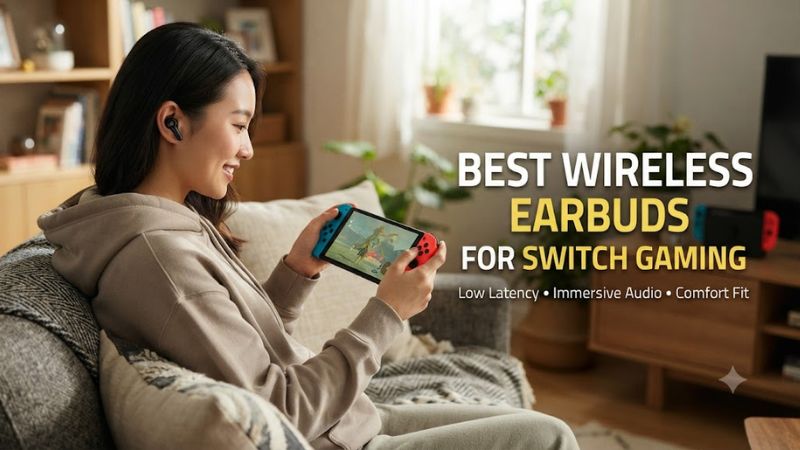
Best wireless earbuds for switch gaming make the most sense when low latency matters more than ordinary Bluetooth convenience. Nintendo Switch supports Bluetooth audio, but Nintendo warns that delay can occur. For timing-heavy games, a USB-C 2.4GHz dongle is usually the more useful feature to prioritize.
How to Choose Wireless Earbuds for Switch Gaming
For shoppers comparing the best wireless earbuds for switch gaming, connection type is the first filter because it affects latency and compatibility. Bluetooth is simple, while a dedicated 2.4GHz dongle targets gaming latency. Nintendo supports Bluetooth audio on Switch, Switch Lite, and Switch OLED, but only one device can be active.
Prioritize Low Latency
Latency is the first filter for competitive play. Nintendo itself notes that Bluetooth audio can introduce delay, while independent headphone measurements also show that wireless gaming earbuds vary substantially by connection. For a Switch-focused roundup, models with a 2.4GHz USB-C receiver deserve attention before ordinary music earbuds.
A dedicated receiver also avoids depending on the Switch’s Bluetooth audio implementation. That matters most in rhythm, fighting, and competitive action games, where a visible timing mismatch is easier to notice. Published latency figures should be compared only within the same connection mode and measurement method.
Check Switch Compatibility
Compatibility should cover the console you actually own and the way you play. The best wireless earbuds for switch gaming need documented Switch support rather than generic USB claims. The SteelSeries GameBuds, ASUS ROG Cetra SpeedNova, Razer Hammerhead Pro HyperSpeed, and soundcore VR P10 all list Nintendo Switch support.
For docked play, check how the receiver connects to the dock rather than only the earbuds. A USB-C receiver may need a USB-A adapter when the dock’s available port requires it, while handheld play normally favors a direct USB-C connection. The included adapter and its platform list are therefore part of compatibility.
Compare Battery Life
Battery life matters more on a handheld than a desk setup because the earbuds travel with you. Manufacturer figures are useful for comparing models, but ANC, RGB, connection mode, volume, and codec behavior can change runtime. Look for both earbud runtime and case capacity instead of relying on a single headline number.
Case capacity is especially useful for travel because it restores the earbuds between sessions without a separate power brick. Still, published totals are not equivalent across brands: one figure may assume Bluetooth, another 2.4GHz, and another may disable ANC or lighting. Treat runtime as a range of use cases.
Consider Fit and ANC
Fit and controls are easy to overlook when comparing specifications. Independent reviews note that the ROG Cetra SpeedNova can pressure smaller ears, while GameBuds are described as comfortable with useful physical controls. A secure fit also matters because repeated movement can shift the seal and change bass response.
ANC can help in noisy rooms, but it should be weighed against fit and microphone needs. The GameBuds, ROG Cetra SpeedNova, and Razer models include ANC, while the VR P10 does not. For voice chat, confirm the console workflow separately because audio playback and chat support are not identical on every Switch model.
Top Picks for Wireless Switch Earbuds
Here is how the main current options differ. The table emphasizes connection type, published battery figures, and platform support rather than invented gaming benchmarks. No display resolution or graphics setting applies to audio hardware; independent latency and frequency-response measurements are cited where relevant.
| Product | Best For | Key Spec | Compatibility | Watch Out For |
| SteelSeries Arctis GameBuds | Best Overall | 2.4GHz + Bluetooth 5.3; 10h buds, 40h total | Switch, PC, PlayStation, handhelds | Mic noise handling can need adjustment |
| ASUS ROG Cetra True Wireless SpeedNova | Best Value | 2.4GHz + Bluetooth; up to 36h via 2.4GHz | Switch, PC, Mac, PS4/PS5, mobile | Can pressure smaller ears |
| Razer Hammerhead Pro HyperSpeed | Best For ANC | 2.4GHz; under 40ms HyperSpeed | Switch, PC, PlayStation, mobile | Shorter battery in dongle mode |
| soundcore VR P10 | Best For Simple Handheld Use | 2.4GHz; under 30ms; 6h/24h battery | Switch, PS4/PS5, PC, Quest | No ANC |
SteelSeries Arctis GameBuds — Best Overall
The Arctis GameBuds are a strong starting point for the best wireless earbuds for switch gaming because they combine USB-C 2.4GHz wireless with Bluetooth 5.3, ANC, and a compact case. SteelSeries lists Switch support and up to 10 hours of battery in the earbuds, with 40 hours total using the case. The case also suits travel.
The GameBuds suit players who want one pair for Switch and everyday Bluetooth use. RTINGS describes their sound as balanced and their fit as comfortable, while also noting that microphone noise handling is weaker out of the box than some rivals. Do not buy them solely for the microphone if noisy voice chat is your priority.
ASUS ROG Cetra True Wireless SpeedNova — Best Value
The ROG Cetra SpeedNova is a value choice among the best wireless earbuds for switch gaming, pairing a 2.4GHz USB-C receiver with Bluetooth. ASUS supports Nintendo Switch in both modes and rates battery life at up to 36 hours in 2.4GHz mode with the case, or up to 46 hours in Bluetooth mode. That is useful for long trips.
RTINGS found the SpeedNova’s 2.4GHz connection suitable for low-latency gaming, but Bluetooth latency too high for gaming. Its ANC is strong, while the default sound is bass-heavy and treble-forward. Smaller ears may find the housing uncomfortable, so it is not the safest choice if compact fit is your first concern.
Razer Hammerhead Pro HyperSpeed — Best For ANC
The Hammerhead Pro HyperSpeed earns a place among the best wireless earbuds for switch gaming when active noise cancellation is a priority. It supports Nintendo Switch through its 2.4GHz receiver or Bluetooth 5.3, and Razer rates HyperSpeed audio at under 40 ms. It also adds ambient mode for hearing surroundings.
RTINGS reports that the Razer has a smoother default sound than the ROG Cetra SpeedNova and stronger Bluetooth latency performance, while its dongle latency is slightly higher than ASUS’s. Battery life is the tradeoff compared with the ASUS model. Skip it if long unplugged sessions matter more than ANC and everyday flexibility.
soundcore VR P10 — Best For Simple Handheld Use
The soundcore VR P10 is a straightforward option among the best wireless earbuds for switch gaming, using a USB-C wireless dongle for Switch while also supporting Bluetooth. Soundcore lists 6 hours of play per charge and up to 24 hours with the case. The dongle uses LC3 for its gaming link.
The VR P10 is aimed more directly at low-latency gaming than noise isolation, because it has no ANC and carries an IPX4 rating. Its published console list includes Switch, PS4, PS5, Steam Deck, and PC. Do not choose it if active noise cancellation or the longest battery figures are your main priorities.
FAQ: Wireless Earbuds for Switch Gaming
The short answer is that the best wireless earbuds for switch gaming should use a dedicated 2.4GHz receiver when you care about timing. Bluetooth remains convenient for casual play and music, but Nintendo explicitly warns that Bluetooth devices can introduce latency, so connection type should come before codec marketing.
Can I Use Bluetooth Earbuds With Nintendo Switch?
Yes, Nintendo Switch, Switch Lite, and Switch OLED support Bluetooth audio, although Nintendo warns that some Bluetooth devices can introduce audio latency. The console can save up to 10 Bluetooth audio devices, but only one Bluetooth audio device can be paired at a time, so Bluetooth remains convenient rather than latency-focused.
Bluetooth-only earbuds can still suit slower games, music, and travel, but they are harder to recommend for timing-sensitive play. Nintendo’s support guidance acknowledges possible latency and suggests wired headphones if persistent delay remains, putting ordinary music earbuds in a different category from gaming-focused wireless buds.
Do 2.4GHz Earbuds Work With Nintendo Switch?
Yes, 2.4GHz earbuds can work with Nintendo Switch when their USB-C receiver is designed for the console. The GameBuds, ROG Cetra SpeedNova, Razer Hammerhead Pro HyperSpeed, and soundcore VR P10 all provide documented Switch support through a dongle, avoiding reliance on the console’s Bluetooth audio path.
Use the included 2.4GHz USB-C receiver when competitive timing is important. Independent measurements show that gaming earbuds can have substantially different latency depending on whether they use Bluetooth or a dedicated wireless receiver, and Nintendo separately warns that Bluetooth audio may have delay.
Which Connection Should I Use for Competitive Switch Games?
Use the included 2.4GHz USB-C receiver when competitive timing is important. Independent measurements show that gaming earbuds can have substantially different latency depending on whether they use Bluetooth or a dedicated wireless receiver, while Nintendo separately warns that Bluetooth audio may have delay.
Independent benchmark results should not be confused with FPS benchmarks. There is no resolution, graphics preset, GPU, or CPU setting that meaningfully applies to earbuds. RTINGS uses a headphone test methodology, while manufacturer latency figures describe specific wireless modes and conditions, so those figures are not directly interchangeable.
Do Wireless Gaming Earbuds Include Switch Voice Chat?
Not necessarily, because audio compatibility and voice-chat support are separate questions on Nintendo hardware. Original Switch voice chat can use the Nintendo Switch Online smartphone app, while newer Switch hardware has different GameChat behavior. Check the exact console and game workflow before assuming the earbud microphone handles chat.
Microphone support also depends on the console and game rather than the earbuds alone. On original Switch, Nintendo’s voice-chat workflow can involve the Nintendo Switch Online smartphone app, while newer hardware has different GameChat behavior. Verify the exact console and game before assuming an earbud microphone handles every chat function.
Final Thoughts
For the best wireless earbuds for switch gaming, start with the connection rather than the brand. A USB-C 2.4GHz receiver is key for timing-sensitive play, while ANC, battery life, fit, and microphone behavior determine how well each pair suits your routine. These four picks cover distinct priorities without one model fitting every player.