🛒 Best Price Today on Amazon
Prime members get fast, free shipping on everything above, plus member-only deals. New members get a 30-day free trial — cancel anytime.
A good best desktop speakers with subwoofer for gaming setup needs more than loud bass: desk space, connection type, speaker size, and software support all affect whether a 2.1 system fits your PC. Current options range from compact USB-C models to large bookshelf-style systems with dedicated subwoofers.
How to Choose Desktop Speakers With a Subwoofer
The right 2.1 speaker system depends mainly on four things: physical space, connection options, output needs, and PC compatibility. A compact desk may favor Creative, while a larger gaming setup can accommodate Logitech or Razer. Edifier takes a more traditional bookshelf-speaker approach. These differences matter more than simply comparing advertised wattage.
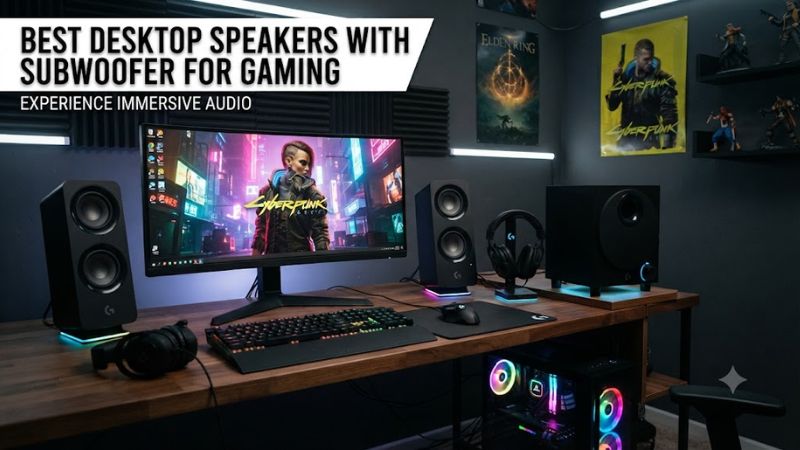
Check the Desk and Subwoofer Footprint
For a best desktop speakers with subwoofer for gaming setup, measure the desk before choosing a system. Creative’s Pebble X Plus uses a compact 4-inch subwoofer, while Razer’s Nommo V2 Pro uses a considerably larger wireless subwoofer. Edifier’s S351DB is larger again, with an 8-inch subwoofer and bookshelf-style satellites.
A separate subwoofer also needs a practical location rather than simply fitting beside the PC. Razer’s subwoofer is wireless for audio connectivity, while Creative’s subwoofer connects to the right speaker by cable. Edifier’s system uses a conventional wired speaker-and-subwoofer arrangement, making it more appropriate for a desk with room underneath or beside it.
Match the Connection to Your PC
USB audio is useful when you want a direct digital connection from a gaming PC. Creative’s Pebble X Plus supports USB-C audio and power, 3.5mm AUX, and Bluetooth 5.3, while Razer’s Nommo V2 Pro supports USB audio and Bluetooth 5.3. Logitech’s G560 adds USB, 3.5mm and Bluetooth connectivity.
For a best desktop speakers with subwoofer for gaming choice, compatibility should also include the operating system and available ports. Creative lists Windows 10 and 11, macOS, PS4, PS5 and Nintendo Switch support for the Pebble X Plus, while Razer’s software features depend on a PC environment. The G560 supports Windows PCs and Bluetooth-enabled devices.
Consider Power and Frequency Response
Advertised power is useful for understanding the system’s design, but it is not a direct measurement of gaming audio quality. Logitech specifies 120W RMS and 240W peak for the G560, Creative lists up to 15W RMS from PC USB-C or 30W RMS with a suitable USB-PD adapter, and Edifier rates the S351DB at 150W RMS.
Frequency response also differs substantially. Creative lists 45Hz–20kHz, Logitech lists 40Hz–18kHz, and Edifier separates its satellite response at 160Hz–20kHz from the subwoofer’s 40Hz–160Hz range. Those specifications describe the hardware’s stated range, not how every game or room will sound.
Decide Whether Gaming Features Matter
The best desktop speakers with subwoofer for gaming can include features that ordinary powered speakers lack. Logitech’s G560 has LIGHTSYNC RGB and DTS:X Ultra processing, while Razer’s Nommo V2 Pro adds THX Spatial Audio, Chroma RGB, a wireless control pod and customizable EQ through Razer software.
Those features are most useful when the PC is the center of the setup. If the speakers will also serve music players, TVs or multiple external sources, Edifier’s S351DB offers optical, coaxial, line-in and Bluetooth connections. Its 150W RMS system also uses 3.5-inch mid-bass drivers, titanium tweeters and an 8-inch subwoofer.
Top Picks for Gaming Desktop Speakers
These four current 2.1 systems cover different desktop requirements rather than one identical use case. Logitech focuses heavily on gaming lighting and PC integration, Razer combines gaming software with a wireless subwoofer, Creative targets compact desks, and Edifier uses larger bookshelf-style components. Current manufacturer listings confirm all four remain available as of September 29, 2026.
| Product | Best For | Key Spec | Compatibility | Watch Out For |
| Logitech G560 | Best Overall | 120W RMS; 40Hz–18kHz | Windows PC, Bluetooth devices | Large satellites and subwoofer |
| Creative Pebble X Plus | Best Value | Up to 30W RMS with USB-PD; 45Hz–20kHz | Windows, macOS, PS5, Switch | 30W mode needs separate PD adapter |
| Razer Nommo V2 Pro | Best For Gaming Features | 3-inch-class drivers; 5.5-inch wireless subwoofer | PC with Razer software; Bluetooth | Software is PC-focused |
| Edifier S351DB | Best For Large Desks | 150W RMS; 8-inch subwoofer | PC, optical, coaxial, AUX, Bluetooth | Large and heavy system |
Logitech G560: Best Overall
The Logitech G560 is a strong fit for a gaming-first desktop that has room for a full 2.1 system. Logitech specifies 120W RMS and 240W peak power, with a down-firing subwoofer, USB and 3.5mm inputs, Bluetooth, DTS:X Ultra processing and four LIGHTSYNC lighting zones.
Its weakness is physical size rather than missing gaming features. The satellites are substantially larger than compact desktop speakers, and the subwoofer needs its own floor or desk position. Do not buy it if a small desk is the priority; Creative’s Pebble X Plus occupies much less space. PC Gamer has also highlighted the G560’s gaming-focused immersion and configurable lighting.
Creative Pebble X Plus: Best Value
The Creative Pebble X Plus suits buyers who want a real 2.1 arrangement without dedicating much desk space to a large subwoofer. It has 2.75-inch full-range drivers, a 4-inch subwoofer with passive radiators, Bluetooth 5.3, USB-C audio and power, AUX and headset connectivity.
Its important limitation is power configuration. From a PC USB-C connection it reaches up to 15W RMS, while a separate 30W-or-higher USB-PD adapter raises output to 30W RMS. That adapter is not included, so buyers wanting the higher-power mode need an additional power supply.
Razer Nommo V2 Pro: Best For Gaming Features
The Razer Nommo V2 Pro is aimed directly at PC gaming, combining two full-range speakers with a wireless downward-firing subwoofer. Razer specifies 3-inch-class drivers, a 5.5-inch subwoofer driver, USB audio, Bluetooth 5.3, THX Spatial Audio, Chroma RGB and a wireless control pod.
The main reason not to buy it is its PC software dependence and higher positioning than compact 2.1 systems. Tom’s Guide specifically notes that a PC is needed for the software, while PCGamesN found the default sound profile required adjustment. Buyers who want simple plug-and-play audio without gaming software may prefer Edifier or Creative.
Edifier S351DB: Best For Large Desks
The Edifier S351DB is the pick for a larger desk where bookshelf speakers and a substantial subwoofer are practical. Its 150W RMS system combines 3.5-inch midrange drivers, ¾-inch titanium tweeters and an 8-inch subwoofer, with PC, AUX, optical, coaxial and Bluetooth inputs.
The real weakness is its size and weight rather than connectivity. Edifier lists the subwoofer at 265 × 289 × 312mm and the satellites at 127 × 217 × 156mm, with a 19.1kg net system weight. Do not buy it for a shallow or crowded desk where those bookshelf-style components cannot be positioned properly.
FAQ
A best desktop speakers with subwoofer for gaming setup is mainly a question of desk space, connectivity, speaker size and the features you actually need. The four systems above cover compact USB-C audio, RGB-focused gaming, wireless-subwoofer gaming and larger bookshelf-style audio, so the correct choice depends on the desktop and PC rather than one universal specification.
Are 2.1 speakers better for gaming than 2.0 speakers?
2.1 speakers add a dedicated subwoofer, giving the system a separate low-frequency component that can add weight to explosions, music and other game effects. That does not automatically make 2.1 superior for every game, because competitive players may prioritize positional clarity and headphone use instead.
Does a gaming PC need a sound card for 2.1 speakers?
A gaming PC does not normally need a separate sound card for these 2.1 systems because several models accept USB, analog or Bluetooth audio directly. Creative supports USB-C audio, Logitech supports USB and 3.5mm, and Razer supports USB audio, so motherboard audio hardware is not the deciding compatibility requirement.
Can these speakers work with a gaming laptop?
These systems can work with gaming laptops when the laptop provides a compatible USB, 3.5mm or Bluetooth connection. Creative explicitly lists Windows PCs and Bluetooth devices, while Logitech supports Bluetooth-enabled computers; Razer also provides USB audio and Bluetooth, making connection options dependent on the laptop’s available ports and wireless support.
Is a subwoofer worth it for a small gaming desk?
A subwoofer can add deeper bass, but a small desk may make a compact 2.1 system more practical than a large bookshelf setup. Creative’s Pebble X Plus has a 156.4 × 156 × 158.5mm subwoofer, while Edifier’s S351DB uses a substantially larger 265 × 289 × 312mm enclosure.
Final Thoughts
The best desktop speakers with subwoofer for gaming depend on the desk and PC rather than wattage alone. Logitech suits RGB-focused gaming, Creative fits compact setups, Razer emphasizes gaming software and wireless bass, while Edifier favors larger desks and broader source connectivity. Check available space and ports before buying.