🛒 Best Price Today on Amazon
Prime members get fast, free shipping on everything above, plus member-only deals. New members get a 30-day free trial — cancel anytime.
Selecting the best gaming earbuds for your gaming rig requires looking closely at latency, audio drivers, and connectivity modes. Traditional Bluetooth introduces noticeable audio lag during fast-paced multiplayer titles, making dedicated 2.4 GHz wireless or wired USB connections necessary for clear directional audio.
How to Choose Gaming Earbuds
Evaluating in-ear audio equipment for high-performance desktop gaming demands strict attention to wireless latency, driver architecture, active noise isolation, and platform compatibility. Prioritizing low-latency 2.4 GHz USB transceivers prevents sound delay while custom software equalizers allow precise tuning.
Dual Wireless Connectivity and Ultra-Low Latency
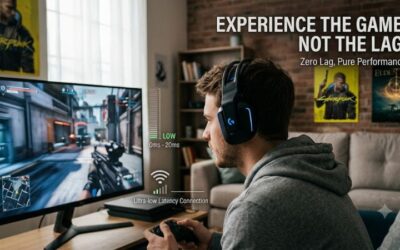
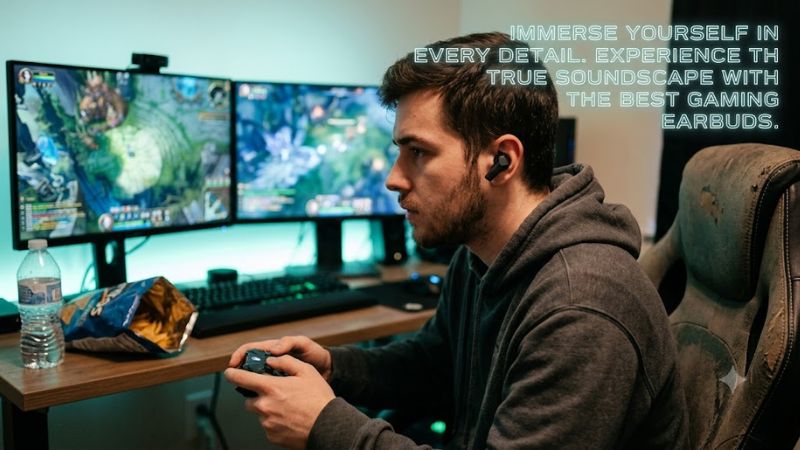
Competitive action games demand response times below 30 milliseconds so footstep audio matches on-screen visual frames. Standard Bluetooth connection protocols often introduce latency exceeding 100 milliseconds, which causes jarring audio delay during fast gunfights. High-speed 2.4 GHz USB-C transceivers solve this synchronization lag.
Modern audio gear like the SteelSeries Arctis GameBuds features simultaneous Bluetooth 5.3 and 2.4 GHz wireless capabilities. This allows players to receive voice calls from a mobile phone while keeping primary game audio connected to Windows 11. Dual connectivity adds daily versatility for the best gaming earbuds.
Dynamic Drivers and Acoustic Profiling
Driver size directly influences bass response and overall soundstage clarity in gaming headsets and earbuds. Dynamic drivers ranging from 8.4 mm to 10 mm push sufficient air to produce punchy low-end explosions while keeping higher frequency environmental cues crisp. Balanced frequency response helps players locate distant enemy movement accurately during matches.
Budget-focused options like the Razer Hammerhead HyperSpeed utilize 10 mm custom drivers tuned specifically for rich bass and clear voice communication. Software integrations allow users to adjust equalizer parameters to boost footsteps or soften background gunfire. Custom sound profiles maximize audio clarity across diverse game genres.
Active Noise Cancellation and Software Customization
Active noise cancellation uses outward microphones to sample ambient room noise and invert sound waves before they reach your ear canal. This hardware feature reduces PC cooling fan noise and room hums, allowing lower overall listening volumes. Lower volume listening protects long-term hearing while improving subtle detail retrieval in matches.
Dedicated PC suites like Sony INZONE Hub enable 360 Spatial Sound spatialization tuned to individual ear geometry via mobile photo analysis. This software process calculates acoustic reflections inside the ear canal to synthesize accurate distance cues. Choosing the best gaming earbuds with spatial sound provides positional clarity.
Hardware Compatibility and Passive Isolation
Physical connector requirements differ between motherboard USB-C ports, front panel 3.5 mm jacks, and console expansion ports. Wired in-ear monitors like the Truthear x Crinacle Zero: Red require a standard 3.5 mm audio output and feature a low 17.5 ohm impedance, making them easy to drive directly from onboard audio hardware without amplifiers.
Proper silicone tip selection establishes an airtight seal inside the ear canal to deliver passive acoustic isolation. High silicone density blocks external desktop fan noise while locking in deep bass frequencies produced by internal acoustic drivers. Selecting the best gaming earbuds with proper tips ensures long-term comfort.
Top Picks for PC and Console Audio
Selecting among leading in-ear gaming products involves comparing wireless latency, driver performance, battery duration, and multiplatform support. The following comparison table details exact specifications, compatibility options, and hardware trade-offs to help players select the best gaming earbuds for their desktop.
| Product | Best For | Key Spec | Compatibility | Watch Out For |
| SteelSeries Arctis GameBuds | Best Overall | 2.4 GHz + Bluetooth 5.3, 10h Battery | PC, PS5, Switch, Mobile | Button press requires extra force |
| Razer Hammerhead HyperSpeed | Best Value | 2.4 GHz HyperSpeed, 10 mm Driver | PC, Xbox, PS5, Mobile | Microphone quality is basic |
| Sony INZONE Buds | Best for Competitive PC | 8.4 mm Driver X, <30 ms Latency | PC, PS5, Mobile (LC3 only) | No standard Bluetooth AAC or SBC |
| Truthear x Crinacle Zero: Red | Best Wired Audio | Dual Dynamic Drivers, 17.5 Ohm | PC, Consoles via 3.5 mm | Lacks wireless and built-in mic |
SteelSeries Arctis GameBuds
The SteelSeries Arctis GameBuds stand among the best gaming earbuds, delivering exceptional cross-platform flexibility with dual 2.4 GHz wireless and Bluetooth 5.3 connectivity. The compact USB-C dongle stows neatly inside the Qi wireless charging case, providing up to 10 hours of continuous playtime per charge.
Integrated physical buttons on each bud offer reliable control over media and active noise cancellation modes without accidental touch inputs. The companion app includes over 100 per-game audio presets tuned for titles like Apex Legends and CS2. However, buyers should note that pushing physical buttons requires pressure in the ear.
Razer Hammerhead HyperSpeed
The Razer Hammerhead HyperSpeed provides an accessible entry point for gamers seeking high-speed 2.4 GHz wireless performance across PC and console platforms. Equipped with 10 mm custom drivers, these earbuds deliver punchy bass and clear audio cues. Its bundled USB-C dongle maintains low latency during active gameplay sessions.
For players seeking the best gaming earbuds under a budget, this Razer option combines active noise cancellation with dual wireless connectivity. Battery life reaches up to 6.5 hours per charge with ANC disabled. The built-in omnidirectional microphone sounds slightly muffled, so broadcast streamer setups will want a dedicated mic.
Sony INZONE Buds
The Sony INZONE Buds target competitive PC gamers who demand ultra-low latency and superior acoustic isolation. Powered by Sony L1 low-power processor and 8.4 mm Dynamic Driver X units, these buds yield under 30 milliseconds audio delay via their USB-C dongle while providing active noise cancellation during long gaming sessions.
Battery longevity leads the market at up to 12 hours of continuous playback using the USB transceiver connection. Sony INZONE Hub PC software offers customized spatial profiles and parametric EQ tuning. However, these earbuds lack legacy Bluetooth AAC or SBC support, limiting mobile connectivity to LC3 LE Audio.
Truthear x Crinacle Zero: Red
The Truthear x Crinacle Zero: Red provides an exceptional wired alternative for gamers who prioritize sound accuracy over wireless mobility. Utilizing dual dynamic drivers (10 mm and 7.8 mm) configured in a crossover network, this in-ear monitor delivers clean sound separation and controlled bass response without latency.
Featuring a standard 3.5 mm jack and detachable 0.78 mm two-pin cables, this model plugs directly into PC motherboards, USB sound cards, or handheld consoles. It operates without battery limitations or software dependencies. However, users must rely on external desktop microphones because this unit lacks an in-line mic.
Frequently Asked Questions
Understanding key technical differences in latency, software integration, and battery performance helps users choose the best gaming earbuds for their setup. The following answers address common questions about wireless connectivity, spatial audio support, and hardware requirements for modern PC gaming setups.
Are Wireless Earbuds Fast Enough for Competitive PC Gaming?
Wireless earbuds using a 2.4 GHz USB transceiver deliver audio latency under 30 milliseconds, making them fully suitable for competitive PC gaming. Standard Bluetooth connection modes often introduce audio delays exceeding 100 milliseconds, which degrades reaction times in fast-paced competitive shooter titles.
Choosing dedicated 2.4 GHz dongle hardware ensures that gunfire and step sounds stay in exact sync with display monitor refresh rates. Dedicated wireless receivers transmit uncompressed digital audio streams directly from Windows 11 system ports. This dedicated pipeline prevents packet drops in busy wireless environments.
Do Gaming Earbuds Work With Windows Spatial Audio and Dolby Atmos?
Yes, gaming earbuds fully support Windows Spatial Audio and Dolby Atmos for Headphones when connected to a PC via USB or 3.5 mm jack. These spatial processing frameworks analyze multi-channel audio feeds from game engines to project simulated 3D spatial cues through stereo in-ear dynamic drivers.
Enabling spatial audio in Windows system settings enhances positional awareness for vertical sound cues like enemy footsteps on higher floor levels. Users should disable overlapping software processing in proprietary utility apps to prevent audio distortion. Clean signal routing yields accurate positional audio placement in matches.
How Does Battery Life Compare Between 2.4 GHz Dongles and Bluetooth?
A 2.4 GHz wireless connection consumes approximately twenty to thirty percent more power than Bluetooth due to higher bandwidth data transmission. While Bluetooth connections extend battery life during music listening, the dedicated 2.4 GHz dongle is necessary to avoid audio lag during active desktop gaming sessions.
For example, models like the Sony INZONE Buds provide up to 12 hours of runtime on 2.4 GHz wireless but reach up to 24 hours when operated over Bluetooth LE Audio. Utilizing charging case top-ups ensures continuous power for multi-day gaming use. Selecting models with fast USB-C charging reduces overall downtime between sessions.
Why Do Some Wireless Gaming Earbuds Lack Standard Bluetooth Support?
Some wireless gaming earbuds omit standard Bluetooth to reduce internal chip footprint and prioritize ultra-low latency 2.4 GHz performance over broad mobile audio compatibility. Focusing processor power exclusively on low-power 2.4 GHz transceivers allows manufacturers to optimize battery life and reduce latency for PC platforms.
For instance, products relying solely on USB-C dongles or LC3 LE Audio bypass legacy Bluetooth licensing costs and protocol overhead. Buyers requiring phone connectivity should choose hybrid models featuring dual wireless chipsets. Selecting hybrid hardware ensures both low-latency gaming and mobile pairing flexibility.
Final Thoughts
Finding the best gaming earbuds depends on balancing wireless response speed, acoustic tuning, battery life, and connector choices. Dedicated 2.4 GHz receivers offer low latency for competitive shooters, while wired models avoid battery concerns entirely. Matching your audio gear to your platform ensures clear positioning.