Coding is a marathon, not a sprint, and the mouse you use for hours of scrolling, navigating, and window-switching has a real effect on comfort and flow. The best mouse for coding isn’t necessarily the flashiest, it’s one that’s comfortable for all-day use, tracks reliably, and ideally offers a few extra buttons to speed up your workflow.
This roundup gathers options that suit developers across budgets, from ergonomic wireless mice to a precise wired workhorse and even a mouse jiggler for keeping sessions active. Below we cover how to choose and review five picks worth considering for your desk.



As an Amazon Associate we earn from qualifying purchases at no extra cost to you.








🎮 Get More From Your Setup — Free
Prime Gaming gives you free PC games every month, in-game loot, and a free Twitch channel sub — plus fast free shipping on all the gear above. New members get a 30-day free trial.
Watch: Best Mouse For Coding — Video Review
How to Choose a Mouse for Coding
- All-day comfort: an ergonomic shape that fits your hand matters more than raw speed for long sessions.
- Reliable tracking: steady, accurate movement reduces frustration when navigating code and multiple monitors.
- Extra buttons: even a couple of programmable buttons for back, forward, or shortcuts save time daily.
- Quiet clicks: in shared offices or on calls, silent switches keep your clicking unobtrusive.
- Wired or wireless: wireless declutters your desk, while wired means no charging and consistent response.
The Best Mice for Coding Reviewed
Logitech G502 Hero
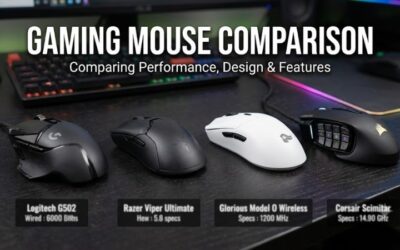
The wired G502 Hero is a power user’s favorite, offering many programmable buttons ideal for mapping IDE shortcuts and a precise sensor that handles multi-monitor navigation with ease. Its heft suits palm-grip developers who want control and reliability.
TECKNET Wireless Mouse
The TECKNET 2.4G ergonomic mouse focuses on comfort and value, with a shape designed for long sessions and adjustable DPI up to 2600. It’s a great budget pick for developers who want a comfortable wireless option without extra complexity.
Acer Wireless Mouse
Acer’s compact 2.4GHz wireless mouse offers adjustable DPI and a clean, portable design. It’s well suited to developers who work on a laptop and want a simple, reliable pointer that travels easily between locations.
Logitech B100 Wired Mouse
The ambidextrous B100 is a no-frills wired mouse that just works. For coders who prefer simplicity, zero maintenance, and a dependable connection over extra buttons, it’s an inexpensive, rock-solid choice.
Yonktoo Mouse Jiggler
Not a mouse for navigation, the Yonktoo jiggler keeps your PC awake with realistic movement and no software, which is handy for keeping remote-work status active during long builds or downloads. It’s a useful desk companion rather than a primary pointer.
Related Guides
- 1000hz Gaming Mouse (2026)
- Best Gaming Mice For League Of Legends (2026)
- Best Razer Gaming Mouse (2026)
Frequently Asked Questions
What’s the most important factor for a coding mouse?
Comfort for all-day use. Since coding involves long sessions, an ergonomic shape that fits your hand matters more than gaming-grade speed or high DPI.
Do I need programmable buttons?
They’re not essential, but even a couple of extra buttons mapped to back, forward, or IDE shortcuts, as on the G502 Hero, can noticeably speed up your workflow.
Is wireless good enough for development work?
Yes. Modern wireless mice like the TECKNET and Acer offer reliable performance for coding, and they keep your desk tidier than a wired mouse.
Should I get a vertical or ergonomic mouse?
If you experience wrist strain, an ergonomic or vertical shape can help. Otherwise, a comfortable standard mouse that fits your grip is perfectly suitable.
Final Thoughts
For most developers the Logitech G502 Hero is the best coding mouse thanks to its programmable buttons and precision, while the TECKNET wireless mouse is the top value pick for comfortable all-day use. If you just want dependable simplicity, the Logitech B100 gets the job done without fuss.