Razer is one of the most recognizable names in gaming, and its keyboards blend distinctive design with genuinely capable hardware. From full mechanical boards with tactile or clicky switches to slim low-profile models and competitive 60 percent layouts, Razer’s lineup covers a wide range of tastes, all unified by Chroma RGB and the Synapse software ecosystem.
With so many variations, choosing can feel overwhelming, so we’ve gathered the standout Razer keyboards across form factors and switch types. Below are the top picks, followed by a guide to finding the right one for your setup.


As an Amazon Associate we earn from qualifying purchases at no extra cost to you.





🎮 Get More From Your Setup — Free
Prime Gaming gives you free PC games every month, in-game loot, and a free Twitch channel sub — plus fast free shipping on all the gear above. New members get a 30-day free trial.
Watch: Best Razer Gaming Keyboard — Video Review
How to Choose a Razer Gaming Keyboard
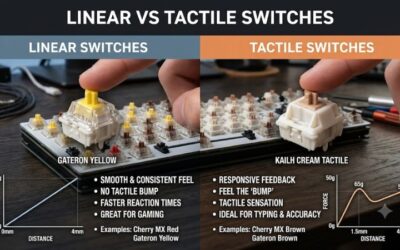
- Switch type: Choose mechanical Yellow linear or Green tactile switches for feedback, or low-profile membrane for quiet, sleek typing.
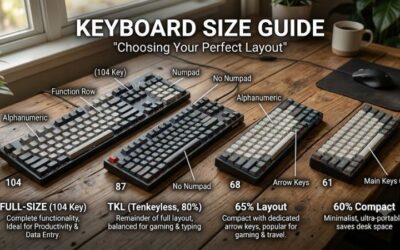
- Layout size: Full-size, TKL, and 60 percent options balance features against desk space for your mouse.
- Wrist comfort: Some models include ergonomic wrist rests for long sessions.
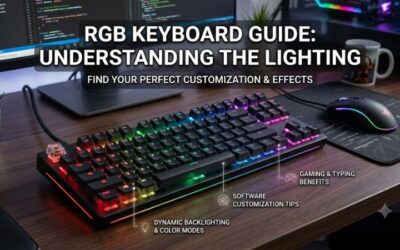
- Lighting: Chroma RGB offers deep customization and syncs across Razer gear.
- Build quality: Consider keycap material and frame durability for longevity.
The Best Razer Gaming Keyboards Reviewed
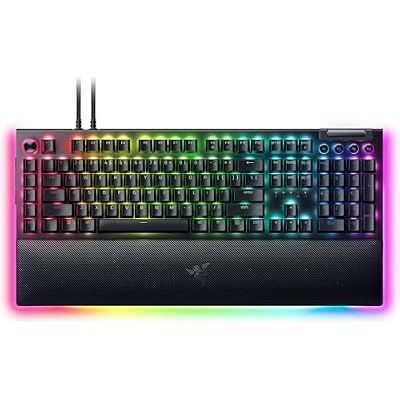
Razer BlackWidow V4 Pro
A feature-rich mechanical flagship with Green tactile switches, offering satisfying feedback and premium extras for players who want Razer’s best full-size board.
Razer BlackWidow V4 X
A full mechanical board with Yellow linear switches for smooth, quiet, fast keystrokes. It’s a great all-around gaming keyboard at a more accessible price.
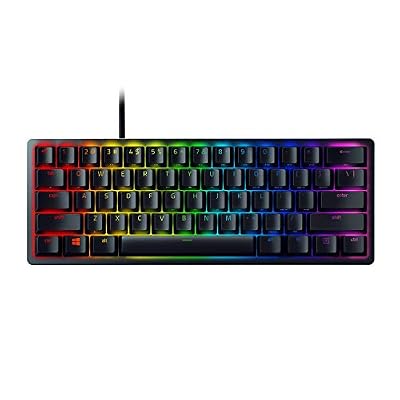
Razer Huntsman Mini
A compact 60 percent board with linear optical switches, prized by competitive players who want maximum desk space for wide mouse movements.
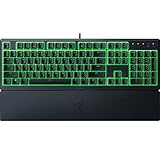
Razer Ornata V3
A low-profile keyboard blending membrane and mechanical feel with a comfortable wrist rest, ideal for gamers who prefer a quieter, sleeker typing experience.
Razer Ornata V3 TKL
The tenkeyless version of the Ornata V3, trimming the numpad for a compact footprint while keeping the same comfortable low-profile keys.
Related Guides
- Best Brand Mechanical Keyboard (2026)
- Logi Pebble Keyboard (2026)
- Moon Lander Keyboard (2026)
- Mini Mac Keyboard (2026)
Frequently Asked Questions
Which Razer switch is best for gaming?
Yellow linear switches are smooth and fast, favored for gaming, while Green tactile switches offer clicky feedback some typists prefer. Optical switches add speed and durability on select boards.
What is Razer Chroma?
Chroma is Razer’s RGB lighting system, offering per-key customization and effects that sync across compatible Razer devices through the Synapse software.
Is a 60 percent keyboard good for gaming?
Yes, for competitive players. The Huntsman Mini’s compact size frees desk space for large mouse sweeps, though you lose dedicated arrow and function keys.
Are low-profile Razer keyboards mechanical?
The Ornata V3 uses a hybrid mecha-membrane design that blends membrane cushioning with some mechanical click, while other Razer boards use full mechanical or optical switches.
Final Thoughts
For a premium experience, the Razer BlackWidow V4 Pro leads, while the BlackWidow V4 X offers superb linear-switch value. Competitive players craving desk space should look at the compact Huntsman Mini.
Top picks from this guide
 RazerRazer BlackWidow V4 Pro Mechanical Gaming Keyboard, Green Tactile Switches…$200 \xc2\xb7 99/100
 RazerRazer BlackWidow V3 Mechanical Gaming Keyboard: Green Mechanical Switches -…$76 \xc2\xb7 99/100
 RazerRazer Ornata V3 TKL Gaming Keyboard, Low-Profile Keys, Black |…$50 \xc2\xb7 99/100
 RazerRazer Huntsman Mini 60% Gaming Keyboard, Linear Optical Switches, Black…$69 \xc2\xb7 98/100