🛒 Best Price Today on Amazon
Prime members get fast, free shipping on everything above, plus member-only deals. New members get a 30-day free trial — cancel anytime.
Selecting the best gaming keyboard requires balancing mechanical response, switch actuation depth, and software control. Modern desktop builds rely on low-latency interfaces that ensure instantaneous registration during intense matches. Upgrading your peripheral array improves input precision across all competitive titles on Windows.
How to Choose a Gaming Keyboard
Understanding critical hardware specifications helps you pick a best gaming keyboard tailored to your setup. Factors like switch type, physical layout, polling frequency, and operating system support directly impact responsiveness. Evaluating these criteria ensures your new peripheral integrates with your gaming rig without issues.
Switch Technology
Key switches define tactile response and actuation speed during fast movement in shooters or strategy titles. Optical and magnetic switches offer adjustable actuation distances from 0.1 to 4.0 millimeters for custom travel depth. The Razer Huntsman V3 Pro uses analog optical hardware to achieve immediate response on every keypress.
Traditional mechanical switches utilize physical metal contact points that introduce slight debounce delays during rapid resets. Optical switch sensors utilize light beams to register inputs immediately without physical bounce intervals. Magnetic switches use Hall effect sensors to detect subtle vertical key movements with high precision.
Form Factor and Layout
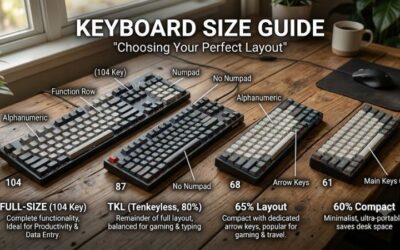
Selecting the right keyboard footprint depends on desk space and your preference for dedicated arrow keys. Full-size layouts include a numeric keypad, whereas tenkeyless and seventy-five percent designs conserve valuable mouse area. The Wooting 80HE provides a compact form factor that gives your mouse pad maximum lateral room.
Smaller formats like sixty percent boards remove physical function keys to reduce overall width for travel ease. Compact boards often use key layers accessed through function combinations to maintain secondary commands. Choosing a layout requires checking whether your daily workflows depend on dedicated keypad entry.
Polling Rates and Latency
Signal rate determines how frequently your peripheral sends keystroke data to your motherboard controller. Standard models transmit at 1000 Hz, while top options push up to 8000 Hz for minimal latency. Choosing a best gaming keyboard with high polling ensures your inputs reach Windows 11 without hardware processing bottlenecks.
Higher polling frequencies increase central processor interrupts and require sufficient CPU overhead to process data. Systems running Intel Core or AMD Ryzen processors easily handle 8000 Hz polling without frame drops. Lower latency connection protocols over USB-C cables keep packet delivery stable during competitive play.
Software and System Compatibility
Software suites manage per-key RGB lighting, key remapping, actuation profiles, and macro customization across profiles. Web-based software options like QMK or VIA bypass heavy background applications running on your desktop. The Keychron V1 Max supports open source VIA mapping that works directly inside Chromium browsers.
Platform support varies across operating systems, with some advanced drivers restricted strictly to Windows environments. Mac and Linux users should verify onboard profile memory before purchasing specialized input peripherals. Onboard memory allows saved profile settings to function without persistent background software.
Top Gaming Keyboard Picks
Comparing technical specifications across top models simplifies finding the best gaming keyboard for your budget. The options below highlight leading devices in performance, customization, build quality, and wireless support. Reviewing these options allows you to identify the ideal board for your preferred gaming desktop setup.
| Product | Best For | Key Spec | Compatibility | Watch Out For | | Razer Huntsman V3 Pro | Best Overall | Gen-2 Analog Optical | Windows 10/11 | Loud typing profile | | Keychron V1 Max | Best Value | 2.4 GHz Wireless & Gateron | Windows, macOS, Linux | Plastic outer case | | Wooting 80HE | Competitive Esports | 8000 Hz Lekker Magnetic | Windows, macOS, Linux | Lacks media dial | | SteelSeries Apex Pro TKL | Compact Features | OmniPoint 2.0 & OLED | Windows, macOS, Xbox | Engine software footprint |
Razer Huntsman V3 Pro
The Razer Huntsman V3 Pro stands out as a best gaming keyboard for competitive players demanding total actuation control. Its optical switches allow custom actuation points from 0.1 to 4.0 millimeters along with rapid triggering mode. The brushed aluminum top plate and textured double-shot PBT keycaps offer great durability.
Priced at around $250, this full-size board incorporates an LED indicator matrix for quick onboard adjustments without software. Connectivity uses a detachable braided USB-C cable for stable signal transfer to your gaming rig. Potential buyers seeking a quiet typing experience should look elsewhere due to its loud clicky profile.
Keychron V1 Max
The Keychron V1 Max delivers exceptional performance as a budget option that rivals higher priced custom boards. Priced at $94 fully assembled, it features hot-swappable Gateron Jupiter switches and gasket mount construction. Wireless support over 2.4 GHz and Bluetooth 5.1 provides clean desk layouts for work and gaming.
Users can easily customize keymaps using QMK and VIA web software on Windows, macOS, or Linux operating systems. The internal 4000 mAh battery delivers reliable operation for up to 225 hours with RGB lighting turned off. Gamers who prefer a heavy metal chassis may find its ABS plastic body somewhat lightweight on their desk.
Wooting 80HE
The Wooting 80HE targets competitive esports players with ultra-fast responsiveness and magnetic Hall effect sensors. Featuring Lekker L60 V2 switches and an 8000 Hz polling rate, it processes inputs with virtually zero delay. Rapid trigger settings allow keys to reset instantly upon releasing vertical finger pressure.
At around $200, the unit features a gasket mount, polycarbonate switch plate, and screw-in stabilizers for smooth key travel. Configuration takes place entirely through the web-based Wootility interface without installing persistent background software. Users needing wireless connectivity or a dedicated volume dial should consider other models.
SteelSeries Apex Pro TKL
The SteelSeries Apex Pro TKL combines fast key response with an integrated OLED smart display for system monitoring. Powered by OmniPoint 2.0 adjustable switches, users can set per-key actuation depths between 0.2 and 3.8 millimeters. Its tenkeyless layout saves valuable desktop space for low DPI mouse sweeping movements.
Priced at around $190, the device features an aircraft-grade aluminum alloy frame and a detachable magnetic wrist rest. Dedicated media controls and an clickable volume roller simplify on-the-fly audio adjustments during gameplay. However, background software resource usage is higher compared to lightweight browser config tools.
Frequently Asked Questions
Addressing common hardware questions clarifies key features when selecting a new peripheral for your desktop rig. Understanding actuation adjustments, high polling rates, wireless reliability, and switch designs ensures informed decisions. Read the answers below to resolve technical doubts before buying your next gaming board.
What is rapid trigger on a gaming keyboard?
Rapid trigger dynamically resets key actuation the moment a key begins moving upward, regardless of fixed reset points. Selecting a best gaming keyboard with rapid trigger enables faster counter-strafing and repeated keypresses in shooter games. Optical and magnetic switches enable this feature by continuously tracking key travel distance.
Traditional switches require key travel past a fixed reset position before registering a new physical stroke. Rapid trigger removes this mechanical reset distance, drastically shortening time between consecutive key presses. This technology provides distinct advantages in fast-paced titles like Counter-Strike 2 and Valorant.
Does an 8000 Hz polling rate improve gameplay performance?
An 8000 Hz polling rate reduces input latency by sending signal updates to your system every 0.125 milliseconds. This frequency provides smoother input processing when paired with high refresh rate monitors operating at 240 Hz or higher. However, the performance difference compared to 1000 Hz remains subtle for most casual gamers.
Higher polling rates require additional CPU capacity to process increased packet interrupts sent through the USB controller. Modern processors like Intel Core i7 or AMD Ryzen 7 handle high polling rates without dropping frame rates. Older quad-core processors may experience minor background CPU overhead during intense gaming sessions.
Are wireless gaming keyboards fast enough for competitive play?
Modern 2.4 GHz wireless gaming keyboards deliver input latency comparable to traditional wired USB connections. Protocols like Logitech Lightspeed and Razer Hyperspeed ensure sub-millisecond signal transmissions without lag. Competitive gamers can use wireless models without experiencing performance degradation during online matches.
Bluetooth connections introduce higher latency and should be avoided for fast-paced competitive gaming titles. Using a dedicated 2.4 GHz USB dongle ensures consistent packet transmission and resistance against wireless interference. USB receiver extension adapters help position dongles closer to the board to maintain ideal signal strength.
Can custom mechanical keyboards perform as well as optical models?
Custom mechanical keyboards offer excellent typing feel and low input latency suitable for all competitive games. While optical and Hall effect switches support dynamic actuation points, high quality mechanical switches register inputs rapidly. Enthusiast mechanical boards with 1000 Hz polling rates easily satisfy demanding gameplay requirements.
Mechanical switches rely on physical metal contacts, which require brief debounce algorithms to prevent double inputs. Optical switches avoid physical contact points, enabling faster reset times without debounce delay software. Choosing between them depends on whether you prioritize custom acoustics or maximum analog adjustment.
Final Thoughts
Investing in a best gaming keyboard improves your desktop control, switch response, and overall gameplay comfort. Whether you prioritize rapid trigger analog switches or customized mechanical acoustics, modern boards deliver exceptional performance. Choosing the right layout and switch technology ensures your peripheral fits your exact gaming style.