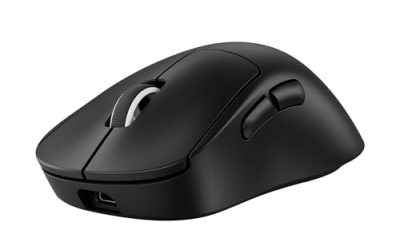
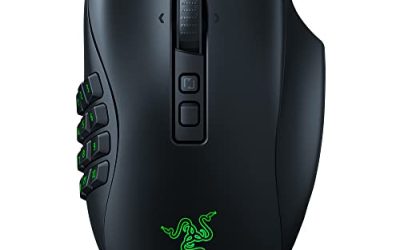
Order the current black Essential only when a listing names the newer RZ01-0385 generation, shows green single-colour illumination, and lists a wired right-handed shell with a 6,400 DPI ceiling. Treat any page mixing in older generation codes, multicolour lighting, or extra buttons as a different variant until proven otherwise. Matching those three points protects you from paying for yesterday’s hardware under today’s name.
As an Amazon Associate we earn from qualifying purchases
Key Facts to Confirm First
Model Codes Separate Two Generations
Listings for this mouse span more than one production run, so the printed model code matters more than the headline name. Current retail units carry a code beginning RZ01-0385, while earlier stock from the first run carries RZ01-0254. Both share the familiar shape, yet they belong to separate releases, and sellers sometimes reuse old photographs or copied descriptions across generations.
Look for that code in three places: the detailed specifications area of the listing, the label stuck underneath the mouse itself, and the side panel of the retail carton. If those sources disagree, pause the purchase and ask the seller which code will actually ship. A photograph of the underside label settles the question faster than any marketing copy, because the label also confirms colour, rating information, and place of manufacture in one glance.
Also note that a marketplace page can host several sellers under one title. The headline may describe current stock while a third-party offer ships older inventory, so check the specific offer you select, not just the shared product page above it.
Black and White Editions Light Up Differently
Colour choice on this model changes more than the shell finish. The black version glows green, and only green, through its scroll wheel and palm logo. The white version, sold as the Mercury or White edition, glows white instead, again in a single fixed colour. Neither edition offers colour cycling, spectrum effects, or per-zone control.
That distinction gives you a quick authenticity check at unboxing. Power the mouse, look at the wheel, and compare the glow against the edition printed on your carton. A black unit glowing white, or a white unit glowing green, signals a mismatched listing, a swapped return, or a description error worth reporting straight away.
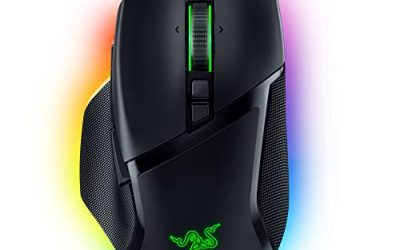
Be careful with listing galleries, too. Sellers often borrow lifestyle images showing other DeathAdder variants bathed in rainbow lighting. Judge the edition by the written lighting line in the specifications, never by a dramatic hero photograph.
Software Depends on Synapse 3
Basic pointing and clicking work the moment the cable plugs in, but every custom change runs through Razer Synapse 3. Remapping the five controls, recording macros, and stepping sensitivity up or down beyond the factory behaviour all require that application, along with an internet connection during setup.
Check your computer before ordering if software access matters to you. Synapse 3 targets modern 64-bit Windows installations, so an older operating system, a locked-down work laptop, or a machine where you cannot install programs will limit what you can adjust. Without the application, you keep the out-of-box sensitivity ladder and standard button layout, which suits some buyers and frustrates others.
Crucially, this mouse carries no onboard memory. Settings live with the software profile on the computer rather than travelling inside the mouse, so moving to a second machine means reinstalling the application and rebuilding your preferences there. Buyers who rotate between a home desktop and a laptop should factor that extra setup into the decision.
Warranty Cover Runs for Two Years
The manual for this model states a limited warranty lasting two years. Keep the order confirmation, invoice, and carton together, because a claim will be far easier with proof of purchase and the model code visible in one place. Photograph the underside label on arrival as well; that single image captures the identifiers support staff usually request first.
Read the listing warranty line critically. Some sellers describe only their own returns window, which is a separate, much shorter arrangement handled by the storefront. A returns window lets you send back an unwanted item soon after delivery, while the manufacturer warranty addresses defects that appear during ownership. Confirm the listing mentions the manufacturer cover explicitly rather than assuming a generous returns policy replaces it.
Finally, check who fulfils the order. Stock dispatched directly through established retail channels generally produces cleaner paperwork for a later claim than an unfamiliar importer whose invoice may lack the details support teams expect.
The Main Product in Detail
Razer DeathAdder Essential (Black)
This wired model suits a right-handed player wanting the classic DeathAdder outline without paying for flagship sensors or elaborate lighting rigs. Its contoured shell fills a medium or larger palm, the side buttons fall under the thumb, and the notched wheel gives a distinct step with each roll. Sensitivity tops out at a level that covers everyday play and desktop work comfortably, while the factory ladder lets you drop to slower settings for careful aiming or photo editing.
What defines the Essential within the family is restraint. Five controls instead of eight, one lighting colour instead of a full palette, and no stored profiles keep the specification honest and the learning curve short. Someone graduating from a basic office mouse gains programmable inputs and gaming-grade tracking without confronting a dense configuration panel on day one.
Specs
- Connection: Wired USB
- Shape: Ergonomic, right-handed only
- Sensor: Optical, true 6,400 DPI maximum
- Tracking: Up to 220 IPS and 30 G acceleration
- Buttons: 5 independently programmable Hyperesponse buttons
- Switches: Razer Mechanical Mouse Switches, rated for 10 million clicks
- Scroll wheel: Tactile, stepped
- Polling: 1000 Hz Ultrapolling
- Lighting: Single colour, green on the black edition
- Software: Razer Synapse 3 enabled
- Onboard memory: None
- Default DPI stages: 400, 800, 1600, 3200, 6400
- Dimensions: Approximately 127 x 73 x 43 mm
- Weight: Approximately 96 g, excluding the cable
- Cable length: Approximately 2.1 m
- Warranty: 2-year limited warranty, per the product manual
Before checkout, run one final comparison between this bullet list and the page in front of you. The DPI ceiling, button count, and lighting colour should align exactly. If a listing advertises a higher ceiling or additional side controls under the Essential name, you are almost certainly reading copy belonging to a V2 or another sibling, and the shipped item may follow that other description or the correct one — an ambiguity no buyer should accept.
A Sibling Worth Comparing
Alternative: Razer DeathAdder V2 (Wired)

The V2 sits a clear step above the Essential while retaining the same broad ergonomic idea. Its sensor reaches far higher sensitivity figures, tracking stays composed during much faster swipes, and its optical switches carry a substantially longer click rating. Three extra programmable controls expand macro options, onboard storage lets profiles travel with the mouse, and the flexible Speedflex cable drags less across a desk.
Choose the V2 instead if you play fast-paced titles, rely on stored profiles across machines, or want multicolour Chroma illumination for a coordinated setup. Choose the Essential instead if none of those extras change your daily routine, because its simpler hardware covers ordinary play with fewer settings to manage.
Specs
- Connection: Wired, Speedflex cable
- Shape: Ergonomic, right-handed only
- Sensor: Focus+ optical, 20,000 DPI maximum
- Tracking: Up to 650 IPS and 50 G acceleration
- Buttons: 8 programmable buttons
- Switches: Optical switches, rated for 70 million clicks
- Lighting: Chroma RGB, multicolour
- Onboard memory: Yes, profile storage included
- Weight: Approximately 82 g
Side-by-Side Comparison
| Product | Max DPI | Tracking | Buttons | Switch Rating | Lighting | Weight |
|---|---|---|---|---|---|---|
| Razer DeathAdder Essential (Black) | 6,400 | 220 IPS / 30 G | 5 | 10 million clicks | Single-colour green | 96 g |
| Razer DeathAdder V2 (Alternative) | 20,000 | 650 IPS / 50 G | 8 | 70 million clicks | Chroma RGB | 82 g |
Reading the table vertically highlights where money actually goes on the upgrade path. Sensor headroom and switch longevity jump sharply on the V2, weight falls noticeably, and lighting moves from a fixed hue to a configurable system. Shape philosophy, wired operation, and right-handed orientation stay constant across both rows, so comfort preference alone rarely decides between them; features and habits do.
Who It Is For, and Who Should Skip It
Pick the Essential if your hand favours a sculpted right-handed shell, your games need dependable tracking rather than extreme sensitivity, and you prefer plugging in once instead of charging anything. It also fits a tidy desk theme built around green accents, an entry point for a young newcomer to PC play, or a dependable spare kept in a drawer for the day a primary mouse fails mid-session.
Left-handed players should pass on it entirely, since no mirrored version exists in this line. Skip it if you need wireless freedom, stored profiles for tournament machines, or more than five programmable inputs for complex macros. Skip it, too, if your computer cannot run Synapse 3 and you still expect deep remapping, since the hardware alone cannot save those preferences. In each of those cases, another DeathAdder variant — or a different family entirely — matches the requirement more honestly.
Hand size deserves a final mention. At roughly 127 mm long, the shell rewards medium and large hands, especially palm and relaxed claw grips. Smaller hands can reach the main clicks, yet the thumb buttons sit further forward, so anyone with compact hands should compare the stated length against a mouse they already own before committing.
Frequently Asked Questions
How can I tell which generation a listing sells?
Find the model code printed in the specifications or on the carton label. Codes beginning RZ01-0385 identify the current generation, while RZ01-0254 marks the earlier run. Ask the seller for a label photograph whenever the page omits that code or mixes details from both releases.
Does the black edition offer colour-changing lighting?
No. The black edition glows in a single green colour through the wheel and logo, with no cycling or rainbow modes. Only the white edition changes the glow, and it glows white instead. Multicolour Chroma effects belong to higher models such as the V2.
Can I save my settings inside the mouse?
No, this model has no onboard memory. Synapse 3 holds your remaps and sensitivity choices on the computer, so a new machine needs the application installed and your preferences set again. The V2 alternative does include onboard profile storage.
What should the carton spec panel show?
Expect the panel to name a wired right-handed mouse, a 6,400 DPI optical sensor, five programmable buttons, and single-colour lighting matching your edition. A panel advertising eight buttons, RGB effects, or a far higher DPI ceiling describes a different DeathAdder, regardless of the headline above it.
How long does the manufacturer warranty last?
The product manual states a limited warranty of two years. Keep your invoice and order confirmation, and photograph the underside label after delivery, so you hold the model code and purchase proof together if a defect appears later.