🛒 Best Price Today on Amazon
Prime members get fast, free shipping on everything above, plus member-only deals. New members get a 30-day free trial — cancel anytime.
The best graphics card for photo editing and gaming depends on four questions: Is Adobe the priority? NVIDIA fits its GPU-accelerated workflow; is 16GB useful? Yes for larger projects; is 1440p gaming important? Midrange RTX and Radeon cards fit; is compatibility the concern? Check PSU, PCIe and case space first.
How to Choose a Graphics Card for Photo Editing and Gaming
The choice comes down to four practical criteria: software acceleration, VRAM, gaming performance and system compatibility. Photoshop 27.x recommends a DirectX 12 GPU with 4GB of GPU memory for 4K displays, while Lightroom Classic recommends 8GB of dedicated GPU memory for GPU-accelerated export.
Adobe software support
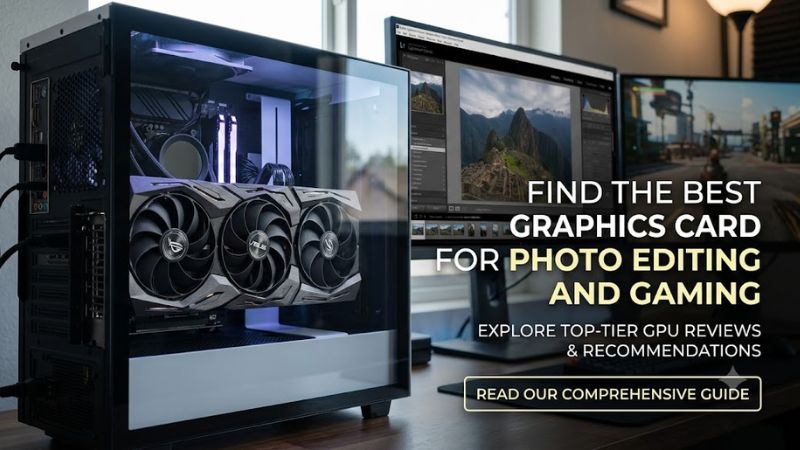
For Photoshop and Lightroom users, GPU support matters most when the workload includes GPU-accelerated display, filters, masking, resizing or other supported operations. Adobe says Photoshop can use the GPU for specific functions rather than every operation, so buying a flagship card solely for basic photo adjustments may not change the overall workflow substantially.
The best graphics card for photo editing and gaming therefore depends on what else the PC does. NVIDIA’s current RTX 50-series offers CUDA, Tensor and ray-tracing hardware, while AMD’s RX 9000 series provides RDNA 4 compute and 16GB options such as the RX 9070 and RX 9070 XT.
VRAM for large images
VRAM becomes more relevant with high-resolution displays, large documents and GPU-accelerated features. Adobe’s current Photoshop recommendation is 4GB of GPU memory for 4K-or-higher displays, while Lightroom Classic lists 8GB of dedicated GPU memory for GPU-assisted export. These are software requirements, not universal buying targets.
A 16GB card can provide additional memory headroom for demanding mixed workloads, but capacity alone does not determine application speed. The RTX 5070 Ti has 16GB GDDR7, while the RX 9070 and RX 9070 XT each have 16GB GDDR6. Their different architectures and software ecosystems also affect results.
Gaming resolution and settings
Gaming should be matched to the monitor rather than treated as a separate afterthought. Independent testing from TechSpot measured the RX 9070 XT at an average 119 FPS across 18 games at 1440p, with the RTX 5070 Ti about 6% faster in that test suite. At 4K, the difference narrowed considerably.
TechPowerUp also publishes separate 1080p, 1440p and 4K results for RTX 5070 Ti cards, making resolution an important part of any benchmark comparison. A number from one resolution should not be carried over to another, because GPU performance changes with workload, settings and resolution.
PSU, PCIe and case compatibility
Compatibility is the fourth filter. NVIDIA lists 750W required system power for the RTX 5070 Ti and 650W for the RTX 5070, with either two PCIe 8-pin cables through an adapter or a suitable PCIe Gen 5 cable. AMD specifies 750W for the RX 9070 XT and 650W for the RX 9070.
These requirements apply to desktop systems and can vary with the rest of the configuration. The RX 9070-series reference specifications use PCIe 5.0 x16, while motherboard PCIe generations are generally backward-compatible, so the more immediate checks are PSU capacity, required connectors, physical card clearance and adequate case airflow.
Top Picks for Photo Editing and Gaming
The table below separates the current-generation cards by workload rather than treating one specification as decisive. The RTX 5070 Ti combines 16GB GDDR7 with 8,960 CUDA cores, while AMD’s RX 9070 XT provides 16GB GDDR6 and 4,096 stream processors. These figures describe the hardware and do not directly translate into cross-architecture performance.
| Product | Best For | Key Spec | Compatibility | Watch Out For |
| NVIDIA GeForce RTX 5070 Ti | Best Overall | 16GB GDDR7; 8,960 CUDA cores | 750W; PCIe Gen 5 system | 300W GPU power |
| AMD Radeon RX 9070 | Best Value | 16GB GDDR6; 3,584 stream processors | 650W; PCIe 5.0 x16 | Less suitable for NVIDIA-specific software features |
| AMD Radeon RX 9070 XT | Best For 1440p Gaming | 16GB GDDR6; 4,096 stream processors | 750W; PCIe 5.0 x16 | 304W board power |
| NVIDIA GeForce RTX 5070 | Best For Adobe + Lower Power | 12GB GDDR7; 6,144 CUDA cores | 650W; PCIe Gen 5 system | 12GB VRAM |
NVIDIA GeForce RTX 5070 Ti
The RTX 5070 Ti is a sensible fit for users combining Adobe photo work with demanding PC gaming. NVIDIA specifies 16GB GDDR7, 8,960 CUDA cores, 300W total graphics power and a 750W required system power figure. Its current-generation feature set also includes fifth-generation Tensor Cores and fourth-generation ray-tracing cores.
For Photoshop specifically, public PugetBench data currently shows the RTX 5070 Ti in a large pool of Windows 11 systems, including configurations with 32GB and 64GB system memory. Puget notes that submitted results vary with CPU, memory, thermals and configuration, so those scores should be read as database results rather than a controlled GPU-only comparison.
Who should buy: users who want one desktop GPU for Adobe work and high-refresh 1440p gaming. Its real weakness is power demand compared with lower-tier cards. Who should not buy: someone doing only basic photo adjustments and light gaming, where the additional GPU capacity may not be necessary.
AMD Radeon RX 9070
The RX 9070 offers 16GB of GDDR6 on a 256-bit interface, up to 640GB/s memory bandwidth, 220W typical board power and a 650W minimum PSU recommendation. AMD also specifies PCIe 5.0 x16 connectivity, AV1 encode and decode, and DisplayPort 2.1a output.
Public PugetBench Photoshop results show the RX 9070 and RTX 5070 relatively close in overall Standard scores, although individual Photoshop operations differ. That makes the RX 9070 relevant to users who want 16GB of VRAM while also playing modern games, rather than assuming that application performance follows gaming specifications alone.
Who should buy: users wanting 16GB VRAM, strong 1440p gaming capability and a lower board-power figure than the RX 9070 XT. Its weakness is that Adobe-specific workflows can vary by application and feature. Who should not buy: users whose software specifically benefits from NVIDIA features and who prefer that ecosystem.
AMD Radeon RX 9070 XT
The RX 9070 XT carries 16GB GDDR6, a 256-bit memory interface and up to 640GB/s bandwidth. AMD rates typical board power at 304W and recommends a 750W PSU. Independent TechSpot testing across 18 games averaged 119 FPS at 1440p, with the RTX 5070 Ti about 6% ahead in that particular test suite.
For photo work, PugetBench’s public database includes the RX 9070 XT in comparable Photoshop result groups, and the current data shows that application-specific differences can be much smaller than a simple gaming specification comparison suggests. This makes software choice important when selecting between AMD and NVIDIA.
Who should buy: gamers who also need substantial VRAM for creative applications and prefer AMD’s current platform. Its weakness is the 304W board-power requirement. Who should not buy: compact systems or builds whose PSU and cooling cannot accommodate that power level.
NVIDIA GeForce RTX 5070
The RTX 5070 has 12GB GDDR7, 6,144 CUDA cores, 250W total graphics power and a 650W required system power figure. NVIDIA also specifies a 300W-or-greater PCIe Gen 5 cable or two PCIe 8-pin cables through the supplied adapter.
For Photoshop, current PugetBench public results place the RTX 5070 close to the RX 9070 in overall Standard results, while individual operations move in different directions. That distinction matters because a single application score cannot represent every editing task.
Who should buy: Adobe users who want a current-generation NVIDIA card without moving to the 300W RTX 5070 Ti. Its weakness is the smaller 12GB memory capacity. Who should not buy: users specifically seeking 16GB VRAM for unusually large projects or broader GPU workloads.
FAQ About Photo Editing and Gaming GPUs
Adobe’s current requirements show that basic compatibility does not require a high-end GPU, while Lightroom and Photoshop can use GPU acceleration for particular workloads. Gaming adds a separate performance requirement, so the appropriate card depends on the software, monitor resolution and desired settings rather than one universal specification.
Is NVIDIA better for Photoshop?
Photoshop supports GPU acceleration through DirectX 12 on Windows, and Adobe recommends keeping GPU drivers current. NVIDIA’s RTX family adds CUDA, Tensor and ray-tracing hardware, but Adobe’s published requirements do not state that NVIDIA is mandatory for Photoshop.
The best graphics card for photo editing and gaming for an Adobe-heavy PC therefore depends on the specific features being used alongside gaming. Public PugetBench results show both NVIDIA and AMD cards producing strong Photoshop scores, with individual operations sometimes favoring different GPUs.
Is 16GB VRAM necessary for photo editing?
No. Adobe’s Photoshop 27.x recommendation is 4GB of GPU memory for 4K displays and above, while Lightroom Classic recommends 8GB of dedicated GPU memory for GPU-accelerated export. Those figures describe software recommendations rather than a universal requirement for every photographer.
More VRAM can still be useful when the workflow involves very large documents, high-resolution displays or multiple GPU-heavy applications. The RTX 5070 Ti, RX 9070 and RX 9070 XT all provide 16GB, giving them more memory capacity than the 12GB RTX 5070.
Can the same GPU handle gaming and Photoshop?
Yes. Current gaming GPUs support both graphics workloads and the GPU acceleration used by compatible creative applications. Photoshop requires a DirectX 12 GPU on Windows, while current RTX 50-series and Radeon RX 9000-series desktop cards support substantially newer graphics hardware.
The important limitation is that a gaming benchmark does not predict every Photoshop operation. For example, PugetBench separates Photoshop tasks such as RAW opening, resizing, masking, filters and file operations, showing why application-specific data should be considered alongside gaming results.
What GPU should I buy for 1440p gaming and photo editing?
For a mixed workload, start by checking the editing software, then match the GPU to the gaming resolution and system power budget. The RTX 5070 Ti, RTX 5070, RX 9070 and RX 9070 XT are all current-generation desktop options with enough GPU memory for workloads beyond Adobe’s minimum requirements.
The best graphics card for photo editing and gaming is therefore not determined by gaming FPS alone. For 1440p gaming, independent testing can distinguish cards such as the RTX 5070 Ti and RX 9070 XT, while Photoshop results require a separate benchmark such as PugetBench.
Final Thoughts
The best graphics card for photo editing and gaming should balance application support, VRAM, gaming resolution and system compatibility. Current 2026 choices include NVIDIA RTX 50-series and AMD Radeon RX 9000-series cards, with 12GB or 16GB options. Check the software workload and PSU before choosing a specific model.