🛒 Best Price Today on Amazon
Prime members get fast, free shipping on everything above, plus member-only deals. New members get a 30-day free trial — cancel anytime.
For best gaming monitor under 250, the current market covers 1080p 200Hz, QHD 180Hz, QHD 300Hz, and even 4K 144Hz dual-mode displays. The right choice depends on GPU output, target frame rate, desk distance, and whether you prioritize motion speed, image detail, or flexibility.
How to Choose a Gaming Monitor
A sensible sub-$250 choice starts with four checks: resolution, refresh rate, panel behavior, and connectivity. A monitor should match the frame rates your PC can actually produce rather than simply having the largest refresh-rate number. Current models also make QHD a realistic target at this price, while dual-mode 4K models suit mixed gaming workloads.
Match Resolution to Your GPU
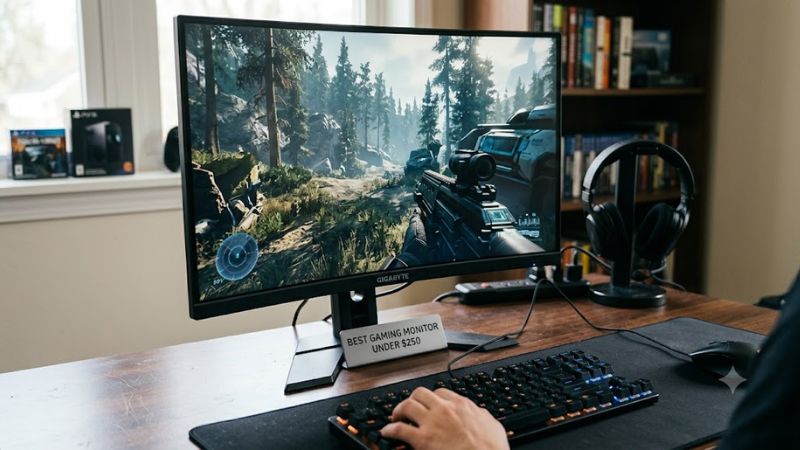
For a best gaming monitor under 250, QHD is a useful middle ground if your graphics card can sustain high frame rates at 2560×1440. Acer’s XV272U F3 combines QHD with 300Hz, while KTC’s H27E6 reaches 300Hz natively and 320Hz with overclocking.
1080p still makes sense when competitive games are the priority and the GPU is modest. Dell’s SE2725HG runs at 1920×1080 and 200Hz, reducing rendering demand compared with QHD. That can make a high-refresh display easier to feed consistently in esports titles.
Pick Refresh Rate for Real Frame Rates
A best gaming monitor under 250 should have a refresh rate that fits the games and hardware you use. A 300Hz panel has little practical purpose if a system usually produces 100–150 fps, while a 200Hz or 180Hz screen can already provide a substantial high-refresh target for many PCs.
For competitive play, Acer’s 300Hz XV272U F3 and KTC’s 300Hz H27E6 provide unusually high refresh rates at this budget. Independent testing of the KTC used 2560×1440 with Doom Eternal at maximum detail and an RTX 4090, where the reviewer reported sustaining 320 fps.
Check VRR and Video Inputs
Variable refresh rate matters when frame rates fluctuate. Acer lists AMD FreeSync Premium, while KTC supports FreeSync and G-SYNC compatibility. MSI uses Adaptive-Sync, with UHD operation up to 144Hz and FHD dual-mode operation up to 288Hz.
Connection limits also matter. MSI’s MAG 275UPD E14 has two HDMI 2.1 inputs and DisplayPort 1.4a, while Acer lists HDMI 2.1 and DisplayPort. Check your GPU or console output before buying, because the panel’s maximum refresh rate does not automatically mean every input supports it.
Consider Stand and Screen Size
Ergonomics can change the value of a budget display. Acer’s XV272U F3 supports height, tilt, swivel, pivot, and VESA mounting, while KTC’s H27E6 also offers height, swivel, tilt, pivot, and 100×100mm VESA support.
Screen size should follow viewing distance and resolution. A 27-inch 1440p panel offers a different balance from a 27-inch 1080p screen, while a 32-inch QHD model needs more desk depth. For a best gaming monitor under 250, ergonomics and pixel density deserve as much attention as refresh rate.
Top Picks
The four picks below cover different priorities rather than one universal specification target. Prices are current observed US listings and can change with promotions. Acer lists the XV272U F3 at $229.99, KTC’s H27E6 appears around 239.99–249.99, and MSI’s MAG 275UPD E14 is listed at $249.99.
| Product | Best For | Key Spec | Compatibility | Watch Out For |
| Acer Nitro XV272U F3 | Best Overall | 27″, 1440p, 300Hz IPS | DP, HDMI 2.1, FreeSync Premium | HDR remains entry-level |
| Dell SE2725HG | Best Value | 27″, 1080p, 200Hz IPS | DP, HDMI, FreeSync Premium | Lower 1080p sharpness |
| KTC H27E6 | Best For Competitive Gaming | 27″, 1440p, 300Hz/320Hz IPS | DP 1.4, HDMI 2.1, VRR | Response tuning varies by refresh rate |
| MSI MAG 275UPD E14 | Best For Dual-Mode Gaming | 27″, 4K 144Hz / 1080p 288Hz IPS | DP 1.4a, HDMI 2.1, Adaptive-Sync | 250-nit SDR brightness |
Acer Nitro XV272U F3
The Acer Nitro XV272U F3 is a strong fit for buyers wanting QHD without giving up a very high refresh rate. Acer lists a 27-inch 2560×1440 IPS panel, 300Hz refresh rate, 400-nit brightness, FreeSync Premium, HDMI 2.1, and DisplayPort. Its current Acer Store price is $229.99.
Its real weakness is that the headline 300Hz specification demands substantial GPU output at QHD. An independent review also notes that Acer’s advertised 0.5ms figure should not be treated as a universal response result across every operating mode. Buyers mainly playing slower AAA games may gain more from image quality features than 300Hz.
Dell SE2725HG
The Dell SE2725HG is the lower-demand option for gamers who want high refresh without moving to QHD. Dell specifies a 27-inch IPS panel at 1920×1080 and 200Hz, with 300 cd/m² brightness, 99% sRGB coverage, FreeSync Premium, DisplayPort 1.4, and two HDMI inputs. Dell also lists a three-year limited hardware warranty.
The trade-off is pixel density: 1080p across 27 inches is less sharp than QHD at the same size. The stand is tilt-only, so users who need height or pivot adjustment may need a VESA arm. It makes more sense for high-FPS gaming and modest GPUs than for detailed desktop work.
KTC H27E6
The KTC H27E6 targets competitive players with a 27-inch QHD Fast IPS panel rated for 300Hz and 320Hz with overclocking. Current listings place it below $250, while independent measurements report fast response at its highest refresh rates. It also provides FreeSync/G-SYNC compatibility and an adjustable stand.
Its weakness is response behavior outside the highest refresh range. Display Ninja measured a 4.05ms average GtG response at 320Hz and found that overdrive choices change with refresh rate. Tom’s Hardware also measured the display at 320Hz and reported 18ms total input lag, so the specification should not be reduced to its advertised 1ms figure.
MSI MAG 275UPD E14
The MSI MAG 275UPD E14 is unusual because it combines 4K 144Hz with a 1080p 288Hz mode. MSI specifies a 27-inch IPS panel, Adaptive-Sync, 3840×2160 at up to 144Hz, and 1920×1080 at up to 288Hz. Best Buy currently lists it at $249.99, keeping it inside the target budget.
Its main limitation is the 250 cd/m² SDR brightness listed by MSI, while independent commentary has also raised concerns about response behavior compared with faster IPS gaming panels. The dual-mode design is most useful for owners who alternate between visually demanding games and competitive titles where 1080p high refresh is preferable.
FAQ
Is 1440p possible below $250?
Yes, a best gaming monitor under 250 can provide 1440p with high refresh rates. Acer’s XV272U F3 offers 2560×1440 at 300Hz for $229.99 on Acer’s US store, while KTC’s H27E6 provides 300Hz natively and up to 320Hz through overclocking.
The important question is whether the PC can produce enough frames to use those refresh rates. A QHD 300Hz monitor is considerably more demanding to drive than 1080p 200Hz, so GPU capability should be checked before treating the higher refresh specification as a practical requirement.
Is 240Hz or 300Hz worth it for gaming?
It can be useful when the PC regularly produces very high frame rates in competitive games. Acer and KTC both offer 300Hz-class QHD panels below $250, but their value depends on the games being played and the GPU’s sustained output.
For systems commonly operating around 100–180 fps, a 180Hz or 200Hz display can align more closely with actual output. Refresh rate should therefore be treated as a capability ceiling, not a promise that games will render at the same frame rate.
Can these monitors work with NVIDIA GPUs?
Yes, the relevant models provide VRR options that can be used with compatible NVIDIA hardware, although exact G-SYNC compatibility varies by model and connection. KTC explicitly lists G-SYNC compatibility, while Acer lists AMD FreeSync Premium and MSI specifies Adaptive-Sync.
For a best gaming monitor under 250, connect through the input recommended for the desired resolution and refresh rate, then confirm the available mode in Windows and the NVIDIA Control Panel. Do not assume every HDMI or DisplayPort connection exposes every maximum mode.
Which monitor fits a lower-powered gaming PC?
The Dell SE2725HG is the most straightforward fit when the system is designed around high-FPS 1080p gaming. Its 1920×1080 resolution and 200Hz refresh rate place less rendering demand on the GPU than the QHD 300Hz options.
A best gaming monitor under 250 does not need the highest resolution or refresh rate to suit a particular PC. If the system cannot drive QHD at the desired frame rates, choosing a lower-resolution display can make better use of the hardware rather than paying for unused display capability.
Final Thoughts
The best gaming monitor under 250 depends on the workload: Acer targets QHD 300Hz gaming, Dell keeps 1080p at 200Hz, KTC pushes QHD toward 320Hz, and MSI adds a 4K/144Hz-to-1080p/288Hz dual mode. Check GPU output, inputs, VRR, and ergonomics before buying.