🛒 Best Price Today on Amazon
Prime members get fast, free shipping on everything above, plus member-only deals. New members get a 30-day free trial — cancel anytime.
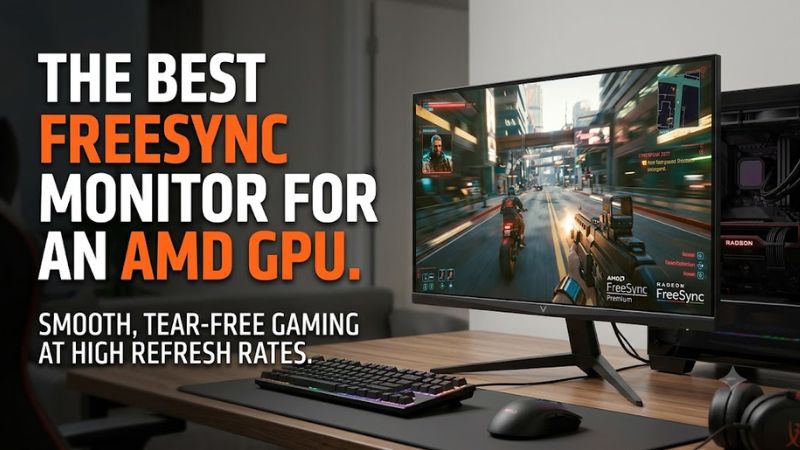
For AMD Radeon owners, best freesync monitor for an amd gpu usually means matching FreeSync certification, resolution, refresh rate, and connection bandwidth to the GPU. A higher refresh rate only helps when the graphics card can supply suitable frame rates, while Premium tiers add LFC requirements that matter when performance varies.
How to Choose a FreeSync Monitor
A useful starting point for a best freesync monitor for an amd gpu is the target resolution and refresh rate, followed by FreeSync tier, connection bandwidth, and panel behavior. AMD currently defines FreeSync, Premium, and Premium Pro tiers, while independent monitor measurements show that VRR behavior, response time, contrast, and flicker can differ substantially between displays.
Match Resolution to Your Radeon GPU
For 1440p gaming, a 240Hz monitor makes more sense when the Radeon GPU can regularly produce high frame rates in the games you play. The Gigabyte M27Q X and LG 27GR83Q-B both use 2560×1440 IPS panels at 240Hz, giving them a clear focus on high-refresh PC gaming rather than 4K image density.
For 4K, the Gigabyte M28U uses a 3840×2160 IPS panel with a 144Hz maximum refresh rate and HDMI 2.1 inputs. That combination is more demanding on the GPU than 1440p, so it suits Radeon systems built around higher-resolution gaming rather than entry-level graphics hardware.
Check FreeSync Tier and VRR Range
A best freesync monitor for an amd gpu should have a FreeSync tier that fits how your frame rates behave. AMD says FreeSync Premium and Premium Pro include mandatory LFC, while Premium Pro adds AMD FreeSync HDR requirements. LFC can keep synchronization active when frame rates fall below the display’s normal VRR floor.
The AOC Q27G3XMN illustrates why the actual range matters: its official specification lists 48–180Hz over DisplayPort and 48–144Hz over HDMI, with FreeSync Premium Pro certification. Its Mini LED backlight and 180Hz ceiling make it particularly relevant when HDR image quality matters alongside variable refresh.
Verify DisplayPort and HDMI Requirements
Connection bandwidth can determine whether an AMD GPU reaches the monitor’s advertised refresh rate. The LG 27GR83Q-B requires a graphics card supporting DisplayPort 1.4 with DSC or HDMI 2.1 for 240Hz, while the Gigabyte M28U provides HDMI 2.1 and DisplayPort 1.4 with DSC for high-refresh 4K operation.
The Gigabyte M27Q X is different: its official specifications list DisplayPort 1.4 and HDMI 2.0 rather than HDMI 2.1. For a Radeon desktop, DisplayPort is therefore the practical connection to prioritize for its 2560×1440 240Hz operating target.
Consider Panel Behavior Beyond FreeSync
FreeSync certification does not describe every aspect of gaming performance. Independent measurements of the M27Q X report fast response at high refresh rates but more blur at lower refresh rates, while the AOC Q27G3XMN has strong motion performance alongside some VRR flicker when frame rates change. These differences can matter as much as the certification label.
Panel type also changes the trade-offs. IPS models such as the M27Q X, M28U, and LG 27GR83Q-B emphasize viewing angles and fast gaming response, while the AOC Q27G3XMN uses a VA panel with Mini LED backlighting, higher native contrast, and 336 local-dimming zones for HDR-oriented gaming.
Top Picks for AMD Radeon Gaming
The table below separates four current buying scenarios rather than treating every Radeon system alike. The recommendations use manufacturer specifications for compatibility and independent RTINGS reviews for observed gaming characteristics; no hands-on PC Gaming Universe measurements are implied.
| Product | Best For | Key Spec | Compatibility | Watch Out For |
| Gigabyte M27Q X Rev. 2.0 | Best Overall | 27-inch 1440p, 240Hz, SS IPS | AMD FreeSync; DP 1.4 | HDMI 2.0 |
| AOC Q27G3XMN | Best Value | 27-inch 1440p, 180Hz, Mini LED VA | FreeSync Premium Pro; DP 1.4 | VRR flicker |
| Gigabyte M28U | Best For 4K | 28-inch 4K, 144Hz, IPS | FreeSync Premium Pro; HDMI 2.1 | Low contrast |
| LG 27GR83Q-B | Best For 240Hz | 27-inch 1440p, 240Hz, IPS | FreeSync Premium; HDMI 2.1 | Low contrast |
Gigabyte M27Q X: Best Overall
The Gigabyte M27Q X fits buyers seeking a balanced 1440p high-refresh display. Rev. 2.0 uses a 27-inch SS IPS panel at 2560×1440 and 240Hz, with 1ms MPRT, HDR400, USB-C, and a built-in KVM. Its AMD-compatible VRR support pairs naturally with a Radeon gaming PC using DisplayPort.
A real weakness is its limited contrast, which RTINGS also identifies as a drawback, particularly in dark-room gaming. The M27Q X is less suitable if deep blacks are a priority or if HDMI 2.1 is required; the intended buyer is a PC gamer who values 1440p/240Hz plus productivity features.
AOC Q27G3XMN: Best Value
The AOC Q27G3XMN gives the best freesync monitor for an amd gpu category a different interpretation by combining 1440p, 180Hz, VA contrast, Mini LED backlighting, and FreeSync Premium Pro. AOC lists 336 local-dimming zones, DisplayHDR 1000 certification, and a 48–180Hz DisplayPort VRR range.
Its main weakness is VRR flicker when frame rates change, according to RTINGS, along with some black smearing in fast-moving scenes. Buyers focused on stable high-refresh motion may prefer an IPS alternative, while buyers prioritizing HDR contrast should understand that its VRR behavior remains part of the trade-off.
Gigabyte M28U: Best For 4K
The Gigabyte M28U targets Radeon systems where 4K detail matters more than 200Hz-plus refresh rates. Its 28-inch SS IPS panel runs at 3840×2160 and up to 144Hz, with FreeSync Premium Pro, two HDMI 2.1 inputs, and DisplayPort 1.4 with DSC. That makes it compatible with modern high-bandwidth GPU connections.
Its real weakness is contrast: RTINGS notes low contrast and poor black uniformity in dark rooms, while its stand also lacks swivel and portrait rotation. The M28U is therefore less appropriate for buyers specifically seeking OLED-like blacks or extensive stand movement, but it fits 4K Radeon gaming and mixed desktop use.
LG 27GR83Q-B: Best For 240Hz
The LG 27GR83Q-B is another 240Hz 1440p option, with a 27-inch IPS panel, 1ms GtG response specification, FreeSync Premium, DisplayHDR 400, and HDMI 2.1. LG states that reaching 240Hz requires a graphics card supporting DisplayPort 1.4 with DSC or HDMI 2.1, making the connection requirement explicit for an AMD build.
RTINGS reports fast response and low input lag, while identifying low native contrast and some remaining blur as drawbacks. Buyers should also note that the model dates from LG’s 2023 UltraGear lineup, so it remains a current listed product in some markets but is not a newly introduced 2026 design.
FAQ About FreeSync and AMD GPUs
FreeSync is useful with compatible AMD Radeon graphics cards because the display can vary its refresh rate with the GPU’s frame output. AMD documents FreeSync support over DisplayPort and HDMI, but the exact refresh ceiling and VRR range remain monitor-specific, so the connector and display specification still need checking before purchase.
Does FreeSync Work With Every AMD GPU?
FreeSync works with compatible AMD graphics hardware, but the monitor connection and GPU capabilities still determine which refresh modes are available. AMD describes FreeSync as a variable-refresh technology for compatible graphics cards, with support delivered through DisplayPort and HDMI on certified displays.
A best freesync monitor for an amd gpu therefore should be selected alongside the Radeon model rather than independently of it. A 4K 144Hz screen places a different rendering demand on the GPU than a 1080p 180Hz display, while 240Hz 1440p requires suitable DisplayPort or HDMI bandwidth on the graphics card.
Is FreeSync Premium Better for Low FPS?
FreeSync Premium adds LFC requirements, which are useful when game frame rates fall below the monitor’s normal VRR range. AMD explains that LFC duplicates frames so the display can continue operating inside its supported synchronization window, rather than treating low frame rates as an ordinary fixed-refresh signal.
That does not mean Premium automatically improves every game’s frame rate. It addresses synchronization behavior, while GPU performance, game settings, CPU limits, and the monitor’s actual VRR range determine how frequently low-frame-rate situations occur. The AOC Q27G3XMN, for example, lists 48–180Hz over DisplayPort.
Should AMD Users Choose 1440p or 4K?
Choose 1440p when higher refresh rates are a priority and the Radeon GPU is intended to produce high frame rates at that resolution; choose 4K when sharper image detail is the main objective. The M27Q X and LG 27GR83Q-B are 1440p/240Hz choices, while the M28U is a 4K/144Hz option.
The important compatibility point is that 4K 144Hz needs substantially more display bandwidth than ordinary 1440p operation. The M28U uses HDMI 2.1 and DisplayPort 1.4 with DSC, while the M27Q X uses DisplayPort 1.4 and HDMI 2.0, so the Radeon GPU’s outputs should be checked before buying either display.
Does FreeSync Improve Image Quality?
FreeSync primarily coordinates display refresh with GPU frame delivery; it is not itself a panel-quality specification. AMD’s documentation describes variable refresh and LFC functions, while independent monitor reviews separately assess contrast, HDR, response time, input lag, and VRR behavior.
That distinction matters when choosing a best freesync monitor for an amd gpu because two certified displays can have very different image characteristics. The AOC Q27G3XMN uses Mini LED local dimming for HDR contrast, while the M27Q X and LG 27GR83Q-B use IPS panels without comparable local-dimming hardware.
Final Thoughts
The best freesync monitor for an amd gpu depends on the Radeon card, target resolution, refresh-rate goal, and desired panel behavior. The M27Q X targets 1440p/240Hz PC gaming, the Q27G3XMN adds Mini LED HDR, the M28U targets 4K/144Hz, and the LG 27GR83Q-B focuses on 1440p/240Hz with HDMI 2.1.