Affiliate disclosure: As an Amazon Associate we earn from qualifying purchases. This post contains affiliate links — we may earn a small commission at no extra cost to you. This never affects our picks. Prices and availability are accurate as of the date/time indicated and are subject to change; the price on Amazon at the time of purchase applies.
- Quick Comparison Table
- 1. LG 27GS60QC-B UltraGear: Best for a first curved QHD gaming screen
- 2. GIGABYTE GS32QCA: Best for a larger VA screen for mixed use
- 3. Alienware 34 AW3425DWM: Best for immersive ultrawide gaming
- 4. Samsung 40 inch Odyssey G7 (G75F): Best for a wide screen for work and play
- 5. LG 45GX950A-B UltraGear OLED: Best for the premium OLED ultrawide
- How to Choose
- Frequently Asked Questions
- About the Author
- Related Articles
Quick answer: The best curved monitors start with the LG 27GS60QC for a first curved QHD screen. The Gigabyte GS32QCA gives a larger VA panel, the Alienware 34 is the ultrawide pick, the Samsung 40 inch G7 suits wide productivity, and the LG 45GX950A is the OLED showpiece.
Curved monitors wrap the picture around your field of view, which can feel more immersive in racing, flight and open-world games. This guide compares five curved screens, from a 27-inch QHD model to a 45-inch OLED. All comparisons use the specs published in each listing: size, resolution, refresh rate, curve radius and ports. We did not run our own benchmarks or color measurements, and some listings omit details, which we flag as not listed.
Quick Comparison Table
| # | Model | Key specs (per listing) | Best for |
|---|---|---|---|
| 1 | LG 27GS60QC-B UltraGear | 27 in, QHD 2560×1440, 180Hz, 1ms, 1000R | a first curved QHD gaming screen |
| 2 | GIGABYTE GS32QCA | 31.5 in VA, QHD 2560×1440, 180Hz, 1ms MPRT | a larger VA screen for mixed use |
| 3 | Alienware 34 AW3425DWM | 34 in, WQHD, 180Hz, 1ms, 1500R | immersive ultrawide gaming |
| 4 | Samsung 40 inch Odyssey G7 (G75F) | 40 in WUHD curved, 180Hz, 1ms GtG, HDR600 | a wide screen for work and play |
| 5 | LG 45GX950A-B UltraGear OLED | 45 in 5K2K (5120×2160) OLED, 165Hz, 0.03ms | the premium OLED ultrawide |
1. LG 27GS60QC-B UltraGear: Best for a first curved QHD gaming screen
Specs per the listing: 27-inch curved, QHD (2560×1440), 180Hz, 1ms, 1000R curve, AMD FreeSync, HDR10, two HDMI and DisplayPort, borderless design, black stabilizer, crosshair and FPS counter.
This is the easiest way into curved gaming. A 27-inch QHD screen is a good match for mid-range graphics cards, and 180Hz keeps motion smooth in shooters and racing games. The 1000R curve is fairly tight, which suits a normal desk viewing distance. Gamer extras like a black stabilizer and a crosshair overlay are listed, and the borderless design helps if you plan dual monitors. Panel type is not stated in the listing, so check the maker page if color or viewing angles matter for your work.
- Pros: QHD at 180Hz suits mid-range GPUs; tight 1000R curve; FreeSync and HDR10 listed
- Cons: Panel type not listed; 27 inch may feel small after ultrawides

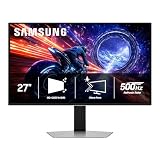
LG 27GS60QC-B Ultragear 27-inch Curved Gaming Monitor QHD (2560x1440) 180Hz 1ms 1000R AMD FreeSync HDR10 HDMIx2 DisplayPort Borderless Design Black Stabilizer DAS Crosshair FPS Counter - Black
Included for 'Best Curved Monitors for Gaming: 27 to 45 Inch Compared' as a representative home product in this roundup; selection reflects the product set returned for this topic.
View on Amazon2. GIGABYTE GS32QCA: Best for a larger VA screen for mixed use
Specs per the listing: 31.5-inch VA curved, QHD (2560×1440), 180Hz, 1ms MPRT, AMD FreeSync, HDR Ready, two HDMI 2.0, DisplayPort 1.4, tilt adjustable.
The larger 31.5-inch size gives the curve something to work with, and the VA panel type is known for strong contrast in dim rooms. Resolution is the same QHD as the LG, so text looks less sharp at this size than on a 27-inch panel; that is the trade-off for the bigger view. The stand only tilts, so if you want height adjustment, you need a VESA arm. Two HDMI 2.0 ports and one DisplayPort cover a console and a PC at once. Response time is listed as MPRT, not GtG.
- Pros: Large 31.5-inch curved view; VA panel for contrast; two HDMI plus DisplayPort
- Cons: Tilt-only stand; lower pixel density than 27 inch QHD
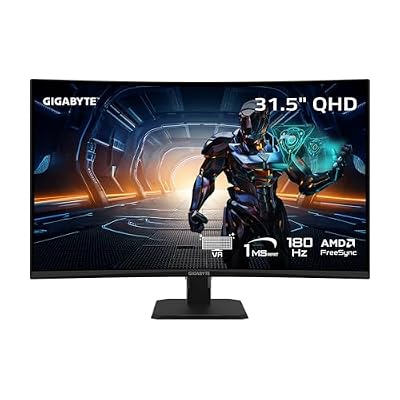
GIGABYTE GS32QCA Advanced Version 31.5" VA QHD 180Hz Curved Gaming Monitor | Black, QHD 2560x1440, 180Hz, 1ms MPRT, AMD FreeSync, HDR Ready, 2X HDMI 2.0, DP 1.4, Tilt Adjustable
Included for 'Best Curved Monitors for Gaming: 27 to 45 Inch Compared' as a representative home product in this roundup; selection reflects the product set returned for this topic.
View on Amazon3. Alienware 34 AW3425DWM: Best for immersive ultrawide gaming
Specs per the listing: 34-inch curved, WQHD, 180Hz, 1ms, 1500R curve, AMD FreeSync Premium, VESA AdaptiveSync.
A 34-inch ultrawide with a gentle 1500R curve is the classic immersive setup. The wide aspect ratio fills your peripheral vision in supported games and gives productivity users room for side-by-side windows. Refresh is 180Hz with FreeSync Premium and VESA AdaptiveSync support, which helps with smooth frame pacing. The listing does not specify the panel type, resolution in pixels or ports, so confirm those details on the maker page. Make sure your graphics card can drive an ultrawide, because it pushes more pixels than a regular QHD screen.
- Pros: Ultrawide field of view; gentle 1500R curve; FreeSync Premium and AdaptiveSync
- Cons: Panel type and ports not listed; needs a stronger GPU than 16:9 QHD
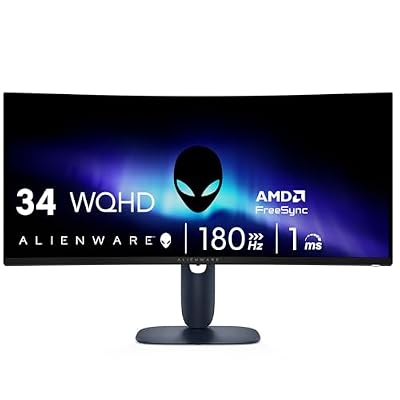
Alienware 34 Curved Gaming Monitor – AW3425DWM - 34-inch WQHD 180Hz 1ms Display, 1500R, AMD FreeSync Premium, VESA AdaptiveSync.
Included for 'Best Curved Monitors for Gaming: 27 to 45 Inch Compared' as a representative home product in this roundup; selection reflects the product set returned for this topic.
View on Amazon4. Samsung 40 inch Odyssey G7 (G75F): Best for a wide screen for work and play
Specs per the listing: 40-inch WUHD curved, 180Hz, 1ms GtG, VESA DisplayHDR 600, AMD FreeSync Premium Pro, model LS40FG75DENXZA, 2025 version.
The G75F aims at users who want a very large wide display without moving up to a 45-inch OLED. At 40 inches with WUHD resolution, it offers plenty of sharp workspace, so it works for spreadsheets and video editing as well as games. DisplayHDR 600 and FreeSync Premium Pro are listed, and 180Hz keeps gameplay smooth. The size demands desk depth, so sit further back than you would for a 27-inch. Running WUHD in modern games needs a high-end graphics card, so plan your GPU budget accordingly.
- Pros: Large WUHD desktop space; DisplayHDR 600; 180Hz with FreeSync Premium Pro
- Cons: Demands a strong GPU at native resolution; needs deep desk

Samsung 40” Odyssey G7 (G75F) Series WUHD Curved Gaming Monitor | 180Hz, 1ms Response Time (GtG), VESA DisplayHDR™ 600, AMD FreeSync™ Premium Pro (LS40FG75DENXZA), 2025
Included for 'Best Curved Monitors for Gaming: 27 to 45 Inch Compared' as a representative home product in this roundup; selection reflects the product set returned for this topic.
View on Amazon5. LG 45GX950A-B UltraGear OLED: Best for the premium OLED ultrawide
Specs per the listing: 45-inch 5K2K WUHD (5120×2160) OLED curved, dual-mode, 165Hz, 0.03ms, NVIDIA G-Sync and AMD FreeSync Premium Pro, HDR True Black 400, USB-C 90W, DisplayPort 2.1.
This is the showpiece. OLED panels produce true blacks and very fast pixel response, and the 0.03ms figure reflects that. At 45 inches and 5120×2160 resolution, it handles both big cinematic games and detailed creative work. The dual-mode label means it can switch between modes, though the listing does not explain how, so read the maker page. USB-C with 90W power lets a laptop connect with one cable. OLED screens carry a risk of burn-in with static content, so use screen savers and vary your desktop.
- Pros: OLED blacks and fast response; 5K2K resolution; USB-C 90W and DisplayPort 2.1
- Cons: OLED burn-in care needed; very demanding on GPUs

LG 45GX950A-B 45-inch Ultragear 5K2K WUHD (5120 x 2160) OLED Curved Gaming Monitor, Dual-Mode, 165Hz, 0.03ms, NVIDIA G-Sync, AMD FreeSync Premium Pro, HDR True Black 400, USB Type-C 90W, DP2.1
Included for 'Best Curved Monitors for Gaming: 27 to 45 Inch Compared' as a representative home product in this roundup; selection reflects the product set returned for this topic.
View on AmazonHow to Choose
Understand the curve rating
Curve is written as a radius, such as 1000R or 1500R. A smaller number means a tighter curve. A 1000R curve suits a closer desk and a single viewer, while 1500R is gentler and easier on productivity. Very tight curves can distort straight lines in design work, so creators may prefer gentler curves. Pick the curve that matches how close you sit. As a rough rule, a larger screen can use a gentler curve, because you sit further from it, while a 27-inch screen at arm length benefits from a tighter one. If you share the desk with others, a gentler curve suits side viewing better.
Size, resolution and your graphics card
Bigger curved screens need more pixels to stay sharp, and more pixels need a stronger graphics card. QHD at 27 to 32 inches is easy for mid-range cards. Ultrawide and WUHD screens ask far more, so check that your GPU can hold the refresh rate you paid for. If it cannot, lower settings or use upscaling rather than buying a higher-spec screen first. A practical test: match the refresh rate to what your GPU can deliver in your favorite games, since a 240Hz screen that never reaches 240 frames adds no benefit. Also remember that ultrawide support varies by game, and a few titles show black bars or stretched menus.
Panel type: VA, IPS or OLED
VA panels offer strong contrast and are common on curved screens, while IPS offers wide viewing angles. OLED gives the deepest blacks and fastest response but costs more and needs burn-in care. Some listings do not name the panel, so check the maker page if you care about color accuracy, dark-room viewing or text clarity. Matte or glossy coating matters as well: glossy gives richer color but shows reflections, so avoid it opposite a window. Viewing angle is less critical on curved screens because you sit centered, but it still affects color if you share the screen with someone beside you.
Check ports, stand and refresh features
Look for DisplayPort for high refresh rates, HDMI for consoles and adaptive sync support for your GPU brand. A stand that tilts only is limiting, so budget for a VESA arm if you need height. Avoid listings with missing sizes or resolutions, and compare the response figure type: MPRT and GtG are calculated differently and are not comparable. Check the included cables, since some listings give only one, and confirm that the DisplayPort version supports your resolution at full refresh. If you will use a console, make sure the HDMI ports can carry the refresh rate you want.
Frequently Asked Questions
Are curved monitors good for gaming?
Many players find them more immersive, especially in ultrawide sizes. On small 24-inch screens the effect is minor, so size matters more than the curve.
What does 1000R mean?
It means the curve matches a circle of 1000mm radius. Lower numbers are tighter. 1000R suits a close single-user desk, and 1500R is gentler.
Is OLED worth it for a curved monitor?
It delivers the best contrast and response, but it costs more and needs care with static images. For mixed office and gaming use, a VA panel is more forgiving.
Do I need a powerful GPU for ultrawide?
Yes, more than for a 16:9 screen of the same height. Ultrawide and WUHD resolutions push many more pixels, so check your card first.
Will a curved monitor suit office work?
Yes, particularly gentler curves like 1500R. Tight 1000R curves can bend straight lines slightly, which some designers dislike.