Affiliate disclosure: As an Amazon Associate we earn from qualifying purchases. This post contains affiliate links — we may earn a small commission at no extra cost to you. This never affects our picks. Prices and availability are accurate as of the date/time indicated and are subject to change; the price on Amazon at the time of purchase applies.
- Quick Comparison Table
- 1. ASUS TUF Gaming VG259QM5A: Best for balanced competitive play
- 2. ASUS TUF Gaming VG259QMR5A: Best for maximum refresh in esports
- 3. Dell 24 SE2426HG: Best for mixed gaming and daily use
- 4. Gigabyte GS25F2A: Best for straightforward 240Hz
- 5. MSI MAG 272FB E20: Best for a larger screen at 1080p
- How to Choose
- Frequently Asked Questions
- About the Author
- Related Articles
Quick answer: For the best 1080p monitors, the ASUS TUF Gaming VG259QM5A is the top pick for balanced esports play. The ASUS VG259QMR5A suits competitive players chasing 310Hz, the Dell SE2426HG suits dependable office-plus-gaming desks, the Gigabyte GS25F2A suits simple 240Hz setups, and the MSI MAG 272FB E20 suits a larger 27-inch panel.
This guide compares five 1080p gaming monitors, all full HD (1920×1080) with high refresh rates between 200Hz and 310Hz. A 1080p screen remains a smart match for mid-range graphics cards because it lets frame rates climb without demanding top-tier hardware. Comparisons use each listing’s published specs: size, panel type, refresh rate and response time. We did not run our own display measurements, so colour and motion comments stay general.
Quick Comparison Table
| # | Model | Key specs (per listing) | Best for |
|---|---|---|---|
| 1 | ASUS TUF Gaming VG259QM5A | 25 inch, 1080p, 240Hz, Fast-IPS, 0.3ms, 99% sRGB | Balanced competitive play |
| 2 | ASUS TUF Gaming VG259QMR5A | 25 inch, 1080p, 310Hz, Fast-IPS, 0.3ms, 99% sRGB | Maximum refresh for esports |
| 3 | Dell 24 SE2426HG | 23.8 inch, FHD, 240Hz, IPS, FreeSync Premium, 2x HDMI, DP 1.4 | Mixed gaming and daily use |
| 4 | Gigabyte GS25F2A | 24.5 inch, FHD IPS, 240Hz, 1ms GTG, FreeSync Premium | Straightforward 240Hz |
| 5 | MSI MAG 272FB E20 | 27 inch, Rapid IPS, FHD, 200Hz, 0.5ms | Larger screen at 1080p |
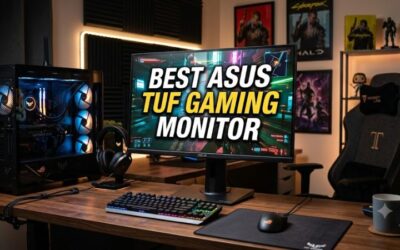
1. ASUS TUF Gaming VG259QM5A: Best for balanced competitive play
Specs per the listing: 25 inch, 1080p, 240Hz, G-SYNC and FreeSync Premium, ELMB Sync, Fast-IPS, 0.3ms, 99% sRGB, DisplayWidget Center, 3-year warranty (as listed).
The VG259QM5A pairs a 240Hz refresh rate with a Fast-IPS panel and the listing’s 99% sRGB colour claim, which is a sound base for gaming and general use. ELMB Sync lets motion blur reduction work alongside variable refresh, a feature few budget-minded panels offer. At 25 inches, 1080p pixel density is crisp enough for competitive titles without making text look coarse. It is the all-round choice of the five.
- Pros: 240Hz Fast-IPS; G-SYNC Compatible and FreeSync Premium; ELMB Sync; listed 99% sRGB
- Cons: 25 inches is smaller than 27; stand adjustments not detailed

ASUS TUF Gaming VG259QM5A 25 Inch 1080p 240Hz G-SYNC Gaming Monitor | FreeSync Premium, ELMB Sync, Gaming AI, G-SYNC Compatible, DisplayWidget Center, Fast-IPS, 0.3ms, 99% sRGB, 3yr warranty
Included for 'Best 1080p Monitors: Five 240Hz and 310Hz Gaming Screens' because the listing lists an explicit depth/thickness, which is the attribute this article compares.
View on Amazon2. ASUS TUF Gaming VG259QMR5A: Best for maximum refresh in esports
Specs per the listing: 25 inch, 1080p, 310Hz, G-SYNC and FreeSync Premium, ELMB Sync, Fast-IPS, 0.3ms, 99% sRGB, DisplayWidget Center, 3-year warranty (as listed).
This sibling raises the refresh ceiling to 310Hz. The extra frames matter mainly to competitive shooter players with a graphics card and CPU that can sustain very high frame rates, since the monitor can only show what the PC delivers. If your system hovers around 144 to 200 frames per second in your favourite game, the 240Hz model above gives similar practical benefit. Pick this one only if your hardware and play style can use the headroom.
- Pros: 310Hz refresh rate; Fast-IPS; ELMB Sync; same feature set as the 240Hz model
- Cons: needs a powerful PC to use the refresh rate; benefits vanish below that frame rate

ASUS TUF Gaming VG259QMR5A 25 Inch 1080p 310Hz G-SYNC Gaming Monitor | FreeSync Premium, ELMB Sync, Gaming AI, G-SYNC Compatible, DisplayWidget Center, Fast-IPS, 0.3ms, 99% sRGB, 3yr warranty
Included for 'Best 1080p Monitors: Five 240Hz and 310Hz Gaming Screens' because the listing lists an explicit depth/thickness, which is the attribute this article compares.
View on Amazon3. Dell 24 SE2426HG: Best for mixed gaming and daily use
Specs per the listing: 23.8 inch, FHD 1920×1080, 240Hz, IPS, AMD FreeSync Premium, TUV 3-Star, 2x HDMI, DisplayPort 1.4, tilt adjustment.
Dell’s gaming line is aimed at people who want a recognisable brand with a plain, office-friendly look. With two HDMI inputs and a DisplayPort connection, it handles a PC and a console without cable swapping. The TUV 3-Star badge relates to eye-comfort features per the listing. Stand adjustment is tilt only, so if you need height or swivel, plan to use a VESA arm after confirming mounting support on the maker page.
- Pros: 240Hz IPS; two HDMI plus DisplayPort; FreeSync Premium; understated design
- Cons: tilt-only stand; response time not listed

Dell 24 240Hz Gaming Monitor - SE2426HG - 23.8-inch FHD (1920x1080) 240Hz Display, in-Plane Switching (IPS) Technology, AMD FreeSync™ Premium, TÜV 3-Star, 2X HDMI, DisplayPort 1.4, Tilt
Included for 'Best 1080p Monitors: Five 240Hz and 310Hz Gaming Screens' as a representative home product in this roundup; selection reflects the product set returned for this topic.
View on Amazon4. Gigabyte GS25F2A: Best for straightforward 240Hz
Specs per the listing: 24.5 inch, SuperSpeed FHD IPS, 1920×1080, 240Hz, 1ms GTG, AMD FreeSync Premium, HDMI, DisplayPort, tilt adjustable.
The GS25F2A offers the core ingredients of a fast 1080p gaming screen: an IPS panel, 240Hz and variable refresh support, in a simple package. Colour coverage and HDR support are not stated in the listing title, so it suits players who want smooth motion more than a colour-grading display. Like the Dell, it is tilt-only. It is a good fit for a secondary desk or a build where the monitor is not the focus.
- Pros: 240Hz IPS; 1ms GTG; FreeSync Premium; HDMI and DisplayPort
- Cons: tilt-only stand; colour coverage not listed

GIGABYTE GS25F2A 24.5" SuperSpeed FHD IPS Gaming Monitor | Black, FHD 1920x1080, 240Hz, 1ms GTG, AMD FreeSync Premium, HDMI, DP, Tilt Adjustable
Included for 'Best 1080p Monitors: Five 240Hz and 310Hz Gaming Screens' as a representative home product in this roundup; selection reflects the product set returned for this topic.
View on Amazon5. MSI MAG 272FB E20: Best for a larger screen at 1080p
Specs per the listing: 27 inch, Rapid IPS LCD, FHD, 200Hz, 0.5ms, Adaptive Sync, HDR Ready, DisplayPort and HDMI.
Putting 1080p on a 27-inch panel lowers pixel density, so text and fine detail look softer than on a 24 or 25 inch screen. In return you get a bigger picture for the same resolution, which many players enjoy for single-player games and for sitting a little farther back. HDR Ready in the listing signals compatibility rather than strong HDR performance, so treat it as a minor extra. Pair it with a modest GPU to keep frame rates high.
- Pros: 27-inch size; Rapid IPS; 200Hz; 0.5ms listed response
- Cons: lower pixel density at 27 inches; HDR Ready is not true HDR performance

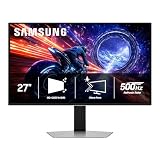
msi - MAG 272FB E20 27" Rapid IPS LCD FHD 200Hz 0.5ms Adaptive Sync Gaming Monitor with HDR Ready(DisplayPort, HDMI) - Black
Included for 'Best 1080p Monitors: Five 240Hz and 310Hz Gaming Screens' as a representative home product in this roundup; selection reflects the product set returned for this topic.
View on AmazonHow to Choose
Pick size by sitting distance
For a typical desk about 60 to 80 centimetres from your eyes, 24 to 25 inches is the sweet spot for 1080p. At 27 inches, the pixel grid becomes more visible, and a 1440p screen is usually the better match. Choose 27-inch 1080p only if screen size matters more to you than sharpness.
Match refresh rate to your hardware
A 144Hz or 165Hz monitor is plenty for most players. Step up to 240Hz when your graphics card can consistently exceed 200 frames per second in the games you play. Above that, such as 310Hz, only dedicated esports players with powerful systems get meaningful benefit. Check that your GPU has a DisplayPort output, since high refresh rates are more reliably supported there.
Check panel type and adaptive sync
IPS panels, as used here, give wide viewing angles and better colour than most VA or TN alternatives, with fast modern response times. Look for FreeSync Premium or G-SYNC Compatible support to reduce tearing, and confirm that the monitor lists your GPU brand as supported. The two ASUS models list both standards.
Look at inputs and the stand
Count the ports you need: one DisplayPort for the PC and an HDMI for a console covers most desks. Tilt-only stands are common at this level, so a VESA mount arm may be worth adding. Skip monitors whose listing does not state the resolution, panel type and refresh rate clearly. Also read the maker page for stand height range, VESA mounting and any overclock-only refresh claims, because the listing title often leaves those details out.
Frequently Asked Questions
Is 1080p still worth it for gaming?
Yes. It lets mid-range graphics cards reach very high frame rates, and on 24 to 25 inch panels it looks sharp. If you want more detail and have a stronger GPU, 1440p is the next step.
Do I need 240Hz?
Not for most players. 144Hz or 165Hz already feels smooth. 240Hz helps in fast competitive shooters when your PC can reach the frame rates to match it.
Which is better, ELMB Sync or plain FreeSync?
They solve different problems. FreeSync reduces tearing and stutter, while ELMB Sync adds motion blur reduction that can work together with variable refresh. The ASUS models list both.
Can these monitors work with a console?
Yes, through HDMI, though refresh-rate limits depend on the console. Many consoles output up to 120Hz, so 240Hz panels will not run at full speed there. The Dell listing has two HDMI inputs.
Is a 27-inch 1080p monitor too blurry?
It is softer than a 24-inch 1080p panel, but acceptable for gaming at normal viewing distance. For a lot of text work, 1440p is the more comfortable choice.