Affiliate disclosure: As an Amazon Associate we earn from qualifying purchases. This post contains affiliate links — we may earn a small commission at no extra cost to you. This never affects our picks. Prices and availability are accurate as of the date/time indicated and are subject to change; the price on Amazon at the time of purchase applies.
- Quick Comparison Table
- 1. LG 27GX704A-B UltraGear OLED: Best for fast, crisp 1440p OLED gaming
- 2. MSI MAG 274QF E20: Best for a 1440p high-refresh monitor for most players
- 3. GIGABYTE GS25F2A: Best for entry-level, high-refresh 1080p play
- 4. Alienware 34 AW3425DWM: Best for immersive curved ultrawide gaming
- 5. LG 32GX870A-B UltraGear 4K OLED: Best for 4K OLED for powerful graphics cards
- How to Choose
- Frequently Asked Questions
- About the Author
- Related Articles
Quick answer: The LG 27GX704A-B OLED is our pick for the best monitors for gaming if you want 1440p speed and contrast. The MSI MAG 274QF E20 suits most players, the GIGABYTE GS25F2A suits competitive 1080p, the Alienware AW3425DWM suits ultrawide, and the LG 32GX870A suits 4K OLED.
This guide compares five gaming monitors across sizes and panel types, from a 24.5-inch 240Hz IPS to a 32-inch 4K OLED and a 34-inch curved ultrawide. Comparisons use each listing’s published specs, and we did not run our own benchmarks. Where a spec such as panel type or stand adjustment is missing from the title, we say so.
Quick Comparison Table
| # | Model | Key specs (per listing) | Best for |
|---|---|---|---|
| 1 | LG 27GX704A-B UltraGear OLED | 27″, QHD OLED, 240Hz, 0.03ms | fast, crisp 1440p OLED gaming |
| 2 | MSI MAG 274QF E20 | 27″, 2560×1440, 200Hz, 0.5ms | a 1440p high-refresh monitor for most players |
| 3 | GIGABYTE GS25F2A | 24.5″, FHD IPS, 240Hz, 1ms GTG | entry-level, high-refresh 1080p play |
| 4 | Alienware 34 AW3425DWM | 34″, WQHD curved 1500R, 180Hz, 1ms | immersive curved ultrawide gaming |
| 5 | LG 32GX870A-B UltraGear 4K OLED | 32″, 4K UHD OLED, 240Hz, dual-mode | 4K OLED for powerful graphics cards |
1. LG 27GX704A-B UltraGear OLED: Best for fast, crisp 1440p OLED gaming
Specs per the listing: LG 27GX704A-B 27-inch UltraGear OLED, QHD resolution, 240Hz, 0.03ms response, NVIDIA G-Sync Compatible, AMD FreeSync Premium Pro, VESA DisplayHDR TrueBlack 400, HDMI 2.1, DisplayPort.
A 27-inch QHD panel is the sweet spot for most desks, and OLED adds the kind of contrast and motion clarity that LCD panels struggle to match. With 240Hz and a listed 0.03ms response time, it suits competitive shooters as well as story-driven games.
The trade-offs are the ones that follow OLED around: static desktop elements can cause burn-in worries over years, and bright full-screen white scenes look dimmer than on a good LCD. If you game in a moderately lit room and play varied content, it is a very satisfying monitor.
- Pros: OLED contrast and motion clarity; 240Hz at 1440p; HDMI 2.1 plus DisplayPort
- Cons: OLED burn-in care needed; less bright in full-screen white scenes than LCDs

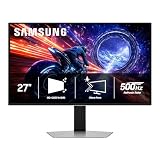
LG 27GX704A-B 27-inch Ultragear QHD (2650x1440) OLED Gaming Monitor 240Hz, 0.03ms, NVIDIA G-Sync Compatible, AMD FreeSync Premium Pro, VESA Display HDR TrueBlack400, HDMI 2.1, DisplayPort, Black
Included for 'Best Monitors for Gaming: OLED, 1440p, 4K and Ultrawide' as a representative home product in this roundup; selection reflects the product set returned for this topic.
View on Amazon2. MSI MAG 274QF E20: Best for a 1440p high-refresh monitor for most players
Specs per the listing: MSI MAG 274QF E20 27-inch 2560 x 1440 (WQHD) gaming monitor, 200Hz, AMD FreeSync Premium, NVIDIA G-SYNC Compatible, HDR Ready, HDMI, VGA port, VESA mount, tilt stand, 0.5ms.
This is the practical choice. A 27-inch WQHD screen at 200Hz is a big step up from 1080p 60Hz, and a mid-range graphics card can drive it well in many games. Both adaptive sync standards are listed, so it works with AMD and NVIDIA cards.
The stand only tilts, so a VESA arm is worth considering if you want height adjustment. The panel type is not given in the title, so read the maker page for color and viewing-angle details if you edit photos or video.
- Pros: QHD at 200Hz suits many GPUs; FreeSync Premium and G-SYNC Compatible; VESA mount support
- Cons: Tilt-only stand; panel type not stated in the title

msi MAG 274QF E20 27-inch 2560 x 1440 (WQHD) Gaming Monitor, 200Hz, AMD FreeSync Premium, NVIDIA G-SYNC Compatible, HDR Ready, HDMI, VGA Port, VESA, Tilt, 0.5ms, Black
Included for 'Best Monitors for Gaming: OLED, 1440p, 4K and Ultrawide' as a representative home product in this roundup; selection reflects the product set returned for this topic.
View on Amazon3. GIGABYTE GS25F2A: Best for entry-level, high-refresh 1080p play
Specs per the listing: GIGABYTE GS25F2A 24.5-inch SuperSpeed IPS gaming monitor, FHD 1920×1080, 240Hz, 1ms GTG, AMD FreeSync Premium, HDMI, DisplayPort, tilt adjustable.
Competitive players often prefer a smaller screen at 1080p because it keeps frame rates high and the whole image in view. This 24.5-inch IPS panel lists 240Hz and a 1ms GtG response time, which is the typical target for esports setups.
At 1080p on a 24.5-inch screen the image is sharp enough for gaming but less so for text or productivity work. It also has a tilt-only stand and a short port list, so it suits a simple, dedicated gaming desk rather than a multi-device workstation.
- Pros: 240Hz at a small size; IPS panel; HDMI and DisplayPort
- Cons: 1080p is lower resolution; tilt-only stand

GIGABYTE GS25F2A 24.5" SuperSpeed FHD IPS Gaming Monitor | Black, FHD 1920x1080, 240Hz, 1ms GTG, AMD FreeSync Premium, HDMI, DP, Tilt Adjustable
Included for 'Best Monitors for Gaming: OLED, 1440p, 4K and Ultrawide' as a representative home product in this roundup; selection reflects the product set returned for this topic.
View on Amazon4. Alienware 34 AW3425DWM: Best for immersive curved ultrawide gaming
Specs per the listing: Alienware 34 AW3425DWM curved gaming monitor, 34-inch WQHD, 180Hz, 1ms, 1500R curve, AMD FreeSync Premium, VESA AdaptiveSync.
The ultrawide format gives racing, flight and open-world games a wide field of view, and a 1500R curve wraps it around you. At 180Hz it is fast enough for competitive play, though not at the 240Hz level of the other monitors here.
Ultrawide screens need more GPU power than 1080p, and some games do not support the wide aspect ratio well. Check the games you play before choosing, and note that the listing gives FreeSync Premium and AdaptiveSync rather than a G-Sync label.
- Pros: Wide, immersive 34-inch view; 1500R curve; 180Hz refresh
- Cons: Higher GPU demand; not every game supports ultrawide properly
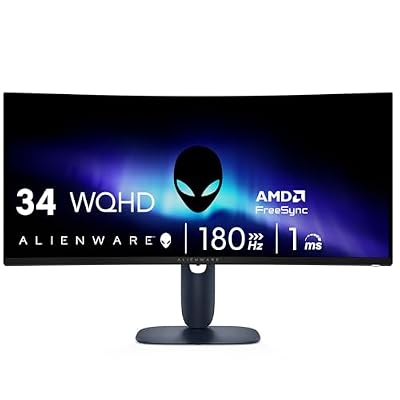
Alienware 34 Curved Gaming Monitor – AW3425DWM - 34-inch WQHD 180Hz 1ms Display, 1500R, AMD FreeSync Premium, VESA AdaptiveSync.
Included for 'Best Monitors for Gaming: OLED, 1440p, 4K and Ultrawide' as a representative home product in this roundup; selection reflects the product set returned for this topic.
View on Amazon5. LG 32GX870A-B UltraGear 4K OLED: Best for 4K OLED for powerful graphics cards
Specs per the listing: LG 32GX870A-B 32-inch UltraGear 4K UHD (3840 x 2160) OLED, dual-mode, 240Hz, 0.03ms, NVIDIA and AMD FreeSync Premium Pro, VESA DisplayHDR True Black 400, USB Type-C, DP2.1.
This is the top-end pick. A 32-inch 4K OLED at 240Hz gives incredible detail, and the dual-mode listing points to a lower-resolution, higher-speed option for esports. USB-C and DP2.1 give you modern connectivity for a laptop or the latest graphics cards.
It asks a lot from your hardware: running 4K at high frame rates needs a powerful graphics card. It also carries the same OLED care points as the 27-inch LG, so it suits those who want one display for gaming and media. Check your desk depth as well, because a 32-inch screen sits much closer to your eyes than a 24-inch one.
- Pros: 4K detail on a 32-inch OLED; 240Hz; USB-C and DP2.1 connectivity
- Cons: Needs a very powerful GPU; OLED burn-in care
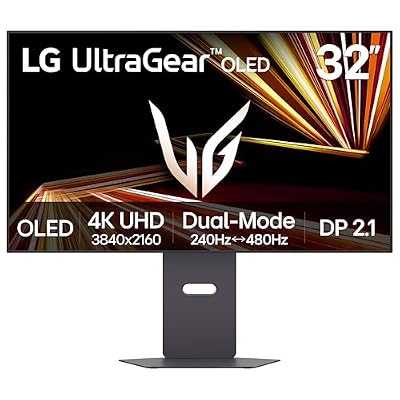
LG 32GX870A-B 32-inch Ultragear 4K UHD (3840 x 2160) OLED Gaming Monitor, Dual-Mode, 240Hz, 0.03ms, NVIDIA, AMD FreeSync Premium Pro, VESA DisplayHDR True Black 400, USB Type-C, DP2.1
Included for 'Best Monitors for Gaming: OLED, 1440p, 4K and Ultrawide' as a representative home product in this roundup; selection reflects the product set returned for this topic.
View on AmazonHow to Choose
Choose resolution and size together
1080p suits screens up to about 24 to 25 inches, 1440p suits 27 inches, and 4K suits 32 inches. At 27 inches, QHD gives a clear picture without needing a flagship graphics card. If your GPU is mid-range, QHD is the safest middle path.
Set refresh-rate goals by your GPU
High refresh only matters if the graphics card can reach those frame rates. A 240Hz monitor is useful for fast shooters when you can hit 200 frames or more. For single-player games, 144 to 180Hz is already smooth.
Pick the panel type for how you play
IPS panels give accurate colors and wide viewing angles, VA gives deeper blacks than IPS, and OLED offers near-instant response with excellent contrast. OLED is wonderful in dim rooms but needs burn-in care, such as hiding taskbars and using screen-saver features.
Confirm ports and adaptive sync
Match the monitor ports to your graphics card. DisplayPort is the safe choice for high refresh on PC, and HDMI 2.1 matters for consoles. FreeSync Premium and G-SYNC Compatible both help prevent tearing, and most modern cards use either. Also check the stand: a tilt-only base saves little desk depth but gives no height adjustment, so a VESA arm can be a useful add-on for posture and a cleaner desk. Finally, look at the included cables, since a high refresh rate over HDMI needs the right version of the cable.
Frequently Asked Questions
Is 1440p better than 1080p for gaming?
It is sharper, and at 27 inches the difference is clear. It needs a stronger graphics card, so check that your GPU can hold the frame rates you want.
Is OLED safe for gaming monitors?
Yes, with sensible care. Vary your content, hide static icons and enable the maker’s protection features to reduce burn-in risk.
What refresh rate do I need?
144Hz to 180Hz is smooth for most players. 240Hz and above matter mainly for competitive shooters on a powerful PC.
Do ultrawide monitors work for all games?
Not all. Most modern games support ultrawide, but some older or competitive titles do not, so check your favorites first.