Affiliate disclosure: As an Amazon Associate we earn from qualifying purchases. This post contains affiliate links — we may earn a small commission at no extra cost to you. This never affects our picks. Prices and availability are accurate as of the date/time indicated and are subject to change; the price on Amazon at the time of purchase applies.
- Quick Comparison Table
- 1. MSI MAG 274QF E20: Best for All-Round 1440p Play
- 2. Gigabyte GS25F2A: Best for Competitive 1080p
- 3. Alienware AW3425DWM: Best for Immersive Ultrawide
- 4. LG 32GX870A-B: Best for 4K OLED Gaming
- 5. ASUS ROG Strix XG27ACDNG: Best for Fast Esports on OLED
- How to Choose
- Frequently Asked Questions
- About the Author
- Related Articles
Quick answer: For the best monitors for gaming, the MSI MAG 274QF E20 is the top pick for most 1440p setups. The Gigabyte GS25F2A suits esports on a 1080p screen, the Alienware AW3425DWM fits ultrawide fans, the LG 32GX870A targets 4K OLED, and the ASUS ROG Strix XG27ACDNG chases speed.
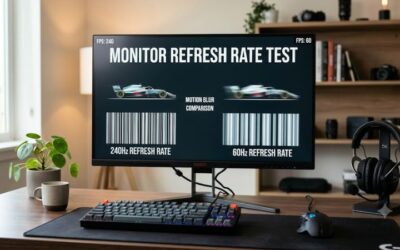
This guide compares five gaming monitors that span 1080p, 1440p, ultrawide and 4K, plus two OLED panels. We use each listing’s published specs, such as resolution, refresh rate, response time and panel type, because we did not run our own benchmarks. A monitor only shows its refresh rate if your graphics card can feed it, so pair the screen with a card in the same class.
Quick Comparison Table
| # | Model | Key specs (per listing) | Best for |
|---|---|---|---|
| 1 | MSI MAG 274QF E20 | 27-inch, 2560 x 1440, 200Hz, 0.5ms, FreeSync Premium, G-SYNC Compatible | All-round 1440p play |
| 2 | Gigabyte GS25F2A | 24.5-inch IPS, 1920×1080, 240Hz, 1ms GTG, FreeSync Premium | Competitive 1080p |
| 3 | Alienware AW3425DWM | 34-inch WQHD, 180Hz, 1ms, 1500R curve, FreeSync Premium | Immersive ultrawide |
| 4 | LG 32GX870A-B | 32-inch 4K OLED, 240Hz, 0.03ms, Dual-Mode, DP2.1, USB-C | 4K OLED gaming |
| 5 | ASUS ROG Strix XG27ACDNG | 26.5-inch QD-OLED, 1440P, 360Hz, 0.03ms, G-SYNC Compatible | Fast esports on OLED |
1. MSI MAG 274QF E20: Best for All-Round 1440p Play
Specs per the listing: 27-inch, 2560 x 1440 (WQHD), 200Hz, AMD FreeSync Premium, NVIDIA G-SYNC Compatible, HDR Ready, HDMI, VGA port, VESA mount, tilt, 0.5ms.
A 27-inch 1440p screen is the mainstream sweet spot, sharper than 1080p without needing the graphics power of 4K. This MSI adds a 200Hz refresh rate and adaptive sync support for both major graphics card brands, so it works with whichever card you own. The VESA mount lets you move it to an arm.
The stand only tilts, so if you want height or swivel adjustment, plan on a monitor arm. HDR Ready is a label rather than proof of strong HDR, so treat it as a bonus and check the maker page for panel details.
- Pros: 1440p at 200Hz; FreeSync Premium and G-SYNC Compatible; VESA mount
- Cons: Tilt-only stand; HDR Ready is a basic label

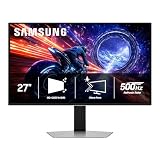
msi MAG 274QF E20 27-inch 2560 x 1440 (WQHD) Gaming Monitor, 200Hz, AMD FreeSync Premium, NVIDIA G-SYNC Compatible, HDR Ready, HDMI, VGA Port, VESA, Tilt, 0.5ms, Black
Included for 'Best Monitors for Gaming: 1080p, 1440p, Ultrawide and OLED' as a representative home product in this roundup; selection reflects the product set returned for this topic.
View on Amazon2. Gigabyte GS25F2A: Best for Competitive 1080p
Specs per the listing: 24.5-inch SuperSpeed FHD IPS gaming monitor, 1920×1080, 240Hz, 1ms GTG, AMD FreeSync Premium, HDMI, DP, tilt adjustable.
For fast shooters, a smaller 1080p screen at 240Hz is a proven formula: the lower resolution makes high frame rates easier to reach, and the IPS panel gives wide viewing angles. At 24.5 inches the whole screen fits in your field of view, which suits competitive play.
The trade-off is sharpness. Text and game details look softer than on a 1440p screen, so it fits best as a dedicated gaming display. The stand only tilts, as with many monitors in this class.
- Pros: 240Hz IPS panel; 1ms GTG; HDMI and DisplayPort; FreeSync Premium
- Cons: 1080p is softer; tilt-only stand

GIGABYTE GS25F2A 24.5" SuperSpeed FHD IPS Gaming Monitor | Black, FHD 1920x1080, 240Hz, 1ms GTG, AMD FreeSync Premium, HDMI, DP, Tilt Adjustable
Included for 'Best Monitors for Gaming: 1080p, 1440p, Ultrawide and OLED' as a representative home product in this roundup; selection reflects the product set returned for this topic.
View on Amazon3. Alienware AW3425DWM: Best for Immersive Ultrawide
Specs per the listing: 34-inch curved gaming monitor, WQHD, 180Hz, 1ms, 1500R curve, AMD FreeSync Premium, VESA AdaptiveSync.
An ultrawide fills your peripheral vision, which works well for racing, flight and open-world games. The 1500R curve wraps the screen around you, and 180Hz keeps motion smooth. It also helps in work, as you can fit two windows side by side.
Not every game supports ultrawide aspect ratios, and competitive shooters may crop or stretch the image. The listing calls the resolution WQHD, so check the maker page for the exact pixel count. You also need more graphics power than a 27-inch 1440p screen.
- Pros: 34-inch curved panel; 180Hz; 1500R curve; good for productivity
- Cons: Some games lack ultrawide support; more demanding on the graphics card
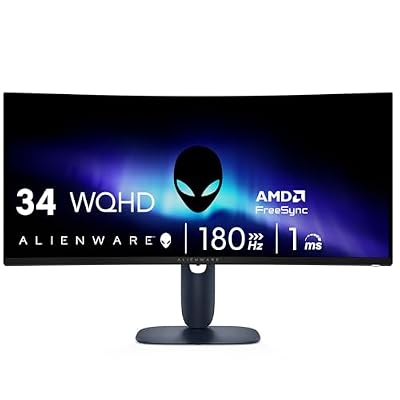
Alienware 34 Curved Gaming Monitor – AW3425DWM - 34-inch WQHD 180Hz 1ms Display, 1500R, AMD FreeSync Premium, VESA AdaptiveSync.
Included for 'Best Monitors for Gaming: 1080p, 1440p, Ultrawide and OLED' as a representative home product in this roundup; selection reflects the product set returned for this topic.
View on Amazon4. LG 32GX870A-B: Best for 4K OLED Gaming
Specs per the listing: 32-inch UltraGear 4K UHD (3840 x 2160) OLED gaming monitor, Dual-Mode, 240Hz, 0.03ms, NVIDIA, AMD FreeSync Premium Pro, VESA DisplayHDR True Black 400, USB Type-C, DP2.1.
OLED panels light each pixel separately, so blacks look deep and response times are very short. A 32-inch 4K OLED at 240Hz is a showpiece for single-player games and movies, and the Dual-Mode name points to a lower-resolution, higher-speed mode for competitive play. USB-C and DP2.1 add modern connectivity.
It asks a lot of your graphics card at 4K, and OLED screens carry a risk of image retention if you leave static elements on screen for long hours. Review the maker page for care features before using it for office work.
- Pros: 4K OLED with 0.03ms response; 240Hz; DP2.1 and USB-C; True Black HDR label
- Cons: Needs a powerful graphics card; static images may cause retention
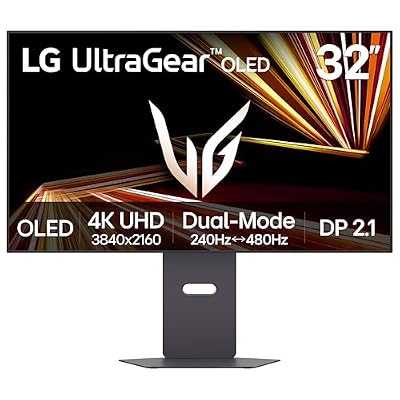
LG 32GX870A-B 32-inch Ultragear 4K UHD (3840 x 2160) OLED Gaming Monitor, Dual-Mode, 240Hz, 0.03ms, NVIDIA, AMD FreeSync Premium Pro, VESA DisplayHDR True Black 400, USB Type-C, DP2.1
Included for 'Best Monitors for Gaming: 1080p, 1440p, Ultrawide and OLED' as a representative home product in this roundup; selection reflects the product set returned for this topic.
View on Amazon5. ASUS ROG Strix XG27ACDNG: Best for Fast Esports on OLED
Specs per the listing: 26.5-inch 1440P QD-OLED gaming monitor, QHD (2560×1440), 360Hz, 0.03ms, custom heatsink, OLED Care+, G-SYNC Compatible, 99% DCI-P3, DisplayWidget, AI Gaming.
This panel combines a 360Hz refresh rate with QD-OLED color and a quick response time, aimed at players who want both speed and image quality. The 1440p resolution keeps it sharper than 1080p, and 99% DCI-P3 means a wide color range for games and video.
To use 360Hz you need a graphics card that can feed it, and few games reach that rate at 1440p. It is also the most specialized pick here, so it suits dedicated competitive setups more than casual play. OLED care features help, but follow the maker’s guidance.
- Pros: 360Hz at 1440p; QD-OLED color; 0.03ms response; OLED Care+ features
- Cons: Needs strong graphics hardware to use 360Hz; OLED retention care needed

ASUS ROG Strix 26.5” 1440P QD-OLED Gaming Monitor (XG27ACDNG) -QHD (2560x1440), 360Hz, 0.03ms, Custom Heatsink, OLED Care+, G-SYNC Compatible, 99% DCI-P3, DisplayWidget, AI Gaming, 3yr Warranty
Included for 'Best Monitors for Gaming: 1080p, 1440p, Ultrawide and OLED' as a representative home product in this roundup; selection reflects the product set returned for this topic.
View on AmazonHow to Choose
Match resolution to your graphics card
A 1080p screen suits entry and mid-range cards, 1440p suits cards in the upper mid-range, and 4K needs a top-tier card for smooth play. Buying a high-resolution monitor with a weak card forces you to lower settings. As a rule, pick resolution first and refresh rate second.
Choose refresh rate by game type
For single-player games, 144Hz to 180Hz feels smooth. For competitive shooters, 240Hz or more can help if your card produces matching frame rates. Anything above what your system can output gives no extra smoothness, so do not pay for speed you cannot use.
Know the panel types
IPS panels give good colors and viewing angles. VA panels offer higher contrast. OLED gives the best black levels and the fastest response but needs care with static images. Pick IPS for balance, OLED for image quality.
Check ports and adaptive sync
Use DisplayPort for the highest refresh rates unless the listing shows HDMI 2.1. Look for FreeSync or G-SYNC Compatible support to remove screen tearing, and confirm that the stand or VESA mount suits your desk.
Think about desk space and mounting
A 34-inch ultrawide or 32-inch screen needs a deeper desk than a 24-inch panel, so measure before buying. Stands that only tilt are common in this class, and a VESA-compatible monitor can move to an arm later, which frees desk space and lets you set the screen at eye level. Check the listing for the mount pattern and the stand adjustments before you decide.
Frequently Asked Questions
Is 1440p better than 1080p for gaming?
1440p is sharper and suits 27-inch screens well. It needs a stronger graphics card, so 1080p remains good for esports and lower-powered systems.
Do I need a 240Hz monitor?
Only if your system can reach high frame rates in the games you play. For most players, 144Hz to 180Hz is smooth enough.
Is OLED safe for long gaming sessions?
Yes, with care. Avoid leaving static images such as taskbars on screen for hours, and use the maker’s care features and screen savers.
What does adaptive sync do?
It matches the screen’s refresh rate to your frame rate, which reduces tearing and stutter. FreeSync and G-SYNC Compatible both do this.
Should I get an ultrawide?
If you play racing, strategy or open-world games, yes. For competitive shooters, a standard 16:9 screen is safer, as ultrawide support varies by game.