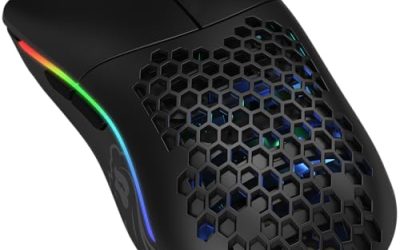
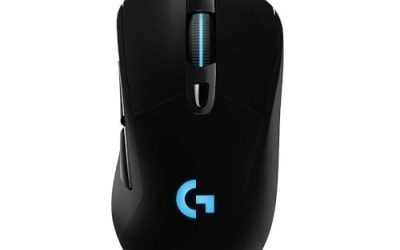
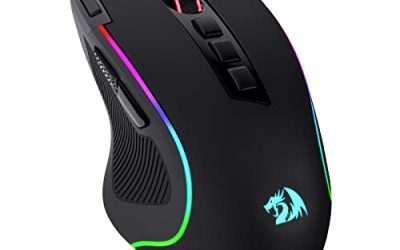
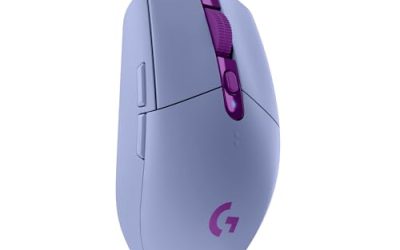
Choosing a gaming mouse as a left-handed player is a decision about where the buttons sit. Most gaming mice are sculpted for the right hand, and most so-called ambidextrous shells still park their thumb buttons on the left flank, where a left hand cannot reach them. The real shortlist is much shorter than the category page suggests: one true mirrored mouse with its thumb grid on the right side, plus symmetrical mice whose side buttons can be fitted on both flanks at once.
This guide covers four mice for left-handed PC players: one genuine left-handed model and three ambidextrous designs with buttons on both sides. Every pick was chosen from the product names and specifications on its Amazon product page, and the listings that only looked left-hand friendly were left out when their own pages showed the buttons sitting on one side only.
Quick Picks
As an Amazon Associate we earn from qualifying purchases.
| Product | Best for | Key spec from title |
|---|---|---|
| Razer Naga Left-Handed Edition (2013 listing) | A left-handed MMO or MOBA player who wants a full 12-button thumb grid under the left thumb and accepts an older wired design to get a genuinely mirrored shell. | 8,200 DPI laser sensor, 12 thumb buttons |
| Logitech G903 Lightspeed Wireless Gaming Mouse | A left-handed player who wants flagship wireless performance and battery life, with side buttons on the flank their thumb uses and the option to add weight. | HERO 25K sensor, 25,600 DPI, buttons both sides |
| Logitech G Pro Wireless Gaming Mouse | A left-handed FPS player who wants a light, symmetrical wireless mouse with working thumb buttons on the correct side and nothing extra bolted onto the shell. | HERO sensor, 80 g, four removable side buttons |
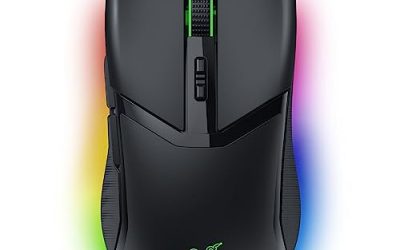
| Corsair M75 Wireless RGB Lightweight FPS Gaming Mouse | A left-handed player who wants a current lightweight FPS mouse and prefers Corsair’s swappable-button approach to Logitech’s removable caps and covers. | 26,000 DPI, ambidextrous, swappable side buttons |
How to Choose
True left-handed versus ambidextrous is the first fork
A true left-handed mouse mirrors the whole shell: the thumb rest, the button grid and the ergonomic curves all move to the other side, as on the Naga in this guide. An ambidextrous mouse keeps a symmetrical shell and solves the problem with buttons that can be fitted on both flanks, as the G903, G Pro Wireless and M75 do. Neither answer is wrong, but they feel different after an hour, and a player who rests their thumb in a sculpted rest will miss it on a symmetrical shell.
Buttons on both sides, stated in the listing
The trap in this category is the symmetrical mouse with buttons on one side only. It photographs as ambidextrous, yet a left-handed player’s thumb lands on a blank flank. The listings in this guide were chosen because their own copy states the buttons can be fitted or swapped on both sides. When you compare other mice, look for that sentence in the manufacturer’s words; if the page only says ambidextrous shape and shows one button cluster, assume the buttons live on the left flank only.
Thumb grids belong to one product type
Only the Naga here carries a 12-button thumb grid, because it is an MMO mouse first. The other three are FPS-leaning designs with two side buttons per flank, which suits shooters and general play but will not replace a grid for a player whose rotation lives on the thumb. Decide by the games you actually play: a left-handed MMO player has exactly one option in this guide, and a left-handed FPS player should not pay the Naga’s weight and age penalty for buttons they will never bind.
Age and stock are real specifications here
Left-handed gaming mice are close to extinct as a category, and the one true left-handed model in this guide is a 2013 listing whose availability comes and goes. That changes the buying method: check the live offer first, and treat the ambidextrous flagships as the dependable route, since they are current products with ongoing production. A left-handed player building a setup today is usually better served by a symmetrical mouse with both-sides buttons than by hunting old stock of a discontinued mirrored design.
The 4 Best Options
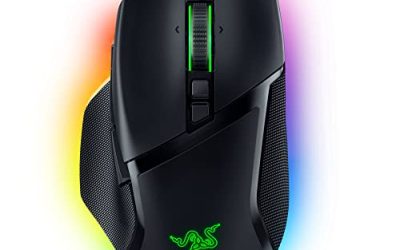
Razer Naga Left-Handed Edition (2013 listing)

The Naga Left-Handed Edition is the only true left-handed gaming mouse in this guide: a mirrored ergonomic shell built for the left hand, with its grid of 12 programmable thumb buttons on the right flank where a left thumb actually rests. The listing for this ASIN is the original 2013 model, and its specifications belong to that model: an 8,200 DPI laser sensor, wired USB connection and a tilt-click scroll wheel. Buyers should read this entry as the older edition it is, not as the later optical-sensor Naga that shares its name.
Specs
- Sensor: 8,200 DPI laser sensor (per this listing’s title)
- Thumb buttons: 12 programmable thumb buttons on the right side
- Shape: true left-handed ergonomic shell, mirrored for the left hand
- Connection: wired USB
- Scroll wheel: tilt-click scroll wheel per listing copy
- Model: RZ01-01050100-R3M1; listing first available August 2013
- Edition note: these are the 2013 model’s specifications, not the later edition’s
Best for: A left-handed MMO or MOBA player who wants a full 12-button thumb grid under the left thumb and accepts an older wired design to get a genuinely mirrored shell.
Watch out for: Confirm a live offer on this ASIN before ordering, because the listing dates from 2013 and stock is intermittent; if the page shows no live offer, treat the three ambidextrous picks below as the working shortlist.
Logitech G903 Lightspeed Wireless Gaming Mouse

The G903 Lightspeed is the ambidextrous flagship a left-handed player can configure properly. Its listing describes a configurable button layout for left- or right-handed use, with removable side buttons that can be fitted on both sides of the symmetrical shell, so the left thumb gets real buttons instead of blank caps. Around that flexibility sits a full flagship specification: a HERO 25K sensor, LIGHTSPEED wireless, more than 140 hours of battery per charge, and an optional 10 g weight for players who like a heavier mouse.
Specs
- Sensor: HERO 25K; maximum 25,600 DPI
- Side buttons: configurable and removable, fittable on both sides per listing copy
- Programmable buttons: 11 per listing copy
- Weight: 107 g, plus an optional 10 g weight
- Battery: 140+ hours per charge
- Wireless: LIGHTSPEED; POWERPLAY charging compatible
- Lighting: LIGHTSYNC RGB
Best for: A left-handed player who wants flagship wireless performance and battery life, with side buttons on the flank their thumb uses and the option to add weight.
Watch out for: Set the button configuration up in Logitech’s software on day one and keep the spare caps and covers somewhere safe; the both-sides layout only helps if the removed pieces are not lost in a drawer.
Logitech G Pro Wireless Gaming Mouse

The G Pro Wireless takes the same both-sides idea and strips the weight away. Logitech’s listing describes an ergonomic ambidextrous design with four removable side buttons that can be fitted on both sides, which lets a left-handed player run thumb buttons on the right flank and still keep buttons under the ring finger if wanted. At 80 g with LIGHTSPEED wireless and a 1 ms report rate, it is the lightest route in this guide to a symmetrical shell that does not treat the left hand as an afterthought.
Specs
- Sensor: HERO sensor (listing copy names the HERO family; see notes on DPI wording)
- Weight: 80 g
- Side buttons: four removable side buttons, fittable on both sides per listing copy
- Wireless: LIGHTSPEED, 1 ms report rate
- Shape: ergonomic ambidextrous design
- Switch durability: 50-million click rating per listing copy
- Connection: wireless USB receiver; cable for charging
Best for: A left-handed FPS player who wants a light, symmetrical wireless mouse with working thumb buttons on the correct side and nothing extra bolted onto the shell.
Watch out for: Decide your button layout before a match rather than during one: fitting buttons on both sides adds ring-finger buttons that are easy to press by accident until the grip adjusts to them.
Corsair M75 Wireless RGB Lightweight FPS Gaming Mouse

The Corsair M75 Wireless earns its place here on one listing line: an ambidextrous shape with swappable side buttons, which Corsair’s copy says grants control to both right- and left-hand players. That swap system means a left-handed player is not limited to whichever flank the factory chose. The rest of the specification is a modern lightweight FPS package: a 26,000 DPI optical sensor, optical switches for the main clicks, RGB lighting and iCUE software support for programming the buttons you fit.
Specs
- Sensor: optical; maximum 26,000 DPI
- Shape: ambidextrous with swappable side buttons per listing copy
- Switches: optical switches
- Positioning: lightweight FPS gaming mouse (title)
- Software: iCUE compatible
- Lighting: RGB
- Colour of this ASIN: Black
- Weight and battery: not stated in the listing data captured for this variant
Best for: A left-handed player who wants a current lightweight FPS mouse and prefers Corsair’s swappable-button approach to Logitech’s removable caps and covers.
Watch out for: Check the live listing for the weight and battery figures before ordering, since the captured listing data for this variant does not state them, and confirm you are on the Black variant’s page rather than the White one’s.
Which One Fits Your Situation
You play MMOs left-handed and live on a thumb grid
Take the Razer Naga Left-Handed Edition while its listing has a live offer: it is the only pick here with 12 thumb buttons on the correct side for a left hand. The wired connection suits a fixed desk, and the grid is programmable per game profile.
You want a flagship wireless mouse for mixed gaming
Take the Logitech G903 for its both-sides button layout, 140-plus-hour battery and optional extra weight, configured for the left hand in software. Its LIGHTSPEED connection and POWERPLAY charging support mean it can live on a compatible charging mat and never see a cable at all.
You play competitive FPS left-handed
Take the Logitech G Pro Wireless or the Corsair M75: both are light symmetrical mice whose side buttons can sit on the right flank where your thumb works. At 80 g it also travels well between a home desk and a second setup without feeling fragile.
You are buying a gift for a left-handed gamer
Take the G Pro Wireless: its removable buttons let the player choose their own layout, which removes the guesswork about which configuration they will prefer. The removable-button design also means the same mouse can be reconfigured later if their grip or preferred layout changes over time.
Common Mistakes
- Buying a symmetrical mouse whose buttons sit on the left flank only, then discovering the left thumb has nothing to press, because the listing said ambidextrous and the photographs were all shot from the button side.
- Ordering the Naga Left-Handed Edition while picturing the later model’s optical sensor and button count, when the ASIN in this guide is the 2013 listing with its own older laser-sensor specifications.
- Assuming a right-handed ergonomic mouse can simply be flipped in software, when the shell’s curves and thumb rest are moulded for the other hand and no setting changes the plastic.
- Removing the spare side buttons and caps from an ambidextrous mouse and losing them, which quietly converts a both-sides mouse back into a one-side mouse the day you want to change the layout.
Frequently Asked Questions
Are there any true left-handed gaming mice?
Very few. In this guide only the Razer Naga Left-Handed Edition is a genuinely mirrored mouse; the other three picks are ambidextrous designs whose listings state the side buttons can be fitted or swapped on both sides. Everything else in the category is a right-handed shell or a symmetrical one with buttons fixed on the left flank.
Can a left-handed player use an ambidextrous mouse comfortably?
Yes, provided the side buttons can move. A symmetrical shell grips the same in either hand; the deciding factor is whether your thumb gets working buttons, which is why each ambidextrous pick here was chosen on its listing’s both-sides wording.
Why does the Naga entry list an 8,200 DPI laser sensor?
Because that is the specification on this ASIN’s listing, which is the original 2013 model. A later Naga Left-Handed Edition exists with different specifications, and this guide does not attach that model’s figures to the older listing. The two editions share a name and a button-grid idea, but not a sensor, a switch set or a specification sheet.
Which of these suits left-handed FPS play best?
The Logitech G Pro Wireless and Corsair M75: both are light, symmetrical and built for shooters, with side buttons that can sit on the right flank. The G903 adds battery life and weight for players who prefer a heavier mouse.