🛒 Best Price Today on Amazon
Prime members get fast, free shipping on everything above, plus member-only deals. New members get a 30-day free trial — cancel anytime.
Running out of Ethernet jacks is the classic reason to buy an unmanaged switch: the router has four ports, and you now have a desktop, a console, a NAS, a streaming box, and a printer. An unmanaged switch fixes that with no software, no login page, and no configuration. Plug it in and every port starts passing traffic. The under 300 dollars cap is generous for this category, so the real question is which speed, port count, and extras are worth paying for.
This guide is for gamers, home-office workers, and small-setup builders who want a dependable box behind the desk or inside a media cabinet. It sorts the listed models by what they actually solve: five-port gigabit basics, a sixteen-port rack replacement, 2.5-gigabit upgrades for fast NAS and PC links, and a PoE option for cameras and access points. Prices in 2026 are low enough that you can buy the tier you need instead of the cheapest one.
Quick Picks
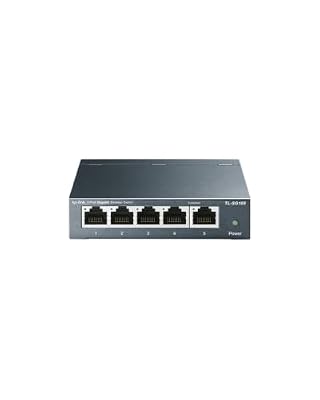
TP-Link TL-SG105, 5-Port Gigabit Unmanaged Ethernet Switch, Network Hub, Ethernet Splitter, Plug & Play, Fanless Metal Design, Shielded Ports, Traffic Optimization


As an Amazon Associate we earn from qualifying purchases. Product prices and availability are accurate as of the date/time indicated.

NETGEAR 5-Port Gigabit Ethernet Unmanaged Network Switch (GS305) | Home Network Hub, Office Ethernet Splitter, Plug-and-Play, Silent Operation, Desktop or Wall Mount, Essentials Model


As an Amazon Associate we earn from qualifying purchases. Product prices and availability are accurate as of the date/time indicated.

TP-Link 8 Port Gigabit Ethernet Network Switch - Ethernet Splitter | Plug & Play | Fanless | Sturdy Metal w/ Shielded Traffic Optimization | Unmanaged | Lifetime Protection (TL-SG108)


As an Amazon Associate we earn from qualifying purchases. Product prices and availability are accurate as of the date/time indicated.

TP-Link LS1005G, LiteWave 5 Port Gigabit Ethernet Unmanaged Switch | Desktop Ethernet Splitter, Unshielded Network Switch, Plug & Play, Fanless Quiet


As an Amazon Associate we earn from qualifying purchases. Product prices and availability are accurate as of the date/time indicated.

TP-Link TL-SG105S-M2, 5 Port Multi-Gigabit 2.5G Unmanaged Ethernet Switch | Ethernet Splitter, Plug & Play, Desktop/Wall Mount, Silent Operation


As an Amazon Associate we earn from qualifying purchases. Product prices and availability are accurate as of the date/time indicated.

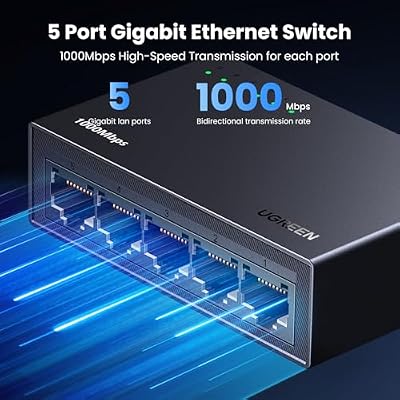
UGREEN Ethernet Switch, 5 Port Gigabit Plug & Play Ethernet Splitter | Wall Mount & Desktop Network Switch Hub, Unmanaged, Compact, with LED, Fanless Quiet, for Internet Cable, Laptop, Router, NAS



As an Amazon Associate we earn from qualifying purchases. Product prices and availability are accurate as of the date/time indicated.

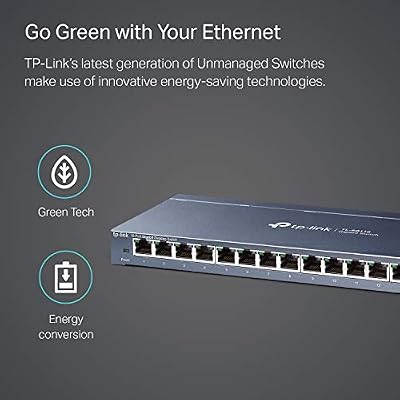
TP-Link TL-SG116, 16 Port Gigabit Unmanaged Ethernet Switch | Desktop/Wall Mount, Fanless, Sturdy Metal w/Shielded Ports, Traffic Optimization



As an Amazon Associate we earn from qualifying purchases. Product prices and availability are accurate as of the date/time indicated.

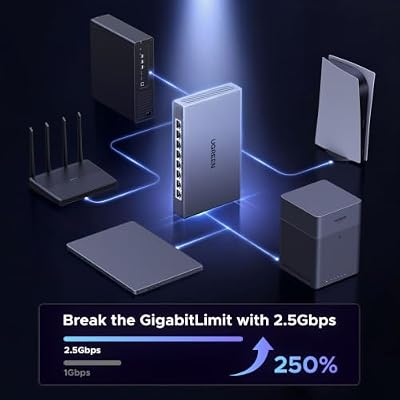
UGREEN 2.5Gb Switch, 8-Port Ethernet Switch, 8 x 2.5Gb Uplink Plug & Play | Metal Case, Unmanaged Ethernet Splitter, Desktop/Wall Mount Network Hub, Fanless Quiet with LED, for NAS, PC, Game Console




As an Amazon Associate we earn from qualifying purchases. Product prices and availability are accurate as of the date/time indicated.

Linksys SE3005 V2 5-Port Gigabit Ethernet Unmanaged Switch, Network Hub, Ethernet Splitter, Plug and Play, Fanless Metal Design, Traffic Optimization (QoS), Desktop or Wall Mount


As an Amazon Associate we earn from qualifying purchases. Product prices and availability are accurate as of the date/time indicated.

UGREEN Ethernet Switch, 10-Port PoE Switch, 8 PoE+@60W + 2 Gigabit Uplink | Plug & Play, Standard/Port Isolation(VLAN)/Extend Mode, PoE Auto Recovery, Metal Unmanaged Network Hub for Security Camera


As an Amazon Associate we earn from qualifying purchases. Product prices and availability are accurate as of the date/time indicated.
| Product | Best for | Key spec from the title |
|---|---|---|
| TP-Link TL-SG105 | Default desk switch | 5 gigabit ports, fanless metal, shielded ports |
| NETGEAR GS305 | Quiet media corner | 5 gigabit ports, silent operation, desktop |
| TP-Link 8-Port Gigabit | Growing setups | 8 gigabit ports, fanless, metal, shielded |
| TP-Link LS1005G LiteWave | Lowest-cost basics | 5 gigabit ports, unshielded, fanless |
| TP-Link TL-SG105S-M2 | Fast NAS or PC link | 5 ports at 2.5G multi-gigabit |
| UGREEN 5-Port Gigabit | Wall-mount tidiness | 5 gigabit ports, LED, wall mount or desktop |
| TP-Link TL-SG116 | Many wired devices | 16 gigabit ports, desktop or wall mount |
| UGREEN 2.5Gb 8-Port | Full 2.5G network | 8 x 2.5Gb ports, metal case |
| Linksys SE3005 V2 | Simple home hub | 5 gigabit ports, fanless metal, traffic optimization |
| UGREEN 10-Port PoE | Cameras and access points | 8 PoE+ ports plus 2 gigabit uplinks |
How to Choose
Port speed: gigabit or 2.5G
Gigabit tops out near 940 megabits per second of real throughput, which is plenty for streaming, gaming, and typical file transfers. A 2.5G switch only pays off when both ends of a link support 2.5G, such as a modern motherboard and a NAS. Check every device you own before paying extra, because a single gigabit device in the path caps that link at gigabit.
Port count with room to grow
Count your wired devices, then add three. Five ports vanish quickly once one port is used as the uplink to your router. Eight ports suit most apartments, and sixteen suits a home with cameras, consoles, and a workstation all hardwired.
Build and placement
Fanless metal bodies run silent and shed heat well, while shielded ports resist interference when cables bunch together. Plastic budget units are fine on a shelf but dislike warm cabinets. If you plan to hang it on a wall or under a desk, confirm the listing mentions wall-mount holes.
PoE and what to ignore
PoE is only worth it if you have cameras, wireless access points, or VoIP phones to power. Ignore marketing about traffic optimization on an unmanaged switch: it describes basic prioritization behavior and will not replace a managed switch with real VLAN and QoS controls. Where budget models cut corners is in metal construction, port shielding, and PoE power budgets.
The 10 Best Options
TP-Link TL-SG105
The straightforward answer for most desks. Five gigabit ports, a fanless metal body, shielded ports, and plug-and-play setup make it the one to grab when all you need is more jacks. It suits a console, a PC, and a NAS clustered around the router, and nobody has to learn a settings page. The title also mentions traffic optimization, a basic prioritization feature that needs no input from you.
- Strength: Metal casing with shielded ports resists knocks and cable interference.
- Strength: Fanless, so it stays silent on a quiet desk.
- Trade-off: Gigabit only, and one of the five ports is spent on the router uplink.
Skip it if you already own multi-gigabit devices or need more than four usable jacks.
NETGEAR GS305
A five-port gigabit switch pitched at home network hubs and office Ethernet splitters, with silent operation and a desktop design. It fits on a bookshelf near the router without adding noise or fuss, which matters if the cable closet is also the living room. Setup amounts to powering it and plugging cables in, so it works for relatives who dread networking jargon.
- Strength: Silent running suits bedrooms, studies, and media corners.
- Strength: Plug-and-play with nothing to configure.
- Trade-off: Five ports fill up quickly once the uplink is counted.
Skip it if you want a wall-mount option or a bigger port count spelled out in the title.
TP-Link 8-Port Gigabit
The step up when five ports feel too few. Eight gigabit ports in a fanless metal body with shielded ports give breathing room for a console, a TV box, a PC, a printer, and a spare for guests, with one reserved for the router. Buying this size once is usually cheaper than buying a five-port unit and then adding a second switch later.
- Strength: Eight ports keep you from buying twice.
- Strength: Sturdy metal build with shielded ports.
- Trade-off: Every port is still gigabit, so no multi-gigabit links.
Skip it if you have only two or three wired devices and want the smallest footprint.
TP-Link LS1005G LiteWave
A no-frills five-port gigabit unit that the title describes as unshielded, fanless, and quiet. It is built for a light load, such as a TV, a console, and a streaming stick sharing one wall jack. The lighter construction is the compromise for the lower tier, and for a shelf in a cool room that compromise rarely matters in daily use.
- Strength: Simple, silent, and plug-and-play.
- Strength: Well matched to low-stakes entertainment setups.
- Trade-off: Unshielded ports and a less robust build than the metal models.
Skip it for cluttered cable bundles or any spot that runs warm.
TP-Link TL-SG105S-M2
Five ports that run at 2.5G multi-gigabit, with desktop or wall mounting and silent operation. It is the upgrade when a NAS and a PC both have 2.5G ports and you want faster transfers between them than gigabit allows. Because it is a small box, it can sit beside the router or hang near a patch of wall without taking over the room.
- Strength: 2.5G speeds across all five ports.
- Strength: Desktop or wall-mount flexibility.
- Trade-off: Only five ports, one of which becomes the router uplink.
Skip it if every device you own is gigabit, because you would pay for speed you cannot use.
UGREEN 5-Port Gigabit
A compact five-port gigabit hub with LED indicators, wall-mount and desktop options, and a fanless design. The LEDs make troubleshooting a loose cable easy, since a dark light tells you which port has no link. It suits renters who want to screw something to a baseboard or the underside of a desk instead of leaving it on the floor.
- Strength: Flexible mounting for tidy cable runs.
- Strength: Visible port status lights for quick checks.
- Trade-off: Gigabit only, with five ports in total.
Skip it if you need shielded metal construction stated in the title.
TP-Link TL-SG116
Sixteen gigabit ports with a fanless, sturdy metal build, shielded ports, and desktop or wall-mount options. It suits a home where cameras, consoles, smart-TV boxes, and a workstation are all wired, or a small office where a patch panel feeds many rooms. With this many jacks, you can leave several in reserve for future gear.
- Strength: Sixteen ports end port shortages for years.
- Strength: Metal build with traffic optimization.
- Trade-off: Larger footprint than the five-port boxes.
Skip it if a small desk footprint is the priority or you will use only a handful of ports.
UGREEN 2.5Gb 8-Port
Eight 2.5Gb ports in a metal case with desktop or wall mounting. It targets people building a faster home network around newer PCs, NAS boxes, and Wi-Fi 6 or 7 access points that expose 2.5G ports. It is the pick for a future-proof backbone, since each port can carry more than gigabit gear can send.
- Strength: All eight ports run at 2.5G.
- Strength: Metal case with flexible mounting.
- Trade-off: Gigabit gear gets no speed benefit from the extra headroom.
Skip it if your router and devices are gigabit-only today and will stay that way.
Linksys SE3005 V2
A five-port gigabit switch with a fanless metal build and traffic optimization, from a long-established networking name. It suits a household that wants a familiar brand tucked behind the router and left alone. The metal body helps shed heat during long file transfers or evening streaming sessions, and the fanless design keeps it quiet.
- Strength: Metal fanless design.
- Strength: Plug-and-play simplicity with no software.
- Trade-off: Five ports, gigabit only.
Skip it if you need more ports, multi-gigabit speed, or PoE.
UGREEN 10-Port PoE
Ten ports total: eight PoE+ ports (listed as 8 PoE+@60W) plus two gigabit uplinks. It offers standard, port isolation, and extend modes, plus PoE auto recovery that restarts a hung powered device. One cable can feed a camera or access point with both data and power, which cuts outlets and clutter.
- Strength: Powers cameras and access points over the same cable.
- Strength: Auto recovery can revive a stuck PoE device.
- Trade-off: Costs more than plain switches and its power budget is finite.
Skip it if nothing on your network needs PoE.
Which One Fits Your Situation
A gamer with a console, PC, and TV box
Take the NETGEAR GS305 or the TP-Link TL-SG105. Both give five quiet gigabit ports, and wired connections beat Wi-Fi for latency.
A home office with a NAS and a fast PC
Choose the TP-Link TL-SG105S-M2 if your NAS and PC both have 2.5G ports. If you also have a Wi-Fi 6 access point, the UGREEN 2.5Gb 8-Port covers more devices.
A house with security cameras
The UGREEN 10-Port PoE delivers power and data over one cable, which cuts outlets and clutter.
A big wired setup in one room
The TP-Link TL-SG116 gives sixteen gigabit ports, enough for a workstation, consoles, and extras.
Common Mistakes
- Buying a 2.5G switch while every connected device remains gigabit.
- Forgetting that one port is consumed by the uplink to the router.
- Using flat or old Cat5 cable and wondering why speeds disappoint.
- Putting a plastic switch in a hot cabinet with no airflow.
- Assuming a PoE switch will power every camera without checking the combined wattage.
Related guides
- Gaming Chairs For Back Pain With Lumbar Support
- Gaming Keyboards For Fps With Rapid Trigger
- Travel Backpack With Laptop Compartment
Frequently Asked Questions
Does an unmanaged switch slow my internet?
No. Your internet speed is set by your plan and router. A gigabit switch will not bottleneck a connection below one gigabit, and the added latency from a basic switch is too small for gaming to notice.
Do I need Cat6 cable?
Cat5e handles gigabit and 2.5G over short runs. Cat6 gives more headroom for longer runs.
Can I chain two switches together?
Yes. Connect one port from each with a cable. Keep the chain short to avoid bottlenecks at the shared link, and put the faster or busier devices on the switch closest to the router so their traffic crosses fewer hops.
Is a managed switch better?
Only if you need VLANs or traffic rules. For simple port expansion, unmanaged is cheaper and easier. You can always add a managed unit later if your network grows more complicated, and the unmanaged box can stay in service as a simple extender.
Top picks from this guide
UGREENUGREEN Ethernet Switch, 5 Port Gigabit Plug & Play Ethernet…LinksysLinksys SE3005 V2 5-Port Gigabit Ethernet Unmanaged Switch, Network Hub,…TP-LinkTP-Link TL-SG105, 5-Port Gigabit Unmanaged Ethernet Switch, Network Hub, Ethernet…TP-LinkTP-Link TL-SG116, 16 Port Gigabit Unmanaged Ethernet Switch | Desktop/Wall…