🛒 Best Price Today on Amazon
Prime members get fast, free shipping on everything above, plus member-only deals. New members get a 30-day free trial — cancel anytime.
A 2 bay NAS under 400 dollars sounds like a single product category, but the number hides a trap: most of the good ones ship diskless. The enclosure fits the cap, then two hard drives have to be bought on top of it. Anyone setting a firm total should treat the cap as the price of the box alone and leave room for drives, or look at the rare models that arrive with disks already inside. That one fact reshapes the shortlist more than any processor spec.
Two bays also mean a specific job. With two drives you can mirror them so a single failure does not erase your data (RAID 1), or pool them for capacity with no protection. It is the entry point for backing up family photos, centralizing a laptop’s files and running a small media server. The eight models below, from Synology, UGREEN, QNAP, Asustor and Buffalo, split along software polish, media power and beginner friendliness. Whatever you pick in 2026, remember a NAS is not a backup by itself; mirrored drives protect against hardware failure, not deletion or theft. A USB drive enclosure and a one-bay network drive turn up in similar searches but are not true two-bay NAS units, so they are left out here.
Quick Picks

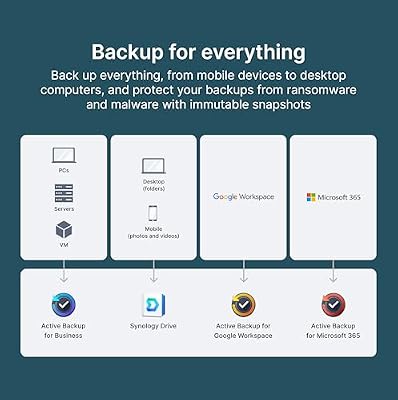
Synology DS225+ Private Cloud Media Server - Stream, Back Up Photos & Share Files, Intel CPU for Hardware Transcoding (2-Bay Diskless NAS)




As an Amazon Associate we earn from qualifying purchases. Product prices and availability are accurate as of the date/time indicated.

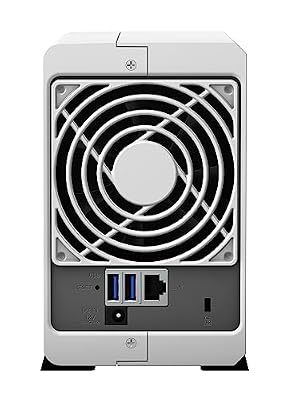
Synology 2-Bay DiskStation DS223j (Diskless)



As an Amazon Associate we earn from qualifying purchases. Product prices and availability are accurate as of the date/time indicated.

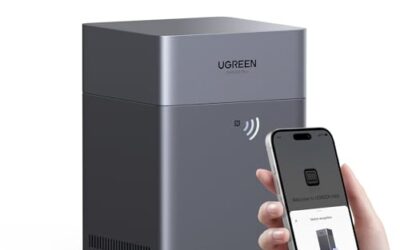
UGREEN NAS DXP2800 2-Bay for Advanced Home Users, Remote Workers & Creators | Home Media & Data Center, Docker & VM, Plex, Fast File Transfer, Intel N100, 8GB DDR5, 2.5GbE, 2x M.2 NVMe, 4K HDMI(Diskless)


As an Amazon Associate we earn from qualifying purchases. Product prices and availability are accurate as of the date/time indicated.

Synology DS223 Home & Office Backup Hub - Centralize Files, Protect Data & Monitor Property (2-Bay Diskless NAS)


As an Amazon Associate we earn from qualifying purchases. Product prices and availability are accurate as of the date/time indicated.

UGREEN NAS DH2300 2-Bay for Beginners & Personal Users, Phone Backup | AI Album, Private Cloud/Remote Access, File Sharing, Multi-Device Backup, Home Entertainment, 4GB RAM on Board (Diskless)


As an Amazon Associate we earn from qualifying purchases. Product prices and availability are accurate as of the date/time indicated.

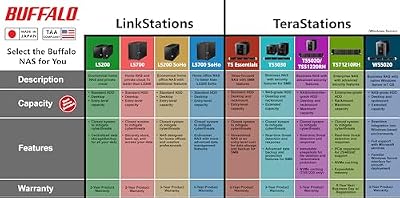
BUFFALO LinkStation 210 2TB 1-Bay NAS Network Attached Storage with HDD Hard Drives Included NAS Storage that Works as Home Cloud or Network Storage Device for Home




As an Amazon Associate we earn from qualifying purchases. Product prices and availability are accurate as of the date/time indicated.

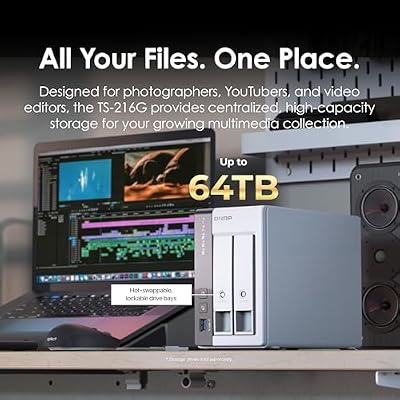
QNAP TS-216G-US 2-Bay 2.5GbE Desktop NAS | ARM Quad-Core CPU, Built-In NPU, 4GB RAM, Diskless



As an Amazon Associate we earn from qualifying purchases. Product prices and availability are accurate as of the date/time indicated.
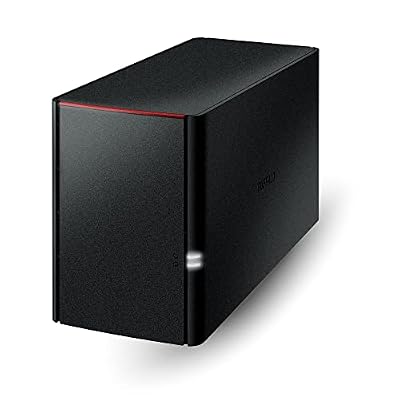
BUFFALO LinkStation 220 4TB 2-Bay NAS Network Attached Storage with HDD Hard Drives Included NAS Storage that Works as Home Cloud or Network Storage Device for Home


As an Amazon Associate we earn from qualifying purchases. Product prices and availability are accurate as of the date/time indicated.
| Product | Best for | Key spec from the listing |
|---|---|---|
| Synology DS225+ | Plex and media serving | Intel CPU with hardware transcoding, 2-bay diskless |
| Synology DS223j | Basic file sharing and backup | 2-bay DiskStation, diskless |
| UGREEN DXP2800 | Docker, VMs and creators | 2-bay, Plex, Docker and VM support, Intel N-series |
| Synology DS223 | Home and office backup hub | 2-bay diskless, file centralizing and monitoring |
| UGREEN DH2300 | Beginners backing up phones | 2-bay, phone backup, AI album, remote access |
| QNAP TS-216G | Faster network, AI features | 2.5GbE, ARM quad-core, NPU, 4GB RAM, diskless |
| Buffalo LinkStation 220 | Ready-to-go storage with disks inside | 4TB, 2-bay, HDDs included |
| Asustor Drivestor 2 Gen 2 | Home users with a 4K library | 2 bay, 2.5GbE, 4K media server, mobile app |
How to Choose
Diskless versus drives included
A diskless enclosure lets you choose the drives, and NAS-rated drives built for continuous running are the better pick over desktop drives. The cost of two of them can match the enclosure itself, so count both when comparing. A model that comes with drives, like the Buffalo LinkStation 220 at 4TB, saves the shopping but locks you into whatever capacity and brand it ships with. A diskless listing has no storage capacity of its own until you add drives, so ignore any vague talk of terabytes on that kind of page.
Processor and media transcoding
If you plan to stream video to phones and TVs, the processor matters. An Intel chip with hardware transcoding, as on the Synology DS225+, converts video on the fly without choking. ARM chips are efficient and quiet but have less muscle for heavy transcoding. For a simple file server, a modest CPU is plenty. Beware of paying for a feature, such as a neural processing unit, that your workflow will never use.
Network speed and memory
Gigabit Ethernet moves about 110 megabytes per second at best, which is fine for one user. A 2.5GbE port, as listed on the QNAP TS-216G and Asustor Drivestor 2 Gen 2, raises that ceiling to roughly 280 megabytes per second if your router or switch also supports 2.5G. Memory matters when you run containers or virtual machines; 4GB works for file serving, while Docker or VMs call for more headroom and upgrade options.
Software, apps and long-term support
The NAS operating system is half the product. Synology’s DSM is widely praised for polish and its app library; UGREEN, QNAP and Asustor each ship their own mobile apps for photo backup and remote access. Look for automatic phone backup, reliable remote access and a clear update history. Where budget models cut corners is in RAM, the number of supported apps and how long they get security updates. Before buying, read the maker’s support pages for the model and note how often the firmware has been refreshed, since a NAS faces the internet more than most home gadgets.
The 8 Best Options
Synology DS225+
Pitched as a private cloud and media server for streaming, photo backup and file sharing, with an Intel CPU for hardware transcoding. It is the most media-capable of the Synology 2-bays here. A household that wants to stream a movie library to a TV and also back up every phone in the house will find it covers both jobs from a single box on the shelf.
- Intel processor with hardware transcoding.
- Synology’s mature software for photos and backup.
- Trade-off: it ships diskless, so drives are an extra purchase.
Skip it if you only need basic file storage and would rather spend less.
Synology DS223j
The plainest Synology on the list: a 2-bay DiskStation sold diskless. The listing carries no processor detail, which signals an entry-level role for storage and simple sharing. It suits a single user who wants a central place for documents and laptop backups, with no plans for video serving or containers.
- Synology DiskStation software ecosystem.
- 2 bays for mirrored storage.
- Trade-off: no stated media or transcoding features.
Skip it if you want to stream large video libraries to many devices.
UGREEN NAS DXP2800
Aimed at advanced home users, remote workers and creators, with Plex, Docker and VM support and an Intel N-series chip. The feature list reads like a small home server rather than a plain storage box. A freelancer who edits video, hosts a few services and keeps a Plex library could consolidate three separate gadgets into this one enclosure.
- Docker, VM and Plex capability.
- Targets fast file transfer and data center duty.
- Trade-off: the listing cuts off the exact processor, so verify the specs.
Skip it if you want a set-and-forget appliance with a mature software store.
Synology DS223
Described as a home and office backup hub: centralize files, protect data and monitor property. It adds camera monitoring to the Synology file-sharing toolkit. A small shop or home office that wants one place for invoices, shared folders and a camera feed fits the description neatly.
- Positions itself for backup and surveillance.
- 2-bay diskless layout for mirroring.
- Trade-off: no media transcoding details in the listing.
Skip it if media streaming is the main goal.
UGREEN NAS DH2300
Written for beginners and personal users, emphasizing phone backup, an AI album, private cloud access and multi-device backup. It is the friendliest on-ramp for someone leaving subscription cloud storage. Parents who want every phone in the house to upload photos automatically, without learning folder structures, are the clear audience.
- Phone backup and AI-assisted photo album.
- Remote access and file sharing for the family.
- Trade-off: positioned for personal use, so advanced features are likely thinner.
Skip it if you plan to run Docker containers or virtual machines.
QNAP TS-216G
A desktop 2-bay with a 2.5GbE port, an ARM quad-core processor, a built-in NPU and 4GB of RAM, sold diskless. The faster network port is the standout feature. Shared project folders, large photo batches and nightly backups all finish sooner when the router and switch can keep pace with it.
- 2.5GbE speeds up transfers on a compatible network.
- NPU and 4GB RAM for AI-driven features.
- Trade-off: ARM processors are weaker for heavy video transcoding.
Skip it if you plan to transcode 4K video for multiple screens.
Buffalo LinkStation 220
A 2-bay network drive with 4TB of hard drives already installed, positioned as home cloud or network storage. It removes the drive-shopping step entirely, which is a real relief for a first-time buyer who does not know a NAS drive from a desktop drive. Plug it in, map the share and the household has somewhere to put files.
- Drives included, ready out of the box.
- Works as a home cloud for simple sharing.
- Trade-off: fixed capacity and drive choice, with no upgrade path described.
Skip it if you want to pick your own drives or need serious app support.
Asustor Drivestor 2 Gen 2 AS1202T
Made for personal home users, it covers photo and file backup, remote access, a mobile app and a 4K media server, with 2.5GbE. It balances media and backup duties well. The family that keeps a movie collection and a decade of photos in the same place, and wants to reach both from a phone while traveling, is its natural audience.
- 4K media server and 2.5GbE port.
- Mobile app for remote access.
- Trade-off: the listing is truncated, so confirm memory and drive support.
Skip it if you want a deep catalog of third-party apps.
Which One Fits Your Situation
A Plex household with a growing movie collection
Choose the Synology DS225+ for its hardware transcoding, or the Asustor Drivestor 2 Gen 2 if a 4K media server and 2.5GbE are the priorities.
A family leaving cloud subscriptions behind
The UGREEN DH2300 is built around phone backup and an AI album, so it feels familiar to anyone coming from a photo subscription.
A home lab or small creative studio
The UGREEN DXP2800 covers Docker and VMs, while the QNAP TS-216G adds a faster network port for moving project files.
Someone who wants storage working today
The Buffalo LinkStation 220 arrives with 4TB installed, so there are no drives to hunt for and no compatibility lists to read. It is the least fussy way to start, and a sensible choice for a relative who just wants a shared folder.
Common Mistakes
- Forgetting that diskless NAS units need two drives, then discovering the total cost exceeds the plan.
- Treating RAID 1 as a backup; it protects against drive failure but not accidents or ransomware.
- Choosing an ARM-based box for heavy 4K transcoding.
- Buying a 2.5GbE NAS but plugging it into a gigabit router, which wastes the faster port.
- Using desktop hard drives that are not designed for constant running, then losing a disk to heat and vibration in the second bay.
Related guides
- Gaming Chairs For Back Pain With Lumbar Support
- Gaming Keyboards For Fps With Rapid Trigger
- Travel Backpack With Laptop Compartment
Frequently Asked Questions
Do I need NAS-specific hard drives?
It is strongly advised. NAS drives are built for continuous operation and vibration from a neighboring bay, which improves lifespan and reliability compared with desktop drives. Buy two from the same line and, if possible, from different batches, so a manufacturing flaw is less likely to hit both at once.
What is the difference between RAID 0 and RAID 1?
RAID 1 mirrors two drives so one can fail without data loss. RAID 0 combines them for speed and capacity but loses everything if either drive dies.
Is a NAS a replacement for cloud backup?
Not entirely. It keeps data at home and under your control, but a fire, theft or accidental deletion can still erase it. Pairing it with an off-site copy is the safer plan.
Can a 2 bay NAS stream video to my TV?
Yes, models with media server software can. For smooth 4K playback and multiple streams, favor a processor with hardware transcoding. Many modern TVs and streaming boxes can play files directly without conversion, in which case even a modest processor is enough.