🛒 Best Price Today on Amazon
Prime members get fast, free shipping on everything above, plus member-only deals. New members get a 30-day free trial — cancel anytime.
Four bays and a ceiling of 500 dollars forces one honest question before anything else: how much of the budget goes to the box, and how much do you want left over for the disks? Most of the machines in this guide are listed diskless, so the chassis, processor, and network port are what you are really choosing between. Shoppers who search for this exact phrase are usually past the single external drive stage. A laptop is full of family photos, a phone keeps nagging about storage, or a small team is still passing files around by email.
Shopping in 2026, a 2.5GbE port and a quad-core chip are the baseline to look for at this level, and software polish is what separates one box from the next. This guide sorts eight four-bay machines by the person they suit: first-time users who want an app to hold their hand, home theater owners who care about Plex, small offices that want backup plus surveillance, and tinkerers who would rather run Docker or a different operating system. Everything below is judged from the listed specs only.
Quick Picks

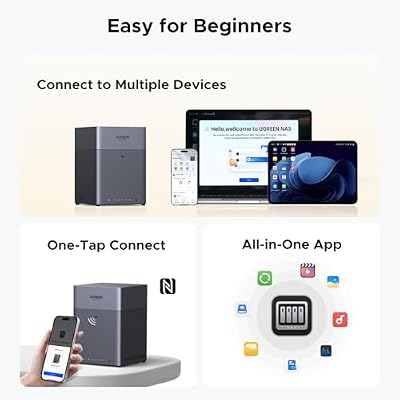
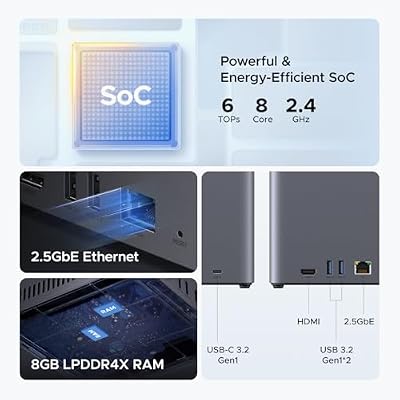
UGREEN NAS DH4300 Plus 4-Bay for Beginners, Home Users & Remote Workers | Photo & Video Backup, AI Photo Album, File Hub, Private Cloud & Secure Home Surveillance, 8GB LPDDR4X, 4K HDMI (Diskless)




As an Amazon Associate we earn from qualifying purchases. Product prices and availability are accurate as of the date/time indicated.

Synology DS423 Family & Business Backup - Secure File Sharing, Photo Vault & Video Surveillance (4-Bay Diskless NAS)


As an Amazon Associate we earn from qualifying purchases. Product prices and availability are accurate as of the date/time indicated.

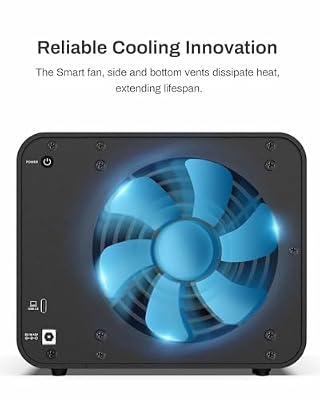
TERRAMASTER D4-320 External Hard Drive Enclosure 4-Bay (Diskless) | USB 3.2 Gen2 10Gbps, Type-C USB Storage, Hot Swappable Plug and Play (Diskless)


As an Amazon Associate we earn from qualifying purchases. Product prices and availability are accurate as of the date/time indicated.

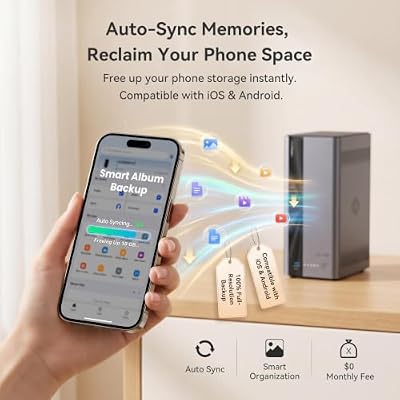
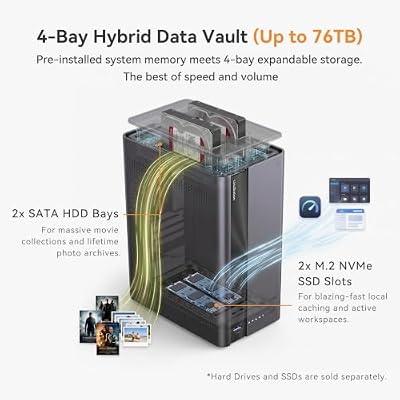
LincStation E1 4-Bay NAS Storage, Quad-Core 2.0GHz, 4GB RAM, 64GB eMMC, 2.5GbE Port & 4K HDMI 2.0, Supports M.2 NVMe SSD & SATA HDD Up to 76TB, Remote Access for iOS/Android/Windows (Diskless)




As an Amazon Associate we earn from qualifying purchases. Product prices and availability are accurate as of the date/time indicated.
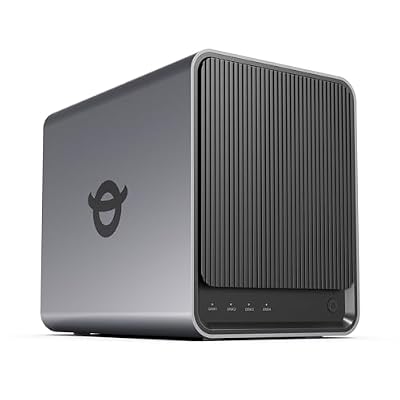
Yxk Zero1 Pro 4-Bay NAS for Private Cloud & Home Media Server (Diskless) | Beginner-Friendly App Setup, Docker & Third-Party OS for Enthusiasts, Intel N100 & 8GB RAM, 2*M.2 SSD Slots, AI Photo Album


As an Amazon Associate we earn from qualifying purchases. Product prices and availability are accurate as of the date/time indicated.

QNAP TS-433-4G-US 4 Bay NAS | Quad-core Processor, 4 GB RAM and 2.5GbE Network (Diskless)


As an Amazon Associate we earn from qualifying purchases. Product prices and availability are accurate as of the date/time indicated.
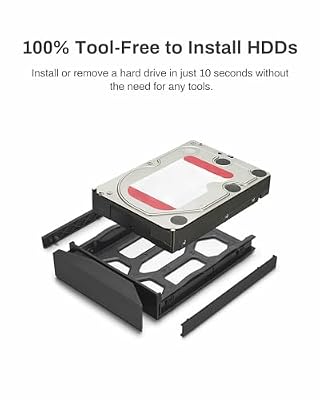
TERRAMASTER F4-212 4-Bay NAS Quad Core CPU, 2GB RAM (Diskless)



As an Amazon Associate we earn from qualifying purchases. Product prices and availability are accurate as of the date/time indicated.
| Product | Best for | Key spec from the title |
|---|---|---|
| UGREEN DH4300 Plus | First-time home users | 4-bay, AI photo album, private cloud |
| Synology DS423 | Family plus small business | 4-bay diskless, photo vault, video surveillance |
| TerraMaster F4-425 | Home media server | Intel x86 quad-core, 4GB RAM, 2.5GbE |
| LincStation E1 | Living-room connection | 4K HDMI 2.0, M.2 NVMe plus SATA, up to 76TB |
| Yxk Zero1 Pro | Enthusiasts | Docker and third-party OS support |
| QNAP TS-433-4G-US | Straightforward file storage | Quad-core, 4GB RAM, 2.5GbE |
| TerraMaster F4-212 | Light, tight-budget backup | Quad-core CPU, 2GB RAM |
| Asustor Drivestor 4 Pro Gen2 | Plex streaming | 4K Plex server, 2.5GbE |
How to Choose
Network port and processor
A single modern hard drive pushes roughly 200 MB/s on large sequential files, while a gigabit port tops out near 110 MB/s. That is why 2.5GbE, which allows about 280 MB/s, matters even if you only own one fast computer. Pair it with a quad-core processor and at least 4GB of RAM if you plan to run more than file sharing. Two gigabytes is enough for backup and not much else.
Software and who will maintain it
Ask who sets this up. A parent or a non-technical partner will appreciate guided app installs and a phone app for photo upload. Someone comfortable with a command line may prefer Docker support or the freedom to install a third-party operating system. Pick the side of that line you actually sit on, because a locked-down box frustrates tinkerers and an open one overwhelms beginners.
Bays, drive types, and capacity ceilings
Four bays allow RAID 5, which survives one dead disk and leaves three drives of usable space, or RAID 10 for speed with two drives of space. Check whether the unit accepts M.2 NVMe sticks for caching or fast storage and what total capacity the maker supports. A listing that states a ceiling, such as 76TB, is easier to plan around than one that stays silent.
What to ignore and where budget units cut corners
Ignore AI branding on photo features until you have read what it actually does offline. Ignore headline capacity figures for bundled drives, because a NAS is only as dependable as the disks inside it. Budget models tend to trim RAM, skip the faster network port, and rely on thin documentation. If a title does not state the CPU or port speed, look it up before ordering.
The 8 Best Options
UGREEN DH4300 Plus
This one is pitched squarely at newcomers. The listing names beginners, home users, and remote workers, then stacks photo and video backup, an AI photo album, a file hub, and a private cloud on top. If the goal is to stop renting cloud space for pictures, the feature list reads like a checklist for that job. A parent who wants every phone in the house backing up to one shelf-sized device is the classic buyer.
- Feature set is aimed at non-technical users who want backup running quickly.
- Four bays leave room for a redundant RAID layout.
- Trade-off: the title does not state processor, RAM, or port speed, so confirm them first.
Skip it if you need to know the chip and network speed from the headline, or if containers are on your wish list.
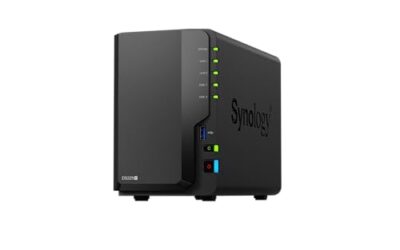
Synology DS423
Synology frames this four-bay, diskless unit around family and business backup, secure file sharing, a photo vault, and video surveillance. That mix suits a household that also runs a tiny home office, since one device covers shared folders and camera footage without separate boxes. Photographers and freelancers who keep client files at home will see the appeal of a vault-style archive plus shared folders in the same cabinet.
- One machine is described for both household photos and small-business sharing.
- Surveillance is named in the title, which many rivals leave out.
- Trade-off: no 2.5GbE or processor detail appears in the title, so network speed needs verifying.
Skip it if the fastest advertised port or an HDMI connection is your top priority.
TerraMaster F4-425
The F4-425 reads like a media-first design for home users. An Intel x86 quad-core processor, 4GB of RAM, and a 2.5GbE LAN port are all in the title, which is the clearest spec trio in this group. That combination is what you want behind a movie library shared with several screens. Because the specs are spelled out, comparing it against rivals takes minutes instead of an evening of digging through support pages.
- x86 architecture and 4GB of RAM give headroom beyond plain file serving.
- 2.5GbE is built in rather than an add-on.
- Trade-off: marketed to home users, so business-focused features are not the headline.
Skip it if you want surveillance management or a maker known mainly for small-business tools.
LincStation E1
This is the connectivity outlier. A quad-core 2.0GHz processor, 4GB RAM, 64GB of onboard eMMC, a 2.5GbE port, and 4K HDMI 2.0 output sit alongside support for M.2 NVMe drives and SATA hard disks up to 76TB. The HDMI port means it can plug straight into a television. The onboard 64GB of eMMC can hold the operating system, which leaves the drive bays free for data and keeps the system from competing with your files.
- Mixes NVMe and SATA storage in one chassis.
- Direct 4K HDMI output suits a living-room setup.
- Trade-off: a newer name than the big NAS brands, so judge the software by its documentation.
Skip it if you prefer a long-established ecosystem with years of community guides.
Yxk Zero1 Pro
Built for people who like to tinker. The listing promises beginner-friendly app setup but also Docker and third-party operating system support, which is an unusual pairing. It targets private cloud and home media server use, so you can start easy and loosen the leash later. A student building a home lab, or a hobbyist who wants to run a handful of self-hosted apps, would find that flexibility more useful than polish.
- Open to Docker and alternative operating systems.
- Offers guided setup for the first week.
- Trade-off: the processor line is cut off in the title and the brand is little known, so verify before buying.
Skip it if you want a polished first-party app store and a large user base to lean on.
QNAP TS-433-4G-US
QNAP keeps the title short: four bays, a quad-core processor, 4GB of RAM, and 2.5GbE, diskless. No marketing copy gets in the way, which suits a shopper who already knows QNAP and wants a dependable file server. It is the type of listing that rewards someone who has already compared operating systems and simply needs the hardware.
- Quad-core chip with 4GB of RAM is the baseline many buyers want.
- 2.5GbE port is included.
- Trade-off: the title offers no feature story, so apps and extras must be read on the maker page.
Skip it if you expect HDMI output or M.2 slots, since neither is mentioned in the listing.
TerraMaster F4-212
This model sits at the lean end. Four bays, a quad-core CPU, and 2GB of RAM, diskless, make it a plain backup target. It fits a household that mainly wants copies of documents and photos kept off the main computer. Scheduled nightly copies are the sweet spot here, and a retiree archiving tax records fits the profile.
- Quad-core processor in a four-bay frame.
- Simple spec list with few moving parts to manage.
- Trade-off: half the RAM of several rivals and no 2.5GbE mentioned.
Skip it if you plan to run several apps, Plex transcoding, or heavy photo indexing at once.
Asustor Drivestor 4 Pro Gen2
Asustor targets home cloud backup with a 4K Plex media server, remote access, and photo backup, plus 2.5GbE and easy setup. If Plex is the reason you are shopping, the title says so directly. Remote access also means holiday videos can be pulled up from a relative’s house without emailing files back and forth.
- Explicit 4K Plex support in the headline.
- 2.5GbE and remote access are both listed.
- Trade-off: the visible title leaves out processor and RAM figures.
Skip it if you want Docker freedom or a surveillance-centered setup.
Which One Fits Your Situation
You have never owned a NAS
Start with the UGREEN DH4300 Plus or the Synology DS423. Both describe guided photo backup and sharing, which is the job most first-timers actually need done. Start with phone backup, add a second user later, and only then explore the advanced menus.
Your goal is a movie library on the TV
The LincStation E1 offers HDMI output, while the Asustor Drivestor 4 Pro Gen2 names a 4K Plex server. Choose the LincStation to connect directly, or the Asustor to stream across the house.
You like to experiment
The Yxk Zero1 Pro is the only listing that openly invites Docker and third-party operating systems, so it is the natural playground. Keep a backup of anything important before experimenting with a replacement operating system, since a failed install can wipe the configuration.
You just need dependable file storage
The QNAP TS-433-4G-US and TerraMaster F4-425 pair a quad-core chip with 4GB of RAM and 2.5GbE. For the lightest load, the TerraMaster F4-212 does the job. Whichever you choose, buy matching drives from one product line and keep a spare on the shelf.
Common Mistakes
- Spending the whole cap on the chassis and having nothing left for matching drives.
- Mixing drive models and sizes in a RAID 5 array and wasting the extra capacity of larger disks.
- Treating RAID as a backup; it protects against a failed disk, not deletion or fire.
- Forgetting that a gigabit switch or router will waste a 2.5GbE port.
- Choosing a unit by feature buzzwords without reading what the processor and RAM can handle.
Related guides
- Gaming Chairs For Back Pain With Lumbar Support
- Gaming Keyboards For Fps With Rapid Trigger
- Travel Backpack With Laptop Compartment
Frequently Asked Questions
Are these NAS units sold with drives?
Most listings say diskless, meaning drives are bought separately. Check each product page for what is in the box, and plan to buy NAS-rated hard drives, which are built for always-on use and handle vibration better than desktop drives.
Is 2.5GbE worth it?
Yes if your computer and switch support it, because it lets one fast drive run well beyond what a gigabit link allows. Otherwise it simply goes unused for now, though it costs nothing extra to have the port ready for a later network upgrade.
Which RAID level should I use with four bays?
RAID 5 balances space and protection, while RAID 10 favors speed and simplicity of recovery. Both tolerate a single disk failure. Neither replaces a separate backup stored somewhere else, such as a second device or an offsite copy.
Can I use SSDs in these?
SATA SSDs fit most four-bay frames, and the LincStation E1 also lists M.2 NVMe support. Confirm the drive types on the spec page. SSDs run quieter and cooler than hard drives, though they give less storage for the same outlay and are best kept for active projects.