🛒 Best Price Today on Amazon
Prime members get fast, free shipping on everything above, plus member-only deals. New members get a 30-day free trial — cancel anytime.
A home NAS under 400 dollars forces one question before any other: does the price include drives? Some boxes in this range ship with hard drives inside and work out of the box, while others arrive empty and ask you to buy storage separately, which can double the real cost. Reading the cap as a total budget, rather than just the price of the enclosure, is the difference between a finished setup and a bare chassis.
This guide is for households that want a private cloud for photos and documents, remote workers who need a safe place for backups, and tinkerers who want to run a media server or a few containers at home. The eight network storage options below range from a one-bay drive-included box to an x86 do-it-yourself kit, so the sections that follow explain how bay count, memory, and network speed line up with what you actually plan to store in 2026.
Quick Picks

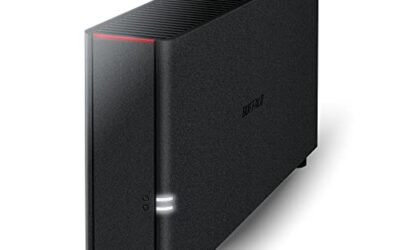
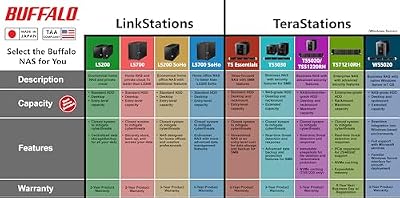
BUFFALO LinkStation 210 2TB 1-Bay NAS Network Attached Storage with HDD Hard Drives Included NAS Storage that Works as Home Cloud or Network Storage Device for Home




As an Amazon Associate we earn from qualifying purchases. Product prices and availability are accurate as of the date/time indicated.

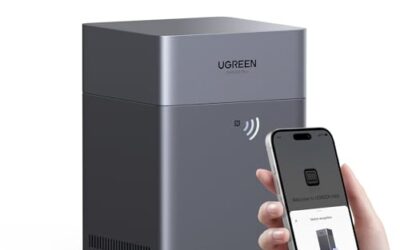
UGREEN NAS DXP2800 2-Bay for Advanced Home Users, Remote Workers & Creators | Home Media & Data Center, Docker & VM, Plex, Fast File Transfer, Intel N100, 8GB DDR5, 2.5GbE, 2x M.2 NVMe, 4K HDMI(Diskless)


As an Amazon Associate we earn from qualifying purchases. Product prices and availability are accurate as of the date/time indicated.
BUFFALO LinkStation 210 4TB 1-Bay NAS Network Attached Storage with HDD Hard Drives Included NAS Storage that Works as Home Cloud or Network Storage Device for Home
As an Amazon Associate we earn from qualifying purchases. Product prices and availability are accurate as of the date/time indicated.

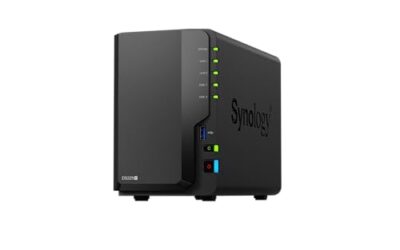
Synology DS223 Home & Office Backup Hub - Centralize Files, Protect Data & Monitor Property (2-Bay Diskless NAS)


As an Amazon Associate we earn from qualifying purchases. Product prices and availability are accurate as of the date/time indicated.

Synology DS124 Personal Backup & File Hub - Protect Photos, Secure Home Surveillance (1-Bay Diskless NAS)


As an Amazon Associate we earn from qualifying purchases. Product prices and availability are accurate as of the date/time indicated.
BUFFALO LinkStation 210 6TB 1-Bay NAS Network Attached Storage with HDD Hard Drives Included NAS Storage that Works as Home Cloud or Network Storage Device for Home


As an Amazon Associate we earn from qualifying purchases. Product prices and availability are accurate as of the date/time indicated.
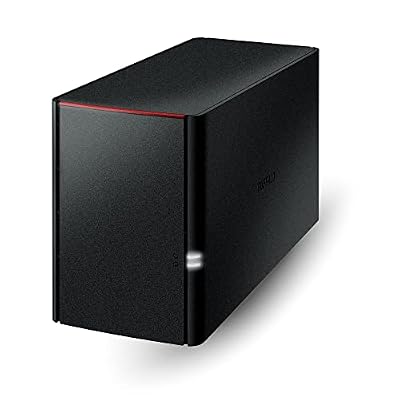
BUFFALO LinkStation 220 4TB 2-Bay NAS Network Attached Storage with HDD Hard Drives Included NAS Storage that Works as Home Cloud or Network Storage Device for Home


As an Amazon Associate we earn from qualifying purchases. Product prices and availability are accurate as of the date/time indicated.

Asustor Drivestor 2 Gen 2 AS1202T 2 Bay NAS Storage for Personal Home Users | Photo File Backup, Remote Access, Mobile App, 4K Media Server, 2.5GbE, Personal Cloud, Network Attached Storage (Diskless)


As an Amazon Associate we earn from qualifying purchases. Product prices and availability are accurate as of the date/time indicated.
| Product | Best for | Key spec from the title |
|---|---|---|
| BUFFALO LinkStation 210 | Simple plug-in home cloud | 1-bay, drives included, 2TB to 6TB listings |
| UGREEN DXP2800 | Plex, Docker, and VMs | 2-bay, Intel processor, home media focus |
| Synology DS223 | Family and small-office backup | 2-bay, diskless |
| Synology DS124 | Personal backup on a budget | 1-bay, diskless |
| BUFFALO LinkStation 220 | Ready-to-use two-drive storage | 2-bay, 4TB, drives included |
| Asustor Drivestor 2 Gen 2 | Photo backup and 4K streaming | 2-bay, 2.5GbE, mobile app |
| 2-Bay DIY NAS Kit | Home server experimenters | Quad-core Intel, 16GB RAM, PCIe x4 |
| TERRAMASTER F2-212 | Entry private cloud | 2-bay, quad-core CPU, DDR4, diskless |
How to Choose
Decide between drives included and diskless
A drive-included unit is the easiest route: plug it in, and it already holds storage. A diskless enclosure costs less up front, but a pair of hard drives can add well over half of a 400-dollar budget. Add the drive cost to the enclosure before comparing, and favor drives made for 24-hour NAS use rather than generic desktop models.
Pick bay count for protection, not just capacity
One bay means one copy of your data, and a single drive failure can wipe it. Two bays let you mirror two drives so one can fail without data loss, which matters for family photos. If the NAS is a second backup of data you already keep elsewhere, a single bay is acceptable.
Check the network port and processor for your use
Gigabit Ethernet moves roughly 110 megabytes per second, enough for file access and 4K video streaming. A 2.5GbE port, as on the Asustor, helps when a fast computer pulls large files. Media transcoding or running containers needs a stronger CPU and at least 8GB of RAM; light file serving does not.
What to ignore and where budget models cut corners
Ignore giant capacity numbers on drive-included units if you only store documents. Budget NAS boxes often limit RAM, skip hot-swap bays, and use slower processors, so match the hardware to the job rather than to the biggest spec sheet.
The 8 Best Options
BUFFALO LinkStation 210 1-Bay NAS
This is the plug-in answer for people who want a home cloud without choosing drives. The listing describes a 1-bay NAS with HDD drives included, and the same model appears in 2TB, 4TB, and 6TB versions, so you choose capacity by the amount of photos, video, and backups you expect to keep. It targets non-technical households who care about simplicity above tinkering. A retired couple backing up decades of snapshots, or a student who just wants one shared folder for the apartment, is the kind of buyer this design has in mind.
- Drives come installed, so there is no separate storage purchase.
- Capacity tiers let you scale from light document storage to a larger family library.
- Trade-off: one bay means one copy of the data and no mirrored protection.
Skip it if you want redundancy, containers, or a media server with extras.
UGREEN NAS DXP2800 2-Bay
Aimed at advanced home users, remote workers, and creators, this two-bay NAS lists an Intel processor and calls out Docker, VMs, and Plex alongside fast file transfer. It reads like the pick for someone who wants the NAS to do work beyond storage, such as running a media library or a few lightweight services in a home lab. The creator angle in the title hints at editing footage over the network, where a stronger processor and quick transfers save real waiting time during a project.
- Docker and VM support point to flexibility beyond plain file sharing.
- Two bays allow mirrored drives for protection of important data.
- Trade-off: the title does not state that drives are included, so plan to buy them.
Skip it if you want a finished, drive-ready appliance for simple backups.
Synology DS223 2-Bay
A familiar name in home storage, the DS223 is described as a home and office backup hub for centralizing files, protecting data, and monitoring property. It arrives diskless, which makes it right for buyers who already own drives or plan to pick their own, and who value a polished software experience for everyday family and small-office use. A freelance designer with a laptop and a desktop, or a family with several phones syncing photos, will find the backup-hub description a close match for what the box is meant to do.
- Two bays support protected storage for photos and documents.
- The backup-hub focus suits a household or tiny office.
- Trade-off: diskless, so the drives add to the real cost.
Skip it if you want a drive-included box, or if your budget cannot stretch to cover two drives as well.
Synology DS124 1-Bay
This is the smaller sibling for people who want a personal backup and file hub rather than a family server. The title lists protecting photos and securing home surveillance, which makes it a candidate for someone with a few cameras and a laptop, and the single bay keeps both enclosure cost and the drive purchase modest. It is the sort of purchase that makes sense when the NAS is a safety copy rather than the main library, and when the owner wants the cheapest credible way to stop trusting a single laptop drive.
- One bay keeps the total spend low once a drive is added.
- Home surveillance mention suits people who record camera footage.
- Trade-off: a single drive offers no mirrored protection.
Skip it if you hold irreplaceable family data with no other copy.
BUFFALO LinkStation 220 2-Bay 4TB
The two-bay, drive-included option. The title lists a 4TB 2-bay NAS with HDD drives, positioned as a home cloud or network storage. It targets buyers who want a mirrored pair without shopping for disks, and who prefer a ready-to-use box over the flexibility of a diskless enclosure. For a family that never wants to think about RAID setup, hard-drive compatibility lists, or formatting, a boxed unit with drives already fitted removes most of the friction of owning network storage.
- Two bays and included drives mean protection and storage arrive together.
- Home-cloud positioning keeps setup approachable.
- Trade-off: the listing offers no mention of container support or a media-server focus.
Skip it if you want to run Plex, Docker, or other services on the NAS.
Asustor Drivestor 2 Gen 2 AS1202T
For personal home users, this two-bay model emphasizes photo and file backup, remote access, a mobile app, and a 4K media server. The standout is a 2.5GbE port, which suits a household with a newer computer that can use faster transfers than standard gigabit. A photographer who moves large raw files from a desktop, or a household with a 4K television that plays from a shared library, can use that extra headroom better than a typical document-only user.
- 2.5GbE can speed up large transfers on compatible networks.
- Mobile app and remote access suit reaching files away from home.
- Trade-off: you need a 2.5GbE-capable switch or computer to see the benefit.
Skip it if your network is gigabit only and you want a drive-included box.
2-Bay DIY NAS Kit, x86 Home Server
This is the hobbyist’s choice. The title lists an Intel quad-core, 16GB of RAM, dual SATA bays, a PCIe x4 slot for expansion, and readiness for Docker, Plex, and Home Assistant. It resembles a small home server more than an appliance, and it rewards owners who enjoy configuring software. Home Assistant and Plex in the same title show the intended audience: someone building a small always-on box for the house, not just a place to park backups.
- 16GB of RAM leaves room for multiple containers and a media server.
- PCIe x4 expansion allows later upgrades such as faster networking.
- Trade-off: expect to install and configure your own operating system and software.
Skip it if you want a tidy app store and automatic updates out of the box.
TERRAMASTER F2-212 2-Bay
An entry-level private cloud with a quad-core CPU and DDR4 memory, delivered diskless. The title mentions rich backup solutions, which suits a home user building a first NAS and who does not need heavy media transcoding or virtual machines. The two-bay layout and plain feature list make it a reasonable first step for someone moving from scattered external drives to a single network location for the household.
- Quad-core CPU and DDR4 memory cover everyday file sharing and backup tasks.
- Two bays allow a mirrored pair for photos and documents.
- Trade-off: diskless, so drive cost applies on top of the enclosure.
Skip it if you want a drive-included device or a server with expansion slots.
Which One Fits Your Situation
You want a no-fuss family photo vault
The BUFFALO LinkStation 220 gives you two bays and drives in one purchase, so the only job is plugging it in.
You like running Plex and containers
The UGREEN DXP2800 or the 2-Bay DIY NAS Kit fit this, with the kit offering the more generous memory and expansion.
You already own spare drives
A diskless Synology DS223 or TERRAMASTER F2-212 saves the cost of drives you do not need to buy twice.
You need a cheap backup for one laptop and a few cameras
The Synology DS124 keeps cost down and mentions home surveillance directly.
Common Mistakes
- Counting only the enclosure price and forgetting to budget for two drives.
- Using a single bay for irreplaceable data with no second copy.
- Treating a NAS as a backup by itself rather than one copy among several.
- Buying 2.5GbE hardware while the rest of the network is gigabit.
- Choosing a lightweight box and then expecting it to transcode video for several streams.
Related guides
- Gaming Chairs For Back Pain With Lumbar Support
- Gaming Keyboards For Fps With Rapid Trigger
- Travel Backpack With Laptop Compartment
Frequently Asked Questions
Is a NAS better than an external drive?
It adds network access, scheduled backups, and the option to mirror drives. An external drive is cheaper for one computer.
Do I need two bays?
If the data matters, two bays let you mirror drives and survive a single failure. For a second copy of data you already keep elsewhere, one bay is enough.
Can a NAS stream 4K video?
Many can serve 4K files to a TV that plays them directly. Transcoding for other devices needs a stronger processor, as in the Intel-based options.
Are diskless units a bad value?
Not at all, as long as you count the drives. They offer flexibility, but the true cost is the enclosure plus the storage.