🛒 Best Price Today on Amazon
Prime members get fast, free shipping on everything above, plus member-only deals. New members get a 30-day free trial — cancel anytime.
- Short verdict
- Side-by-side comparison
- Switches and typing feel
- Software and onboard memory
- Layout, size and build
- Gaming features worth verifying
- Use-case picks
- Worked example: choosing between two boards
- Durability, warranty and support
- Comfort, noise and desk setup
- Checklist before buying
- Related guides
- Frequently asked questions
Corsair and HyperX both make capable gaming keyboards, and the better choice is the specific model that suits your layout, switch type and software tolerance. Corsair generally offers a wider range and deeper lighting and macro control, while HyperX has often leaned toward a more focused lineup with simpler setup. Specifications change with each release, so verify details on the current product page. This comparison, compiled by the Editorial team from published specifications, manufacturer documentation and general knowledge, walks through switches, software, layouts, build and support, and ends with a checklist.
Short verdict
Pick Corsair if you want a large catalog, advanced lighting and macros, and you already use other Corsair parts that share one software hub. Pick HyperX if you want a simpler product range and lighter software demands. Both brands make full-size, tenkeyless and compact designs, so layout is not a deciding factor on its own.
Because lineups change, treat brand traits as tendencies. The model you compare matters more than the badge, and the comparison below is organized around features you can verify.
Side-by-side comparison
| Factor | Corsair | HyperX | What to check |
|---|---|---|---|
| Range | Broad, from entry to premium | Narrower, with several mainstream lines | Match layout and switch to your needs |
| Software | iCUE, feature-rich | NGENUITY, simpler | Whether profiles can be stored onboard |
| Switches | Mix of third-party and house designs | Mix of house designs and third-party options | Linear, tactile or clicky, and rated lifespan |
| Lighting | Extensive per-key effects on many models | Solid effects on most lines | Per-key or zone lighting |
| Ecosystem | Syncs with other Corsair products | Syncs within HyperX lineup | Whether you own matching gear |
| Ownership | Independent company | Part of HP | Warranty terms from the seller |
Switches and typing feel
Switch type shapes the experience more than the brand. Linear switches press smoothly with no bump, which many gamers like for fast repeated taps. Tactile switches give a small bump that confirms actuation, and clicky switches add an audible click that can be loud in shared rooms. Optical and magnetic designs register presses with light or sensors rather than metal contacts and may allow adjustable actuation on certain models.
Check the actuation force, travel distance and rated lifetime in the manufacturer documentation, and whether the board supports hot-swapping so you can change switches without soldering. Sound also depends on the keycaps, plate and any foam inside, not just the switch. For a deeper explanation of response times, see our keyboard latency guide.
Software and onboard memory
Companion software controls lighting, macros and key remapping. Corsair’s iCUE is powerful and can sync lighting with fans, memory and other brand devices, but it can use more system resources and takes time to learn. HyperX’s NGENUITY is lighter and easier to scan, though with fewer advanced options.
If you prefer not to run software in the background, look for onboard memory, which stores profiles in the keyboard itself. Confirm whether a specific model has it, how many profiles it holds and whether lighting is also saved. Match the keyboard to the case and fans you already own; for a Corsair-based setup, our list of Corsair cases shows where ecosystem lighting fits.
Layout, size and build
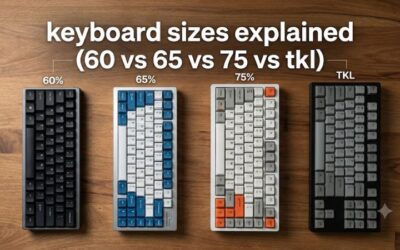
Full-size boards add a number pad and often dedicated media keys. Tenkeyless removes the number pad and gives your mouse more room. Smaller 65 and 60 percent layouts save even more space but rely on function layers for arrows and function keys. Both brands offer variants of these sizes, though selection differs by line.
Look at the frame material, whether the top plate is metal or plastic, whether a wrist rest is included and how the cable attaches. Metal plates feel firmer and resist flex, while plastic keeps cost down. Detachable cables simplify travel and replacement.
Gaming features worth verifying
- Polling rate: how often the keyboard reports to the PC; higher numbers can reduce delay, though gains vary.
- Rollover: n-key rollover registers many simultaneous keys, useful for complex inputs.
- Game mode: disables the Windows key or selected combos.
- Macro keys: helpful in some genres, redundant in others.
- Connectivity: wired is the simplest for competitive play; wireless adds battery and receiver considerations.
Use-case picks
- Competitive shooters: a compact or tenkeyless layout with linear or fast-actuation switches and wired connection.
- Strategy and sim games: full-size with macro or media keys.
- Mixed work and play: a board with quiet tactile switches and onboard profiles.
- RGB enthusiasts: a model with per-key lighting and an ecosystem you already own.
For more options by purpose, our roundup of gaming PC keyboards and the guide to a keyboard for programming and gaming are useful next steps.
Worked example: choosing between two boards
This example is hypothetical. Assume you play shooters for two hours a day, have a 24-inch desk with limited space and share a room at night. A tenkeyless board with linear switches and onboard profiles fits better than a full-size clicky one, regardless of brand. If the Corsair candidate has hot-swap sockets and the HyperX candidate does not, the Corsair option adds flexibility; if the HyperX candidate has the quieter switches you want, that tips the decision the other way. Decide on features first and brand last.
Durability, warranty and support
Keyboards take thousands of presses a day, so durability is worth a look. Manufacturers often publish switch lifetimes in tens of millions of keystrokes, and a firm plate and solid frame help the board survive travel and heavy typing. Spill resistance is rare, so keep drinks away regardless of brand.
Warranty terms differ by model and region. Read the length of coverage, what counts as a defect and how claims are handled, and keep your receipt. Corsair and HyperX both operate support channels, but the quality of service depends on where you buy and who sells the unit, so compare return windows at the retailer as well.
Comfort, noise and desk setup
A comfortable keyboard supports a neutral wrist position. Check whether a wrist rest is included, whether the feet adjust the typing angle and whether the key height suits you. Higher keyboards can push wrists upward, and a rest helps keep them level.
Noise is easy to overlook. Clicky switches carry through a room, and even linear switches can clack if the bottom-out is hard. If you play late or share a space, quieter tactile or linear options, dampening foam inside the case or O-rings on keycaps can help. Hot-swap boards let you experiment later without buying a new keyboard.
One more practical point: check how the keyboard is powered and connected. Some models use a braided cable with a single plug, while others need a second connector for pass-through ports or lighting. Make sure your PC has the right ports free, and note the cable length against the distance to your tower.
Checklist before buying
- Which size fits the desk and mouse space?
- Which switch type matches your preference, and is it hot-swappable?
- Does the board store profiles onboard or require software running?
- Are polling rate and rollover listed?
- What are the warranty terms and return window?
Related guides
- Gaming Chairs For Back Pain With Lumbar Support
- Gaming Keyboards For Fps With Rapid Trigger
- How To Fix Gaming Mouse Double Click Issue
Frequently asked questions
Is Corsair or HyperX better for gaming keyboards?
Neither is better across the board. Corsair tends to offer a broader range with extensive software and lighting control, while HyperX has often focused on a simpler lineup with straightforward setup. The right choice depends on the specific model, its switches, its size and the features you need. Compare the two models you are considering on the product pages and check current specifications.
Do you need the companion software to use these keyboards?
Basic typing and gaming work without it on most models, but software is typically needed for custom lighting, macros and remapping unless the board stores profiles onboard. Corsair uses iCUE and HyperX uses NGENUITY. If you dislike running background software, look for a model with onboard memory so settings stay on the keyboard after you set them up.
Which brand has better switches?
Both offer linear and tactile options, and quality depends on the switch type more than the brand name. Some models use well-known third-party switches while others use house-designed ones. Choose by feel: linear switches are smooth, tactile ones have a bump, and clicky ones are louder. If possible, read the switch details in the manufacturer documentation.
Are Corsair and HyperX keyboards good for esports?
Many models from both are used by competitive players, but suitability depends on features such as polling rate, anti-ghosting, n-key rollover and layout size. Compact tenkeyless and 65 percent designs leave more desk space for mouse movement. Check the specification sheet rather than assuming, and read our keyboard latency guide for what the numbers mean.
Should you buy a full-size or compact keyboard?
Full-size boards include a number pad, which helps with spreadsheets and some sim games. Tenkeyless and smaller layouts free up desk space for your mouse arm and suit most shooters. Measure your desk, think about whether you use the number pad weekly, and note that compact layouts may place some keys behind function layers.