🛒 Best Price Today on Amazon
Prime members get fast, free shipping on everything above, plus member-only deals. New members get a 30-day free trial — cancel anytime.
Choosing the best logitech gaming keyboard depends on your preferred switch feel, desk space, connectivity, and budget. Logitech G offers everything from compact wired boards to premium wireless models and rapid-trigger keyboards. This guide compares four options by their specifications, intended use, limitations, and current US-market pricing.
How to Choose a Logitech Gaming Keyboard
The right keyboard should suit your games and everyday typing rather than simply offer the most expensive features. Before buying, compare the layout, switch technology, connection type, and software support. These differences affect desk space, customization, convenience, and value more directly than RGB lighting alone.
1. Choose the Right Keyboard Size
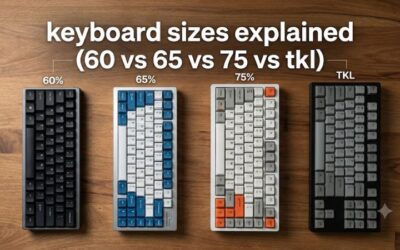
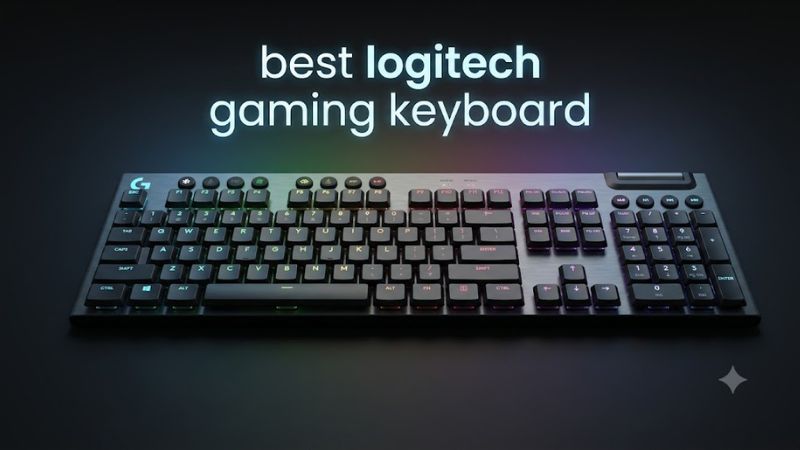
Full-size keyboards include a number pad, making them useful for spreadsheets, number entry, and games that benefit from extra keys. Tenkeyless (TKL) models omit the number pad to create more room for mouse movement, while 75% layouts compress the navigation and function keys into a smaller footprint.
A 60% keyboard removes even more dedicated keys, usually relying on function combinations for navigation and other commands. If you play competitive shooters, a compact layout may leave more room for broad mouse movements. For mixed gaming and productivity, consider whether losing dedicated keys would slow down your daily work.
2. Understand Switch Types
Linear switches move without a distinct tactile bump, which can appeal to players who prefer uninterrupted keystrokes. Tactile switches provide a noticeable bump, while clicky switches add audible feedback. Logitech offers different switch experiences across its mechanical keyboard range, so check the precise variant rather than assuming every model feels the same.
For competitive play, consider actuation behavior as well as switch feel. Traditional mechanical switches are suitable for most players, but magnetic or analog-style switches can provide adjustable actuation and rapid-trigger functionality on supported models. These specialized controls are useful for some movement-heavy games, though they are not essential for enjoying most PC titles.
3. Decide Between Wired and Wireless
Wired keyboards avoid battery charging and connect directly over USB. Wireless models can reduce cable clutter and offer more flexibility, especially when switching between a gaming PC and another compatible device. Logitech’s LIGHTSPEED wireless technology uses a dedicated receiver, while Bluetooth is useful for compatible devices and general everyday use.
Check which connections the exact keyboard supports before buying. A wireless model may offer multiple connection modes, but not every mode necessarily provides the same gaming features. Battery life also varies with lighting, connection mode, and usage, so manufacturer estimates should be read alongside their stated conditions.
4. Set a Realistic Budget
Budget models can provide essential gaming functions without paying for wireless hardware, premium materials, or specialized switches. Midrange boards may add wireless connectivity, low-profile keys, or more extensive customization. Premium options can be worthwhile if those features solve specific problems, but extra lighting effects alone rarely justify a large price difference.
Logitech’s US store lists products at different prices depending on model, configuration, and promotions. Treat listed prices as a snapshot rather than a permanent market rate, and check the selected switch type and layout before purchasing. A discounted older keyboard can be a better buy than a newer model if its features match your needs.
Top Logitech Gaming Keyboard Picks
These four keyboards target different needs rather than competing for the same buyer. The G915 X LIGHTSPEED prioritizes premium wireless flexibility, the G515 LIGHTSPEED TKL balances compact design and connectivity, the PRO X2 RAPID targets players who want adjustable magnetic switches, and the G413 TKL SE keeps the feature set straightforward. US prices below are manufacturer-listed prices observed on October 22, 2026, and can change.
| Product | Best For | Key Spec | Compatibility | Watch Out For |
| Logitech G915 X LIGHTSPEED | Premium wireless gaming | Low-profile mechanical switches; tri-mode connectivity | Compatible PC and Bluetooth devices; verify OS features | High price |
| Logitech G515 LIGHTSPEED TKL | Wireless value | TKL layout; low-profile mechanical switches | USB receiver and Bluetooth support | No number pad |
| Logitech G PRO X2 RAPID | Competitive gaming | Magnetic switches; adjustable actuation and rapid trigger | Wired USB connection; check software requirements | Expensive and wired-only |
| Logitech G413 TKL SE | Budget-conscious gaming | Wired TKL layout; tactile mechanical switches | USB connection to a compatible computer | Limited premium features |
1. Logitech G915 X LIGHTSPEED — Best Overall
The G915 X LIGHTSPEED is the strongest choice for players who want a premium, low-profile keyboard without committing to a cable. Logitech lists LIGHTSPEED wireless, Bluetooth, and wired connectivity, along with LIGHTSYNC RGB lighting and customizable KEYCONTROL functions. Its full-size version retains the number pad, making it more versatile for gaming and productivity than compact alternatives.
The trade-off is price: Logitech lists the full-size model at $259.99 before applicable promotions. The low-profile mechanical switches are available in linear, tactile, and clicky variants, but the switches are not hot-swappable. Consider the G915 X if you value wireless flexibility and a slim design; choose a less expensive model if you mainly need dependable wired gaming.
2. Logitech G515 LIGHTSPEED TKL — Best Value
The G515 LIGHTSPEED TKL combines a compact layout with low-profile mechanical switches and wireless connectivity. Its feature set includes LIGHTSPEED, Bluetooth, LIGHTSYNC RGB, and KEYCONTROL, making it an appealing alternative to a premium full-size board. Logitech’s US store has listed it at $159.99 MSRP, with a promotional price of $109.99 appearing in its product listings.
This model suits gamers who want a smaller desk footprint without moving to a 60% layout. Its low-profile design may also appeal to people who prefer shorter key travel. However, it lacks a number pad, and its switches are not designed for the same adjustable magnetic actuation offered by specialized rapid-trigger boards. Check the current price before buying, since promotions can make a substantial difference to its value.
3. Logitech G PRO X2 RAPID — Best for Competitive Gaming
The G PRO X2 RAPID is aimed at players who want more control over key actuation. Logitech’s product range identifies it as a wired TKL analog gaming keyboard with magnetic switches and an OLED display. Its adjustable actuation and rapid-trigger functionality can help players fine-tune movement inputs in supported games, especially when repeated key presses need precise timing.
The main limitation is its premium price: Logitech lists it at $229.99 in the US. It is also wired, so it is not the choice for players prioritizing wireless convenience. These specialized functions do not automatically improve aim, reaction time, or overall skill. Choose it when you intend to configure and use its advanced input controls; otherwise, a conventional mechanical keyboard can offer better value.
4. Logitech G413 TKL SE — Best Budget Wired Option
The G413 TKL SE is a simpler choice for buyers who prefer a conventional wired keyboard. Its tenkeyless layout frees up desk space, while tactile mechanical switches provide a distinct feedback point during typing. It also includes white backlighting, avoiding the extra cost of elaborate RGB customization that some players may not need.
Logitech has listed the G413 TKL SE at $79.99 on its US gaming keyboard store. It is worth considering for a straightforward gaming setup, but it lacks the wireless connectivity and specialized input features of more expensive models. Confirm the exact product name before ordering: the G413 TKL SE is different from the full-size G413 SE and the older G413 mechanical keyboard.
FAQ
Is the best Logitech gaming keyboard wired or wireless?
The best Logitech gaming keyboard can be wired or wireless, depending on your priorities. Wired models avoid battery charging, while LIGHTSPEED wireless models reduce cable clutter and support gaming over a dedicated receiver. For competitive play, compare the specific model’s features and connection modes rather than assuming wireless is automatically slower.
Are Logitech gaming keyboards compatible with Windows 11?
Yes, Logitech gaming keyboards with standard USB connectivity generally work with Windows 11, although advanced customization may require Logitech G HUB. Check the individual model’s operating-system requirements before buying. Basic typing can work without customization software, but lighting effects, macros, and other programmable features may require additional setup.
Is the Logitech G915 X worth buying over the G515?
The G915 X is worth considering if you want a premium design and a full-size layout or TKL configuration with wireless connectivity. The G515 LIGHTSPEED TKL is a more budget-conscious option with a similar low-profile approach. Compare their current prices and decide whether the G915 X’s additional premium features justify the difference.
Do Logitech gaming keyboards improve FPS or reaction time?
Logitech gaming keyboards do not directly increase your PC’s FPS, which depends on hardware and software performance. Specialized switches may offer different input behavior, but their practical benefit depends on the game, settings, and player. Most gamers should prioritize comfortable key feel, reliable connectivity, and a suitable layout over headline specifications.
Final Thoughts
The best logitech gaming keyboard is the one that fits your games, desk, and budget. The G915 X LIGHTSPEED is the premium wireless pick, the G515 LIGHTSPEED TKL offers a compelling compact alternative, the PRO X2 RAPID targets advanced input control, and the G413 TKL SE suits simpler wired setups. Compare current prices before deciding.