🛒 Best Price Today on Amazon
Prime members get fast, free shipping on everything above, plus member-only deals. New members get a 30-day free trial — cancel anytime.
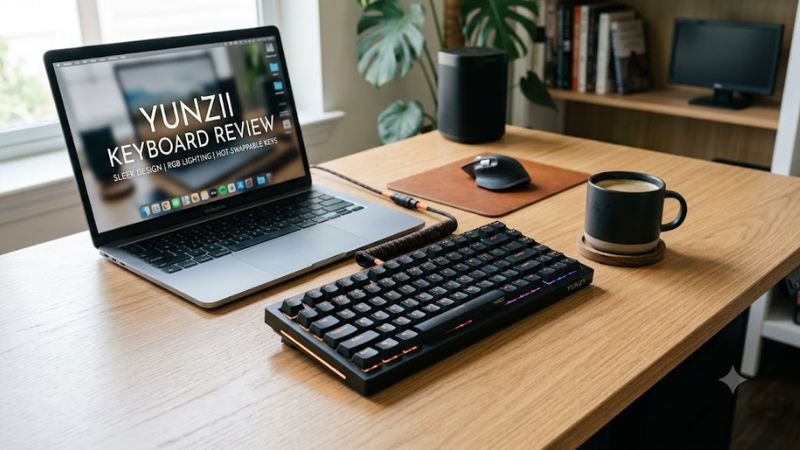
A yunzii keyboard review should look beyond colorful keycaps and satisfying typing sounds. YUNZII offers compact mechanical keyboards, wireless models, and gaming-focused magnetic keyboards with different features and trade-offs. This review examines build specifications, gaming suitability, compatibility, pricing, and which buyers should consider alternatives.
How to Choose a YUNZII Keyboard
The right YUNZII keyboard depends on how you play, how much desk space you have, and whether you need wireless connectivity or programmable keys. Before choosing a model, compare its switch technology, layout, connection options, and software support rather than relying on appearance or marketing descriptions.
1. Choose the Right Switch Technology
Traditional mechanical keyboards use individual switches with different operating characteristics. Linear switches move without a pronounced tactile bump, while tactile switches provide feedback during a keystroke. Your preferred option depends on whether you prioritize smooth movement, noticeable feedback, typing comfort, or sound.
Magnetic Hall-effect keyboards are a different category. They detect key position magnetically and can offer adjustable actuation and rapid-trigger functions when supported by the specific model. These features can help players who frequently make short, repeated inputs, but they do not automatically make every player faster.
2. Decide How Much Keyboard You Need
A compact 60% or 65% layout frees space for broad mouse movements but removes dedicated keys found on larger boards. A 75% keyboard usually preserves the function row and arrow keys in a smaller footprint, making it a practical compromise for gaming and everyday work.
Larger 96% and 98% layouts retain a number pad while using less desk space than many conventional full-size keyboards. If you frequently enter numbers, use spreadsheets, or depend on dedicated navigation keys, check the exact layout diagram before buying. Similar-looking keyboards can arrange keys differently.
3. Compare Wired and Wireless Connectivity
Wired USB connections are straightforward for desktop gaming and avoid battery management. YUNZII’s wired models vary in their specifications, so check the advertised polling rate instead of assuming that every keyboard offers the same response characteristics.
Tri-mode models can provide USB-C, Bluetooth, and 2.4 GHz wireless connectivity. Bluetooth is convenient for switching between compatible devices, while a dedicated 2.4 GHz receiver is generally the more relevant wireless mode for gaming. Confirm which modes a particular model supports and whether its receiver is included.
4. Check Customization and Operating-System Support
Hot-swappable switches let owners replace compatible switches without soldering. However, socket compatibility matters: a board advertised for three-pin and five-pin MX-style switches will not automatically accept every switch design on the market. Check the manufacturer’s compatibility details before purchasing replacements.
Software support also varies across the range. Some keyboards provide Windows customization software, while selected models support QMK/VIA for remapping and other functions. Mac compatibility for ordinary typing does not necessarily mean every configuration tool works on macOS. Verify the documentation for your exact model before paying extra for programmable features.
YUNZII Keyboard Review: Models, Features, and Value
YUNZII’s lineup spans budget-conscious wired boards, customizable wireless keyboards, compact aluminum designs, and magnetic gaming models. The comparison below focuses on differences that matter to buyers, using manufacturer-listed specifications and displayed prices where available. These are specification-based assessments, not claims of firsthand testing or independently measured gaming performance.
| Product | Best For | Key Spec | Compatibility | Watch Out For |
| YUNZII B75 | Wired gaming and everyday typing | 75% layout, 82 keys, hot-swappable switches, USB-C | Windows and Mac layouts | No wireless connectivity |
| YUNZII B98 | Wireless gaming and productivity | 98-key layout, 4,000mAh battery, three connection modes | Windows and macOS | Larger footprint than compact boards |
| YUNZII AL71 | Compact premium-style setup | 71 keys, CNC aluminum construction, three connection modes | Windows, macOS and other listed mobile platforms | No dedicated function row in the standard layout |
| YUNZII RT75 | Competitive gaming features | Hall-effect switches, adjustable actuation, rapid trigger | Windows and Mac listed by manufacturer | Wired-only connection; magnetic-switch behavior needs adjustment |
YUNZII B75: A Practical Wired Choice
The B75 is a sensible option for buyers who want a compact keyboard without battery management or wireless configuration. Its 75% layout has 82 keys and a multifunction knob, while the manufacturer lists a gasket-mounted structure, south-facing RGB lighting, and hot-swappable switches. Its USB-C connection suits a stationary gaming PC.
Switch options listed by YUNZII include Milk V2 linear, Cocoa Cream V2 linear, and Blue Grey tactile variants. These provide different starting points for typing feel, but switch preference is subjective. The keyboard is especially relevant if you want to experiment with mechanical switches without replacing the entire board.
The main limitation is its wired-only design. Buyers who frequently switch between a desktop, laptop, and tablet should consider a tri-mode alternative. The B75 is also not the right choice if adjustable magnetic actuation or rapid-trigger controls are essential to your gaming setup.
YUNZII B98: A Flexible Wireless Option
The B98 combines a 96%-style layout with 98 keys, retaining a number pad while reducing the width associated with many full-size keyboards. YUNZII lists USB-C, Bluetooth, and 2.4 GHz wireless connectivity, plus a 4,000mAh battery. It also supports hot-swappable mechanical switches and a gasket-mounted structure.
This combination makes the B98 appealing for users who divide their time between gaming, typing, and productivity. Its dedicated number pad is useful for data entry, and multiple connection modes allow compatible devices to be connected without relying exclusively on a cable. The manufacturer also lists double-shot PBT keycaps.
The trade-off is size and weight. The published dimensions are approximately 394.16 × 144.97 × 42.38 mm, and the listed weight is around 1.01 kg. It occupies more desk space than a compact 65% or 75% keyboard. Buyers seeking competitive magnetic-switch features should also compare the RT series before deciding.
YUNZII AL71: Compact Construction and Customization
The AL71 uses a 71-key layout and CNC-machined aluminum construction, giving it a different design emphasis from YUNZII’s plastic-bodied boards. Its specifications include gasket mounting, a slotted polycarbonate plate, hot-swappable switches, and wired, Bluetooth, and 2.4 GHz wireless connectivity.
The compact layout suits gamers who prefer more room for their mouse, particularly at lower sensitivity settings. Its construction and available color choices may also appeal to users building a coordinated desktop setup. The manufacturer lists Crystal White linear and Peach Mute linear switch options, so buyers can choose between different intended typing characteristics.
Its layout requires compromises. Dedicated function-row keys are absent from the standard 71-key arrangement, making some shortcuts less direct than on a 75% keyboard. The listed weight is approximately 1.3 kg, so the metal construction does not make it particularly lightweight. Also, YUNZII specifies that its programmable software for this model works on Windows; Mac users should verify the available customization route.
YUNZII RT75: A Different Approach to Gaming
The RT75 is the more relevant option for players interested in magnetic-switch features rather than conventional mechanical-switch customization. YUNZII lists Hall-effect switches, adjustable actuation and sensitivity in the 0.1–0.4 mm range, a 75% layout with 82 keys, and a wired connection.
The appeal is control over when a key registers and, where the supported implementation allows it, how quickly a key can reset for another input. Such controls can be useful in games involving repeated movement or precise counter-strafing. They require deliberate configuration, however, and their practical value depends on the player, game, and chosen settings.
The RT75 is wired-only, so it is less suitable for people who want Bluetooth or 2.4 GHz connectivity. Its magnetic switches also mean that ordinary mechanical-switch replacement advice does not apply. Buyers should read the model’s software documentation and confirm that the advertised controls are available in their intended operating system.
What Do YUNZII Keyboards Cost?
YUNZII’s official store displays changing prices across its range. At the time of this review, its homepage listed the B75 Pro at $79.99, the B98 Pro QMK/VIA at $91.99, and the RT75 Pro at $79.99. These are displayed prices for those specific models, not verified prices for the B75, B98, or RT75 reviewed above.
That distinction matters because similarly named models may have different connectivity, customization, or display features. Promotions, colors, switch options, and stock can also affect the final price. Compare the exact model name and configuration at checkout instead of assuming that a price advertised for a Pro or Max version applies to the standard version.
For value, prioritize features you will actually use. Paying more for a screen, metal case, wireless connectivity, or magnetic switches makes little sense if a basic wired mechanical keyboard already meets your needs. Conversely, a wireless board with hot-swappable switches may be worth a higher initial cost if you plan to customize it over time.
FAQ
Are YUNZII keyboards good for gaming?
Yes, YUNZII keyboards can suit PC gaming, especially if you want mechanical switches, compact layouts, RGB lighting, or wireless connectivity. The RT75 is the more relevant choice for magnetic-switch controls, while the B75 and B98 suit players who prefer conventional mechanical switches. Actual responsiveness should be verified independently rather than inferred from product specifications alone.
Do YUNZII keyboards work with Windows and Mac?
Many YUNZII models support both Windows and macOS, but software and shortcut support vary. Check the exact model’s documentation before purchasing if you need remapping, macros, or advanced lighting controls. A keyboard that types correctly on a Mac may still require Windows for its manufacturer-provided customization software.
Can you replace switches on a YUNZII keyboard?
You can replace switches on models explicitly advertised as hot-swappable, provided the replacement switches match the board’s socket and electrical requirements. Conventional mechanical boards may accept compatible three-pin or five-pin MX-style switches, while magnetic-switch models require compatible magnetic switches and their own specifications.
Are YUNZII keyboards worth the price?
YUNZII keyboards can offer good value if their layout, switch options, build materials, and connectivity match your needs. Compare the exact model’s current price with similarly equipped alternatives, and avoid paying extra for features you will not use. Buyers who prioritize competitive gaming should also compare independently measured latency and supported magnetic-switch functions.
Final Thoughts
A yunzii keyboard review points to a varied lineup rather than one universal winner. Choose the B75 for straightforward wired use, the B98 for a wireless layout with a number pad, the AL71 for compact aluminum construction, or the RT75 for magnetic-switch controls. Confirm the exact model, software support, and current price before buying.