🛒 Best Price Today on Amazon
Prime members get fast, free shipping on everything above, plus member-only deals. New members get a 30-day free trial — cancel anytime.
GPU tier list 2026 is best read as a performance map rather than a universal buying order. Current desktop cards span NVIDIA RTX 50, AMD Radeon RX 9000 and Intel Arc B families, with meaningful differences in raster performance, ray tracing, VRAM and software features.
Quick answer: Our top pick in 2026 is the Tier — our #1 rated choice. See the full ranked comparison, alternatives and buying advice below.
What GPU Tiers Really Come Down To
A useful tier system groups cards with broadly similar gaming capability instead of pretending every model has one fixed position. The 2026 data below uses native rendering as its baseline, because upscaling and frame generation can change displayed FPS without changing the GPU’s native workload.
Native Performance Defines the Core Class
The central measure in a GPU tier list 2026 is native game performance at a stated resolution and quality preset. Tom’s Hardware’s current hierarchy uses geometric-mean results across its raster suite, with 1080p, 1440p and 4K measurements at High or Ultra settings.
At 1440p Ultra, for example, the RTX 5090 records 167.3 FPS in that benchmark set, while the RX 9070 XT records 116.5 FPS. These figures are not promises for individual games; they are aggregate reference points that help separate performance classes.
VRAM Changes the Practical Tier
VRAM can affect where a card fits for modern games, especially when higher textures and heavier workloads increase memory demand. The RTX 5070 has 12GB of GDDR7, while the RTX 5070 Ti provides 16GB, making memory capacity an important distinction even within nearby performance classes.
AMD’s RX 9060 XT also illustrates why capacity deserves separate attention: its current desktop design is available with 16GB or 8GB of GDDR6. The two versions share the same GPU family, but their memory capacities can lead to different long-term suitability for demanding settings.
Ray Tracing Creates a Second Axis
A GPU tier list 2026 based only on rasterization can hide substantial differences once ray tracing enters the workload. Tom’s Hardware therefore publishes a separate RT hierarchy, where NVIDIA’s RTX 50-series generally occupies stronger positions than similarly placed Radeon cards in its current RT suite.
That does not make raster results irrelevant. It means the appropriate tier depends partly on the games being played: a native-raster-focused library can produce a different practical choice from a library built around heavy ray tracing, while upscaling support can further alter the experience.
Compatibility Still Sets the Ceiling
A graphics card needs more than a suitable benchmark position. Current examples use PCIe interfaces and dedicated power connections, while PSU requirements vary substantially: AMD lists 450W minimum recommendations for the RX 9060 XT and 750W for the RX 9070 XT.
Case clearance, PSU capacity, power connectors and motherboard slot access should therefore be checked before treating a tier as suitable. The GPU itself does not require DDR4 or DDR5 memory matching; system RAM compatibility belongs to the CPU and motherboard platform, not the graphics card tier.
How to Read a GPU Tier List 2026
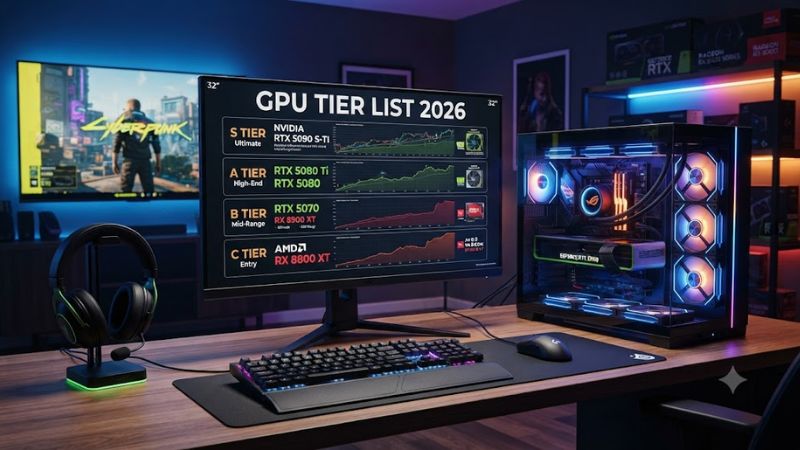
The practical way to read a GPU tier list 2026 is to start with monitor resolution, then consider the games, graphics settings, ray tracing use and VRAM requirements. The following table groups current-generation desktop products into broad classes rather than declaring a single winner.
| Tier | Current-generation examples | Typical use | Main consideration |
| Enthusiast | RTX 5090 | 4K native, demanding RT | Very high power and system cost |
| High-end | RTX 5080, RTX 5070 Ti, RX 9070 XT | 1440p high refresh, 4K | RT and feature priorities differ |
| Upper-midrange | RTX 5070, RX 9070 | 1440p | Raster and RT balance |
| Mainstream | RTX 5060 Ti 16GB, RX 9060 XT 16GB | 1080p high refresh, 1440p | VRAM and game settings matter |
| Entry current-gen | RTX 5060, RX 9060 XT 8GB, Arc B580/B570 | 1080p | Memory and software support |
The table is a class guide, not an official AMD, NVIDIA or Intel ranking. Tom’s Hardware’s June 2026 native-raster results place the RTX 5070 at 104.0 FPS and RX 9070 at the same 1440p Ultra aggregate, while the RX 9060 XT 16GB reaches 45.3 FPS in the same normalized table.
Match the Tier to Your Resolution
For 1080p gaming, lower current-generation tiers can make more sense because the display places less rendering demand on the GPU. Moving to 1440p increases the value of stronger GPUs and additional VRAM, while 4K can expose performance gaps that are less obvious at lower resolutions.
The GPU tier list 2026 should therefore be filtered through the monitor rather than read from top to bottom. A 4K display with demanding settings can justify a substantially higher class than a 1080p panel, while a high-refresh 1440p monitor may prioritize sustained raster performance over peak resolution alone.
Separate Raster From Ray Tracing
Native raster and ray tracing should be treated as separate measurements. Tom’s Hardware’s 2026 hierarchy reports both, using the same broad resolution framework, because a card’s relative position can shift when RT effects are enabled.
This distinction matters particularly between Radeon and GeForce options. AMD’s RX 9070 XT, for instance, has 16GB of GDDR6 and 304W typical board power, while NVIDIA’s RTX 5070 Ti uses 16GB of GDDR7 and has a different feature stack. Specifications alone do not determine the final gaming class.
Check Memory Before the Tier Label
VRAM should be considered alongside the performance class, not after it. The RX 9060 XT 16GB and 8GB versions demonstrate this clearly, while the RTX 5060 Ti family also spans 8GB and 16GB configurations. Higher capacity does not automatically make a GPU faster, but it can provide more room for demanding workloads.
For a GPU tier list 2026, this makes memory a qualification rather than a simple ranking metric. A card that reaches the required FPS in a benchmark may still need reduced textures or other settings in particular games if its available VRAM becomes restrictive.
Do Not Mix Benchmark Generations
Benchmark results should be compared only when the resolution, settings, game suite and methodology are compatible. Tom’s Hardware’s current hierarchy uses a Ryzen 7 9800X3D test platform and a 2026 game suite, while older pages use different hardware and software conditions.
That is why an older GPU’s historical percentage should not be casually merged with a current chart. Driver changes, game patches and test-suite revisions can alter results, so the safest comparison uses one current dataset whenever possible.
FAQ About GPU Tier List 2026
A GPU tier list 2026 is useful when you need a quick performance class, but it cannot replace checking the actual games, resolution and features that matter to your system. Current-generation cards also differ in VRAM, power requirements and software capabilities, so one tier does not define every use case.
Is the RTX 5090 in the highest GPU tier?
Yes, the RTX 5090 occupies the top performance class in Tom’s Hardware’s 2026 native raster and ray-tracing hierarchies. It has 32GB of GDDR7, a 512-bit memory interface and PCIe Gen 5 support, making it particularly suited to workloads where very high rendering performance is useful.
Its platform requirements still matter before purchase. NVIDIA specifies a PCIe Gen 5 interface and 32GB GDDR7 configuration, while the exact PSU and physical clearance depend on the specific board design rather than the GPU name alone.
Is 16GB VRAM enough for 1440p gaming?
Yes, 16GB is a substantial VRAM capacity for a current 1440p gaming build, although the required amount varies by game, texture settings and rendering features. AMD offers the RX 9060 XT with 16GB GDDR6, while NVIDIA’s RTX 5070 Ti carries 16GB GDDR7.
Capacity should not be confused with performance. A 16GB card can be slower than another 16GB card, and a GPU with more memory is not automatically in a higher class. Use VRAM to check suitability after establishing the performance class needed for the target resolution.
Does the GPU tier change with ray tracing?
Yes, the practical tier can change when ray tracing is enabled because raster and RT workloads stress different parts of modern GPUs. Tom’s Hardware publishes separate 2026 raster and RT hierarchies, showing why one combined ranking can hide meaningful differences between architectures.
For example, its current RT results place the RX 9070 XT behind several GeForce models that are closer to it in native raster performance. The correct interpretation is not that one vendor always wins, but that the workload determines which performance characteristics matter most.
What should I check before using a GPU tier?
Check the target resolution, game settings, VRAM capacity, ray-tracing workload, PSU recommendation, power connector, case clearance and motherboard PCIe compatibility before applying a tier to a build. These checks prevent a benchmark class from being mistaken for a complete system requirement.
For current examples, AMD lists the RX 9060 XT at a 450W minimum PSU recommendation and PCIe 5.0 x16 interface, while the RX 9070 XT is listed at 750W and PCIe 5.0 x16. Intel’s Arc B580 uses 12GB GDDR6 and PCIe 4.0 x8, showing why each model needs its own compatibility check.
Final Thoughts
A GPU tier list 2026 works best as a starting map: match the class to your monitor, separate raster from ray tracing, check VRAM and confirm power and physical compatibility. Current RTX 50, RX 9000 and Arc B cards cover very different workloads, so the right tier depends on how your PC is actually used.
Ready to decide? Our #1 pick for 2026 is the Tier.
Live price & availability on Amazon.