🛒 Best Price Today on Amazon
Prime members get fast, free shipping on everything above, plus member-only deals. New members get a 30-day free trial — cancel anytime.
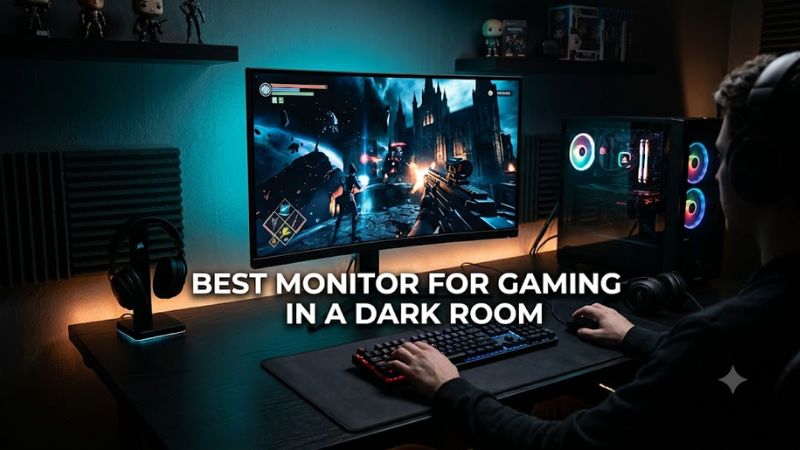
A best monitor for gaming in a dark room should prioritize deep blacks, controlled HDR highlights, fast motion response, and low reflection distraction. OLED generally has the strongest black-level advantage, while Mini LED can offer higher sustained brightness and avoids OLED burn-in concerns, making the choice depend on your games, GPU, and room lighting.
How to Choose a Gaming Monitor for a Dark Room
The right display depends on four factors: panel behavior in darkness, resolution and refresh rate, GPU connectivity, and your tolerance for OLED burn-in risk. OLED has per-pixel lighting, while Mini LED uses local dimming; independent measurements from RTINGS specifically identify OLED as better suited to dark rooms because it avoids halos around bright objects.
Choose OLED for black-level performance
For a dark-room setup, OLED has a straightforward technical advantage because each pixel can switch off independently. That prevents the gray-black appearance and local-dimming halos found on LCD displays. RTINGS reports that both QD-OLED and WOLED provide excellent motion handling, while QD-OLED generally produces stronger bright-color volume.
OLED is particularly suitable for cinematic games with night scenes, caves, space environments, or high-contrast HDR effects. The trade-off is long-term burn-in risk from persistent static elements, so a display with OLED-care features and a manufacturer burn-in warranty deserves attention when it will also serve as a desktop monitor.
Match resolution and refresh rate to the GPU
A 4K 240Hz monitor can display substantially more detail and motion updates than a 1440p 180Hz model, but reaching high frame rates at 4K requires a powerful graphics card. The monitor does not increase game performance, so buyers should match resolution and refresh rate to the GPU rather than treating the panel specification as a performance target.
For 1440p gaming, a 27-inch OLED around 280Hz offers a different balance: lower rendering demand and high refresh capability. The Gigabyte MO27Q28GR uses a 2560×1440 WOLED panel at 280Hz, while its manufacturer specifies HDMI 2.1, DisplayPort 1.4 and G-SYNC compatibility.
Check GPU and video-output compatibility
Modern high-refresh 4K displays benefit from newer video interfaces. The ASUS ROG Swift OLED PG32UCDM Gen3 provides DisplayPort 2.1a UHBR20 and HDMI 2.1, with ASUS specifying 4K at 240Hz through its high-bandwidth connection. MSI similarly lists DisplayPort 2.1a UHBR20 and HDMI 2.1 on the MPG 322UR X24.
These monitors do not impose a particular CPU socket, RAM generation, or motherboard chipset. The practical platform requirement is a GPU with an appropriate DisplayPort or HDMI output for the desired resolution and refresh rate. For example, the AOC Q27G40XMN reaches 1440p 180Hz over DisplayPort 1.4 but 1440p 144Hz over HDMI 2.0.
Consider Mini LED when OLED is not suitable
Mini LED remains relevant when you want deep contrast without an OLED panel. The AOC Q27G40XMN uses 1,152 local-dimming zones, a VA panel, 1440p resolution, and a 180Hz maximum refresh rate. RTINGS found its local dimming effective for dark scenes, although fast-moving objects can show smearing and inverse ghosting.
Mini LED also makes sense for mixed room conditions because LCD backlights can sustain higher overall brightness than OLED. RTINGS notes that OLED is particularly strong in dark rooms, while Mini LED displays can become brighter and avoid the burn-in risk associated with OLED. That makes panel choice a usage decision rather than a simple specification contest.
Top Picks for Dark-Room Gaming
The table separates four current-generation options by use case rather than assuming one specification fits every PC. The MSI and ASUS models target 4K 240Hz systems, Gigabyte targets 1440p high-refresh gaming, and AOC provides a Mini LED alternative. Their published specifications and independent review findings differ substantially, especially around OLED behavior, motion, brightness, and connectivity.
| Product | Best For | Key Spec | Compatibility | Watch Out For |
| MSI MPG 322UR QD-OLED X24 | Best Overall | 31.5″, 4K, 240Hz QD-OLED | HDMI 2.1, DP 2.1a, USB-C | OLED burn-in risk |
| Gigabyte MO27Q28GR | Best Value | 27″, 1440p, 280Hz WOLED | HDMI 2.1, DP 1.4, G-SYNC Compatible | Lower resolution, text fringing |
| ASUS ROG Swift OLED PG32UCDM Gen3 | Best For HDR | 31.5″, 4K, 240Hz Tandem QD-OLED | HDMI 2.1, DP 2.1a, G-SYNC Compatible | OLED burn-in, high cost |
| AOC Q27G40XMN | Best For Mini LED | 27″, 1440p, 180Hz Mini LED | HDMI 2.0, DP 1.4, Adaptive Sync | Smearing, limited HDMI bandwidth |
MSI MPG 322UR QD-OLED X24
The MSI MPG 322UR QD-OLED X24 suits buyers seeking a large 4K OLED display with 240Hz refresh and current high-bandwidth connectivity. MSI specifies a 31.5-inch 3840×2160 QD-OLED panel, 240Hz, 0.03ms GtG, HDMI 2.1, DisplayPort 2.1a UHBR20, and USB-C with 98W power delivery.
Tom’s Hardware measured its response and input-lag behavior against other 32-inch 4K 240Hz OLED displays, while its review used User mode for grayscale, gamma, and color testing. The main weakness for a dark-room buyer is not black level but OLED’s inherent burn-in consideration; buyers focused exclusively on competitive 27-inch gaming may also prefer a smaller panel.
Gigabyte MO27Q28GR
The Gigabyte MO27Q28GR is aimed at players who want high-refresh 1440p OLED without moving to a large 4K display. Its 27-inch 2560×1440 WOLED panel reaches 280Hz and uses a glossy anti-reflective surface, while Gigabyte lists HDMI 2.1, DisplayPort 1.4 and G-SYNC compatibility.
PC Gamer’s review found strong HDR impact in darker scenes but noted the lower 1440p resolution and slightly limited full-screen brightness. Its RGWB subpixel structure can also make text appear somewhat fuzzy at close viewing distances, so this is less compelling for someone who spends equal time reading small desktop text and gaming.
ASUS ROG Swift OLED PG32UCDM Gen3
The ASUS ROG Swift OLED PG32UCDM Gen3 targets buyers who want 4K 240Hz gaming with a newer Tandem QD-OLED panel. ASUS lists a 31.5-inch 3840×2160 display, 240Hz, 1,000-nit HDR peak specification, DisplayPort 2.1a UHBR20, two HDMI 2.1 ports, USB-C, and 90W power delivery.
RTINGS’ 2026 review found deep blacks and strong HDR highlights, with sharp motion through 240Hz and broad VRR support. It also identified gray-looking blacks in bright rooms, text fringing, and burn-in risk. The monitor therefore suits a dark gaming room particularly well, but buyers wanting extensive desktop text work should consider its subpixel behavior.
AOC Q27G40XMN
The AOC Q27G40XMN is the Mini LED alternative for buyers who want strong dark-scene contrast without choosing OLED. Its 27-inch QHD VA panel uses 1,152 Mini LED dimming zones and reaches 180Hz through DisplayPort 1.4. AOC specifies Adaptive Sync, HDR10, and a 48–180Hz synchronization range.
RTINGS found good dark-scene picture quality and effective local dimming, but also reported smearing and inverse ghosting behind fast objects. NVIDIA users should pay particular attention to its DisplayPort limitation, because RTINGS found that the bandwidth prevents the display from reaching its full 180Hz capability with certain NVIDIA signal configurations.
FAQ
For buyers comparing these displays, the central questions are whether OLED is preferable in darkness, whether Mini LED is sufficient, what GPU connection is required, and whether a 4K 240Hz panel is practical. The answers depend mainly on ambient light, GPU output, game type, and whether the monitor will also handle static desktop workloads.
Is OLED better for gaming in a dark room?
Yes, OLED is generally better suited to a dark room because it can switch individual pixels completely off, producing very deep blacks without the halos associated with LCD local dimming. RTINGS specifically identifies OLED as the stronger choice for dark-room picture quality and motion handling.
That advantage does not mean every OLED model is identical. QD-OLED and WOLED differ in color volume, brightness behavior, and subpixel structure, while coatings affect reflections. The ASUS PG32UCDM Gen3 and MSI MPG 322UR X24 are both 4K 240Hz QD-OLED choices, but their feature sets and coatings differ.
Is Mini LED good enough for dark-room gaming?
Yes, a strong Mini LED monitor can produce deep blacks and bright HDR highlights in a dark room, although it generally cannot match OLED’s pixel-level black control. Its advantage is sustained brightness and freedom from OLED burn-in, while local dimming quality varies considerably between models.
The AOC Q27G40XMN illustrates that trade-off clearly: its 1,152-zone backlight provides strong contrast and HDR performance, but RTINGS reports some dark-scene motion smearing and inverse ghosting. It therefore fits buyers prioritizing Mini LED’s characteristics over OLED’s near-instantaneous pixel response.
What GPU connection do these monitors require?
The required connection depends on the target resolution and refresh rate, rather than a particular CPU, motherboard, DDR4, or DDR5 platform. ASUS and MSI both provide DisplayPort 2.1a and HDMI 2.1 on their 4K 240Hz models, while Gigabyte uses DisplayPort 1.4 plus HDMI 2.1 on the MO27Q28GR.
The AOC Q27G40XMN is less demanding but more limited: AOC specifies 1440p at 180Hz through DisplayPort 1.4 and 144Hz through HDMI 2.0. Check the GPU’s physical outputs and supported signal modes before buying, especially when pairing an NVIDIA graphics card with a high-refresh Mini LED display.
Is 4K 240Hz worth buying for dark-room gaming?
It can be worthwhile when the PC can supply high frame rates at 4K and the games benefit from both image detail and high refresh. MSI’s 4K 240Hz model and ASUS’s PG32UCDM Gen3 both combine 3840×2160 resolution with 240Hz, but the GPU must actually render enough frames to make that refresh capability useful.
For many systems, 1440p at 240Hz or 280Hz can be a more practical target, especially in competitive games where frame rate is prioritized over pixel density. The Gigabyte MO27Q28GR provides 280Hz at 2560×1440, while its independent review also highlights the compromise of lower resolution and some text-rendering limitations.
Final Thoughts
The best monitor for gaming in a dark room usually favors OLED when black depth, HDR contrast, and motion clarity matter most. A 4K 240Hz QD-OLED suits high-end systems, 1440p OLED fits lower rendering demands, and Mini LED remains useful when avoiding OLED burn-in matters more than perfect pixel-level blacks.