🛒 Best Price Today on Amazon
Prime members get fast, free shipping on everything above, plus member-only deals. New members get a 30-day free trial — cancel anytime.
Which resolution? 4K keeps code sharp; which refresh rate? 120Hz or more suits games; which panel? IPS favors static work while OLED adds stronger HDR; which features matter? USB-C and KVM simplify mixed-device desks. best monitor for coding and gaming therefore depends on how you split work and play.
How to Choose a Monitor for Coding and Gaming
The right display balances text density, motion, connectivity and the computer driving it. For coding, 4K at 27 inches gives high pixel density; for gaming, 120Hz or higher makes scrolling and motion more fluid. The four picks below cover IPS and OLED trade-offs without treating one panel type as universal.
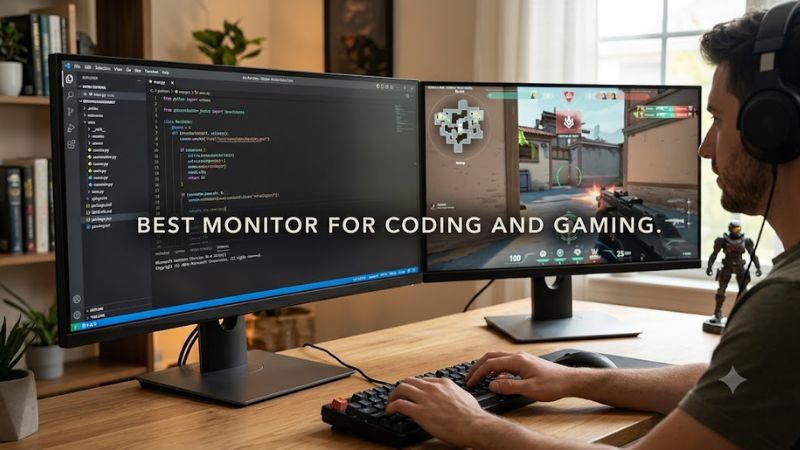
Resolution and pixel density
Resolution and pixel density decide how much code fits cleanly and how sharp small UI elements look. A 27-inch 4K screen provides much finer text than 27-inch 1440p, while 32-inch 4K offers more physical workspace. Windows scaling can then trade space for readability without changing native detail.
If you split time between an IDE, browser and games, best monitor for coding and gaming usually means 4K rather than chasing extreme refresh rates alone. A 4K 240Hz model can serve both roles, but the higher gaming bandwidth and GPU demand are meaningful costs. The Dell U2725QE keeps the focus on clarity.
Refresh rate and GPU load
Refresh rate matters when you scroll long files, move windows or play fast games. Around 120Hz is a useful middle ground for mixed use, while 240Hz mainly makes sense when the PC can supply high frame rates. The MSI MPG 272URX QD-OLED and ASUS PG32UCDM Gen3 target that higher-refresh tier.
A refresh-rate figure is not a promise of a matching frame rate. At 4K, the GPU must render enough frames to feed a 240Hz panel, and DisplayPort or HDMI bandwidth must also support the selected mode. For a slower graphics card, 120Hz can be more practical while still improving desktop motion.
IPS versus OLED
Panel choice changes the compromises. IPS avoids OLED’s burn-in concern and is well suited to fixed editor interfaces, while QD-OLED offers extremely fast pixel response and strong dark-room contrast. Samsung’s G80SH uses a matte QD-OLED panel and current-generation connectivity, while RTINGS identifies OLED static-content risk as a consideration.
For a coding-heavy desk, static UI exposure deserves more attention than peak HDR. If an OLED display is chosen, use its panel-care features and sensible desktop habits rather than assuming protection removes the underlying risk. If that trade-off is unacceptable, an IPS model such as the U2725QE is easier to justify.
USB-C, KVM and ports
Connectivity can determine whether a monitor fits a real workstation. USB-C with power delivery can carry video and charge a laptop, while KVM can share one keyboard and mouse between computers. The Dell U2725QE reaches 140W over Thunderbolt 4, while the MSI MPG 272URX provides 98W through USB-C.
Compatibility also means matching the monitor’s input to the computer. Native 4K at 240Hz needs a suitable high-bandwidth GPU output, while 4K at 120Hz is less demanding. Check the graphics card’s DisplayPort or HDMI version, the included cable requirements and laptop USB-C video support before buying.
Top Picks for Coding and Gaming
These four models represent different ways to balance development work and gaming. The table uses manufacturer specifications for display and connectivity, while independent performance comments come from RTINGS reviews; no FPS result is presented without its resolution, settings and source. Compatibility notes cover required display interfaces.
| Product | Best For | Key Spec | Compatibility | Watch Out For |
| ASUS ROG Swift OLED PG32UCDM Gen3 | Best Overall | 32-inch 4K, 240Hz QD-OLED; DP 2.1 | PC GPU with suitable DP/HDMI; USB-C video | OLED static-content risk |
| Dell UltraSharp U2725QE | Best Value | 27-inch 4K, 120Hz IPS Black; 140W TB4 | Windows and compatible USB-C/TB4 laptops | Fast motion is weaker |
| MSI MPG 272URX QD-OLED | Best For Mixed-Device Desks | 27-inch 4K, 240Hz QD-OLED; 98W USB-C | DP 2.1/HDMI 2.1 PC; USB-C DP Alt Mode | VRR flicker and OLED risk |
| Samsung Odyssey OLED G8 G80SH | Best For Larger Desks | 32-inch 4K, 240Hz QD-OLED; DP 2.1 | Windows 11; NVIDIA G-SYNC Compatible/AMD FreeSync | Matte coating and OLED trade-offs |
ASUS ROG Swift OLED PG32UCDM Gen3
ASUS ROG Swift OLED PG32UCDM Gen3 fits buyers who want a large 32-inch display for PC gaming and dense code. Its 3840×2160 QD-OLED panel runs at 240Hz, and ASUS lists DisplayPort 2.1 plus HDMI 2.1. RTINGS reviewed this 2026 model with its v2.1.2 methodology, making it relevant to compatible PCs and laptops.
Its main weakness is OLED: RTINGS reports letter fringing and a risk of burn-in with constant exposure to static elements. Do not buy it solely for office work if 240Hz gaming is not useful to you; the extra display bandwidth and GPU demand add little to a mostly static workflow.
Dell UltraSharp U2725QE
Dell UltraSharp U2725QE suits developers who put text clarity, ergonomics and device connectivity ahead of fast-motion gaming. Dell specifies 3840×2160 at 120Hz, 163 PPI, Thunderbolt 4 and up to 140W power delivery. For best monitor for coding and gaming value, those workstation features matter more than extreme refresh.
The weakness is motion handling: RTINGS reports blurry fast-moving objects despite the 120Hz refresh rate. Do not choose this model as the primary display for competitive high-speed gaming. For a Windows or compatible laptop setup, however, its USB-C and Thunderbolt features can reduce cable clutter while retaining a native 4K workspace.
MSI MPG 272URX QD-OLED
MSI MPG 272URX QD-OLED targets buyers who want 4K text density without giving up a 240Hz gaming target. MSI lists 3840×2160, 240Hz, DisplayPort 2.1a UHBR20, HDMI 2.1 and USB-C with 98W power delivery. RTINGS reviewed the 2025 model using its v2.1.2 methodology; KVM also supports two-PC desks with shared peripherals.
Its real weakness is the OLED trade-off: RTINGS reports distracting VRR flicker and notes that black levels rise in bright rooms. Do not buy it if your desk shows fixed editor panels for long periods and OLED longevity risk is unacceptable. It also requires a PC and cable path capable of the chosen 4K high-refresh mode.
Samsung Odyssey OLED G8 G80SH
Samsung Odyssey OLED G8 G80SH suits users who want a larger 32-inch 4K OLED for both development and gaming. RTINGS lists 3840×2160, 240Hz, QD-OLED and sharp motion, while its 2026 review coverage places the model among current high-end Samsung displays. For best monitor for coding and gaming at a larger size, its 140 PPI panel adds workspace.
The trade-off is OLED maintenance: the panel still suits mixed use better when static content is managed carefully. RTINGS’s 2026 review coverage identifies the G80SH as a 32-inch 4K 240Hz QD-OLED; Samsung specifies DP 2.1 UHBR20 and USB-C at 98W. Do not choose it if OLED risk conflicts with your workflow.
FAQ About Coding and Gaming Monitors
The main choice is not simply IPS versus OLED; it is how much fixed desktop work, fast gaming, connectivity and GPU bandwidth your routine demands. The questions below address the trade-offs that can change a buying decision, especially when one display must remain comfortable for code while also supporting modern PC gaming.
Is 4K necessary for coding and gaming?
Is 4K necessary for coding and gaming? Not strictly, because 1440p can still provide a useful workspace and may be easier for a mid-range GPU to drive at high frame rates. At 27 inches, however, 4K provides higher pixel density and sharper small text, which can matter when an IDE, terminal and browser stay visible together.
For best monitor for coding and gaming results, match resolution to screen size and GPU capability rather than treating 4K as a requirement. A 27-inch 4K display suits users prioritizing text density; a 32-inch 4K display adds physical workspace. Windows scaling can improve readability when native text feels too small.
Is OLED suitable for a coding-heavy desktop?
Is OLED suitable for a coding-heavy desktop? It can be, especially if gaming and HDR are major parts of the same workload, but static editor elements create a different risk profile from ordinary game scenes. Current QD-OLED models include panel-care functions, yet those features do not make burn-in risk disappear.
The best monitor for coding and gaming may therefore be an IPS model for someone who leaves the same IDE layout on screen for long sessions. Dell’s U2725QE combines 4K, 120Hz, strong text clarity and workstation connectivity, while OLED options trade some static-work caution for faster motion and deeper dark-room contrast.
How much refresh rate should a coding and gaming monitor have?
How much refresh rate should a coding and gaming monitor have? Around 120Hz is a practical mixed-use target because it improves desktop motion without requiring the same GPU output as 240Hz. Higher rates are more relevant when your games and graphics card can sustain high frame rates at the monitor’s native resolution.
For the best monitor for coding and gaming at 240Hz, check the entire signal path: GPU output, cable, monitor input and selected resolution. A 4K 240Hz display can accept the mode through modern high-bandwidth interfaces, but the GPU still has to render enough frames to make the refresh ceiling useful.
Do I need DisplayPort 2.1 for 4K 240Hz?
Do I need DisplayPort 2.1 for 4K 240Hz? Not always, because HDMI 2.1 can also carry high-refresh 4K on compatible displays and graphics hardware. DisplayPort 2.1 becomes useful when the monitor offers UHBR20 bandwidth for native, uncompressed 4K 240Hz, as on the ASUS and newer Samsung models.
Check the exact ports on both ends before buying. The ASUS PG32UCDM Gen3 provides DisplayPort 2.1, HDMI 2.1 and USB-C with 90W power delivery, while Samsung’s G80SH lists DisplayPort 2.1 UHBR20, HDMI 2.1 and USB-C at 98W. Laptop USB-C must support DisplayPort Alt Mode for video. The cable and GPU output still need to support the chosen mode.
Final Thoughts
The right best monitor for coding and gaming depends on whether your priority is static text clarity, high-refresh gaming, or a single-cable workstation. Current 4K 240Hz OLEDs combine both roles closely, while Dell’s 4K 120Hz IPS approach favors long coding sessions and broad connectivity. Match the choice to your GPU and desk.