🛒 Best Price Today on Amazon
Prime members get fast, free shipping on everything above, plus member-only deals. New members get a 30-day free trial — cancel anytime.
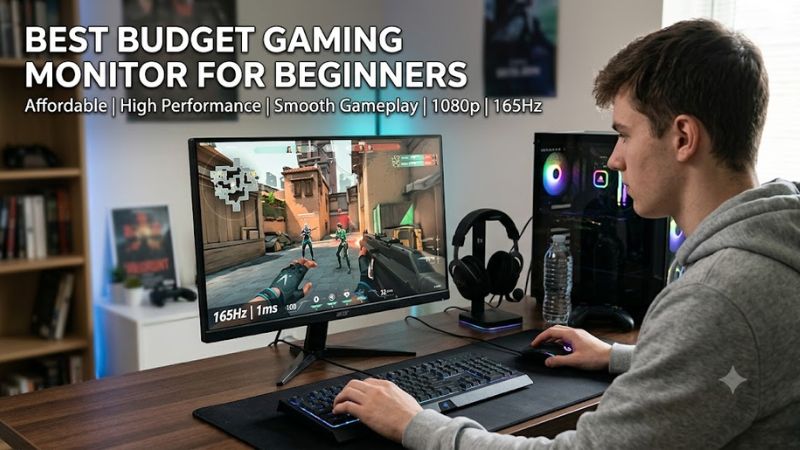
A best budget gaming monitor for beginners should match the PC’s GPU, prioritize a high refresh rate, and include adaptive sync rather than chasing every advertised feature. For most first builds, 24-inch 1080p IPS at 180Hz is a practical starting point, while 27-inch 1440p makes more sense when the graphics card can sustain higher-resolution gaming.
How to Choose a Budget Gaming Monitor
For a first purchase, start with resolution and GPU capability, then check refresh rate, panel behavior, and adaptive sync. A 1080p display reduces GPU demand and keeps pixel density sensible at 24 inches, while 1440p provides more desktop and game detail at 27 inches. RTINGS identifies these same factors as central to current budget-monitor selection.
Match Resolution to Your GPU
For the best budget gaming monitor for beginners, 1920×1080 is the simpler match for entry-level graphics cards because the GPU renders fewer pixels than 2560×1440. The AOC 24G4 and LG 24GS65F-B both use 23.8-inch-class IPS panels at 1920×1080, while the AOC Q27G3XMN moves to 27 inches and 2560×1440.
The AOC 24G4 fits buyers who want a compact first PC display, while the Q27G3XMN fits systems intended for higher-resolution gaming. The choice is therefore tied to the graphics card and games rather than the monitor alone. A 27-inch 1080p screen can also look softer than a 24-inch 1080p model because pixels are spread across a larger area.
Prioritize Refresh Rate and Motion
Refresh rate determines how many frames the display can show each second, so 144Hz, 165Hz, 180Hz, and 240Hz are all meaningful steps above a conventional 60Hz panel. The best budget gaming monitor for beginners does not need 240Hz automatically; the useful target depends on whether the PC can produce enough frames to benefit from it.
The AOC 24G4 reaches 180Hz, while the LG 24GS65F-B reaches 180Hz and the Dell SE2426HGS reaches 240Hz. TechSpot measured the 24G4 at native 1920×1080 and 180Hz, finding about 5.9ms average response with its Medium overdrive setting and 0.8ms processing delay.
Choose IPS, VA, or OLED Carefully
IPS is a straightforward beginner choice because it generally provides wide viewing angles and avoids the dark-scene smearing that can affect some budget VA panels. The AOC 24G4, LG 24GS65F-B, and Dell SE2426HGS all use IPS, while the AOC Q27G3XMN uses VA with Mini LED backlighting.
VA can provide stronger native contrast, which can help dark games, but response behavior varies by model. The Q27G3XMN adds local dimming and DisplayHDR 1000 certification, giving it capabilities beyond typical entry-level IPS screens, although RTINGS notes black smearing and VRR flicker as drawbacks.
Check Ports and Adaptive Sync
A beginner display should have the connection needed by the PC and enough bandwidth for its advertised refresh rate. The AOC 24G4 has DisplayPort 1.4 and HDMI 2.0, while the LG 24GS65F-B has DisplayPort 1.4 and HDMI, and Dell’s SE2426HGS provides DisplayPort 1.4 plus two HDMI 2.1 ports.
Adaptive sync is also worth checking because FreeSync or G-SYNC compatibility can synchronize refresh behavior with changing frame rates. The LG supports FreeSync and G-SYNC Compatible operation, Dell lists AMD FreeSync Premium, and AOC lists G-SYNC Compatible plus Adaptive Sync on the 24G4. Compatibility still depends on the GPU, connection, driver, and selected display mode.
Top Picks for a First Gaming Setup
The table below separates the four current choices by use case rather than treating every monitor as interchangeable. Specifications come from manufacturer pages, while independent motion and picture observations come from TechSpot or RTINGS. Prices can vary by retailer, so the categories focus on hardware characteristics rather than a fixed dollar threshold.
| Product | Best For | Key Spec | Compatibility | Watch Out For |
| AOC 24G4 | Best Overall | 23.8-inch, 1080p, 180Hz IPS | PC via DP 1.4 or HDMI 2.0; Adaptive Sync | No USB hub; overdrive varies by refresh rate |
| Dell SE2426HGS | Best Value | 23.8-inch, 1080p, 240Hz IPS | DP 1.4; 2× HDMI 2.1; FreeSync Premium | 1080p limits image detail |
| LG 24GS65F-B | Best For Easy Setup | 23.8-inch, 1080p, 180Hz IPS | DP 1.4; HDMI; FreeSync and G-SYNC Compatible | Limited HDR and no USB ports |
| AOC Q27G3XMN | Best For 1440p | 27-inch, 1440p, 180Hz VA Mini LED | DP 1.4; HDMI 2.0; FreeSync and G-SYNC compatibility | Black smearing and VRR flicker |
AOC 24G4 — Best Overall
The AOC 24G4 is a sensible first-PC option when the graphics card is aimed at 1080p gaming. It combines a 23.8-inch IPS panel, 1920×1080 resolution, 180Hz maximum refresh rate, DisplayPort 1.4, HDMI 2.0, and adaptive sync. Its stand also supports height, swivel, tilt, and pivot adjustment.
Its weakness is not raw capability but tuning. TechSpot measured the display at 180Hz using Medium overdrive and recorded about 5.9ms average response; at lower refresh rates, Weak overdrive was preferable because Medium could introduce inverse ghosting. Buyers wanting USB connectivity or stronger HDR should choose another display.
Dell SE2426HGS — Best Value
The Dell SE2426HGS targets buyers who want a straightforward 1080p monitor with a particularly high refresh rate. Its 23.8-inch IPS panel runs at 1920×1080 and 240Hz, with AMD FreeSync Premium, a height-adjustable stand, DisplayPort 1.4, and two HDMI 2.1 ports. Dell lists 99% sRGB coverage and 300-nit brightness.
The main limitation is the 1080p resolution, not connectivity. RTINGS describes the model as an entry-level gaming monitor and notes that its picture quality is limited compared with more advanced displays, while its 240Hz refresh rate and consistent response behavior suit fast games. It is less suitable when image detail or HDR quality matters more.
LG 24GS65F-B — Best For Easy Setup
The LG 24GS65F-B is another beginner-friendly 1080p choice, using a 23.8-inch IPS panel with 180Hz refresh, 1ms advertised GtG response, FreeSync, and G-SYNC Compatible support. Its stand provides tilt, height, and pivot adjustment, while the inputs include DisplayPort 1.4 and HDMI.
RTINGS reports low input lag and consistent response behavior across the refresh-rate range, but also identifies limited picture quality, low contrast, and weak HDR impact. It has no USB ports, and console support is more restricted than PC use, making this a clearer fit for a desktop gaming setup than a mixed PC-and-console display.
AOC Q27G3XMN — Best For 1440p
The AOC Q27G3XMN is the step-up choice for beginners whose PC is built around 1440p gaming. It combines a 27-inch VA panel, 2560×1440 resolution, 180Hz maximum refresh rate, Mini LED backlighting with 336 dimming zones, and DisplayHDR 1000 certification. Its DisplayPort 1.4 connection is required for 180Hz; HDMI is limited to 144Hz.
RTINGS found fast response performance and low input lag, while also noting some black smearing and distracting VRR flicker when frame rates change. This makes the monitor less appropriate for someone who wants the simplest possible first display, particularly if the PC cannot maintain reasonably consistent frame rates during gaming.
FAQ
Is 1080p enough? Yes; is 144Hz enough? Yes; is IPS a good beginner panel? Yes; does VRR matter? Yes. Those four answers cover the main decision points, but the details depend on the PC’s GPU, the games being played, and whether the monitor will also serve office or console duties.
Is 24 Inches Better Than 27 Inches?
For a first 1080p gaming monitor, 24 inches is generally easier to pair with the resolution because the pixel density remains suitable for both games and everyday Windows use. The AOC 24G4, LG 24GS65F-B, and Dell SE2426HGS all use 23.8-inch-class 1080p panels, making them directly relevant to compact desktop builds.
A 27-inch screen becomes more attractive when moving to 1440p. The AOC Q27G3XMN uses 2560×1440 at 27 inches, giving the GPU more pixels to render but also providing more desktop detail. Beginners should therefore decide resolution and GPU class before choosing screen size rather than selecting the largest panel first.
Do Beginners Need 180Hz or 240Hz?
No specific refresh rate is mandatory. A 144Hz-class display already represents a substantial change from 60Hz, while 180Hz and 240Hz provide additional headroom when the graphics card and game can produce sufficiently high frame rates. The difference matters more in fast competitive games than in slower single-player titles.
The Dell SE2426HGS reaches 240Hz, while the AOC 24G4 and LG 24GS65F-B reach 180Hz. TechSpot’s AOC measurements also show why advertised refresh rate should not be considered alone: overdrive behavior changes at different refresh rates, so response tuning remains part of the display’s actual gaming characteristics.
Does HDR Matter on a Budget Monitor?
HDR support on the box does not automatically mean strong HDR image quality. The AOC 24G4 accepts HDR but lacks local dimming hardware, and TechSpot found its HDR capability limited. By contrast, the Q27G3XMN uses Mini LED backlighting and 336 dimming zones, giving its HDR system substantially more hardware support.
For a beginner, HDR should therefore be treated as a secondary consideration after resolution, refresh rate, VRR, and connectivity. If HDR is a major reason for buying a monitor, the Q27G3XMN belongs in a different class from basic 1080p IPS models, but its VA behavior and VRR characteristics should also be considered.
What Should a Beginner Check Before Buying?
Check the GPU output, target resolution, refresh rate, connection type, and VRR support before ordering. For example, the AOC 24G4 can reach 180Hz through both listed video inputs, while the Q27G3XMN requires DisplayPort for 180Hz; LG and Dell also specify their relevant DisplayPort and HDMI capabilities.
Also check physical requirements: desk depth, VESA mounting if needed, and whether the included stand provides the adjustments you want. No special CPU, RAM, DDR4, DDR5, or PCIe requirement exists for these monitors; the important platform requirement is a compatible video output from the PC or GPU, plus the appropriate cable and driver support for the selected mode.
Final Thoughts
The best budget gaming monitor for beginners depends on the PC rather than a single universal specification. The AOC 24G4 and LG 24GS65F-B suit straightforward 1080p systems, the Dell SE2426HGS adds 240Hz, and the AOC Q27G3XMN moves to 1440p with Mini LED. Match resolution, refresh rate, VRR, and ports to the hardware first.