🛒 Best Price Today on Amazon
Prime members get fast, free shipping on everything above, plus member-only deals. New members get a 30-day free trial — cancel anytime.
Finding a quality gaming headset under 100 dollars requires balancing driver performance, microphone clarity, and wearing comfort. Modern budget PC options deliver dynamic drivers and detachable microphones over USB or 3.5mm jacks. Upgrading audio does not require massive spending to hear positional cues in competitive games.
How to Choose a Budget Gaming Headset
Selecting budget gaming hardware requires evaluating key features like driver size, microphone clarity, headband ergonomics, and system connection options. Manufacturers balance these parameters to deliver solid audio performance without bloated price tags. Understanding these foundational specs helps you choose a model tailored to your setup.
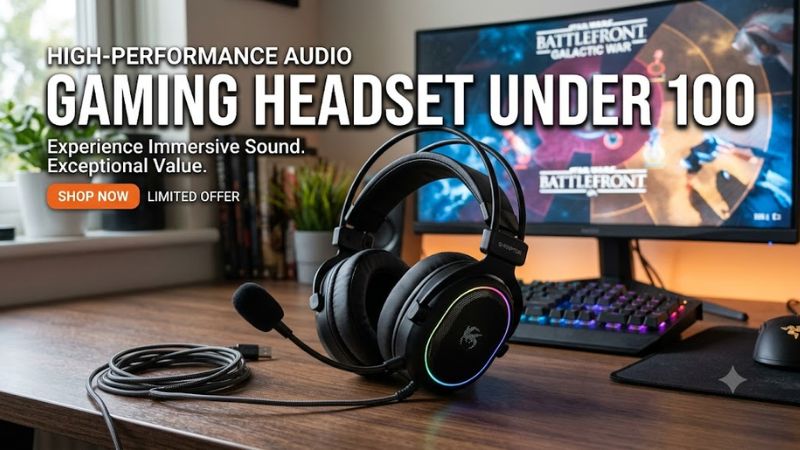
Acoustic Driver Size and Frequency Tuning
Large neodymium drivers measuring between 40mm and 53mm generate expansive soundstages and defined bass response in gaming environments. Larger driver surface area allows speakers to move more air, producing deeper low-end impact during action scenes. Proper acoustic chamber tuning prevents bass frequencies from muddying clear mid-range voice chat.
Choosing a unit with 53mm angled drivers like the HyperX Cloud III provides distinct spatial separation across the 10 Hz to 21 kHz frequency spectrum. Capable drivers assist competitive players in pinpointing opponent steps accurately. Anyone prioritizing sound placement should select a gaming headset under 100 with angled drivers.
Weight and Headband Ergonomic Design
Physical weight directly impacts comfort during extended gaming sessions on your PC setup. Lightweight headsets weighing under 250 grams reduce neck strain and pressure points on the top of your head over long playtimes. Breathable fabric or high-density memory foam ear cushions further enhance physical comfort during summer gaming hours.
Design features like suspended headbands evenly distribute physical mass across the skull to minimize localized clamping force. Models like the SteelSeries Arctis Nova 1 weigh only 236 grams, making them ideal for long competitive play sessions. Choosing lightweight materials ensures long-term comfort without sacrificing structural durability.
Software Audio Customization and Spatial Sound
Selecting a gaming headset under 100 dollar budget threshold often includes access to companion software suites on Windows 11. Custom equalizers allow users to boost treble frequencies for step audio or adjust microphone sidetone levels easily. Integrated spatial audio processing expands two-channel stereo sound into virtual 7.1 surround sound.
Headsets such as the Corsair HS65 Surround connect through a USB digital-to-analog converter to access Sonar or iCUE audio software controls. Personalized sound profiling adjusts frequency curves to match individual hearing preferences on PC. Digital processing tools transform standard stereo hardware into immersive spatial listening gear.
Connection Types and Platform Compatibility
Hardware interface options dictate compatibility across desktop computers, gaming laptops, and console platforms. Standard 3.5mm analog audio connectors function universally without requiring driver installation or USB port availability. USB Type-A and Type-C adapters provide digital signal transfer with enhanced microphone noise suppression.
Models like the Razer BlackShark V2 X utilize a primary 3.5mm audio jack with an included splitter cable for separate headphone and mic PC jacks. Analog connections remove digital latency while ensuring cross-platform operation across every gaming device. Verifying cable length and connector types prevents adapter hassles during desktop setup.
Top Picks for Budget PC Audio
Selecting the right peripheral involves comparing verified acoustic specifications, weight metrics, and connection types. The following table highlights the best models under one hundred dollars based on manufacturer data and objective bench tests. Each device serves a specific user preference ranging from positional audio accuracy to overall value.
| Product | Best For | Key Spec | Compatibility | Watch Out For |
| HyperX Cloud III | Best Overall | 53mm Angled Drivers, 10Hz-21kHz | PC, PS5, Xbox, Switch, Mobile (3.5mm / USB) | Subdued bass out of the box; not for bass-heavy music lovers |
| Razer BlackShark V2 X | Best Value | 50mm TriForce Drivers, 240g Weight | PC, Mac, PS5, Xbox, Switch (3.5mm jack) | Fixed cable and non-detachable mic; not for modular cable users |
| Corsair HS65 Surround | Best Spatial Sound | Dolby Audio 7.1, 50mm Drivers | PC, Mac, PS5, Switch (3.5mm / USB DAC) | Requires iCUE software on Windows; not for pure console players |
| SteelSeries Arctis Nova 1 | Best Comfort | 236g Weight, AirWeave Cushions | PC, Mac, PS5, Xbox, Switch (3.5mm jack) | Lacks deep low-end impact; not for cinematic movie enthusiasts |
HyperX Cloud III
Gamers seeking durable construction and superior positional audio accuracy should select the HyperX Cloud III as their primary gaming headset under 100 dollars. It features custom 53mm angled drivers and memory foam padding wrapped in soft synthetic leather. The unit includes a detachable 10mm noise-canceling microphone with a mute status indicator.
At 308 grams, the aluminum frame delivers long-term frame rigidity without excessive head pressure during long gaming sessions. Connecting through USB-C, USB-A, or 3.5mm jacks ensures immediate platform compatibility with PC and console systems. Players who require wireless freedom should look elsewhere because this remains a purely wired unit.
Razer BlackShark V2 X
Budget-conscious players wanting passive noise isolation and lightweight comfort should buy the Razer BlackShark V2 X gaming headset under 100 dollars. Its 50mm TriForce drivers separate audio frequencies into high, mid, and low channels for clean reproduction. A weight of 240 grams makes it exceptionally comfortable during extended gaming matches.
The cardioid HyperClear microphone picks up speech cleanly while reducing ambient room noise from mechanical keyboards. The attached 1.3-meter cable uses a standard 3.5mm jack for cross-platform compatibility across PC setups and console controllers. Users seeking detachable cables or modular parts should consider higher-tier alternatives.
Corsair HS65 Surround
Competitive tactical shooter players seeking customized spatial sound profiles should consider the Corsair HS65 Surround gaming headset under 100 dollars. Custom-tuned 50mm neodymium audio drivers deliver a 20 Hz to 20 kHz frequency response for detailed spatial cues. The included USB DAC enables Dolby Audio 7.1 surround sound processing on Windows PCs.
Weighing 282 grams, the aluminum-reinforced headband features plush memory foam earcups covered in breathable leatherette material. SoundID software technology creates personalized EQ profiles based on automated user listening tests inside Corsair iCUE. Console players who do not use PC software will miss out on key custom calibration features.
SteelSeries Arctis Nova 1
Users who prioritize all-day wearing comfort and lightweight headwear will appreciate the SteelSeries Arctis Nova 1 gaming headset under 100 dollars. Custom 40mm drivers produce clear highs and distinct midrange tones suited for Discord communication. The fully retractable ClearCast Gen 2 microphone tucks neatly into the earcup when not in use.
At only 236 grams, the ComfortMAX headband system utilizes height-adjustable earcups and a flexible elastic overhead strap. Breathable AirWeave memory foam ear cushions keep ears cool during prolonged gaming sessions on hot days. Bass enthusiasts who want heavy low-end rumble for cinematic movies should look for punchier alternatives.
Frequently Asked Questions
Navigating budget audio options often raises technical questions regarding sound quality, connectivity standards, and software features on PC platforms. Below are direct answers to common questions about choosing a gaming headset under 100 dollars. Reviewing these facts helps clarify performance expectations before purchasing.
Is a $100 headset enough for competitive PC gaming?
A budget model priced under $100 provides more than enough audio precision and microphone clarity for competitive PC gaming. Modern dynamic drivers between 40mm and 53mm deliver clean high-frequency detail needed to detect enemy footsteps in shooter titles. High-end audiophile gear offers marginal gains for casual and ranked players.
Hardware construction in this price tier utilizes durable steel or reinforced plastic headbands that withstand daily gaming use. Noise-canceling boom microphones accurately capture speech while filtering out background mechanical keyboard clicks. Investing extra money beyond this price point yields diminishing returns for standard gaming setups.
Do budget wired headsets sound better than wireless models?
Budget wired headsets deliver superior sound quality and microphone clarity compared to wireless headsets at the same price point. Removing internal batteries, wireless transceivers, and charging circuits allows manufacturers to allocate budget toward higher quality audio drivers. Wired connections also bypass signal compression completely.
Analog 3.5mm and USB wired connections provide zero latency transmission without battery degradation over years of heavy daily use. Wireless alternatives under $100 often compromise on driver tuning or mic bandwidth to offset wireless hardware costs. Choosing wired peripherals maximizes raw acoustic output per dollar spent on PC setups.
Does Windows 11 require USB headsets for surround sound?
Windows 11 supports spatial surround sound output over both standard 3.5mm analog jacks and USB digital connections. Built-in spatial sound platforms like Windows Sonic work with any connected headphones to simulate 3D positional audio. Specialized software like Dolby Atmos or DTS Headphone:X operates over analog connections as well.
USB headsets include dedicated sound cards that enable proprietary equalizer controls and software spatial processing inside companion apps. Analog models rely on motherboard audio codecs like Realtek ALC1220, which offer excellent sound fidelity on modern PC motherboards. Both connection methods provide full spatial audio capability in modern titles.
Will a $100 gaming headset work with consoles and mobile?
Gaming headsets using 3.5mm analog cables connect directly across PC, PlayStation 5, Xbox Series X, Nintendo Switch, and mobile devices. Plug-and-play analog connectivity bypasses driver installation requirements across console hardware and handheld platforms. Users can plug directly into controller audio ports without extra configuration steps.
USB digital connection models require platform compatibility verification for specific console systems before purchase. Some USB dongles support PlayStation 5 and Switch consoles but fail to register on Xbox hardware without dedicated security chips. Choosing standard 3.5mm analog models provides universal cross-platform versatility.
Final Thoughts
Selecting the right gaming headset under 100 dollars comes down to choosing the features that match your gaming priorities. Whether you value the 53mm drivers of the HyperX Cloud III or the 236-gram weight of the SteelSeries Arctis Nova 1, budget options deliver clear audio. Comparing connection types ensures lasting comfort and compatibility.