🛒 Best Price Today on Amazon
Prime members get fast, free shipping on everything above, plus member-only deals. New members get a 30-day free trial — cancel anytime.
Selecting the best gaming headset requires evaluating driver architecture, wireless latency, and wearing comfort for extended PC gaming sessions. Modern options range from ultra-lightweight frames to heavy planar magnetic drivers with studio audio fidelity. Picking the right pair ensures crisp spatial awareness without dropouts.
How to Choose a Gaming Headset
Identifying the best gaming headset for your setup involves balancing sound drivers, wireless response times, physical clamping force, and system connectivity. Audio drivers shape high-frequency positioning while wireless protocols prevent lag during matches. Evaluating these four areas directly leads to models that meet your specific needs.
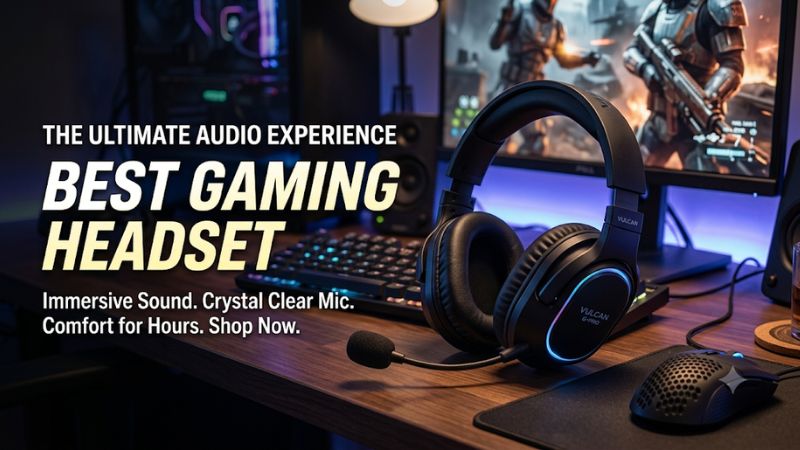
Sound Driver Architecture
Audio drivers convert digital signals into physical sound waves, directly affecting detail retrieval in tactical shooters. Standard dynamic drivers measuring 40mm to 53mm offer punchy bass impact for cinematic games. Selecting the best gaming headset for audio detail requires evaluating whether dynamic or planar magnetic technology fits your setup.
Planar magnetic drivers use flat diaphragms suspended in magnetic fields, yielding linear frequency response from 10Hz to 50kHz. They reduce acoustic distortion at high volumes, making footsteps clear alongside loud explosions. Audeze Maxwell uses 90mm planar drivers to deliver studio audio accuracy for critical listening on PC.
Wireless Latency and Connectivity
Wireless connectivity relies on 2.4GHz radio frequency USB transmitters to achieve sub-20ms audio latency. Standard Bluetooth connections introduce 100ms or higher latency, causing noticeable delay between onscreen action and sound. Modern wireless transmitters keep game audio synchronized across dense wireless signal environments.
Transmitter range typically reaches 12 meters before signal degradation occurs through interior household walls. Dual-wireless models support simultaneous 2.4GHz and Bluetooth 5.3 audio streams from mobile devices and desktop computers. SteelSeries Arctis Nova Pro Wireless utilizes dual USB inputs on its base station for instant source switching.
Physical Weight and Earcup Ergonomics
Headset weight impacts neck fatigue and crown pressure during gaming sessions exceeding two hours. Lightweight frames weigh under 300 grams, while planar headsets often approach 500 grams due to internal magnet structures. Finding the best gaming headset for comfort depends on matching chassis weight with personal tolerance levels.
Memory foam earpads wrapped in breathable fabric dissipate heat far better than synthetic leather materials. Clamping force must maintain a secure acoustic seal without applying excess pressure to your jaw. Razer BlackShark V2 Pro uses breathable fabric cushions that weigh 320 grams, maintaining comfort during long competitive play sessions.
Multi-Platform Dongle Compatibility
Cross-platform compatibility relies on USB transmitter firmware and hardware authentication chips. Standard USB-C dongles work natively on Windows 11, PlayStation 5, Nintendo Switch, and macOS systems. Console security hardware requirements mean generic USB transmitters cannot output audio on Xbox Series X or Xbox Series S consoles.
Dedicated Xbox variant transmitters include security handshake chips, allowing them to function on Xbox consoles and PC hardware. HyperX Cloud III Wireless features a multi-platform USB dongle compatible with PC, PlayStation 5, and Nintendo Switch systems. Verifying transmitter compatibility prevents unexpected connectivity issues across devices.
Top Picks for Every Gamer Category
Choosing the best gaming headset category depends on your priority for sound purity, battery endurance, lightweight ergonomics, or feature set. The comparison table below highlights key specifications, platform compatibility, and operational caveats across four leading choices. Reviewing these facts ensures you pick the right model for your rig.
| Product | Best For | Key Spec | Compatibility | Watch Out For | | SteelSeries Arctis Nova Pro Wireless | Best Overall | Dual Hot-Swap Battery (40 Hours) | PC, PS5, PS4, Switch, Mobile | Snug Earcup ANC Sensor | | HyperX Cloud III Wireless | Best Value | 120-Hour Battery Life | PC, PS5, PS4, Switch | Quiet Sidetone Monitoring | | Razer BlackShark V2 Pro (2023) | Competitive Esports | 70-Hour Battery, 320g Weight | PC, PS5, PS4, Switch, Mobile | No 3.5mm Analog Audio Port | | Audeze Maxwell | Audiophile Sound | 90mm Planar Magnetic Drivers | PC, PS5, Switch, Mac, Mobile | Heavy 490g Total Frame Weight |
SteelSeries Arctis Nova Pro Wireless
SteelSeries Arctis Nova Pro Wireless serves as our flagship pick for the best gaming headset overall. It features custom 40mm drivers delivering a 10Hz to 48kHz frequency range, alongside active noise cancellation. Dual hot-swappable 20-hour batteries allow non-stop wireless play while one pack charges inside the OLED desktop base station.
The included wireless base station connects to two USB audio sources simultaneously, enabling instant toggling between PC and PlayStation 5 systems. Weighing 339 grams, the headband uses an adjustable tension band to distribute weight evenly. Gamers sensitive to ear contact should note the internal noise cancellation sensor bump inside the earcup.
HyperX Cloud III Wireless
HyperX Cloud III Wireless stands out as our top value pick for gamers seeking long battery longevity. It incorporates 53mm angled dynamic drivers covering 10Hz to 21kHz for clean spatial sound in Windows 11. Delivering 120 hours of operation on a single USB-C charge, it eliminates frequent battery charging routines during weekly gaming.
An aluminum frame and plush memory foam ear cushions keep weight at 342 grams, delivering lasting comfort for long gaming sessions. The 2.4GHz wireless USB dongle pairs instantly with PC, PlayStation 5, PlayStation 4, and Nintendo Switch consoles. Players needing loud mic monitoring should note its internal sidetone remains relatively quiet at max volume.
Razer BlackShark V2 Pro (2023)
Razer BlackShark V2 Pro (2023) represents a top choice for esports players who demand clear voice chat. The detachable HyperClear Super Wideband microphone records voice audio at a high 32kHz sample rate. Dynamic 50mm TriForce Titanium drivers supply directional cues across a 12Hz to 28kHz frequency range for accurate footstep tracking.
Weighing 320 grams, the breathable fabric ear cushions prevent heat buildup during extended competitive matches. The headset offers 70 hours of battery life over 2.4GHz wireless and Bluetooth 5.2 connections. Gamers requiring wired analog connections should look elsewhere, as it lacks a 3.5mm port and operates purely as a wireless unit.
Audeze Maxwell
Audeze Maxwell delivers high-end audio performance through massive 90mm planar magnetic drivers. Covering a broad 10Hz to 50kHz frequency response, it renders complex acoustic layers with high separation and minimal distortion. Bluetooth 5.3 with LDAC support complements the ultra-low latency 2.4GHz USB-C dongle for high-bitrate wireless streaming.
An 80-hour battery life allows extended play sessions between USB-C charges, while physical controls offer quick volume adjustments. The reinforced steel and aluminum headband ensures durability across years of daily desktop use. Gamers sensitive to heavy crown pressure should pass on this model, as its 490-gram weight can cause fatigue over time.
Frequently Asked Questions
Selecting the best gaming headset frequently raises practical questions regarding wireless delay, battery lifespan, surround sound software, and multi-platform support. The following section addresses common user queries with clear technical facts. These answers help you optimize your headset setup on Windows PC and console platforms.
Does Wireless Audio Cause Lag in Fast Games?
Modern 2.4GHz wireless gaming headsets operate with under 20ms of latency, rendering audio delay imperceptible during fast competitive matches. Unlike standard Bluetooth protocols that create up to 100ms of lag, dedicated USB dongles maintain real-time sync between visuals and sound. This ensures instant footstep cues in action shooters.
Plugging your USB wireless receiver into a direct motherboard USB 3.2 port prevents signal interference from unshielded cables. Position the dongle within line-of-sight of your seating area to maintain stable 2.4GHz transmission. Updating device firmware through vendor desktop apps maintains low latency and strong signal stability over time.
How Long Do Wireless Headset Batteries Last?
Modern wireless headset battery longevity ranges between 20 hours and 120 hours depending on driver tech and internal capacity. HyperX Cloud III Wireless delivers up to 120 hours per charge, whereas SteelSeries Arctis Nova Pro Wireless uses dual hot-swappable 20-hour battery packs for continuous battery availability on PC.
Disabling active noise cancellation and RGB lighting extensions extends overall battery runtime significantly on supported models. Standard USB-C fast charging restores up to six hours of play time from a quick 15-minute charge cycle. Lithium-polymer batteries preserve optimal capacity when kept between 20 percent and 80 percent charge level.
Is Spatial Audio Necessary for PC Gaming?
Spatial audio processing formats software surround channels to improve directional sound perception in supported PC titles. Windows Sonic, Dolby Atmos, and DTS Headphone:X calculate height and distance cues using head-related transfer functions. These spatial algorithms function over any stereo gaming headset through Windows audio settings.
In competitive games like Counter-Strike 2, clean stereo imaging often yields clearer footstep isolation than heavy spatial processing. Software virtual surround can occasionally introduce mild reverb or obscure faint acoustic details. Testing both stereo mode and spatial audio settings helps identify the optimal profile for your games.
Will a PC Headset Work on Consoles?
Most USB 2.4GHz wireless headsets work across Windows PCs, PlayStation 5, PlayStation 4, and Nintendo Switch systems natively. Xbox Series X and S consoles require specialized security handshake chips inside the USB dongle for compatibility. Check product specifications to confirm console support before selecting a cross-platform model.
Analog 3.5mm headset cables offer universal hardware compatibility when connected directly to console controllers or dedicated PC sound cards. USB-C audio cables provide lossless digital transmission on PC, Mac, and mobile devices equipped with active audio output. Using bundled adapters ensures stable connections across all hardware.
Final Thoughts
Buying the best gaming headset comes down to balancing raw sound performance, wearing comfort, wireless battery endurance, and system budget. Lightweight frames offer comfort for long sessions, while planar magnetic drivers deliver acoustic precision. Select the model that aligns with your gaming goals for clear spatial awareness on PC.