🛒 Best Price Today on Amazon
Prime members get fast, free shipping on everything above, plus member-only deals. New members get a 30-day free trial — cancel anytime.
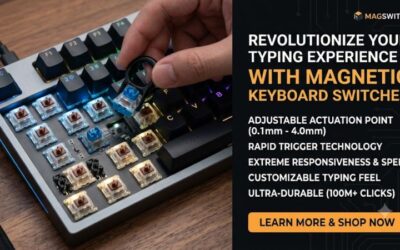
Modern magnetic switches change how PC peripherals process keystrokes by replacing copper leaves with sensors. A hall effect keyboard tracks magnetic flux to measure key depth continuously. This approach lets players adjust activation points down to 0.1 mm, reducing latency on Windows 11 PCs while removing traditional contact wear.
What Hall Effect Keyboard Technology Really Comes Down To
Understanding magnetic switches requires looking at how sensors track movement instead of waiting for metal contact. A magnet inside the stem moves toward a sensor on the circuit board. This constant tracking provides customizable actuation depth and faster signal detection for competitive PC gaming setups.
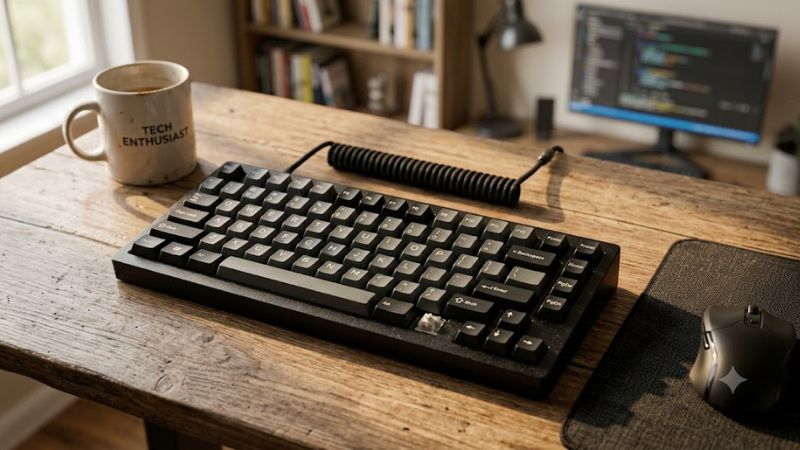
Magnetic Sensor Detection
A hall effect keyboard uses integrated circuit sensors to measure changes in magnetic voltage as keys travel downward. The system records displacement values in real time rather than registering a simple binary closed circuit. High-grade sensors track distances with sub-millimeter precision to ensure predictable performance across long gaming sessions.
Because no physical leaf contacts touch during a keypress, mechanical friction is reduced inside the switch housing. Removing leaf friction creates a smoother downward stroke while protecting the circuit board from wear. Users experience consistent resistance throughout millions of actuation cycles across all installed magnetic switches.
Dynamic Actuation Travel
Traditional mechanical switches register inputs at a fixed distance, typically around 2.0 mm into the press. Magnetic sensors allow firmware to define custom actuation points anywhere between 0.1 mm and 4.0 mm. Setting shallow travel distances speeds up key registration for fast reflex titles like Counter-Strike 2 or Valorant.
Deeper actuation settings help prevent accidental keystrokes when typing documents or navigating desktop applications. Software profiles let players assign unique travel depths to individual keys, such as setting movement keys to 0.5 mm while reserving 2.5 mm for ultimate abilities to prevent misclicks in heated matches.
Rapid Reset Capabilities
Rapid trigger technology on a hall effect keyboard resets key registration the instant a key moves upward. Mechanical switches must travel back past a fixed reset point before registering another press. Magnetic tracking allows immediate re-actuation anywhere along the travel path, giving players faster counter-strafing control.
This feature removes mechanical debounce delay, which traditionally prevents rapid spamming of a single key. Players can execute rapid double taps without waiting for the switch to spring fully back up. The result is lower total input latency and precise physical feedback during fast rhythm games and tactical shooters.
What Doesn’t Help
Upgrading peripheral hardware does not fix network latency or compensate for unstable internet connections. Setting activation points to extremely light values like 0.1 mm will not improve game frame rates or GPU rendering times. Players running demanding titles still require dedicated system hardware optimization for higher FPS.
Installing custom magnetic switches will not resolve software instability or Windows driver corruptions. Excessively sensitive settings can actually cause unwanted inputs if fingers rest heavily on keys. Adjusting polling rates above 1000 Hz may increase CPU overhead on older dual-core processors without providing noticeable speed.
How to Configure a Hall Effect Keyboard: Step by Step
Configuring a hall effect keyboard involves using companion software to map magnetic sensor sensitivity to your playstyle. Connecting the device via a direct USB 3.0 port ensures stable data throughput and reliable profile saving. Following structured steps prevents input misregisters and maximizes switch responsiveness in games.
| Setting | Where | Effect | Risk |
| Actuation Point | Companion Software Driver | Changes key travel registration from 0.1 mm to 4.0 mm | Accidental misclicks at light depths; revert to 1.5 mm default |
| Rapid Trigger | Switch Sensitivity Settings | Re-activates key instantly on upward motion | Overly sensitive chatter during typing; toggle off in software |
| Polling Rate | Device Configuration Panel | Increases USB report frequency up to 8000 Hz | Slightly elevated CPU usage; drop back down to 1000 Hz |
| Key Calibration | Sensor Calibration Utility | Normalizes magnetic flux across all switch sensors | Incorrect baseline if key is pressed; re-run resting wizard |
Set Actuation Point Depth
Open the manufacturer companion software on Windows 11 and locate the performance customization tab. Select your primary gaming keys, such as WASD, and set the actuation point to 1.0 mm for faster response times. Apply a deeper 2.0 mm setting to chat keys to avoid sending unintended messages during intense competitive matches.
Evaluate the custom profile in a single-player shooting range to gauge how shallow actuation feels under pressure. If keys trigger from resting finger weight, increase the distance setting by 0.2 mm increments until comfort is reached. Save the profile directly to onboard device memory to retain settings across different PCs.
Enable Rapid Trigger Mode
Enabling rapid trigger on a hall effect keyboard allows switches to reset dynamically as soon as key movement reverses. Navigate to the rapid trigger menu in your control utility and toggle the feature on for movement inputs. Set the up stroke release sensitivity to 0.15 mm to enable immediate stopping and fast strafing turns.
Verify responsiveness by tracking key releases in training mode while observing character movement stop times. If movement feels jerky or cuts off prematurely, adjust the release threshold up to 0.3 mm for smoother motion transitions. Disabling rapid trigger for non-gaming profiles ensures standard typing stability in daily work.
Calibrate Sensor Magnetic Flux
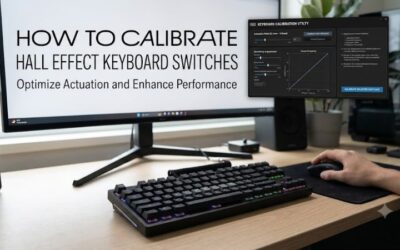
Temperature shifts and external magnetic sources can alter magnetic flux baseline readings over long periods. Access the sensor calibration wizard in the device software while making sure no key is being pressed down. Running this automated process resets baseline voltage levels across all board sensors to maintain tracking accuracy.
Press every key fully to the bottom plate when prompted by the calibration wizard to record maximum physical travel distance. If any key displays inconsistent registration after calibration, clear the stored profile and repeat the procedure. Keeping firmware updated prevents calibration drift on high-polling rate USB connections.
Adjust Dynamic Key Stroke Profile
Dynamic key stroke settings allow binding two separate actions to different actuation depths on a single key. Open the macro menu and assign a walk command to 1.0 mm travel while mapping a sprint command to 3.0 mm travel. This configuration gives fine analog-like movement control in supported first-person shooter games.
Verify multi-action bindings in custom games to confirm that actuation stages trigger without unwanted overlaps. If second-stage actions activate too early, increase the separation distance between registration thresholds to at least 1.5 mm. Clear bound secondary commands if complex keys create input confusion during match gameplay.
Hall Effect Keyboard Frequently Asked Questions
Finding the right setup details for a hall effect keyboard requires understanding compatibility, maintenance, and software features. Below are clear answers to common questions about magnetic switch hardware, system requirements, and customization options to help you optimize your gaming setup on modern Windows desktop operating systems.
Do Hall Effect Keyboards Improve In-Game Movement?
Yes, a hall effect keyboard improves movement precision by enabling rapid trigger resets and customizable actuation depth. Continuous magnetic sensing removes the physical delay required for traditional mechanical stems to reset above contact points. Players achieve tighter counter-strafing control and faster directional changes in shooters.
While physical response times improve, overall gaming performance still depends on network ping and system frame rates. Setting actuation points too shallow can lead to unintended inputs if your typing technique is heavy. Adjusting activation depths helps balance rapid responsiveness with accuracy during long gaming sessions.
Can You Swap Switches on Hall Effect Keyboards?
You can swap switches on magnetic keyboards only if the replacement switches share identical magnet polarity and physical housing dimensions. Traditional mechanical switches with metal pins are completely incompatible because magnetic circuit boards lack physical pin sockets. Always check manufacturer switch compatibility lists prior to purchasing replacement units.
Swapping magnetic switches often requires running a recalibration cycle through driver software to map new magnet strengths. Different switch brands use varying magnetic flux levels that can alter registration depth if not recalibrated properly. Following proper recalibration steps ensures consistent travel sensing across every modified key slot.
Do Hall Effect Keyboards Require Specific USB Ports?
No, magnetic keyboards function on standard USB 2.0 ports, though USB 3.0 or higher is recommended for high polling rates. Models operating at 8000 Hz polling rates demand higher data bandwidth and stable power delivery from native motherboard ports. Connecting through unpowered USB hubs can cause input dropping or firmware calibration errors.
Plugging the cable directly into a rear motherboard USB port ensures consistent power delivery during high-frequency data transmission. High polling rates increase CPU interrupt requests on Windows 10 and Windows 11 systems. Using direct rear ports prevents micro-stuttering caused by bandwidth bottlenecks on shared front panel headers.
Are Hall Effect Keyboards Compatible With Windows 11?
Yes, magnetic keyboards are fully compatible with Windows 11 and function as standard Human Interface Devices out of the box. Basic typing works without installing extra drivers, while advanced features like rapid trigger require official software suites. Software applications run on 64-bit Windows operating systems with minimal system resources.
Onboard memory allows users to configure settings on Windows 11 and retain profiles when connecting to Linux or macOS systems. Standard keyboard functions remain active across all operating systems without software running in the background. Updating driver software periodically maintains full feature compatibility during OS updates.
Final Thoughts
Adopting a hall effect keyboard provides competitive PC gamers with unmatched control over actuation points and key reset behavior. Setting up custom travel profiles, calibrating magnetic sensors, and utilizing rapid trigger features helps lower overall input latency. Fine-tuning these options creates a responsive setup tailored to your playstyle.