
🛒 Best Price Today on Amazon
Prime members get fast, free shipping on everything above, plus member-only deals. New members get a 30-day free trial — cancel anytime.
Selecting the best 1440p gaming monitor requires matching pixel response speed with your graphics processing unit. Modern displays offer refresh rates from 180Hz to 360Hz across Fast IPS and QD-OLED panels. Choosing the correct display ensures smooth gameplay without motion blur while maintaining high visual clarity across all titles.
How to Choose 1440p Gaming Monitors
Identifying the best 1440p gaming monitor for your setup requires analyzing panel technology, refresh rate, response speed, and video connection bandwidth. Choosing the right combination prevents frame stuttering and ghosting. Buyers must evaluate hardware specs against their target games to ensure optimal visual output.
Panel Type and Contrast Ratios
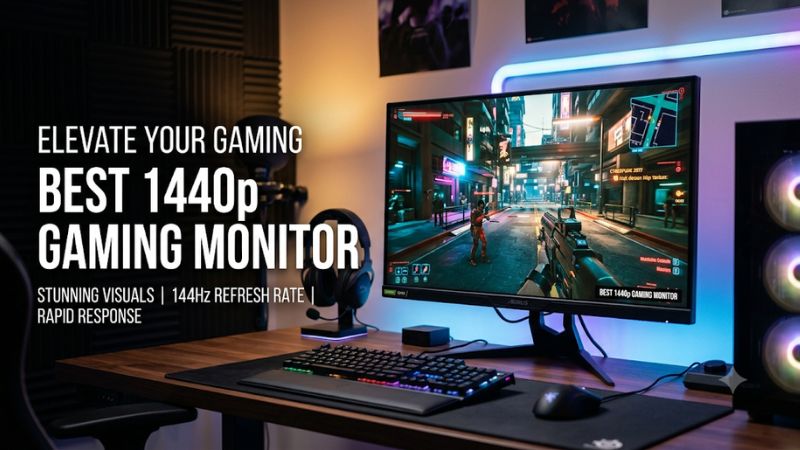
Searching for the best 1440p gaming monitor leads to three primary panel technologies: Fast IPS, QD-OLED, and Mini-LED VA. Fast IPS panels deliver wide viewing angles and reliable color accuracy suitable for bright rooms. QD-OLED panels produce deep blacks with infinite contrast, making them ideal for dark environment gameplay.
Mini-LED backlights bridge the gap between IPS and OLED by offering local dimming zones that boost peak brightness levels. High static contrast ratios maintain dark scene details in narrative titles like Cyberpunk 2077. Selecting the correct panel depends on room illumination and preference for motion speed over peak luminance.
Refresh Rate Requirements for Fast Play
Refresh rates determine how many distinct images a monitor displays each second. Entry-level 1440p monitors run at 180Hz, while competitive models reach 240Hz, 300Hz, or 360Hz. Higher refresh rates decrease input lag and improve image tracking during fast camera panning in competitive first-person shooter titles like Overwatch 2.
Achieving high refresh rates requires appropriate graphics processing power to maintain consistent frame delivery. A monitor running at 360Hz provides marginal benefits if your graphics processor outputs only 120 frames per second. Match refresh rate targets with your graphics hardware capabilities to avoid paying for unused speed.
Pixel Response Time and Motion Clarity
Evaluating motion performance on the best 1440p gaming monitor requires looking beyond advertised gray-to-gray response metrics. QD-OLED technology provides near-instant pixel transition times of 0.03ms, removing pixel smearing completely. Fast IPS displays achieve genuine 1ms transitions when configured with balanced overdrive modes.
Aggressive overdrive settings on LCD monitors cause inverse ghosting, visible as bright halos behind moving objects. Variable refresh rate features like NVIDIA G-SYNC and AMD FreeSync Premium match panel refresh rates to GPU frame outputs. This synchronization prevents screen tearing without introducing significant input lag.
Video Interface and Hardware Compatibility
Platform compatibility relies on selecting appropriate video inputs for your graphics card and gaming consoles. DisplayPort 1.4 with Display Stream Compression supports 2560×1440 resolution at 360Hz with full 10-bit color depth. HDMI 2.0 ports limit refresh rates to 144Hz at 1440p resolution, restricting high-end graphics processing units.
Modern gaming consoles like PlayStation 5 and Xbox Series X require HDMI 2.1 bandwidth to output 1440p signal at 120Hz with variable refresh rate active. VESA mounting support using standard 100x100mm brackets allows custom monitor arm installations. Desktop clearance must account for included stand depths when sizing tight desk space.
Top Picks for 1440p Gaming Monitors
Our evaluation highlights options for every budget tier and performance target among current generation displays. Each featured model meets specific gaming priorities, from competitive high refresh rate esports to cinematic high dynamic range rendering. Review the hardware breakdown table below to match your system specs.
| Product | Best For | Key Spec | Compatibility | Watch Out For |
| Dell Alienware AW2725DF | Best Overall | 27″ QD-OLED, 360Hz, 0.03ms | DP 1.4, HDMI 2.0, VESA 100×100 | Low SDR desktop brightness |
| Gigabyte M27Q X | Best Value | 27″ Fast IPS, 240Hz, 1ms | DP 1.4, HDMI 2.0, USB-C KVM | IPS glow in dark rooms |
| ASUS ROG Strix XG27AQMR | Best High-Refresh IPS | 27″ Fast IPS, 300Hz, 0.5ms | DP 1.4, HDMI 2.0, VESA 100×100 | Mediocre 1000:1 contrast ratio |
| AOC Q27G3XMN | Best HDR Budget | 27″ Mini-LED VA, 180Hz, 1ms | DP 1.4, HDMI 2.0, VESA 100×100 | Narrow VA viewing angles |
Dell Alienware AW2725DF
Esports players seeking the best 1440p gaming monitor experience will find peak performance in the Dell Alienware AW2725DF. Featuring a 27-inch QD-OLED panel with a native 360Hz refresh rate and 0.03ms response time, this display delivers motion clarity across fast action games. Color accuracy covers 99.3 percent of the DCI-P3 space.
A notable weakness of QD-OLED technology is subpixel text fringing when viewing small fonts in Windows productivity apps. Full-screen HDR brightness maxes out around 250 nits in bright environments, though small highlight peaks reach 1000 nits. Buyers who spend most of their time editing documents should choose an IPS display instead.
Gigabyte M27Q X
Budget-conscious gamers searching for the best 1440p gaming monitor with high refresh speed should consider the Gigabyte M27Q X. Equipped with a 27-inch Fast IPS display running at 240Hz and a 1ms gray-to-gray response time, it provides fluid frame delivery. Built-in KVM switch capabilities allow single-keyboard control of two PCs.
The primary limitation stems from typical IPS panel characteristics, including noticeable backlight bleed in pitch-black rooms. Contrast ratio caps at 1000:1, which turns deep black tones into dark gray in dark environments. Gamers who play dark atmospheric titles exclusively in unlit rooms should skip IPS models for Mini-LED or OLED.
ASUS ROG Strix XG27AQMR
Competitive gamers who prefer LCD reliability without burn-in risk will appreciate the ASUS ROG Strix XG27AQMR. This 27-inch Fast IPS monitor features a native 300Hz refresh rate and 0.5ms minimum response time. Dual DisplayPort 1.4 connections support full refresh bandwidth alongside NVIDIA G-SYNC Compatible variable refresh rate.
Despite achieving VESA DisplayHDR 600 certification, edge-lit local dimming limits true high dynamic range impact compared to OLED displays. IPS contrast ratios mean shadow areas lack deep black saturation in dark scenes. Desktop users who demand true HDR black levels in cinematic gaming should avoid edge-lit IPS architectures.
AOC Q27G3XMN
Gamers wanting true HDR performance on a modest budget should examine the AOC Q27G3XMN Mini-LED display. Featuring 336 local dimming zones and VESA DisplayHDR 1000 certification, it delivers 1000-nit peak highlights with deep black levels. The 27-inch VA panel operates at a 180Hz refresh rate with AMD FreeSync Premium Pro support.
The main compromise lies in VA panel viewing angles, where image colors shift slightly when viewed off-center. Slow pixel response times in dark transitions can also create minor black smearing during rapid movement. Competitive esports players who demand instant motion clarity without smearing should select Fast IPS or OLED instead.
FAQ: 4 Real Questions About 1440p Monitors
Understanding hardware specifications helps gamers choose the best 1440p gaming monitor without overspending on unnecessary features. Below are straightforward answers to common technical queries regarding graphics requirements, panel types, cable standards, and display resolution differences for modern PC desktop setups.
What Graphics Card Do You Need for 1440p Gaming?
A mid-range graphics card like an NVIDIA GeForce RTX 4070 or AMD Radeon RX 7700 XT is required to run games smoothly on the best 1440p gaming monitor. These graphics cards deliver over 100 frames per second at 2560×1440 resolution using high image settings. Lower tier cards like the RTX 4060 require lowered settings in demanding titles.
Benchmarks in Cyberpunk 2077 at 1440p Ultra settings with DLSS Quality mode show an RTX 4070 averaging 85 frames per second according to TechPowerUp testing. High-refresh gaming at 240Hz or 360Hz requires top-tier GPUs like the RTX 4080 Super or RX 7900 XTX. Match your target display refresh rate to your GPU power for best results.
Is 1440p Noticeably Better Than 1080p on a 27-Inch Screen?
A 1440p resolution provides a noticeable 77 percent increase in total pixel count over 1080p on a 27-inch screen. This pixel bump increases pixel density from 81 pixels per inch to 108 PPI, producing sharper text and finer visual detail. Games display clearer distant targets without requiring heavy spatial anti-aliasing filters.
The extra desktop real estate also improves multitasking productivity by allowing two full windows side by side. Rendering games at 2560×1440 demands roughly 40 percent more GPU power than 1920×1080, making it an optimal sweet spot for modern desktop GPUs. Most players find 108 PPI the ideal balance between clarity and performance.
Should You Choose OLED or IPS for 1440p Gaming?
Select QD-OLED for instantaneous response times and true HDR performance, or pick Fast IPS if you require high SDR brightness and desktop text clarity. QD-OLED pixels turn off completely, yielding infinite contrast ratios without backlight glow. Fast IPS panels maintain consistent brightness in sunlit rooms without risk of static image retention.
OLED displays feature built-in pixel refresh algorithms in Windows to mitigate image retention during extended static desktop use. IPS displays require no panel maintenance and cost significantly less for comparable refresh rates like 240Hz. Choose based on whether your primary use case is competitive gaming or general office work.
Does DisplayPort or HDMI Work Better for 1440p Gaming Monitors?
DisplayPort 1.4 is the superior connection for 1440p gaming because it supports high refresh rates up to 360Hz with Display Stream Compression. HDMI 2.0 ports found on many 1440p monitors limit output to 144Hz at 2560×1440 resolution. Using DisplayPort ensures full variable refresh rate compatibility across NVIDIA and AMD graphics cards.
HDMI 2.1 is necessary if you intend to connect a PlayStation 5 or Xbox Series X console to output 1440p at 120Hz with HDR enabled. Most desktop graphics cards provide multiple DisplayPort 1.4 video outputs and one HDMI port. Connect your primary gaming monitor via DisplayPort to maximize frame rate throughput and g-sync features.
Final Thoughts
Choosing the best 1440p gaming monitor comes down to aligning panel response times, refresh rates, and video input bandwidth with your graphics card capabilities. Whether opting for a 360Hz QD-OLED display or a budget-friendly 240Hz Fast IPS panel, 2560×1440 resolution offers optimal image clarity for modern PC gaming setups.









